1
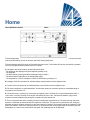
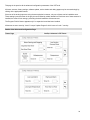
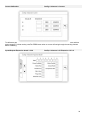
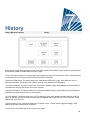
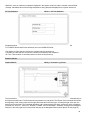
This page is the portal to all the advanced configuration parameters of the ViZiTouch.
All timers, sensors, factory settings, software update, service dealer and debug pages may be accessed simply by
clicking on the appropriate buttons.
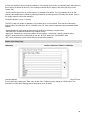
Since two of the analog inputs are using the same physical connector, only one of these can be installed at once.
These analog inputs are shown in the grey box surrounded by a black dotted line. Each time one of these sensors is
installed, the other will turn orange, preventing the dual installation of these sensors.
The Program Field I/O button appears only if an expansion board has been installed.
All buttons are set to security “Level 0” except “Update Program” which is set at “Level 1” security.
Details of the Advanced Configuration Page
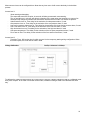
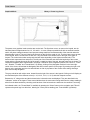
Timers Page
Config > Advanced > FP Timers
24