1
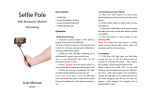
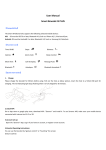
PG-100-BT User Manual The Pro Gadget PG-100-BT It is the most advanced and simple to use, Wireless Mobile Phone Extendable Pole in the market. Using integrated Bluetooth technology it makes possible taking single hand selfies with your mobile phone. Components 1. 2. 3. 4. Mobile Phone Holder Extendable Pole Optional Rubber Clamp USB charging cable Assembling the PG-100-BT 1. Screw the Extendable Pole (#2) into the Mobil Phone Holder (#1) using the knob. Make sure that they are tightly secured. 2. Depending on the model of you mobile phone you may want to use the provided Rubber Clamp for a better fit. 3. Place you mobile phone into the Phone Holder by expanding the horizontal and vertical clamps making sure that it is firmly secure. Charging the PG-100-BT Before first use connect the PG-100-BT using the provided USB cable (#4) to any USB charger. The red LED will be “on” while charging. Once fully charged the red LED will turn off. You can now disconnect the USB cable and start using the PG-100-BT Paring with you mobile phone or Bluetooth capable digital camera 1. Turn “on” the PG-100-BT . 2. In your mobile phone or your Bluetooth capable digital camera, turn on your devise’s Bluetooth and scan for available Bluetooth devises. Follow your phone or camera procedure to pair Bluetooth devises and pair the PG-100-BT 3. The PG-100-BT will show as “Shooter” in your mobile phone or your Bluetooth capable digital camera list of paired devises. 4. The PG-100-BT is now ready for use. Using the PG-100-BT with your mobile phone 1. Turn on the PG-100-BT using the on/off switch located at the bottom of the Extendable Pole. The blue LED will turn on. 2. Open you mobile phone camera application. 3. Extend the Pole and adjust the angle of the Pole hinge located at the top of the Pole, making sure that you are in frame. 4. Press the shutter button located on the top section of the rubber handle of the Extendable Pole to take pictures. 5. Enjoy your selfies. Using the PG-100-BT with your Digital Camera 1. The PG-100-BT can be only paired with digital cameras that are Bluetooth capable. If your camera is not Bluetooth capable you can always use the Camera’s timer function to take your selfies. 2. Turn on the PG-100-BT using the on/off switch located at the bottom of the Extendable Pole. The blue LED will turn on. 3. Turn on your camera and make sure that the Camera’s Bluetooth function is activated. 4. Extend the Pole and adjust the angle of the Pole hinge located at the top of the Pole, making sure that you are in frame. 5. Press the shutter button located on the top section of the rubber handle of the Extendable Pole to take pictures. 6. Enjoy your selfies. Specifications Max Load Capacity: 500 gr. Length of Extensions: 235 – 1005 mm Main Material: Steel. Flex Sections: 7 Net Weight: 169 gr. Battery Capacity: 45mAH Charging Voltage: 5V Charging Time: 1 Hours Standby Time: ≥ 100 Hours Autodyne Frequency: ≥ 500 times Support System: Android 3.0 or higher, IOS 4.0 or higher Main Function: Autodyne by wireless mobile phone or Bluetooth capable digital camera.