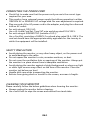
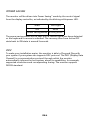
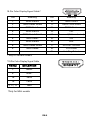
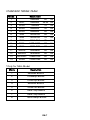
1
(DVI/HDMI/MHL cable)
Problems
Current Status Remedy
LED ON
·
Using OSD, adjust brightness and
contrast to maximum or reset to their
default settings.
LED OFF
·
Check the power switch.
·
Check if AC power cord is properly
connected to the monitor.
·
Check if video signal cable is properly
connected at the back of monitor.
·
Check if the power of computer system
is ON.
·
Check the audio cable with the host PCis
connected.
·
Check if the volume setup of the hostPC is
in minimum position and try toraise the
volume level.
No Picture
LED displays
blinking white
Abnormal
Sound(Only
Audio-Input
model)
(Optional)
No sound, or
sound level is
too low
EN-17