1
Instructions for Use
AZOI_KITO_IFU_v1.33
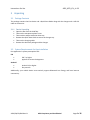
9 Troubleshooting
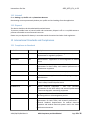
9.1 Error Messages
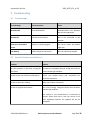
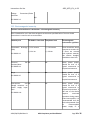
Error Message
Countermeasure
Cause
No Bluetooth
Turn ON Bluetooth.
Communication error between
Kito and the application.
No Internet
Connect to the internet.
Kito is not connected to the
internet.
Some error occurred at
server
Please try connecting again.
The server cannot be reached
right now.
Low Battery
Please charge the Kito device.
Kito not sufficiently charged.
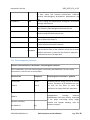
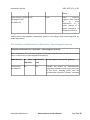
9.2 Potential Problems and Solutions
Problem
Solution
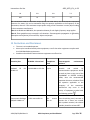
No LED indication on Kito after turning ON Kito battery is completely drained. Charge Kito until the
the Switch
white indicator light stabilizes.
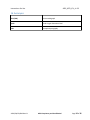
Unable to pair Kito with the mobile device
Restart your mobile device and re-establish the
Bluetooth connection.
Unable to share the readings
Check your internet connection.
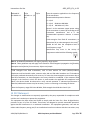
Unable to upgrade the firmware
Kito is out of charge. Charge the device until the white
indicator light stabilizes.
Also confirm if your mobile device is connected to
internet. Please note that in case you receive a call
while upgrading firmware, the upgrade will not be
completed.
AZOI/FM/IFU/018 Rev 01
AZOI Proprietary and Confidential
Page 21 of 35