1
120201 Bedanl DE900 e_081754 Bedanl DE900 e 15.02.12 09:02 Seite 1
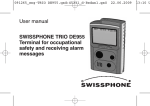
User Manual
DE900
Alphanumeric
POCSAG pager
120201 Bedanl DE900 e_081754 Bedanl DE900 e 15.02.12 09:02 Seite 2
Contents
Preface . . . . . . . . . . . . . . . . . . . . . . . . . . . . . . . . . . . . . . . . . . . . . . . . . . . . . .
3
Display . . . . . . . . . . . . . . . . . . . . . . . . . . . . . . . . . . . . . . . . . . . . . . . . . . . . . .
5
Buttons . . . . . . . . . . . . . . . . . . . . . . . . . . . . . . . . . . . . . . . . . . . . . . . . . . . . . .
6
Menu structure . . . . . . . . . . . . . . . . . . . . . . . . . . . . . . . . . . . . . . . . . . . . . . . . .
7-8
Messages . . . . . . . . . . . . . . . . . . . . . . . . . . . . . . . . . . . . . . . . . . . . . . . . . . . . .
9-12
Alerting . . . . . . . . . . . . . . . . . . . . . . . . . . . . . . . . . . . . . . . . . . . . . . . . . . . . . .
13-14
Alarm clock . . . . . . . . . . . . . . . . . . . . . . . . . . . . . . . . . . . . . . . . . . . . . . . . . . .
15-16
Status display . . . . . . . . . . . . . . . . . . . . . . . . . . . . . . . . . . . . . . . . . . . . . . . . . .
17
Alert options . . . . . . . . . . . . . . . . . . . . . . . . . . . . . . . . . . . . . . . . . . . . . . . . . . .
18-19
Settings . . . . . . . . . . . . . . . . . . . . . . . . . . . . . . . . . . . . . . . . . . . . . . . . . . . . . .
20-25
Switching on and off . . . . . . . . . . . . . . . . . . . . . . . . . . . . . . . . . . . . . . . . . . . . .
26
2
3
120201 Bedanl DE900 e_081754 Bedanl DE900 e 15.02.12 09:02 Seite 3
Preface
We would like to congratulate you on your new receiver. In purchasing the new Swissphone DE900
you have chosen a high quality device. The three-button operated Swissphone DE900 is a noteworthy product thanks to its combination of attractive design, great flexibility and high quality.
There are several different configurations available for your DE900, so some functions described
in this manual may not be available on your device.
This manual provides information to help you operate your device to its optimal ability; therefore
you should always keep it handy.
We hope you enjoy reading this manual and using your Swissphone DE900.
2
3
120201 Bedanl DE900 e_081754 Bedanl DE900 e 15.02.12 09:02 Seite 4
Special information on additional and useful functions
Warning
IMPORTANT INFORMATION
• Do not operate this product in hazardous atmosphere or explosion risk areas!
• Do not open the device or remove any labels!
This device complies with Part 15 of the FCC Rules.
Operation is subject to the following two conditions:
1) This device may not cause harmful interference, and
2) This device must accept any interference received, including interference that may cause
undesired operation.
WARNING – Changes or modifications not expressly approved by the party responsible for
compliance could void the user’s authority to operate the equipment.
The device meets the provisions of the European directive R&TTE 99/05/EG (“Radio Equipment and
Telecommunications Terminal Equipment”).
You can request a copy of the declaration of conformity from [email protected].
4
5
120201 Bedanl DE900 e_081754 Bedanl DE900 e 15.02.12 09:02 Seite 5
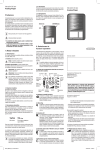
Display
Loud alerting
New
message
Silent alerting
Field strength indication
Alarm clock on
Battery charge
Clock
Menu text
Position of the
menu selection
Further menus
4
5
Push the scroll button to
select the next menu item
120201 Bedanl DE900 e_081754 Bedanl DE900 e 15.02.12 09:02 Seite 6
Buttons
Confirmation button
(Read messages, confirm alerts,
confirm menu selection)
Return button
(Alternatively, display user and status
information, scroll back. Holding the return
button will display the selected menu items
or exit the selected message.)
Scroll button
(Display main menu, scroll
through menus and reports,
change settings)
By inserting the battery, the Swissphone DE900 receiver is automatically switched on (see chapter
“Changing the Power Source”).
6
7
120201 Bedanl DE900 e_081754 Bedanl DE900 e 15.02.12 09:02 Seite 7
Menu structure
The message selection for “Read messages” is displayed when you press the confirmation button
at the start-up screen. By pressing the scroll button the main menu is displayed.
MESSAGE
Read
Message selection
Delete
Message selection
Delete all
Protect
Message selection
6
7
ALERT
Loud
Silent
ALERT CLOCK
On / Off
Selection
Set time
HH:MM
Snoozer
Number * time delay
STATUS
Status info
User info
120201 Bedanl DE900 e_081754 Bedanl DE900 e 15.02.12 09:02 Seite 8
ALERT OPTIONS
Alertpattern
RIC=>pattern
Call reminder
Selection
EA-Monitor
Selection
DynGo System
Information
SETTINGS
Set time
HH:MM
Set date
Day DD.MM.YY
Language
Selection
Battery
Selection
LCD contrast
Set
ECO mode
Selection
SWITCH OFF
Are you sure?
8
9
120201 Bedanl DE900 e_081754 Bedanl DE900 e 15.02.12 09:02 Seite 9
Messages
Received messages are alerted, displayed and stored into the memory. New (unread) messages
are identified by the envelope icon. Saved messages are displayed from left to right in the menus
“read”, “delete” and “protect” by icons based on the time they were received. When a new message is received all messages are moved to the right by one position. The oldest message will be
deleted if the memory is already full. Protected messages remain in the memory.
Reading new messages
New messages appear on the display immediately.
– Alerting is stopped by pressing any button.
– You can read the messages by pressing the scroll button. Once you have scrolled to the end of
a message it is considered as being read.
At the end of the release time the receiver automatically returns to stand-by mode.
Call reminder
If the call reminder function has been enabled, you will be notified about every unread message
after a specified amount of time (see chapter “Alarm options”). The call reminder is switched off
as soon as the messages are read.
8
9
120201 Bedanl DE900 e_081754 Bedanl DE900 e 15.02.12 09:02 Seite 10
Reading messages
Starting position: stand-by mode
– Press the confirmation button to display messages. The cursor marks the most recent message.
– Press the scroll button to select the next message.
– Press the confirmation button to read the selected message. The first 3 lines of the message are
displayed.
– Press the scroll button to read the whole message.
Sub-address
Time and date
of the received
message
Main address
Start of the message
Protected message
Unread message
with priority
Cursor
Free memory
space
Unread message
Read message
Reading messages with the confirmation button
You have the possibility to scroll and read all messages by pressing the confirmation button.
10
11
120201 Bedanl DE900 e_081754 Bedanl DE900 e 15.02.12 09:02 Seite 11
Simple operation
If your receiver is configured for simple operation, you will get directly into the most recent message by pressing the confirmation button. As soon as you have read it, the next unread message
is displayed. To reach the main menu, press the scroll and return buttons simultaneously for at
least 2 seconds.
Illuminated display
To switch on the display illumination manually, hold the confirmation button for 2 seconds. Hold
the confirmation button again for 2 seconds to switch off display illumination. Display illumination switches off automatically when the receiver returns to stand-by mode.
Deleting individual messages
Starting position: stand-by mode
– The “MESSAGES” menu is displayed when you press the scroll button.
– Press the confirmation button.
– Select “Delete” with the scroll button and confirm it by pressing the confirmation button.
– Select the message you want to delete with the scroll button.
– Press the confirmation button to delete the message.
10
11
120201 Bedanl DE900 e_081754 Bedanl DE900 e 15.02.12 09:02 Seite 12
Deleting all messages
Starting point: stand-by mode
– Press the scroll button and the “MESSAGES” menu is displayed.
– Press the confirmation button.
– Select “Delete all” to delete all messages.
– Press the confirmation button. The question appears, “Are you sure?”.
– Press the confirmation button again to delete all messages or the return button to abort the process.
Protecting messages
Protected messages cannot be overwritten by new messages and therefore remain until they are
deleted.
Starting position: stand-by mode
– The “MESSAGES” menu is displayed when you press the scroll button.
– Press the confirmation button.
– Select “Protect” by pressing the scroll button.
– Press the confirmation button.
– Select the required message with the scroll button.
– Press the confirmation button to protect the message.
12
13
120201 Bedanl DE900 e_081754 Bedanl DE900 e 15.02.12 09:02 Seite 13
Alerting
Alarm settings differentiate between messages with and without priority. This depends on how the
particular receiver address (RIC) is configured. The Swissphone DE900 can be configured to alert
“loud” (loud alerting with vibration) or “silent” (vibration only) in the alarm option menu.
Starting position: stand-by mode
– The “MESSAGES” menu is displayed when you press the scroll button.
– Select “ALERT OPTIONS” by pressing the scroll button.
– Press the confirmation button.
– Select the required alarm option with the scroll button.
– Press the confirmation button to accept the selected alarm option.
Messages with priority
When loud alerting is activated, the alarm is twice as long for messages with priority as for normal
messages. When any other type of alerting is active, messages with priority are signalled first by
vibration and then loud with vibration.
The following table illustrates the type of alerting for each configuration.
12
13
120201 Bedanl DE900 e_081754 Bedanl DE900 e 15.02.12 09:02 Seite 14
Symbol
Alerting
Alerting of messages with priority
Loud
Silent
Acoustical alerting
Standard signalling
Doubled standard signalling
10 seconds vibration
10 seconds vibration then doubled standard
signalling
Vibration
14
15
120201 Bedanl DE900 e_081754 Bedanl DE900 e 15.02.12 09:02 Seite 15
Alarm clock
Starting position: stand-by mode
– The “MESSAGES” menu is displayed when you press the scroll button.
– Select “ALARM CLOCK” by pressing the scroll button.
– Press the confirmation button.
Switching the alarm clock on and off
Starting position: “ALARM CLOCK” menu
– Press the confirmation button to select the “On/Off” menu.
– Select “On” or “Off” with the scroll button.
Accept your selection by pressing the confirmation button.
Acknowledge the alarm clock
The alarm is switched off as soon as any button is pressed. The alarm clock icon will blink as long
as the repeat alarm is active. After the repeat alarm period, the alarm starts again. If the
confirmation button is pressed for at least 2 seconds the alarm is switched off for the whole day.
The alarm remains active and will sound again the following day.
14
15
120201 Bedanl DE900 e_081754 Bedanl DE900 e 15.02.12 09:02 Seite 16
Setting the alarm clock
Starting position: “ALARM CLOCK” menu
– Press the confirmation button to select “Set time”.
– Press the confirmation button.
– Set hour and minute by pressing the scroll button and confirm respectively.
Alarm repeat
Starting position: “ALARM CLOCK” menu
– Select “Snoozer” by pressing the scroll button.
– Press the confirmation button.
– Select the number of repeats and the time interval in minutes by pressing the scroll button and
confirm respectively.
Switching-on with alarm clock
If the alarm clock is switched on and the receiver is switched off, the Swissphone DE900 will be
switched on at the alarm time and the alarm clock will sound.
16
17
120201 Bedanl DE900 e_081754 Bedanl DE900 e 15.02.12 09:02 Seite 17
Status display
Starting position: stand-by mode
– The “MESSAGES” menu is displayed when you press the scroll button.
– Select “STATUS” by pressing the scroll button.
– Press the confirmation button.
The following screen appears on the display:
Date
Alarm time
Number of unread
messages
Number of
read messages
Battery type
– If the scroll button is pressed, the user information is displayed. The Swissphone DE900
receiver returns into stand-by after a specified release time.
Direct display of the status screen and the user information:
If the receiver is in stand-by, the status screen and the user information are displayed alternately
for 2 seconds by holding the return button.
16
17
120201 Bedanl DE900 e_081754 Bedanl DE900 e 15.02.12 09:02 Seite 18
Alert options
Starting position: stand-by mode
– The “MESSAGES” menu is displayed when you press the confirmation button.
– Select “ALERT OPTIONS” by pressing the scroll button.
– Press the confirmation button.
Alarm tones
Starting position: “ALERT OPTIONS” menu
– Press the confirmation button to select the “Alert pattern” menu.
– Select a RIC with sub-address with the scroll button.
– Press the confirmation button.
– Select a melody with the scroll button. The melody is played during the selection.
– Press the confirmation button.
– Set a further alarm tone or press return to exit the “Alert pattern” menu.
Call reminder
Starting position: “ALERT OPTIONS” menu
– Press the scroll button to select “Call reminder”.
– Press the confirmation button.
– Select either “loud” or “discrete” by pressing the scroll button.
– Press the confirm button.
18
19
120201 Bedanl DE900 e_081754 Bedanl DE900 e 15.02.12 09:02 Seite 19
EA monitor
This function is only activated if your system supports “express alerting”.
Starting position: menu: “ALERT OPTIONS”
– Select “EA Monitor” by pressing the scroll button.
– Press the confirmation button.
– Select “off”, “discrete” or “loud” by pressing the scroll button.
– Press the confirmation button.
DynGo system
This function is only activated if your device supports DynGo.
Starting position: menu: “ALARM OPTIONS”
– Select “DynGo system” by pressing the scroll button.
– Press the confirmation button and the DynGo program is displayed.
18
19
120201 Bedanl DE900 e_081754 Bedanl DE900 e 15.02.12 09:02 Seite 20
Settings
Starting position: stand-by mode
– “MESSAGES” is displayed when you press the scroll button.
– Select “SETTINGS” by pressing the scroll button.
– Press the confirmation button.
Setting the clock
Starting position: “SETTINGS” menu
– Press the confirmation button to select “Set time”.
– Set hours and minutes by pressing the scroll button and confirm respectively.
Setting the date
Starting position: “SETTINGS” menu
– Select “Set date” by pressing the scroll button.
– Press the confirmation button.
– Select year, month and day with the scroll button and confirm respectively.
20
21
120201 Bedanl DE900 e_081754 Bedanl DE900 e 15.02.12 09:02 Seite 21
Language
Starting position: “SETTINGS” menu
– Select “Language” by pressing the scroll button.
– Press the confirmation button.
– Select a language with by pressing the scroll button.
– Press the confirmation button.
Selecting the type of battery
The Swissphone DE900 receiver automatically identifies whether a dry cell or a re-chargeable battery
is installed. You must only configure which type of re-chargeable battery has been installed (NiHM or
NiCd). On rare occasions, it may happen that a used battery is identified as a re-chargeable battery
(or the other way round). If this happens, you can overwrite the automatic identification.
Please ensure that the type of battery installed matches the setting in the device. This ensures
optimal indication of the battery charge.
Starting position: “SETTINGS” menu
– Select “battery” by pressing the scroll button.
– Press the confirmation button.
– Select either “Alkaline”, “NiMH” or “NiCd” with the scroll button.
– Press the confirmation button.
20
21
120201 Bedanl DE900 e_081754 Bedanl DE900 e 15.02.12 09:02 Seite 22
Battery Condition Indication
80 % – 100 %
33 % – 80 %
13 % – 33 %
0 % – 13 %
When switched on, the battery icon is always visible on the display and indicates the amount of
energy still available, except in ECO mode. The period of operation can be up to 3300 hours,
depending on the power supply, network configuration and the type of operation programmed.
When the energy source is used up, the empty battery icon starts to blink and a regular reminder
sounds. There is still an operating time of at least 24 hours available. By pressing the confirmation button, the battery alarm is switched off. The empty battery icon continues to blink.
LCD contrast
Starting position: “SETTINGS” menu
– Select “LCD contrast” by pressing the scroll button.
– Press the confirmation button.
– Adjust the LCD contrast with the scroll button.
– Press the confirmation button.
22
23
120201 Bedanl DE900 e_081754 Bedanl DE900 e 15.02.12 09:02 Seite 23
ECO mode
If the ECO mode is activated, the display will be switched off completely during stand-by. No
status icons are displayed. This increases the life of the battery.
Starting position: “SETTINGS” menu
– Select “ECO mode” by pressing the scroll button.
– Press the confirmation button.
– Switch ECO on or off by pressing the scroll button.
– Press the confirmation button.
Changing the power source
Remove the clip holster and open the cover on the back of the receiver. Insert the battery carefully
into the device and pay attention to the contacts. Ensure that the battery position matches contacts perfectly before you close the back cover.
22
23
120201 Bedanl DE900 e_081754 Bedanl DE900 e 15.02.12 09:02 Seite 24
4. Remove the battery 3. Slide back the battery
compartment cover
compartment locking bar 5. Insert the battery
1. Press back locking
mechanism
+
–
2. Slide away
clip holster
You may use the following battery sizes: AA, LR6, AM3 or mignon:
– Dry cell batteries
– Nickel metal hydride or nickel cadmium rechargeable batteries
NB: alkaline batteries should not be charged or re-charged. Danger of explosion!
Important Advice
– Do not recharge dry batteries to reduce the risk of fire or explosion.
– Use only genuine Swissphone chargers for safety reasons.
– Do not throw batteries into a fire to prevent an explosion.
24
25
120201 Bedanl DE900 e_081754 Bedanl DE900 e 15.02.12 09:02 Seite 25
WARNING: Keep batteries out of reach of children under 3 years old.
The Swissphone DE900 will start up automatically after the battery has been installed properly and
will perform a start-up test. The device then is ready to receive messages.
NB:
For optimal battery charge indication, the type of battery installed has to be set using the operation in the device (see chapter: “Selecting the type of re-chargeable battery”).
24
25
120201 Bedanl DE900 e_081754 Bedanl DE900 e 15.02.12 09:02 Seite 26
Switching on and off
Switching off
Starting position: stand-by mode
– “MESSAGES” is displayed when you press the scroll button.
– Select “SWITCH OFF” by pressing the scroll button.
– Press the confirmation button. The question, “Are you sure?” appears.
– Press the confirmation button once again to switch off the receiver.
Switching on
Hold any button for a longer period to switch on the receiver.
Switch on by alarm clock
If the alarm is activated while the DE935 is switched off, it will be switched on at the alarm’s set
time and the alarm will sound.
26
27
120201 Bedanl DE900 e_081754 Bedanl DE900 e 15.02.12 09:02 Seite 27
26
27
120201 Bedanl DE900 e_081754 Bedanl DE900 e 15.02.12 09:02 Seite 28
Swissphone Telecom AG, Fälmisstrasse 21, CH-8833 Samstagern, Switzerland
© Swissphone Telecom AG
Reserves the right to make technical changes without prior notification.
Swissphone assumes no warranty and no liability about the content of this document.
Changes to the contents of this manual are made from time to time.
CH 02/12 Art.-No. 0343121 LEA
Customer service: