1
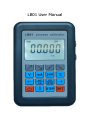
4.1 、Resistance output :whichever gear you at, press
,
if Top right of the screen display
, press again
, wait Top
right of the screen display
, bottom will display “ Ω、Pt100、
Cu50”any one of the symbol,under this state,if don’t display “Ω”
symbol,press
or
to up/down page,wait bottom of the
screen display“Ω“symbol,then can enter Resistance output. The
output set by these 4 buttons
. These 2 buttons
control increase/reduce by little,work with“STEP”,can
change step,increase/reduce 10Ω or 1Ω once. the default step is 10
Ω. These 2 buttons control
100Ω.
increase/reduce by big,step is
4.2、Pt1 00 tem perature output:whichever gear you
at,press
,if Top right of the screen display
,press again
,wait Top right of the screen display
,bottom will display
“ Ω、Pt100、Cu50”any one of the symbol,under this state,if don’t
display “Pt100”symbol,press
or
to up/down page,wait
bottom of the screen display “Pt100 “symbol,then can enter Pt100
temperature output. The output set by these 4
buttons
. These 2 buttons
control
increase/reduce by little,work with“STEP”,can change
step,increase/reduce 10
℃ or 1℃
once, the default step is
10℃. These 2 buttons control
increase/reduce by big,step is
100℃. The setting method of Cu50 temperature output is the same
as Pt100 temperature output.
Note:Resistance output starts from 50Ω; Pt100、Cu50temperature
output starts from 0℃. When external exciting current doesn’t
10