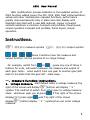
1
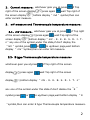
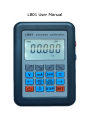
2、 Current m easure:whichever gear you at,press
right of the screen display
,press again
,if Top
,wait Top right of
the screen display
,bottom display“ mA ”symbol,then can
enter current measure.
3、 m V m easure and Therm ocouple tem perature m easure:
3.1、m V m easure:whichever gear you at,press
of the screen display
,press again
,if Top right
,wait Top right of the
screen display
,bottom display“ mV 、E、K、B、S、R、J、T、
n”any one of the symbol,under this state,if don’t display the
“mV ”symbol,press
or
to up/down page,wait bottom
display “ mV“symbol,then can enter mV measure.
3.2、E type Therm ocouple tem perature m easure :
whichever gear you at,press
,if Top right of the screen
display
,press again
,wait Top right of the screen
display
,bottom display “ mV 、E、K、B、S、R、J、T、n”
any one of the symbol,under this state,if don’t display the“E ”
symbol,press
or
to up/down page,wait bottom display “ E
“symbol,then can enter E type Thermocouple temperature measure.
2