1
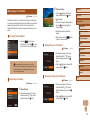
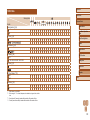
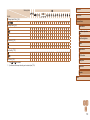
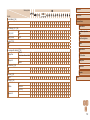
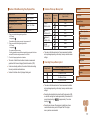
Print Tab
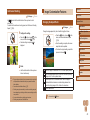
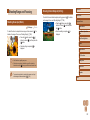
Handling Precautions
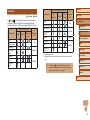
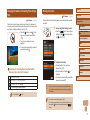
Item
Print
Reference Page
–
●● The camera is a high-precision electronic device. Avoid dropping it or
subjecting it to strong impact.
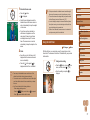
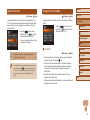
Select Images & Qty.
= 137
Select Range
= 138
Select All Images
= 138
●● Never bring the camera near magnets, motors, or other devices that
generate strong electromagnetic fields. This may cause malfunction or
erase image data.
Clear All Selections
= 138
Print Settings
= 137
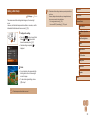
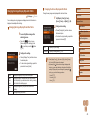
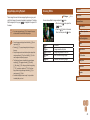
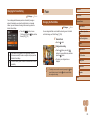
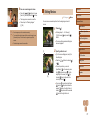
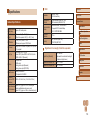
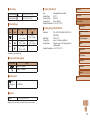
Playback Mode FUNC. Menu
Item
Reference Page
Rotate
= 81
Protect
= 77
Favorites
= 83
Erase
= 79
Print
= 133
Group Playback
= 74
Play Movie
= 69
Play Linked Digest Movie
= 72
Smart Shuffle
= 76
Image Search
= 73
Slideshow
= 75
Before Use
Basic Guide
Advanced Guide
Camera Basics
Auto Mode / Hybrid Auto
Mode
●● If water droplets or dirt adheres to the camera or screen, wipe with
a dry soft cloth, such as an eyeglass cloth. Do not rub hard or apply
force.
Other Shooting Modes
●● Never use cleaners containing organic solvents to clean the camera
or screen.
P Mode
●● Use a blower brush to remove dust from the lens. If cleaning is difficult,
contact a Canon Customer Support Help Desk.
Playback Mode
●● To prevent condensation from forming on the camera after sudden
temperature changes (when the camera is transferred from cold to
warm environments), put the camera in an airtight, resealable plastic
bag and let it gradually adjust to the temperature before removing it
from the bag.
●● If condensation does form on the camera, stop using it immediately.
Continuing to use the camera in this state may damage it. Remove
the battery pack and memory card, and wait until the moisture has
evaporated before resuming use.
●● Store unused battery packs in a plastic bag or other container. To
maintain battery performance if you will not use the battery pack for
some time, about once a year charge it and then use the camera until
it runs out of power before storing the battery pack.
Wi-Fi Functions
Setting Menu
Accessories
Appendix
Index
155