1
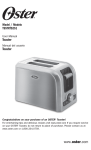
Learning About Your Toaster
Toast is the default setting if no food or function select buttons are chosen.
1. Lighter/Darker Knob – Turn the knob to select how dark you would like your food
toasted; 1 is lightest, 7 is darkest.
2. Warm Button with Indicator Light – Press this button to warm your toasted food. The
indicator will light to confirm that “Warm” is selected.
3. Frozen Button with Indicator Light – Press this button if your food is frozen. Use this
button in combination with the Bagel and Toast buttons. The toaster will automatically
defrost your food and then toast it in one easy step. The button will light up when pressed.
4. Bagel Button with Indicator Light – Press this button if you want to toast a bagel.
The indicator will light to confirm that “Bagel” is selected.
5. Toast Button with Indicator Light – Press this button if you want to toast bread. The
indicator will light to confirm that “Toast” is selected.
6. Cancel Button – Press the cancel buton to pop the food out of the bread slots and stop
the toasting process.
7. Extra-Wide Bread Slots – Wide slots (1.3 inches) allow you to toast bagels, thicklysliced homemade bread and English muffins.
8. Dual, Auto-Adjusting, Stainless Steel Bread Guides – Automatically adjust to
bread thickness for even toasting.
9. Bread Carriage Lever – Press to begin toasting your food.
10. Toast Lift – Press up on the bread carriage lever to lift food out of the bread slots.
Convenient and safe way of retrieving the smallest of toasted items.
11. Fully Removable, Crumb Tray – For convenient and easy cleanup.
12. Power Cord
13. Cord Storage – Allows you to store extra cord under the toaster and out of the way.
Preparing To Use Your Toaster for the First Time
If you are using your toaster for the first time, please be sure to:
1. Remove any stickers from the surface of the toaster and wipe the outside of your toaster
with a damp cloth.
2. Insert the removable crumb tray into the crumb tray slot.
3. Make certain that the bread carriage lever is in the uppermost position before plugging
in the toaster’s power cord.
4. Select a location for the toaster. The location should be:
• Aflat,heat-resistant,non-flammablesurface.
• Atleastthreeinchesawayfromwallsorthebackofcountertops.
• Atleastonefootawayfromanycabinetorshelvingthatmaybeabovethetoaster.
• Awayfromflammablematerials,suchascurtainsandwallfabric.
• Awayfromagasstoveflameorelectricelement.
5. Plug the power cord into 120 Volt, 60 Hz AC outlet.
Adjusting the power cord length
Your toaster’s cord storage area allows you to adjust the length of the power cord so that it is
the exact length you desire.
English-3