1
E486DX EISA
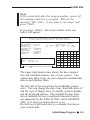
If you choose the <Use CFG files for installed
boards>
under the "Which CFG files do
you want to configure"
using
the
Automatic mode, the utility will
automatically save the configuration in the CMS and
INF file, then save the configuration into the
Extended
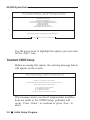
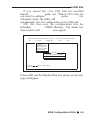
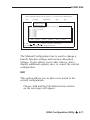
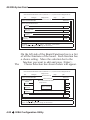
CMOS Memory. The Status box
shown below will
now appear.
EISA CONFIGURATION UTILITY, Release x.x - (C)1991 American Megatrends Inc.
File
Configure
Display/Print
Help
Quit
Configure
Define ISA Board
Check CFG File
Write Ext. CMOS
Board ID Map
f
STATUS
EISA CMOS has been updated
[ OK ]
F1=Help
,
=Move
Accept and continue
Enter=Select
Choose OK and the Display/Print box shown on the next
page will appear.
EISA Configuration Utility ◆ 4-9