1
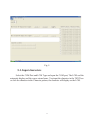
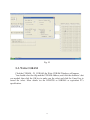
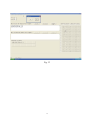
Fig. 9
5-1. Input characters
Select the COM Port and LCM Type and open the COM port, The LCM end the
automatic display and the cursor return home. You input the character in the TEXT box
or click the character in the Character pattern, the character will display on the LCM.
11