1
1.
General Specification
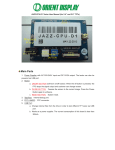
The Character LCD Module Evaluation & Development Board (AMCT-1) has
been designed for evaluating Character LCD modules without having to lay out your
own PCB and design your software. It provides pinouts for the most popular modules in
the industry. It will interface to most modules that use the industry-standard HD44780
controller (or equivalent), running in 8-bit or 4-bit mode(software select).
The AMCT-1 uses an Atmel AT89C4051 processor to control the LCM and
communication with the PC by RS232C . The custom can easy use yourself processor to
driver the LCM whit yourself progress.
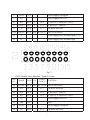
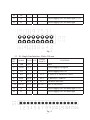
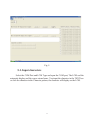
2 . Main Components On AMCT-1
Main components in the AMCT-1
NO. Symbol
Name
Supply
FUNCTION
1
/
Power
Interface
2
/
Power Supply Switch Turn on and turn off the Power Supply
3
LED
Power Light (red)
+5VDC(+/-5%) Power Supply for the board
It be light when Power Supply be turned on
4
Current Current Test Jump
Open it and connect to a multimeter to test the
LCM current
5
KEY2
Press it once the LCM display a character in COM
port not be connected
6
J5
BL Power
Jump
7
J6
External
Power
External Power Supply For Back Light, +5VDC
Supply For Back Light
8
J15
Back Light Power
Select pin15 of D1 connect to A or K
Polarity Select
9
J16
Back Light Power
Select pin15 of D1 connect to A or K
Polarity Select
10
11
Step Key
Supply Short it when using internal power for back light,
Open it when using in external power for back light
RS232C RS232 Interface
Trimmer Resistor
Connect to PC COM port with cable
Adjust the contrast of the LCM
3