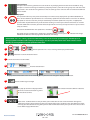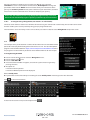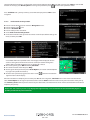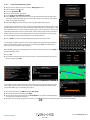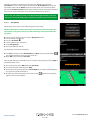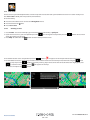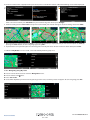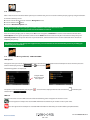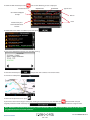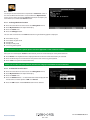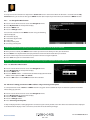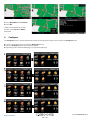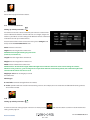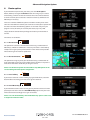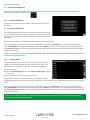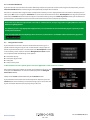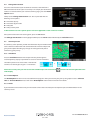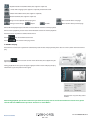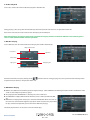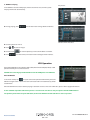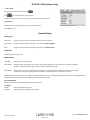
1
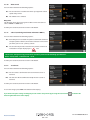
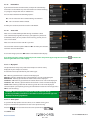
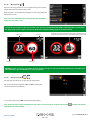
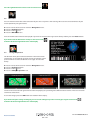
AVN S9010/20
User manual
AVN9010/20
V105.15
AVN9010/20
V105.15
AVN S9010/20
Contents
Page
3 Registering AVN S9010/20
4Introduction
Product Functions
5 Notes on Installation
6 Connection Diagrams
9 Notes on Bluetooth
Imprtant Notice
10 Basic Operation
11 Radio Operation
14 Satelite Navigation Operation
15 Installing the SD Card
System Requirements and Downloading
16 Downloading the AURA™ Camera Database
17 Satelite Navigation
Easy Setup
Screen Settings
20Volume
21 Setting Vehicle Parameters Ventura
Setting Vehicle Parameters Syrius
22 Environmental Settings
23 Setting Vehicle Parameters Truckmate
24 Setting Vehicle Parameters Bus Coach
25 Environmental Settings
26 Planning a Route
By Full Postcode
27 Find by City
28 Home
29Office
Recent Route or Clear Route
30Multi-route
34 Find by Favourites
Recent Destinations
35 Find by Points of Interest (POI)
36 Find by Nearest POI
38 User POI
42 Find by Map
43 Find by coordinate
44 Re-Route
Avoid by Road Name
Avoid by Range
45 Avoid by TMC - AVNS 9020 only
Clear Avoided Road
46 Your Route
48 Route Description
TMC (Traffic Message Channel) - AVN S9020 ONLY
50 Campsite Search Ventura ONLY
52 My Favourite Menu
Favourites
53 Recent Destination
54 Home
55Office
56 Configure Menu
Caravan/Motorhome
Car
59 Truck
60 Bus & Coach
61 Brightness Control
62 Change Language
Setup
2D/3D/North
63Speed/Time
MPH/KMH
Arrival Time/Remaining Time
Page
64 Map Text Size
Vehicle Icon
65 Lane Guidance
Junction Number
Display Camera Page
66 Alert Sound
School
Touch Tone
67 Route Alert
Auto Scale
My Speed
68 My Speed XL
Sharp Curve Alert
69 GPS Status
Change Map Colour
70 Qwerty Keyboard
71 System Security Code
Configuration Security Code
72 Route Timer
73 Version (Hardware & Software)
Show POI
74 Route Option
Shortest Time
Shortest Distance
Avoid Tollway
Avoid Motorway
75 Navigate Avoiding Road
Avoid by Road Name
Avoid by Range
76 Clear Avoided Road
Navigate via Location
77 Change Start Position
Summary Screen
78 Quick Access Menu
Volume
Scroll Map
Day or Night Settings
79 Camera Alerts
Magnify or Reduce Function
81 Understanding the Mapping Screen
82 Updating Maps
83 Troubleshooting Downloads
85 DVD Function Operation
91 Bluetooth Handsfree
94 iPod Function Operation
95 AV Function Operation
Auxiliary Function
96 Rear Zone Operation
Camera Function Adjustment
Button Background Adjustment
97 Sytem Setup Menu
100 Control Calibration
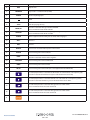
101 Description of the Buttons on Remote Control
103Precautions
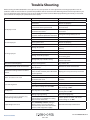
104 Trouble Shooting
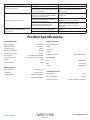
105 Product Specifications
106 Packing List with Built-in NAV Module
Disposal
107 Service Under Warranty
AVN S9010/9020
V1V105.15
06/15 UK
AVN9010/20
2 • UK
AVN S9010/20
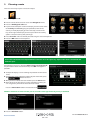
Registering AVN S9010/20
IMPORTANT!
PLEASE READ BEFORE USING AVN S9010/20
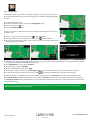
To enable AVN S9010/20 to locate Fixed Speed Cameras and Accident Black spots you will have to register and download the AURA™
Camera Database.
Register Online
Go to the official website www.snooperneo.co.uk and register your unit online. Your unit should normally be activated within 30
minutes of registration.
Please Note: To register AVN S9010/20 you will need the serial number of your unit which can be found on the bottom of the device.
Monthly Debit or Credit Card payment of £2.99 inc VAT*
Quarterly Debit or Credit Card payment of £7.99 inc VAT*
Annual Debit or Credit Card payment of £29.99 inc VAT
*Minimum subscription term of 12 months.
Before you begin to use this product, please read this user manual carefully to ensure correct usage and to ensure maximum
enjoyment.
Due to continuing improvement the specifications of this unit may change without further notice.
Copyright
The copyright of this manual is reserved by the ‘company’ (Performance Products Ltd). All rights are reserved.
This manual may not be copied, reproduced or translated in whole or in part without the express written permission of our company.
Our company reserves the right to improve, amend or change the product, and it’s hardware and software.
This manual is an operating and installation guide only.
The product is subject to change without further notice, any revision will appear in the next edition of this guide.
Performance Products Ltd reserves the right of final interpretation for the manual.
Trademark
licence:
1. Manufactured under license from Dolby Laboratories.
2. ”Dolby and the “double-D” symbol are trademarks of Dolby Laboratories.
Return to contents
AVN S9010/9020
V1V105.15
06/15 UK
AVN9010/20
3 • UK
AVN S9010/20
Thank you for purchasing the AVN S9010/20. This system is a multifunction car AV entertainment system with an intuitive
GUI, which is designed for easy operation. Combined with Snoopers award winning navigation software.
Product Functions
Built-in Functions:
Built-in Navigation, Radio, DVD player, Bluetooth hands-free,
display and high power amplifier.
AV Function It supports AV input from external equipment.
Radio Receiving:
Automatic seeking and radio station presetting are both
available. Up to 30 radio stations can be stored. Traffic
Information can be received via RDS (dependent on geographic
conditions)
iPod Play:
Supports iPod audio files playing. Most Apple devices are
supported, such as iPod nano, iPod touch, iPhone 3G/3GS/4/4S/
iPhone5/5S/iPad.
Note: This function is available if it is connected using an
iPhone/ iPad cable.
Note : For video function, users should use genuine Apple
sync cable. Note: As a result of the continuous upgrading of
iOS, this function may be invalid after an iOS update.
DVD Player:
DVD/VCD/CD/MP3/WMA/ JPEG/MPEG4 disc.
USB Port:
Supports USB 2.0. Supported media files formats: MP3/MP4/
MPG/AVI.
Navigation
Street level navigation provided by Snooper. A choice of Syrius,
Truckmate and Ventura navigation packages are available.
Bluetooth Hands-free:
Supports Bluetooth hands-free communication and A2DP music
streaming. (Not all Bluletooth devices support A2DP).
TouchScreen:
DisplayScreen:
Wide screen, high definition,Thin Film Transistor LCD.
Reversing Camera (optional)
Snooper provide a range of reversing cameras specially designed
to operate with the AVNS 9010. Please contact your local
Snooper dealer for further details or visit www.snooper.co.uk
Audio Output Port:
It has 4 channel and 5.1 channel audio output ports, compatible
with the external amplifier.
TF CardPort
Micro SD card slot for built in navigation.
EQ Modes:
Standard, Custom, Pop, Rock, Classic, and Jazz.
Optional Function
iPod play function.
Dual Zone
The AVN S9010/20 allows rear seat passengers to enjoy audio or
video content on additional rear seat monitors and headphones,
even while the front passenger and driver listen to audio from
other sources or operate navigation functions simultaneously.
Tone Modes:
Features Treble, Mid and Bass adjustments.
Spectrum Display Modes:
5 spectrum modes are available.
Display System:
Auto PAL NTSC compatible.
Traffic Message Channel (TMC) AVN S9020 ONLY
The Traffic Message Channel (TMC) is a FM data channel
provided by the traffic news service that supplies continuously
updated ‘real time’ traffic data. When your route has been
selected, our navigation systems make use of this data to check
traffic conditions and advise of delays.
Return to contents
AVN S9010/9020
V1V105.15
06/15 UK
AVN9010/20
4 • UK
AVN S9010/20
Notes on Installation
We recommend this unit should be installed by a qualified technician. If you intend to install this unit by yourself please refer to the
supplied Installation/connections manual .
Improper installation may cause battery drain or a short circuit. If the unit does not work refer to the Troubleshooting Guide on page
102 of this manual. Check the connections, referring to the supplied installation/connections manual.
Considerations:
Protect the unit screen from damage during the installation.
Do not expose the unit surface to chemicals, such as insecticide, insect repellent, etc.
●● When installing, be sure to fix securely. Snooper recommends the AVN S9010/20 Install kit (not supplied).
●● Switch the ignition Off durning the installation. Installing the unit with the ignition On may cause battery drain or a short circuit.
●● When installing, be sure not to damage or trap any car parts such as pipes, fuel tank or wiring by using a drill, as this may cause a
fire or damage to the vehicle.
●● Run all ground (earth) leads to a common ground (earth) point.
●● This unit is designed for negative ground (earth) 12 V DC operation only.
●● Do not disassemble or modify the unit.
●● Do not install in locations which interfere with airbag operation.
●● Do not trap the leads under screws, or catch in moving parts (e.g. seat railing).
●● Before making connections, turn the car ignition off to avoid short circuits.
●● Connect the power supply connection cables to the unit and speakers before connecting it to the auxiliary power connector.
●● Be sure to insulate any loose unconnected leads with electrical tape or heat shrink for safety.
●● Do not press on the LCD when installing the unit.
●● Install the unit with the monitor facing straight forward; do not install it at an angle.
●● If your car was parked in a cold or hot place, the picture may not be clear. However, the monitor is not damaged, and the picture
will become clear after the temperature in your vehicle becomes normal.
●● Some stationary blue, red or green dots may appear on the monitor. These are called “bright spots,” and can happen with any LCD.
The LCD panel is precision-manufactured with more than 99.99% of its segments functional. However, it is possible that a small
percentage (typically 0.01%) of the segments may not light up properly. This will not, however, interfere with your viewing.
●●
●●
Notes on the power supply lead (yellow)
When connecting this unit in combination with other stereo components, the connected car circuit’s rating must be higher than the
sum of each component’s fuse.
When no car circuits are rated high enough, connect the unit directly to the battery.
Warning if your car’s ignition has no ACC position
After turning the ignition off, be sure to press and hold OFF on the unit until the display disappears. Otherwise, the display does not
turn off and this causes battery drain.
Return to contents
AVN S9010/9020
V1V105.15
06/15 UK
AVN9010/20
5 • UK
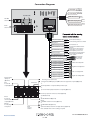
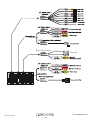
Connection Diagrams
TV (NOT USED)
+ 5V output
Inferface
reserved
+ 10V output
Inferface
reserved
GND Ground wire
Navi GPS
antenna
Black
KEY–A/D1 Keying line 1
KEY–A/D1 Keying line 2
White
Green
Radio
antenna
BATT power supply +12V
ACC ignition
GND connect to ground wire
BRAKE Handbrake control
Yellow
Red
Black
Brown
Connected to battery +
Connected to ignition/acc switch
Connected to -ve
Connected to handbrake switch
(Optional)
Blue/Black Connected to radio antenna
control wire or connected to
Orange aerial amplifier power cord
BACK Back inspect
Connected to reversing light +
Blue/White Connected to illumination
ILL + illumination inspect
power switch
Yellow
Connected to
CDC BATT Disc changer power +
disc changer
Black
power cord
CDC GND Disc changer power ground
ANT- C Antenna control
FL Left front loudspeaker
FL- Left front loudspeaker FR Right front loudspeaker
FR -Right front loudspeakerRL Left rear loudspeaker
RL- Left rear loudspeakerRR Right rear loudspeaker
RR - Right rear loudspeaker -
Plug-in TV/AV
input port
(Optional)
White
White black
Left front loudspeaker
Gray
Grayblack
Right front loudspeaker
Green
Green black
Left rear loudspeaker
Purple
Purple
black
Right rear loudspeaker
Reversing sensors (Not used)
① Plug-in video RGB input port (RGB conversion equipment is required)(Optional)
Alternative
Red:
Port for AV
output (Optional)
or
② AV input B wires is required USB-ipod video input
A
C
B
D
or
③ Port for iPod input (iPod data line is required) (Optional)
Port for tyre pressure monitor test mode (Optional)
E
F
G
H
Green:
Port for 5.1
channel audio
output (Optional)
Orange:
Port for plug-in
microphone
USB1
one out
of three
I
①USB2 (Reserved)
or
②USB2: Multimedia (Optional)
Brown:
① 3G/WiFi modem for internet (Optional)
or
② USB Multimedia (Optional)
or
③ iPod Via USB (use data wire for Apple devices)(Optional)
Note: USB data wire for online surfing is required
Return to contents
AVN S9010/9020
V1V105.15
06/15 UK
AVN9010/20
6 • UK
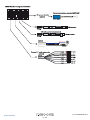
Rear Camera input
Return to contents
Not used
AVN S9010/9020
V1V105.15
06/15 UK
AVN9010/20
7 • UK
Return to contents
AVN S9010/9020
V1V105.15
06/15 UK
AVN9010/20
8 • UK
Caution
IN NO EVENT SHALL SNOOPER BE LIABLE FOR ANY INCIDENTAL, INDIRECT OR CONSEQUENTIAL DAMAGES OR OTHER DAMAGES
INCLUDING, WITHOUT LIMITATION, LOSS OF PROFITS, LOSS OF REVENUE, LOSS OF DATA, LOSS OF USE OF THE PRODUCT OR ANY
ASSOCIATED EQUIPMENT, DOWNTIME, AND PURCHASER’S TIME RELATED TO OR ARISING OUT OF THE USE OF THIS PRODUCT, ITS
HARDWARE AND/OR ITS SOFTWARE.
IMPORTANT NOTICE!
Safe and efficient use
Changes or modifications to this unit not expressly approved by Snooper may void the user’s authority to operate the equipment.
Please check for exceptions, due to national requirement or limitations, in usage of Bluetooth equipment before using this product.
Driving
Check the laws and regulations on the use of mobile phones and hands free equipment in the areas where you drive.
Always give full attention to driving and pull off the road (when safe and legal to do so) and park before making or answering a call.
Connecting to other devices
When connecting to any other device, please read its user guide for detailed safety instructions.
Radio frequency exposure
RF signals may affect improperly installed or inadequately shielded electronic systems in cars, such as electronic fuel injection
systems, electronic antiskid (antilock) braking systems, electronic speed control systems or air bag systems. For installation or service
of this device, please consult with the manufacturer or its representative of your car. Faulty installation or service may be dangerous
and may invalidate any warranty that may apply to this device.
Consult with the manufacturer of your car to ensure that the use of your cellular phone in the car will not affect its electronic system.
Check regularly that all wireless device equipment in your car is mounted and operating properly.
Emergency calls
This Bluetooth car hands free and the electronic device connected to the hands free operate using radio signals, mobile, and landline
networks as well as user-programmed function, which cannot guarantee connection under all conditions.
Therefore do not rely solely upon any electronic device for essential communications (such as medical emergencies).
Remember, in order to make or receive calls, the hands free and the electronic device connected to the hands free must be switched
on in a service area with adequate cellular signal strength.
Emergency calls may not be possible on all mobile phone networks or when certain network services and/or phone features are in
use.
Check with your local service provider.
AVN S9010/9020 V1 06/15 UK
9 • UK
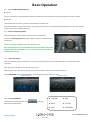
Basic Operation
1.1 ●●
Turn on/off the AVN S9010/20
Turn on
The unit will switch on an off automatically with the ignition key. If connected to the accessory/ignition circuit on the vehicle.
●●
Turn off
Switch off the vehicle and the system will automatically turn off the unit.
If the AVN S9010/20 is not connected to the accessory/ignition circuit press and hold the power button for more than two seconds,
and the system will turn off automatically.
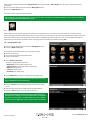
1. 2 Enter to Home Page Menu
When the AVN unit is powered On it will always start in Radio mode.
To enter the ‘home page menu’ switch the AVN on and press anywhere on the
touchscreen.
To select a function or Mode press the corresponding icon.
Note: If, when an Icon is precessed and the message “Device Not Connected’ is
displayed, this indicates that there are no connections between the AVN unit
and the peripheral unit.
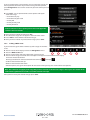
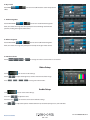
1. 3 Spectrum Display
While the spectrum display is enabled, the screen will automatically switch to spectrum mode if there is no operation within
10 seconds
when playing in radio, DVD or disc changer status, or CD.
When playing a DVD, open the home page, the screen will switch to spectrum mode after 10 seconds..
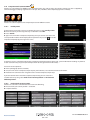
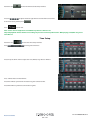
Touch “SPECTRUM” icon to switch to different spectrum display modes (as figure shows).
Panel Board Spectrum
1.4 Rectangle Spectrum
Sound Field Mode
During spectrum mode interface, touch
different sound field modes.
to switch to
Return to contents
●●
CUSTOM
●●
POP
●●
ROCK
●●
CLASSIC
●●
JAZZ
●●
STANDARD
AVN S9010/9020
V1V105.15
06/15 UK
AVN9010/20
10 • UK
1.5 Volume adjustment of AVN S9010/20
Plus and Minus buttons to adjust the volume (Not Navigation).
.
Press the mute button to mute the unit, if mute is pressed then
.
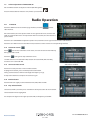
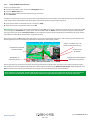
Radio Operation
2.11 Enter/Exit
Touch the “MAIN” icon to enter home page interface,and touch
radio interface.
to enter
On radio interface, the small spectra shown in the right-side of screen, click the icon
“EXIT” to return to Main menu. If no operation within 10 seconds, the unit enters the
spectra mode.
Touch the icon “SPECTRUM” to adjust the spectra value, touch the screen again to return to the radio interface .
Touch the icon “Main menu” to enter Main menu, touch these icons to enter the corresponding interface.
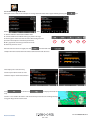
2.12 Automatic Search
icon to enter automatic search status, and save the station automatically
Touch
during automatic search.
Touch the
icon again to stop automatic search.
18 radio stations can he stored for FM (6 stations for each of FMl, FM2 and FM3),
6 stations can he stored for AM.
2.13 Semi-automatic Search
FM: 87.50MHz-108.00MHz
AM: 522KHz-1620KHz
Touch icon to seek previous or next available stations.
To program the station, press and hold preset station button.
During ‘seek’ the blue bar will move through the frequency range.
To stop semi-automatic seek press the ‘seek’ icon again
2.14 Band Selection
Touch “Band” icon slightly to switch between FM1, FM2, FM3 and AM.
2.15 Play Selected Radio
Select the band first, and then press and hold one of the preset bars to set the station.
Selected station will be highlighted.
For example: The figure on the right represents AM, and frequency of 972kHz.
Return to contents
AVN S9010/9020
V1V105.15
06/15 UK
AVN9010/20
11 • UK
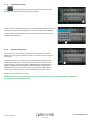
2.1.16 Radio keyboard input
icon to display the input keyboard, you can then enter the radio
Click
frequency manually. Input the frequency then press OK.
EG: If the radio is in AM mode and you want to tune to 909MHz simply type 909 into
the keyboard and press OK to confirm, the radio tuner will now tune to 909MHz.
For FM, 87.5MHz, type 8750 then press OK to confirm the radio tuner will tune to
87.50MHz on the FM band.
2.1.17 Programme Type (PTY)
If the radio tuner is on the FM band and Radio Data System (RDS) is switched
ON then by pressing the PTY button the radio will search for a particular type of
programme.
The radio will then scan the frequency range to look for the programme type
selected. If one is found, the radio will tune in to the station. There are several
Programme Types. These include NEWS, CURRENT AFFAIRS, INFO(information),
SPORT, EDUCATION, DRAMA, CULTURE, SCIENCE, POP MUSIC, ROCK MUSIC,
MOR(middle of the road), LIGHT MUSIC (light classical music), OTHER MUSIC,
CLASSICS (more ‘serious’ classical music) and VARIED (speech and/or music).
Not all types are availble in all countries
NOTE: If the PTY button is pressed but it does not respond, the radio tuner is either not on FM or RDS is switched Off.
Press or to move to the next radio station.
Return to contents
AVN S9010/9020
V1V105.15
06/15 UK
AVN9010/20
12 • UK
Enhanced Other Networks (EON)
The RDS tuner has EON facility, which offers the ability for local stations to ‘break into’ a national station’s broadcast for the duration
of a Traffic Announcement. EG: When listening to a BBC national station, such as BBC Radio 3, EON will tell the radio about any traffic
bulletins being broadcast by BBC stations in the local area.
The radio would switch to the local BBC radio station for the travel bulletin, then back to the national station when the bulletin
had finished. For example, when travelling through Manchester whilst BBC Radio 2 is tuned-in, the radio will switch to BBC Radio
Manchester for any travel bulletins, with the TA function switched on.
This facility is not available in all countries or regions
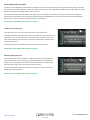
Traffic Announcement (TA)
The radio display can show if the station broadcasts travel information.
The Traffic Announcement (TA) feature allows interruption of a CD or cassette tape
when there is a travel report from the radio station that is currently tuned-in. The
radio will automatically switch from CD or USB to the radio for the duration of the
travel announcement.
For the TA feature to work the function marked TA must be switched on.
This facility is not available in all countries or regions
Alternative Frequency (AF)
If RDS is enabled the radio will retune to a different frequency when the current
signal becomes too weak, assuming an alternative frequency is available for the
station. For this to happen, the AF function must be switched on. Sometimes the
radio will keep trying to find a stronger signal for the station.
This can become distracting as the radio retunes itself, but can be overcome by
switching the AF function off.
This facility is not available in all countries or regions
Return to contents
AVN S9010/9020
V1V105.15
06/15 UK
AVN9010/20
13 • UK
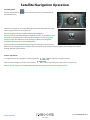
Satellite Navigation Operation
Start Navigation
To enter navigation press
the front of the unit.
on the main menu screen or the Navi button on
The first time navigation is used the following screen will be displayed. Please wait
while navigation initialises for the first time
Note: In navigation mode press Navi button to exit navigation.
Do not remove the MicroSD card when navigation is active. If navigation is active
the touch screen will only access the navigation functions, to access any other
function, such as the radio tuner or CD, please press Navi to exit navigation
(navigation will still be active in the background) .
To listen to radio, CD, or Ipod whilst using navigation simply press the Navi button.
When there are navigation voice instructions the music source will be muted and the navigation voice prompts will be played
(through the front speakers ONLY).
Volume adjustment
will adjust the navigation volume.
In navigation when voice prompts are active the volume
When no voice prompts are active then the volume
will adjust the music source, such as radio, CD etc.
Note: In ‘system settings ‘ the navigation prompts, which override the source can be switch on or off
Return to contents
AVN S9010/9020
V1V105.15
06/15 UK
AVN9010/20
14 • UK
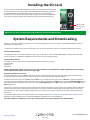
Installing the SD Card
To start navigation switch AVN S9010/20 on and press the NAV button Press the ‘Navi’
icon. When the ‘Navi’ icon is pressed the AVN S9010/20 will automatically synchronise
the AVN S9010/20 serial number with the SD Card. Once the synchronisation is
completed, the SD Card will not function with any other device. The AVN S9010/20 is
now ready to navigate and the camera database can be downloaded if necessary.
Lift the cover
to access the
SD card
NOTE: Take care when inserting and removing the Micro SD card from the AVN S9010/20
System Requirements and Downloading
Before you can begin to download the database onto AVN S9010/20, you will need to install the AVN S9010/20 Updater software
provided on the software CD.
In order for the software to be installed successfully, there are certain minimum hardware and software requirements needed.
Hardware Requirements
The computer must have an Intel Pentium Class processor or equivalent, a minimum of 32MB of RAM, a monitor with 256 (8-bit)
colours or greater, a CD ROM drive, 20MB of free disc space and a spare USB connection.
Software Requirements
The software will only operate on the following Windows based operating systems:
Windows Vista
Windows 7
Windows 8
NOTE: AVN S9010/20 Updater software does not support Windows 95, 98, Millennium, 2000 or Apple Macintosh operating
systems. Windows XP systems are also not supported.
Software Installation Instructions
Place the Software CD into a CD ROM or DVD drive. Your PC should automatically open a window displaying the instructions for
installing the software. Follow the instructions onscreen to install the speed camera updater software.
To launch the CD manually: Click on ‘Start’ and then ‘Run’. In the dialogue box that opens click on ‘Browse’ – another dialogue box
will open. Locate your CD ROM or DVD drive (drive letter is normally D) using the ‘Look in’ option and select ‘AVN S9010/20’ from the
lower portion of the dialogue box. Once you have selected ‘AVN S9010/20’ click on ‘Open’ on the explorer box and then ‘OK’ on the
Run dialogue box.
Please make sure that the operating system installs the new hardware first before installing the Camera Updater software. Once the
updater software has been installed click ‘Finish’ and then close the CD auto run window. After installing the software, click ‘Start’
then ‘All Programs’ and select the updater program to start it. Select your ‘Language’, ‘Vehicle Type’ and ‘Download Settings’ when
prompted.
Any updates to the speed camera updater software can be obtained from www.snooperneo.co.uk/software.cfm. If you have any
problems using this software please call 0333 240 1000 during office hours and select Option 3.
Once the software is installed, you are ready to download the speed camera database onto AVN S9010/20.
Return to contents
AVN S9010/9020
V1V105.15
06/15 UK
AVN9010/20
15 • UK
Downloading the AURA™ Camera Database
Please Note: You must register AVN S9010/20 before you can perform a download.
Performing a download is simple.
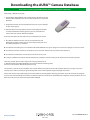
1. Switch off the AVN S9010/20 and carefully remove the Micro-SD card
from the AVN S9010/20. Insert the card into the Micro-SD card reader
provided.
2. Double left click the Syrius/Truckmate/Ventura icon on your desktop
to open the program.
Micro SD card reader
3*. Left click ‘Menu’ in the top left hand corner of the program window
and left click ‘Download Settings’. Once you have selected what
camera data you want to download ‘Click OK’.
4. Connect the Micro-SD card reader to a spare USB socket on the PC.
5. The updater software will then start to run automatically and
download the database files that you have selected onto your unit.
The download process is as follows:
●●
The software will display the serial number of the AVN S9010/20 and a green progress bar will start to progress across the screen.
●●
The software will then connect to our database server and then download** the speed camera database.
●●
The software card will then save the data on to the micro-SD card..
●●
Finally, the software will indicate that the download is complete and will instruct you to disconnect the unit from your PC.
*You only need to do these steps if you wish to change the data that
is downloaded onto the AVN S9010/20. If you want the download settings to be
the same as the previous download ignore this step.
**If you have a Firewall on your computer, the Firewall software may inform you that the updater software is trying to access the
internet. Please make sure that you grant/allow/permit access to the updater program through the Firewall.
Please read the messages supplied by your Firewall software carefully before choosing your option. If you do not allow the program
to access the internet through the Firewall, the download process will fail. Once the download is complete, remove the Micro-SD card
from the reader and reinsert it back into the AVN S9010/20.
Return to contents
AVN S9010/9020
V1V105.15
06/15 UK
AVN9010/20
16 • UK
Satellite Navigation
1.
Starting Up
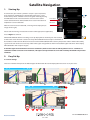
First make sure your vehicle is parked in as open a space as possible,
clear of tall trees and buildings so that the GPS antenna has a clear
view of the sky above. Switch the unit to navigation mode by pressing
the NAV button. If this is the first time the unit has been used the
screen calibration will be shown, follow the on screen instructions to
complete the screen calibration.
Power button
NAV button
After the screen has been calibrated, a warning will be displayed (see
images on the right).
Please read the warning and select the relevant vehicle type (where applicable).
Press “I Agree” to continue.
Whilst AVN S9010/20 software is loading a start-up display will be shown for just a few seconds
and then the screen will show a section of a map. AVN S9010/20 needs to acquire a minimum of
four satellites in order to work. Once this has been achieved AVN S9010/20 will ascertain your position and this will be indicated by
a green arrow icon on the on-screen map and the GPS signal strength will be shown in the bottom right hand corner of the display.
AVN S9010/20 is now ready to navigate.
As the GPS engine and antenna have never been used before, the first ‘Cold’ start can take anywhere from 15 – 30 minutes to
establish a satellite connection. Once initialised, subsequent start ups will take less time and eventually should take only a matter
of minutes.
2. Easy Set Up
2.1 Screen settings
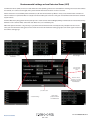
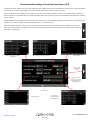
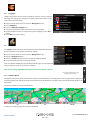
There are a number of map views or different types of information that can be displayed on the screen at any one time:-
3D
2D
North
10
1
9
6
2
3
4
8
7
5
Return to contents
AVN S9010/9020
V1V105.15
06/15 UK
AVN9010/20
17 • UK
Lane Guidance.
Snoopers’ advanced lane guidance will assist the driver by clarifying which lane the vehicle should be using.
Snooper has extensive coverage of motorway, complex junctions, some dual carriage way exits and some inner
city junctions. The criteria for lane guidance is that the turning lanes or exit lanes will have more than ONE lane
to be included.
1
My Speed
The speed limit of nearly every road across Europe can now be clearly displayed on your AVN S9010/20 at all
times. Choose between speed limits for cars and advisory speed limits for trucks from 3.5t and over. In addition,
My Speed can also be set to alert you if you accidentally exceed the speed limit at any time. Inappropriate
speed is often responsible for many road accidents resulting in serious injuries which some times can even be
fatal. MY-SPEED will ensure that you know what the speed limit is on every road you travel on so you can drive
safely at all times.
2
The text will show RED when the speed limit is exceeded
My Speed sounds an audible alert speed limit is exceeded and the current speed
from Black to RED text. Refer to page 65 for full details and settings
3
Indicator will change
PLEASE NOTE: These are advisory speed limits ONLY. Always check local road side speed limit signs and abide by local
driving regulations and laws of the country you are driving in. It is the responsibility of the driver of the vehicle to ensure
that they are driving within the posted speed limit at ALL times
3
4
5
or
Indicates the current direction of travel
Current road name or road number.
6
7
8
Current speed or time - Press to change the displayed information.
Distance to destination
or
Displays the Estimated Time of arrival or remaining journey time. Press to change the displayed information.
Current satellite signal strength
9
10
This pop up box will be displayed when
the driver needs to take ‘action’ eg move
to the left in 0.59 miles.
The indicator will count down the distance.
Route timer. Set Route timer to alert you when you need to take a break. Set the maximum driving time
allowed and set the advanced warning time you require before your next break is due. The Route timer clock
will keep you advised of the driving time you have left and will automatically alert you when it’s time to take a
break. Refer to page 70 for details.
Return to contents
AVN S9010/9020
V1V105.15
06/15 UK
AVN9010/20
18 • UK
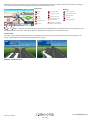
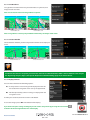
Additional warning or information pop ups will appear at the bottom left hand corner of the screen. If lane guidance is displayed
then the warning pop ups will be displayed at the top left hand side of the screen.
Restrictions
Warning
Height
No U-turn for trucks
Width
No right turn for trucks
Length
No left turn for trucks
Weight
Trucks with hazardous
goods forbidden
No trucks allowed
No trailers
Steep road up ahead
Steep road down ahead
Tight bend ahead
Side winds
Risk of grounding
Trucks with natural goods
harmful to water forbidden
or
ONLY - Restriction and warnings will be displayed in the bottom left hand side of the screen, if lane guidance is also
being displayed the restriction and/or warning will be displayed in the top left hand corner of the screen.
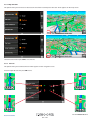
Junction view
Full screen images of main motorway junctions are displayed in advance to help you navigate more safely. These junction view
images will be displayed on the screen for approximately 5 seconds
Examples of Junction view.
Return to contents
AVN S9010/9020
V1V105.15
06/15 UK
AVN9010/20
19 • UK
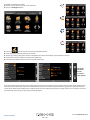
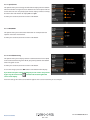
To modify the information shown:
●● Press the centre of the screen to access the menu.
●● Press the ‘Configure’ button.
Press the
icon where you will see the list of options below.
●● Select the option you wish to change on the left.
●● To change a setting, simply press on the radio button to indicate which option you would like to choose.
●● Continue to select each option and select your preference.
●● Press ‘OK’ at the bottom of the screen to save your preferences.
●●
use the up
and down
arrows
to scroll to
other options
Your chosen settings will now be saved and will appear on the screen each time you use Snooper. If you want to switch between your
Current Speed and the Atomic Clock or the Estimated Time of Arrival and Time to Destination during your journey simply touch the
screen where either piece of information is displayed and the unit will display the alternate setting and vice versa. However each time
you power the device up the original setting will be displayed.
Return to contents
AVN S9010/9020
V1V105.15
06/15 UK
AVN9010/20
20 • UK
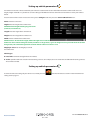
Setting up vehicle parameters
For Ventura to calculate a route suitable for your vehicle it needs to know certain information about the vehicle itself such as its
height, weight and width. It is possible to save the settings of 10 different vehicles. Follow these instructions to enter your vehicles
details.
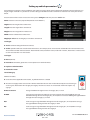
Press the centre of the screen to access the menu, press ‘Configure’ and then press the ‘Caravan/Motorhome’ icon.
Name: Enter the name here.
Height: Enter the height of the vehicle here.
NOTE: Maximum height including any protrusions
(roof box, TV antenna etc)
Length: Enter the length of the vehicle here.
Weight: Enter the weight of the vehicle here.
Width: Enter the width of the vehicle here.
NOTE: Caravan - the maximum height, width and length must include the
dimensions of the vehicle towing the caravan, whichever is the greatest (e.g. the car wing mirrors may be wider than the caravan
being towed). The combined weight of the caravan and the vehicle must also be used.
Weight per axle: Enter the weight per axle of
the vehicle here
Vehicle type:
●●
Fixed Axle: Standard setting for fixed axle vehicles.
●●
Trailer: Specific traffic rules exist for vehicles towing caravans. For example, there are roads that are forbidden for towing vehicles.
These will be avoided.
Setting up vehicle parameters
To enter the emission settings of your vehicle in car mode press the
setting section page: 21.
Return to contents
and enter the details as shown in the Environmental
AVN S9010/9020
V1V105.15
06/15 UK
AVN9010/20
21 • UK
Environmental settings or Low Emission Zones (LEZ)
Low Emission Zones (LEZs) are areas or roads where the most polluting vehicles are restricted from entering. This means that vehicles
are banned, or in some cases charged, if they enter the LEZ when their emissions are over a set level.
Vehicle emissions are classified by Euro Standards (1-6) for the vehicles that they affect. In many cases another factor is whether or
not the vehicle has a particulate filter or catalytic converter. Before you travel into a LEZ, you need to find out the emissions standard
of your vehicle.
All LEZs affect heavy duty goods vehicles (usually over 3.5 tonnes Gross Vehicle Weight (GVW)), and most buses and coaches (usually
defined as over 5 tonnes GVW). Some LEZs also affect vans, cars and motorcycles.
Most LEZs operate 24 hours a day, 365 days a year, with some of the Italian LEZs currently the only exceptions to this rule. To
enter your environmental setting press on the arrow once in the Environmental setting page press the arrow again to return to
the vehicles setting page.
Click on the options to edit the
information
Enter number of passengers carried.
Enter fuel type
Press to return
to the previous
screen
Retrofit - switch
between yes (Y) and
No(N) by pressing the
Retrofit button
press OK to save
Enter vehicle
production date in
YYYY-MM format
Select Euro rating
Return to contents
AVN S9010/9020
V1V105.15
06/15 UK
AVN9010/20
22 • UK
Setting up vehicle parameters
For Truckmate to calculate a route suitable for your vehicle it needs to know certain information about the vehicle itself such as its
height, weight and width. It is possible to save the settings of 10 different trucks. Follow these instructions to enter your vehicles
details.
Press the centre of the screen to access the menu, press ‘Configure’ and then press the ‘Truck’ icon.
Name: Enter the name here (Top left field, default name TRUCK 1).
Height: Enter the height of the vehicle here.
Length: Enter the length of the vehicle here.
Weight: Enter the weight of the vehicle here.
Width: Enter the width of the vehicle here.
Weight per axle: Enter the weight per axle of the vehicle here
Truck type:
●●
Truck: Standard setting for fixed axle vehicles.
●●
Trailer: Specific traffic rules exist for trucks with trailers. For example, there are roads that are forbidden for vehicles with trailers.
These will be avoided. Choose between: Truck with No trailer, Truck with 1 trailer, Truck with 2 trailers, Truck with 3 or more trailers
or semi or tractor with 1 or more trailers.
Load type:
●●
None (Normal)
●●
Hazardous: Hazardous goods that are not explosive or harmful for water.
●●
Explosive and Flammable
●●
Harmful for water
Tunnel Category
ADR Tunnel Codes:
●●
Select one of the applicable tunnel codes , by default ‘Normal’ is selected
●●
The tunnel category codes consist of an individual letter from “A” to “E” this will be indicated by the use of road signs
and or signals. Restrictions will not apply to category “A” tunnels as these are unrestricted and will not require any
signage.
B Most restrictive
Passage forbidden through tunnels of category B, C, D and E
B1000C
Carriage where the total net explosive mass per transport unit exceeds 1000 kg: Passage
forbidden through tunnels of category B, C, D and E; does not exceed 1000 kg: Passage forbidden
through tunnels of category C, D and E
B/D
Tank carriage: Passage forbidden through tunnels of category B, C, D and E; Other carriage:
Passage forbidden through tunnels of category D and E
B/E
Tank carriage: Passage forbidden through tunnels of category B, C, D and E; Other carriage:
Passage forbidden through tunnels of category E
Return to contents
AVN S9010/9020
V1V105.15
06/15 UK
AVN9010/20
23 • UK
C
Passage forbidden through tunnels of category C, D and E
C5000D
Carriage where the total net explosive mass per transport unit exceeds 5000 kg: Passage
forbidden through tunnels of category C, D and E; does not exceed 5000kg: Passage forbidden through tunnels of category D and E
C/D
Tank carriage: Passage forbidden through tunnels of category C, D and E; Other carriage: Passage
forbidden through tunnels of category D and E
C/E
Tank carriage: Passage forbidden through tunnels of category C, D and E; Other carriage: Passage forbidden through tunnels of category E
D
Passage forbidden through tunnels of category D and E
D/E
Bulk or tank carriage: Passage forbidden through tunnels of category D and E; Other carriage:
Passage forbidden through tunnels of category E
E
least restrictive Passage forbidden through tunnels of category E
NORMAL Passage allowed through all tunnels (For UN Nos. 2919 and 3331, see also ADR 8.6.3.1).
For mixed loads choose the MOST restrictive category
Disclaimer
This content gives general guidance only and should not be regarded as a complete or authoritative statement of the law.
The user guide will be updated to reflect any developments in new legislation or case law.
Setting up vehicle parameters
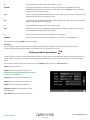
For Bus & Coach to calculate a route suitable for your vehicle it needs to know certain information about the vehicle itself such as its
height, weight and width. It is possible to save the settings of 10 different vehicles. Follow these instructions to enter your vehicles
details.
Press the centre of the screen to access the menu, press ‘Configure’ and then press the ‘Bus/Coach’ icon.
Name: Enter the name here.
Height: Enter the height of the vehicle here.
NOTE: Maximum height including any protrusions
(roof box, TV antenna etc)
Length: Enter the length of the vehicle here.
Weight: Enter the weight of the vehicle here.
Width: Enter the width of the vehicle here.
Weight per axle: Enter the weight per axle of
the vehicle here
Num of axles: Enter the number of axles here.
Return to contents
AVN S9010/9020
V1V105.15
06/15 UK
AVN9010/20
24 • UK
Environmental settings or Low Emission Zones (LEZ)
Low Emission Zones (LEZs) are areas or roads where the most polluting vehicles are restricted from entering. This means that vehicles
are banned, or in some cases charged, if they enter the LEZ when their emissions are over a set level.
Vehicle emissions are classified by Euro Standards (1-6) for the vehicles that they affect. In many cases another factor is whether or
not the vehicle has a particulate filter or catalytic converter. Before you travel into a LEZ, you need to find out the emissions standard
of your vehicle.
All LEZs affect heavy duty goods vehicles (usually over 3.5 tonnes Gross Vehicle Weight (GVW)), and most buses and coaches (usually
defined as over 5 tonnes GVW). Some LEZs also affect vans, cars and motorcycles.
Most LEZs operate 24 hours a day, 365 days a year, with some of the Italian LEZs currently the only exceptions to this rule. To
enter your environmental setting press on the arrow once in the Environmental setting page press the arrow again to return to
the vehicles setting page.
Click on the options to edit the
information
Enter number of passengers carried.
Enter fuel type
Press to return
to the previous
screen
Retrofit - switch
between yes (Y) and
No(N) by pressing the
Retrofit button
press OK to save
Enter vehicle
production date in
YYYY-MM format
Select Euro rating
Return to contents
AVN S9010/9020
V1V105.15
06/15 UK
AVN9010/20
25 • UK
3. Planning a route
There are several ways to plan a route on Snooper.
3.1
Find by post code
●●
Press the centre of the screen to access the ‘Navigate to’ menu.
●●
Press the ‘Find by post code’ icon.
●●
If you have the European version of Snooper, you will need to select
the ‘Country’ first BEFORE typing the postcode. (If the correct
country is already displayed, go to the next step). Use the arrow
keys on the right of the display to scroll up and down the country
options. Select the country with your finger.
●●
Press ‘Post code’ and enter the full postcode using the onscreen keyboard.
●●
Press the ‘OK’ button on the keyboard.
Please Note: The button on the keyboard with no character on it is the ‘Space’ key. UK post codes can be entered with and
without a space.
If the following message is displayed ‘Please, input correct postcode’,
the postcode has been entered incorrectly. Press OK and retype the
postcode.
Snooper will display a screen showing the postcode and the street
name.
●● If you know the house/property number of your destination, press
the
button to enter it .
●●
●●
●●
Once you have entered the house number press the ‘OK’ button.
Alternatively, if you do not have a house or building number, you
can navigate to a point where two roads meet instead.
Press the ‘Intersection’ button and select the road
.
NOTE: For Truckmate or Ventura models you can select the vehicle type before the journey is calculated.
●●
Press the ‘Calculate’ button.
Return to contents
AVN S9010/9020
V1V105.15
06/15 UK
AVN9010/20
26 • UK
Once the calculation is complete you can either press ‘Go’ to start navigation, ‘Simulation’ to see the actual route that will be
taken, ‘Route Option’ to change the parameters of the route or ‘Guide’ which will list the turn by turn instructions of the journey.
The ‘Summary Screen’ will tell you the distance to your destination, estimated time of arrival and the estimated time it will take to
complete your journey.
Please note: The summary screen is only displayed for approximately 10 seconds before the unit automatically begins to
provide you with turn-by-turn instructions.
User advice - By subscribing to and downloading the AURA™ Speed Camera database you
will automatically be alerted to all ‘Fixed’ Speed Cameras and other Accident Hotspots
during your journey ensuring that you are always aware of the correct speed limit whilst
travelling along any particularly hazardous stretches of road.
3.3 Find by city
If you do not know the postcode but have the street name and the town or city that you
would like to navigate to, then select this option.
Press the centre of the screen to enter the ‘Navigate to’ menu.
Press the ‘Find by city’ icon.
●● Select the ‘Country’ first BEFORE typing the city. (If the correct country is already
displayed, go to the next step). Use the arrow keys on the right of the display to scroll
up and down the country options. Select the country with your finger.
●● Next press ‘City’ and enter the city name using the keyboard displayed.
●●
●●
As you begin to input the city name, Snooper will automatically prompt you with a list of
possible matches. If you can see the name of the destination you are searching for in the
lower window, you can select it easily by pressing that name with your finger. If you wish
to view the list of possible destinations in full, press the down arrow to the top right hand
corner of the display and a list of cities will be displayed then select your destination by
touching on it. Use the arrow keys on the right hand side of the display to scroll through
the list.
●●
Press ‘Street’ and use the keyboard displayed to type in the street name.
Note: if there is more than one street with the same name in that city then a list of
streets will be displayed along with the post code or district
As you begin to input the road or street name, Snooper will automatically prompt you
with a list of possible matches similar to when searching for ‘City’ described above.
When you see the road you require select it by pressing it with your finger.
If you wish, you can enter the property number by pressing ‘House No.’ and then
typing the house number on the keyboard. Once the house number has been
selected, press the ‘OK’ button. Note: Truckmate & Ventura-After the OK button
is pressed an additional screen will be displayed where you can choose the relevant
vehicle. Press ‘Change’ to edit the vehicle choice or ‘OK’ to to continue.
●● Press the ‘Calculate’ button.
●●
Once the calculation is complete you can either press ‘Go’ to start navigation,
‘Simulation’ to see the actual route that will be taken, ‘Route Option’ to change the
parameters of the route or ‘Guide’ which will list the turn by turn instructions of the
journey. The ‘Summary Screen’ will tell you the distance to your destination, estimated
time of arrival and the estimated time it will take to complete your journey
Please note: The summary screen is only displayed for approximately 10 seconds before the unit automatically begins to
provide you with turn-by-turn instructions.
Return to contents
AVN S9010/9020
V1V105.15
06/15 UK
AVN9010/20
27 • UK
3.3.1 Home
You can navigate easily and quickly from a previous journey or destination to your home, by personalising Snooper so that a route
can be calculated by pressing just a few buttons.
3.3.2 Setting the ‘Home’ Destination
●●
●●
Press the centre of the display to enter the ‘Navigate to’ menu.
Press the ‘Home’ icon.
The first time the ‘Home’ function is used an information screen is
displayed saying ‘Set Home? Press ‘OK’ in the information window
to continue, press ‘CANCEL’ to exit. If ‘Home’ has already been set it
can be edited in My Favourites – refer to section 4.4 on page 51
.
You can search for your address by using one of the following options:
‘Find address by city’ or ‘Find address by post code’. Please refer to 3.1 and 3.2 above on how to use these functions.
●● Once you have entered the ‘Home’ destination, a new field is available for you to ‘Name’ the destination.
●● Press ‘Name’ and a keyboard will be displayed with the road name you selected.
●● Press the ‘Arrow’ key to erase this data then input the new name using the keyboard.
●●
Please note: You can enter a new name for the home destination using up to a maximum of sixteen characters.
●●
●●
Press ‘Save’ once you have entered the name.
Once your home address has been saved, Snooper will be able to calculate a route to this address.
3.3.3 Using the ‘Home’ Function
To calculate a route:
●● Press the centre of the display to enter the ‘Navigate to’ menu.
●● Press the ‘Home’ icon.
●●
Snooper will display details of the destination and offer a ‘Go’ button and a ‘Route Option’ button. Press ‘Go’ to begin your journey.
Return to contents
AVN S9010/9020
V1V105.15
06/15 UK
AVN9010/20
28 • UK
3.4 Office
You can navigate easily and quickly from a previous journey or destination to your office or place of work, by personalising Snooper
so that a route can be calculated by pressing just a few buttons.
3.4.1 ●●
●●
Setting the ‘Office’ Destination
Press the centre of the display to enter the ‘Navigate to’ menu.
Press the ‘Office’ icon.
The first time the ‘Office’ function is used an information screen is
displayed saying ‘Set Office? Press ‘OK’ in the information window
to continue, press ‘CANCEL’ to exit. If ‘Office’ has already been set it
can be edited in My Favourites – refer to section 4.5 on page 52.
●●
You can search for your address by using one of the following
options:
‘Find address by city’ or ‘Find address by post code’. Please refer to 3.1 and 3.2 above on how to use these functions.
Once you have entered the ‘Office’ destination, a new field is available for you to ‘Name’ the destination.
●● Press ‘Name’ and a keyboard will be displayed with the road name you selected.
●● Press the ‘Arrow’ key to erase this data then input the new name using the keyboard.
Please note: You can enter a new name for the office destination using up to a maximum of sixteen characters.
●●
Press ‘Save’ once you have entered the name.
Once your office address has been saved, Snooper will be able to calculate a route to this address.
3.4.2 Using the ‘Office’ Function
To calculate a route:
Press the centre of the display to enter the ‘Navigate to’ menu.
●● Press the ‘Office’ icon.
Snooper will display details of the destination and offer a ‘Go’ button and a ‘Route Option’ button. Press ‘Go’ to begin your
journey.
3.5 Recent Route or
Clear route
Snooper automatically stores the last route that has been calculated, so that if you wish to return to that address you do not have to
re-input all the details again.
●● To use this function:
●● Press the centre of the screen to enter the ‘Navigate to’ menu.
●● Press the ‘Recent Route’ icon.
Snooper will now calculate the route to your selected location.
Return to contents
AVN S9010/9020
V1V105.15
06/15 UK
AVN9010/20
29 • UK
Once a route has been calculated, the ‘Recent Route’ icon is replaced with a ‘Clear Route’ icon. To cancel a route that you have
calculated:
●● Press the centre of the screen to enter the ‘Navigate to’ menu.
●● Press the ‘Clear Route’ icon.
The route will then automatically be deleted.
Please Note: For the ‘Clear Route’ feature to operate you will need to have entered and calculated a route. If the ‘Recent Route’
icon is displayed a route has NOT been entered.
3.6 Multi route
With Snooper you have the facility to enter more than one destination at a time (for instance if you wish to visit other locations
before reaching your ultimate destination). You can store up to seven multi-routes, with up to sixteen destinations within each multiroute. The unit will process and calculate the destinations in the following order: A to B, B to C, and C to D etc. When entering the
destinations you are able to review the routes and change the order of the routes before pressing ‘Go’.
3.6.1 Create a Multi-route
●●
●●
Press the centre of the display to enter the ‘Navigate to’ menu.
Press the ‘Multi-route’ icon.
You will then see the ‘Multi-route screen’ that allows you to:
●● Create a multi-route
●● Use or edit a previously stored multi-route
●● Delete a multi-route.
●●
Press ‘Create multi-route’.
A screen is displayed where you can:
> ‘Edit name’ the name of the multi-route
> ‘Change Start’ the start point of the multi-route
> ‘Add’ your destinations.
> ‘Save’ your destinations
> ‘Calculate’ your multi-route
●●
Press ‘Edit Name’ to create a name for your new multi-route.
Please note: You can enter a new name for the multi-route using
up to a maximum of sixteen characters.
Press the ‘Arrow’ key to delete the current name for your multiroute.
●● Type the new name of your multi-route using the keyboard.
●● Press the ‘Save’ button in the top right hand corner.
●●
If you wish to change the start position of the multi-route, press
‘Change Start’ to change it. You are provided with several options
to select your start position. To find out how to use these options
please refer to the applicable sections earlier in this user manual.
Return to contents
AVN S9010/9020
V1V105.15
06/15 UK
AVN9010/20
30 • UK
If you are happy with the start position, you can now begin to enter the
data of your first destination. If you want to change the start position,
press ‘Change Start’. You can then select how you want to find your start
position
●●
Press ‘Add’ – you are provided with several options to find your
destination stage:
> Find address by city
> Find address by post code
> Find by POI
> Find by recently used
> Find by favourites
To find out how to use these options please refer to the applicable
sections in this user manual.
Once you have entered the data press ‘Set’.
The destination stage will now appear in the multi-route screen.
●● Press ‘’Add’ to enter additional destination stages.
●● Once you have entered all your destination stages press ‘Save’.
●●
●●
3.6.2
Editing a Multi-route
If you wish to change the order or delete any of the stages in the multiroute:
●● Press the centre of the display to enter the ‘Navigate to’ menu.
●● Press the ‘Multi-route’ icon.
1
2
3
4
●● Press the name of the multi-route destination you wish to edit
●● Press one of the stages listed and some new options will appear near the bottom of the display.
1. Deletes selected destination
2. Changes destination. Choose between final destination
and stops
.
3. Move selected destination up
4. Move selected destination down
5. Route options, change the route option for that section of the journey (See section 6.0 for route options)
5
Note: These functions only apply to the stage that you have selected. To edit the other stages in the list press the ‘Return Arrow’
in the bottom right hand corner of the screen and select the new stage.
Once you have made your desired changes press ‘Save’.
Return to contents
AVN S9010/9020
V1V105.15
06/15 UK
AVN9010/20
31 • UK
3.6.3
Using the Multi-route function
To use a saved multi-route:
Press the centre of the screen to enter the ‘Navigate to’ menu
●● Press the ‘Multi-route’ icon.
●● Press the name of the multi-route destination you wish to use
●● Press ‘Calculate’.
●●
Snooper will calculate the route to each destination stage and provide a new summary screen with the distance to each destination
stage along with the estimated duration of the journey to each destination stage from the start point.
●●
●●
If you wish to view the calculated route on a map, press ‘Map’.
If you wish to start using the Multi-route, press ‘Go’.
Please Note: If you press one of the stages listed before pressing ‘Go’, you will see a summary screen where you can either press ‘Go’
to start navigation, ‘Simulation’ to see the actual route that will be taken or ‘Guide’ which will list the turn by turn instructions for
that stage of the journey. The ‘Summary Screen’ will also display the distance to your destination, estimated time of arrival and the
estimated time it will take to complete that stage of the journey.
Once you have pressed ‘Go’ Snooper will now display your current map position along with a small summary screen located in the
bottom right hand corner. The following information is displayed on the summary screen:
Stage 1/4 - indicates this is the
first destination of the journey
Estimated time of arrival
to first destination.
Distance to first
destination
Estimated time of arrival at the
end of multi-route journey.
Total distance of
multi-route journey
If, during the journey, you wish to cancel the current stage and begin travelling to the next stage in your multi-route journey press
the summary screen in the bottom right hand corner of the display and the message ‘Delete current stage?’ will be displayed. Press
‘OK’ and the unit will calculate your route to the next stage in the multi-route from your current position.
Note: If Snooper is turned ‘OFF’ and then ‘ON’ during a multi-route journey the device will retain the current route and ask you
if you wish to continue with the current destination or with the next stage of the destination or to cancel the multi-route.
Return to contents
AVN S9010/9020
V1V105.15
06/15 UK
AVN9010/20
32 • UK
3.6.4 Auto arrange Multi-route
Once you create a multi-route Snooper can arrange the multi-route into a logical order by pressing the
icon
After
Before
1. Add an additional destination to Multi-route
2. Save the Multi-route without making any further changes.
3. Rearrange the multi-route into the most efficient/logical order
(based on route options and vehicle parameters)
4. OK - greyed out if no changes have been made
5. Return to previous screen
Once the route has been arranged press the
1
2
3
4
5
icon then OK. Press
Snooper will now calculate the multi-routes estimated time and distances
Then displays the route summary
Use the up and down arrows to view
additional stops or the final destination.
Press
map.
to continue or
to display the route on a
Use the + and - buttons to zoom in and out of the map view. You can also ‘drag’ the map
using your finger on the touch screen
Return to contents
AVN S9010/9020
V1V105.15
06/15 UK
AVN9010/20
33 • UK
3.7 Find by favourites
Snooper has the capacity to store up to 150 user locations. To add your favourite locations see Section 4.1.1 on page 50.
To navigate to one of your stored locations:
Press the centre of the screen to enter the ‘Navigate to’ menu.
Press the ‘Find by favourites’ icon.
Select the favourite you wish to navigate to from the list provided.
●●
●●
●●
The information about your chosen favourite is displayed.
●● To start the journey press ‘Calculate’
●● To change the route parameters press ‘Route Option’ (see Section 6.0: Route Options on page 72 for specific instructions).
●● To view the location of the favourite, press ‘Map’.
●● To return to the previous page press the return arrow
located in the bottom right hand corner of the display.
Once the calculation is complete you can either press ‘Go’ to start navigation, ‘Simulation’ to see the actual route that will be
taken, ‘Route Option’ to change the parameters of the route or ‘Guide’ which will list the turn by turn instructions of the journey.
The ‘Summary Screen’ will tell you the distance to your destination, estimated time of arrival and the estimated time it will take to
complete your journey.
Please note: The summary screen is only displayed for approximately 10 seconds before the unit automatically begins to
provide you with turn-by-turn instructions.
Press
3.8 to move to the next screen
Recent destination
Snooper is capable of storing the last 40 routes that have been calculated, so that if you wish to return to an address you do not have
to re-input the details again.
To calculate a route using the ‘Recent destination’ function:
Press the centre of the screen to enter the ‘Navigate to’ menu.
●● Press the black arrow
once.
●● Press the ‘Recent destination’ icon.
●● Select the recent route you wish to navigate to from the list provided*.
●●
*A list of your most recent routes will be shown in chronological order. Use the arrows on the right hand side of the display to scroll
up and down through the list and select the destination you would like.
To start the journey press ‘Calculate’
●● To change the route parameters press ‘Route Option’ (see Section 6.0: Route Options on page 72 for specific instructions).
●● To view the location of the recent destination, press ‘Map’.
●● To return to the previous page press the return arrow
located on the bottom right hand corner of the display.
Once the calculation is complete you can either press ‘Go’ to start navigation, ‘Simulation’ to see the actual route that will be
taken, ‘Route Option’ to change the parameters of the route or ‘Guide’ which will list the turn by turn instructions of the journey.
The ‘Summary Screen’ will tell you the distance to your destination, estimated time of arrival and the estimated time it will take to
complete your journey.
Please note: The summary screen is only displayed for approximately 10 seconds before the unit automatically begins to
provide you with turn-by-turn instructions.
Return to contents
AVN S9010/9020
V1V105.15
06/15 UK
AVN9010/20
34 • UK
3.9 Find by POI (points of interest)
If you would like to calculate a route to a hotel, airport, restaurant or even a golf course Snooper can calculate a route using its
extensive database of POI’s (Points of Interest).
To navigate using this database:
Press the centre of the screen to access the ‘Navigate to’ menu.
●● Press the black arrow once.
●● Press the ‘Find by POI’ icon.
●● Press ‘Country’ and select the country where you would like to find the
POI. (If the country is already displayed, go to the next step). Use the
arrow keys on the right to scroll up and down the options.
●● Next press ‘City’ and enter the city name using the keyboard displayed.
●●
As you begin to input the city name, Snooper will automatically prompt you
with a list of possible matches. If you can see the name of the destination
you are searching for in the lower window, select it by pressing that name
with your finger. If you wish to view the list of possible destinations in full, press the down arrow to the top right hand corner of the
display and a list will be displayed then, select your destination. Use the arrow keys on the right hand side of the display to scroll
through the list.
●●
Press ‘Category’ and enter the category type using the keyboard displayed.
If you do not know which category to type you can press the down arrow to
the right of the lower window and all the category types will be displayed
in alphabetical order. Use the arrows to the right of the display to scroll up
and down through the category options. Once you find the category you are
looking for select it with your finger.
●●
Press ‘Name’. If the name of your POI is displayed in the lower window
select it with your finger. Alternatively you can start typing the name to
narrow the options and then select it.
All the fields are now filled in for your chosen POI.
To start the journey press ‘Calculate’
To view the location of the POI, press ‘Map’.
●● To change the route parameters press ‘Route Option’ (see Section 6.0:
Route Options on page 72 for specific instructions).
●● Press ‘Information’ to see more details about the POI.
●● To return to the previous page press the return arrow
located on the
bottom right hand corner of the display.
●●
●●
Once the calculation is complete you can either press ‘Go’ to start navigation,
‘Simulation’ to see the actual route that will be taken, ‘Route Option’ to
change the parameters of the route or ‘Guide’ which will list the turn by turn instructions of the journey. The ‘Summary Screen’ will
tell you the distance to your destination, estimated time of arrival and the estimated time it will take to complete your journey.
Please note: The summary screen is only displayed for approximately 10 seconds before the unit automatically begins to
provide you with turn-by-turn instructions.
Return to contents
AVN S9010/9020
V1V105.15
06/15 UK
AVN9010/20
35 • UK
3.10 Find by nearest POI
This function will help you to find the nearest POI from either your ‘Current
Position’ or a ‘Different Position’ within a certain radius which can be specified
up to a maximum of 60 miles.
3.10.1 To navigate using the ‘Current Position’
Press the centre of the screen to enter the ‘Navigate to’ menu.
Press the black arrow once.
●● Press the ‘Find by nearest POI’ icon.
●● Select ‘Current Position’
●● Select the maximum radius you wish the unit to search for (the default setting is
30 miles) and then press ‘OK’
●● Press ‘Category’ and enter the category type using the keyboard displayed.
●●
●●
If you do not know which category to type, you can press the down arrow to the right of the lower window and all the category types
will be displayed in alphabetical order. Use the arrows to the right of the display to scroll up and down through the category options.
Once you find the category you are looking for select it with your finger.
A list of POI’s within the specified radius and category will be displayed. Use the arrows
on the right hand side of the screen to scroll up and down through the options. When
you find the POI that you are looking for, select it with your finger
To start the journey press ‘Calculate’
To view the location of the POI, press ‘Map’.
●● To change the route parameters press ‘Route Option’ (see Section 6.0: Route Options
on page 72 for specific instructions).
●● To return to the previous page press the return arrow
located on the bottom
right hand corner of the display.
●●
●●
Once the calculation is complete you can either press ‘Go’ to start navigation,
‘Simulation’ to see the actual route that will be taken, ‘Route Option’ to change the
parameters of the route or ‘Guide’ which will list the turn by turn instructions of the
journey. The ‘Summary Screen’ will tell you the distance to your destination, estimated
time of arrival and the estimated time it will take to complete your journey.
Please note: The summary screen is only displayed for approximately 10 seconds before the unit automatically begins to
provide you with turn-by-turn instructions.
Return to contents
AVN S9010/9020
V1V105.15
06/15 UK
AVN9010/20
36 • UK
3.10.2
To navigate using a ‘Different Position’
Press the centre of the screen to enter the ‘Navigate to’ menu.
Press the black arrow once.
●● Press the ‘Find by nearest POI’ icon.
●● Select ‘Different Position’
●● Press ‘Country’ and select the country where you would like to find the POI. (If the
country is already displayed, go to the next step). Use the arrow keys on the right to
scroll up and down the options.
●● Next press ‘City’ and enter the city name using the keyboard displayed.
●●
●●
As you begin to input the city name, Snooper will automatically prompt you with a list of
possible matches. If you can see the name of the destination you are searching for in the
lower window, you can select it easily by selecting that name. If you wish to view the list
of possible destinations in full, press the down arrow to the top right hand corner of the
display and a list of cities will be displayed then select your destination. Use the arrow
keys on the right hand side of the display to scroll through the list.
●●
Press ‘Street’ and use the keyboard displayed to type in the street name.
As you begin to input the road or street name, Snooper will automatically prompt you
with a list of possible matches similar to when searching for ‘City’ described above.
When you see the road you require select it.
Once all fields have been completed you can view the new position by pressing ‘Map’ at
the bottom of the screen.
Press ‘Set’
Select the maximum radius you wish the unit to search for (the default setting is 30
miles) and then press ‘OK’
●● Press ‘Category’ and enter the category type using the keyboard displayed.
If you do not know which category to type, you can press the down arrow to the right
of the lower window and all the category types will be displayed in alphabetical order.
Use the arrows to the right of the display to scroll up and down through the category
options. Once you find the category you are looking for select it.
●●
●●
A list of POI’s within the specified radius and category will be displayed. Use the arrows to
the right hand side of the screen to scroll up and down through the options. When you
find the POI that you are looking for, select it.
To start the journey press ‘Calculate’
To view the location of the POI, press ‘Map’.
●● To change the route parameters press ‘Route Option’ (see Section 6: Route Options
on page 72 for specific instructions).
●● To return to the previous page press the return arrow
located on the bottom
right hand corner of the display.
●●
●●
Return to contents
AVN S9010/9020
V1V105.15
06/15 UK
AVN9010/20
37 • UK
Once the calculation is complete you can either press ‘Go’ to start navigation,
‘Simulation’ to see the actual route that will be taken, ‘Route Option’ to change the
parameters of the route or ‘Guide’ which will list the turn by turn instructions of the
journey. The ‘Summary Screen’ will tell you the distance to your destination, estimated
time of arrival and the estimated time it will take to complete your journey.
Please note: The summary screen is only displayed for approximately 10 seconds
before the unit automatically begins to provide you with turn-by-turn instructions.
3.10.3 To navigate using ‘Along Route’ (see section 3.11.4 for details)
Choose to search from our extensive list of Point’s of Interest using our new ‘Corridor Search’ facility. The ‘Corridor Search’ search
function enables you to search specifically along your pre-programmed route.
The instructions to use this facility are the same as above (see Section 3.10.2) but select ‘Along Route’ to open the search.
3.11 User POI
The Snooper comes pre loaded with a number of ‘User POI’s’. You can add additional POI
(Points Of Interest) by downloading them to the device via a PC. The User POI Updater
program can be downloaded from: https://www.snooperneo.co.uk/Software.cfm. Once
the program is installed it will be possible to select additional POI lists for the Snooper.
To navigate using User POI:
Press the centre of the screen to enter the ‘Navigate to’ menu.
Press the black arrow once.
●● Press the User POI’ icon.
●● A list of installed User POI’s will appear, select the one you want to navigate to by
pressing the name.
●● The option to:
Find around current position
Find around different position will be displayed.
●●
●●
3.11.1 Find by name
●● If you know the name of the POI you are looking for select ‘Find by name’ and then type the name of the POI.
Press
to reveal more locations
To return to the search screen press the keyboard icon
Return to contents
AVN S9010/9020
V1V105.15
06/15 UK
AVN9010/20
38 • UK
Select the POI with your finger; an information screen will be displayed. Press ‘OK’ if the POI is correct, press ‘Map’ to view the POI
location on the map, press ‘Route options’ to change start position or press
to return to the previous screen.
Press ‘Calculate’ and a journey summary screen will be displayed. Press ‘GO’ to start
navigation.
3.11.2 Find around current position
Press the centre of the screen to enter the ‘Navigate to’ menu.
●● Press the black arrow once.
●● Press the ‘User POI’ icon.
●● Press the POI you wish to look for
●● Select ‘Find around current position’
●● Select the maximum radius you wish the unit to search for (the default setting is 30
miles) and then press ‘OK’
●●
A list of POI’s within the specified radius and category will be displayed. Use the
arrows to the right hand side of the screen to scroll up and down through the
options. When you find the POI that you are looking for, select it.
●● To start the journey press ‘OK’ followed by ‘Calculate’
●● To view the location of the POI, press ‘Map’.
●● To change the route parameters press ‘Route Option’ (see Section 6: Route Options
on page 72 for specific instructions).
●● To return to the previous page press the return arrow
located on the bottom
right hand corner of the display.
Once the calculation is complete you can either press ‘Go’ to start navigation, ‘Simulation’ to see the actual route that will be
taken, ‘Route Option’ to change the parameters of the route or ‘Guide’ which will list the turn by turn instructions of the journey.
The ‘Summary Screen’ will tell you the distance to your destination, estimated time of arrival and the estimated time it will take to
complete your journey.
Please note: The summary screen is only displayed for approximately 10 seconds before the unit automatically begins to
provide you with turn-by-turn instructions.
Return to contents
AVN S9010/9020
V1V105.15
06/15 UK
AVN9010/20
39 • UK
3.11.3 Find around different position
Press the centre of the screen to enter the ‘Navigate to’ menu.
Press the black arrow once.
●● Press the ‘User POI’ icon.
●● Press the POI you wish to look for
●● Select ‘Find around different position’
●● Press ‘Country’ and select the country where you would like to find the POI. (If the
country is already displayed, go to the next step). Use the arrow keys on the right to
scroll up and down the options.
●● Next press ‘City’ and enter the city name using the keyboard displayed.
●●
●●
As you begin to input the city name, Snooper will automatically prompt you with a list of
possible matches. If you can see the name of the destination you are searching for in the
lower window, you can select it easily by selecting that name. If you wish to view the list
of possible destinations in full press the down arrow to the top right hand corner of the
display and a list of cities will be displayed then select your destination. Use the arrow
keys on the right hand side of the display to scroll through the list.
●●
Press ‘Street’ and use the keyboard displayed to type in the street name.
As you begin to input the road or street name, Snooper will automatically prompt you
with a list of possible matches similar to when searching for ‘City’ described above.
When you see the road you require select it.
Once all fields have been completed you can view the new position by pressing ‘Map’ at
the bottom of the screen.
●●
●●
Press ‘Set’
Select the maximum radius you wish the unit to search for (the default setting is 30
miles) and then press ‘OK’.
A list of POI’s within the specified radius and category will be displayed. Use the arrows
to the right hand side of the screen to scroll up and down through the options. When
you find the POI that you are looking for, select it.
To start the journey press ‘OK’ followed by ‘Calculate’.
●● To view the location of the POI, press ‘Map’.
●● To change the route parameters press ‘Route Option’ (see Section 6: Route Options
on page 72 for specific instructions).
●● To return to the previous page press the return arrow
located on the bottom right hand corner of the display.
●●
Return to contents
AVN S9010/9020
V1V105.15
06/15 UK
AVN9010/20
40 • UK
Once the calculation is complete you can either press ‘Go’ to start navigation,
‘Simulation’ to see the actual route that will be taken, ‘Route Option’ to change the
parameters of the route or ‘Guide’ which will list the turn by turn instructions of the
journey. The ‘Summary Screen’ will tell you the distance to your destination, estimated
time of arrival and the estimated time it will take to complete your journey.
Please note: The summary screen is only displayed for approximately 10 seconds
before the unit automatically begins to provide you with turn-by-turn instructions.
3.11.4 Along Route
This function allows you to select a POI along your current route.
NOTE: For this feature to work you must have a route plotted if not, the button does
not function. Firstly, plot a route by any of the methods previously described in this
user guide.
Press the centre of the screen to enter the ‘Navigate to’ menu.
●● Press the black arrow once.
●● Press the ‘User POI’ icon.
●● Press the POI you wish to look for.
●● Select ‘Along Route’.
●● Choose the POI from the list.
●●
An information screen will be displayed.
Press OK to accept or choose ‘Route Options’ or ‘Map’. Press the return button
in the bottom left of the screen to return to the list.
●● When ‘OK’ is pressed choose ‘Calculate’
●●
Once all fields have been completed you can view the new position by pressing ‘Map’ at
the bottom of the screen.
To start the journey press ‘OK’ followed by ‘Calculate’.
To view the location of the POI, press ‘Map’.
●● To change the route parameters press ‘Route Option’ (see Section 6: Route Options
on page 72 for specific instructions).
●● To return to the previous page press the return arrow
located on the bottom
right hand corner of the display.
●●
●●
Return to contents
AVN S9010/9020
V1V105.15
06/15 UK
AVN9010/20
41 • UK
3.12 Find by map
This function allows you to select a destination by simply selecting any road on any area
of the map stored within your unit or alternately you can navigate to motorway junction
numbers.
To navigate using this facility:
Press the centre of the screen to access the ‘Navigate to’ menu.
●● Press the black arrow once.
●● Press the ‘Find by map’ icon.
●●
The screen will show a section of the map (usually of your current position with a road
selected in red).
To see a larger section of the map press the button to zoom out.
If you would like to see the map in more detail, use the
button to zoom in.
●● By pressing and moving your finger on the screen you can move the map around until
you find your desired location.
●●
●●
When you can see the required destination, simply press on the road of the map you would like to navigate to and the road name
selected will be displayed at the bottom of the screen.
●● Press ‘Quick Menu’ and then press ‘Continue’.
●● To start the journey press ‘Calculate’.
●● To view the location of the POI, press ‘Map’.
●● To change the route parameters press ‘Route Option’ (see Section 6: Route Options on page 72 for specific instructions).
●● To return to the previous page press the return arrow
located on the bottom right hand corner of the display.
●●
Once the calculation is complete you can either press ‘Go’ to start navigation, ‘Simulation’ to see the actual route that will be
taken, ‘Route Option’ to change the parameters of the route or ‘Guide’ which will list the turn by turn instructions of the journey.
The ‘Summary Screen’ will tell you the distance to your destination, estimated time of arrival and the estimated time it will take to
complete your journey.
Please note: The summary screen is only displayed for approximately 10 seconds before the unit automatically begins to
provide you with turn-by-turn instructions.
Return to contents
AVN S9010/9020
V1V105.15
06/15 UK
AVN9010/20
42 • UK
3.13 Find by coordinate
To navigate to a location using a coordinate:
Press the centre of the screen to access the ‘Navigate to’ menu.
●● Press the black arrow once.
●● Press the ‘Find by coordinate’ icon.
●●
Enter the coordinate using the key pad and press the ‘OK’ button.
You can enter the coordinate in three different formats. For example.
Decimal Degrees (DD.ddddd°)
Latitude (N): 53.34878°
Longitude (W): -2.68214°
Please note: when inputting the Longitude you ignore the minus symbol (-) . The degree symbol
MUST be used in order for this function to work (see image on the right).
Degrees, Minutes, Seconds (DD°MM’SS.s”)
Latitude (N): 53°20’55.6”N
Longitude (W): 2°40’55.71”W
Please note: when inputting the Longitude and Latitude you ignore the letters ‘N’ and ‘W’ . You
MUST use the degrees, minutes and seconds symbols when using this function (see image on
the right).
Degrees, Minutes (DD°MM.mmm’)
Latitude (N): N 53 20.927
Longitude (W): W 2 40.928
Please note: when inputting the Longitude and Latitude you ignore the letters ‘N’ and ‘W’. The
degree and minute symbols MUST be used when using this function (see image on the right).
After pressing OK, the location of the coordinates will be shown on the map. If correct
press ‘Quick menu’ and then ‘Continue’ and follow the on screen instructions to calculate
a route.
Easting and northing are geographic Cartesian coordinates. Press the EN button to enter Easting and Northing co-ordinates
Return to contents
AVN S9010/9020
V1V105.15
06/15 UK
AVN9010/20
43 • UK
3.14 Re-route
Snooper can recalculate your route by avoiding certain roads or redirecting you by distance. This facility only becomes available once
you have calculated a route.
To perform a re-route:
Press the centre of the screen to enter the ‘Navigate to’ menu.
●● Press the black arrow once.
●● Press the ‘Re-route’ icon.
●●
You can then choose how you would like to re-route your journey from the selections shown on the display.
In order to use this function on Snooper you will need to have entered and calculated a route.
If the ‘Re-Route’ icon is greyed out a route has NOT been entered.
3.14.1 Avoid By Road Name
If you know the road name or road number you wish to avoid, then select this option.
●●
Press ‘Avoid by Road Name’.
You will be provided with the turn by turn instructions of the route that you are currently following. If the road you are looking for is
not visible, press the down arrow on the right hand side of the display to see further turn by turn instructions.
Once you have found the road that you wish to avoid, select it.
The route will be recalculated and a information screen will be displayed.
●● The original route is shown in Red and the new route is shown in Yellow. To choose either route press the corresponding text at
the bottom of the screen, alternatively press the return arrow (bottom left) to go back to the ‘Re-Route’ menu.
●●
●●
Once you select which route you wish to use, the device will automatically start to navigate. The summary screen with simulation will
not be displayed .
Please note: The summary screen is only displayed for approximately 10 seconds before the unit automatically begins to
provide you with turn-by-turn instructions.
3.14.2 Avoid by Range
If you wish to avoid several roads from the selected route calculated by Snooper, then this function allows you to re-calculate a route
over a user defined distance, ranging from 1 mile up to a maximum of 100 miles.
To use this function:
●● Press the ‘Avoid by range’ button - the ‘Select avoided range’ page will be displayed.
●● Select the distance of the range you wish to avoid using your finger.
If you wish to view more range distances then press the down arrow on the right hand side of the display. Once you have selected
the range you wish to avoid, Snooper will automatically re-calculate your route.
The methodology for using Avoid by Range is the same as Avoid by Road Name in section 3.1.4.1
Return to contents
AVN S9010/9020
V1V105.15
06/15 UK
AVN9010/20
44 • UK
3.14.3
Avoid by TMC - AVN S9020 ONLY
If you wish to avoid incidents and/or hold ups which have been received via TMC then you can use this option. Refer to section 3.7
for further details of TMC
To use this function:
Press the ‘Avoid by TMC’ button - the TMC information page will be displayed, choose TMC on Route.
●● Select the incident you wish to avoid.
●●
The methodology for using Avoid by Range is the same as Avoid by Road Name in section 3.1.4.1
3.14.4 Clear Avoided Road
If you do not wish to use the alternative routes offered by Snooper and you wish to return to the original calculated route, press the
‘Clear Avoided Road’ button and the original route plotted by Snooper will be restored.
Once the re-calculation of the original route is complete the summary screen is displayed. Once the calculation is complete you can
either press ‘Go’ to start navigation, ‘Simulation’ to see the actual route that will be taken, ‘Route Option’ to change the parameters
of the route or ‘Guide’ which will list the turn by turn instructions of the journey. The ‘Summary Screen’ will tell you the distance to
your destination, estimated time of arrival and the estimated time it will take to complete your journey.
Please Note: If you have already travelled some of the re-calculated route, Snooper may produce a slightly different route from
what was originally plotted.
The summary screen is only displayed for approximately 10 seconds before the unit automatically begins to provide you with
turn-by-turn instructions.
If the ‘Avoid by Road’ and ‘Avoid by Range’ have not been used, this feature is unavailable and the button will
.
be greyed out
Return to contents
AVN S9010/9020
V1V105.15
06/15 UK
AVN9010/20
45 • UK
3.15 Your route
Create and save your own bespoke routes. Use the map view to select the roads you would like to travel on or search road by road.
Use ‘Your route’ to build your own personal, tailored routes.
To use this facility:
Press the centre of the screen to enter the ‘Navigate to’ menu.
●● Press the black arrow twice.
●● Press ‘Your route’.
●●
3.15.1 Creating a route.
1.Press ‘Create’ - the screen will display your current location, illustrated by a ‘push pin’.
or to change the start position press the
2. If you wish to use this as your start position press the
search by Country, City & Street.
3. Press ‘Map’ to continue or the
button to return to the previous screen.
button. You can now
button a
will appear on the map to indicate the start position.
4. To add the location as the start position press the
5. To add additional roads or the journey end either select another road in the current map view, zoom out using the
then
scroll the map or press the
button to search by Country, City & Street. Once the correct road has been highlighted press
as each link in the route is added a
will appear on the map.
To remove a link press the
button.
Return to contents
AVN S9010/9020
V1V105.15
06/15 UK
AVN9010/20
46 • UK
To calculate a route which is appropriate for your vehicle, once a second link has been added the following screen will be displayed:
If this is the correct vehicle press ‘Calculate’ or if you need to change the vehicle press ‘Change’.
6. Continue adding roads to ‘Your route’ until you have constructed your desired routing. For accurate routing select small ‘links’.
7. Once the journey has been built press ‘Done’. A summary of the journey is displayed and you now have the option to ‘Save’ (by
pressing the ‘Save’ button) or start navigating by pressing ‘GO’ .
8. If you choose to save your route you can now change the name of your route. Once the name has been edited press ‘Save’.
9. Additional ‘My Routes’ can be created, saved and added by following steps #1-9
3.15.2 Navigating using My route
Press the centre of the screen to enter the ‘Navigate to’ menu.
Press the black arrow twice.
●● Press ‘Your route’.
●● Select which My Route you want to use by pressing on the name; a summary screen will appear. To start navigating press ‘Go’.
●●
●●
Return to contents
AVN S9010/9020
V1V105.15
06/15 UK
AVN9010/20
47 • UK
3.16 Route Description
After a route has been calculated and the journey has commenced, you can access the summary display again by using this function.
To view the summary screen:
Press the centre of the screen to enter the ‘Navigate to’ menu.
●● Press the black arrow twice.
●● Press the ‘Route description’ icon.
●●
In order to use this function on Snooper you will need to have entered and calculated a route.
If the ‘Route description’ icon is greyed out a route has NOT been entered.
From the summary display you can either press ‘Go’ to start navigation, ‘Simulation’ to see the actual route that will be taken,
‘Route Option’ to change the parameters of the route or ‘Guide’ which will list the turn by turn instructions of the journey. The
‘Summary Screen’ will tell you the distance to your destination, estimated time of arrival and the estimated time it will take to
complete your journey.
The summary screen is only displayed for approximately 10 seconds before the unit automatically returns to providing you
with turn-by-turn instructions.
3.17 TMC (Traffic Message Channel) - AVN S9020 ONLY
TMC Options
The type of alerts you receive whilst using TMC can be edited in the configuration menu of Snooper. To access the menu press the
then twice and then
.
centre of the display, then press
The following options are displayed:
Using the ‘down
arrow’ will reveal
more options
The options can be deselected by pressing the
selection press
– the box will be displayed with the red tick removed
. To finalize your
TMC Icon
Once the unit starts to receive TMC alerts one of the two following icons will appear on the main screen:
This icon appears if Snooper has received TMC information but the delay or incident is not on your route.
This icon appears if the Snooper has received TMC information and the delay or incident affects your plotted route.
Return to contents
AVN S9010/9020
V1V105.15
06/15 UK
AVN9010/20
48 • UK
To show the TMC incident press the
Direction of event
icon and the following screen is displayed:
Road Number
Road Name
Icon which will appear
on map
Type of event
Refresh
Scroll
Distance from your
current location to the
incident
To show TMC events which are NOT on your route press
To see a more detailed description press the TMC warning:
To avoid the incident press
Snooper will now calculate an alternative route.
To view the incident press
To return to the previous screen press
If you want to return to the original route (not avoiding the incident) then press the TMC Icon
select the TMC alert you
originally wanted to avoid and then press
Snooper will recalculate the original route.
Note: TMC data is transmitted simultaneously by commercial FM radio stations - the reception of TMC data can be affected by
geographical and environmental conditions.
Return to contents
AVN S9010/9020
V1V105.15
06/15 UK
AVN9010/20
49 • UK
3.18 Campsite Search (Ventura ONLY)
Ventura can search from over 20,000 caravan and motor home sites and rest stops. This unique, content rich, data is supplied by
some of the biggest camping organizations in Europe: ASCI , BordAtlas and Camperstop (by Facile en Route).
Advanced campsite search
Ventura can search campsites and camper stops based on different criteria:
3.18.1 Find by name
If you know the name of the site you are looking for you can select ‘Find by name’.
Enter the country and the city, if the city is not known select ‘All’.
●● Press ‘Search’.
●● Type in the name of the campsite/camperstop, once you start to enter the name
a list of possible matches will be displayed. To expand the list press the
select the
campsite/camperstop by pressing on the name.
●●
A summary screen is now displayed listing the campsite/camperstop contact details and general information including any facilities
and/or restrictions they may have (the example shown to the right is from the ACSI data).
You now have the option to:
●● View a photograph (where available).
●● Save, this will save the campsite/camper stop to your favourites, see section 4.0 Favourites for details.
●● Route this will commence the navigation to the selected campsite/camper stop.
If you do not know the name of the campsite/camper stop you can search for a
suitable location by using either ‘Find around current position’ or ‘Find around
different position’.
3.18.2 Find around current position
Ventura can search for a suitable location based on the following:
●● Distance from your current position - selectable.
●● Campsite facilities.
Return to contents
AVN S9010/9020
V1V105.15
06/15 UK
AVN9010/20
50 • UK
You can select as many or as few options as you require to narrow or expand the search.
●● Press OK to continue.
●● Press ‘Review facilities selected’ to show a summary of the facilities chosen. If required, you can remove some of the facilities.
●● On this screen you can edit the selected facilities.
●● Select OK to continue.
●● A list of campsites/ camper stops will be displayed - press on the ‘destination’ to continue.
Use the arrows to scroll through the list.
A summary screen is now displayed listing the campsite/camper stop contact details
and general information including any facilities and/or restrictions they may have (the
example shown to the right is from the ACSI data).
You now have the option to:
●● View a photograph (where available).
●● Save, this will save the campsite/camper stop to your favourites, see section 4.0
Favourites for details.
●● Route this will commence the navigation to the selected campsite/camper stop.
3.18.3 Find around different position
It is possible for Ventura to search for campsites/camper stops in a different location,
this allows you to plan ahead. The instructions are similar to ‘3.18.2 Find around
current position’ with the exception that there is an additional step to determine
the area of the search.
●● Press ‘Find around different position’.
●● Either search by ‘All countries’ or press ‘Country’ to enter the country details.
●● Press ‘City’ to enter the city details or press ‘All’ to search all cities.
●● Press ‘Map’ to search using the map or press ‘Set’ to continue.
Return to contents
AVN S9010/9020
V1V105.15
06/15 UK
AVN9010/20
51 • UK
4. My Favourite
The ‘My Favourite’ menu allows you to store destinations that you visit
frequently, retrieve recently visited destinations, modify user points and edit or
store your ‘Home’ and ‘Office’ details without having to enter the destination
details each time.
4.1 Favourites
This function allows you to store a number of your more common destinations. You can store up to a maximum of 150 different
destinations.
4.1.1 Add a favourite destination
Press the centre of the screen to access the ‘Navigate to’ menu.
Press ‘My Favourite’ at the top of the display.
●● Press the ‘Favourites’ icon.
●● Press ‘Add’.
●●
●●
You can now search for the destination using the following options displayed:
●● Find address by city
●● Find address by post code
●● Find by POI
●● Find by recently used
●● Save using current point
To find out how to use these options please refer to the applicable sections
in this user manual.
Once you have entered your destination details you also have the facility to
name your destination to make it easier to find.
Press ‘Name’ and a keyboard will be displayed with the road name of the
destination you selected.
●● Press the
key to erase this data then input the new name using the keyboard.
●● Press ‘Save’ once you have entered the name.
●●
Please note: You can enter a new name for the favourite using up to a maximum of sixteen characters.
4.1.2 Using a favourite destination
Press the centre of the screen to access the ‘Navigate to’ menu.
Press the ‘Find by favourites’ icon.
●● Select the favourite destination you wish to use.
●●
●●
Return to contents
AVN S9010/9020
V1V105.15
06/15 UK
AVN9010/20
52 • UK
4.1.3 Editing/Deleting a Favourite
Press the centre of the screen to access the ‘Navigate to’ menu.
Press ‘My Favourite’ at the top of the display.
●● Press the ‘Favourites’ icon.
●● Select the favourite destination you wish to edit/delete.
●●
●●
4.1.4 To delete ALL favourites
Press the centre of the screen to access the ‘Navigate to’ menu.
Press ‘My Favourite’ at the top of the display.
●● Press the ‘Favourite’ icon.
●● Press the ‘Delete All’ button – an information box will be displayed with
‘Delete All?’ and the options of ‘OK’ and ‘Cancel’.
●● Press the ‘OK’ button and ALL the favourites will be deleted.
●●
●●
4.2 Recent destination
This function can be used to delete any or all of the recent destinations that
are stored on Snooper. Snooper can store up to a maximum of 40 recent
destinations.
4.2.1 To delete individually stored recent destinations
Press the centre of the screen to access the ‘Navigate to’ menu.
Press ‘My Favourite’ at the top of the display.
●● Press the ‘Recent Destination’ icon.
●● Select the recent destination you wish to delete.
●●
●●
You can scroll through the list of recent destinations using the up, down arrows located on the right hand side of the display, and
select the destination you wish to delete with your finger.
The information relating to that destination is displayed.
●●
Press the ‘Delete’ button at the bottom of the display.
If the destination selected is not the one you wish to delete you can press the
the display to go back to the list and reselect the correct destination for deletion.
arrow located in the bottom right hand corner of
4.2.2 To delete ALL stored recent destinations
Press the centre of the screen to access the ‘Navigate to’ menu.
Press ‘My Favourite’ at the top of the display.
●● Press the ‘Recent destination’ icon.
●● Press the ‘Delete All’ button – an information box will be displayed with
‘Delete All?’ and the options of ‘OK’ and ‘Cancel’.
●● Press the ‘OK’ button and ALL the recent destinations will be deleted.
●●
●●
Return to contents
AVN S9010/9020
V1V105.15
06/15 UK
AVN9010/20
53 • UK
4.4 Home
To set up and use this function was explained in Section 3.3 earlier in
the manual. When this function is accessed from the ‘My Favourite’
menu, you are able to change the ‘Home’ location (for example if you
move house) or to delete the ‘Home’ location.
4.4.1 To change the home location
Press the centre of the screen to access the ‘Navigate to’ menu.
Press ‘My Favourite’ at the top of the display.
●● Press the ‘Home’ icon.
●● Press the ‘Change’ button.
●●
●●
You can now search for the new ‘Home’ location using the following options displayed:
Find address by city
Find address by post code
●● Find by POI
●● Find by recently used
●● Save using current point
●●
●●
To find out how to use these options please refer to the applicable sections in this user manual.
Once you have entered your ‘Home’ location details you also have the facility to name your destination.
Press ‘Name’ and a keyboard will be displayed with the road name of the destination you selected.
Press the ‘Arrow’ key to erase this data then input the new name using the keyboard.
●● Press ‘Save’ once you have entered the name.
●●
●●
Please note: You can enter a new name for the favourite using up to a maximum of sixteen characters.
4.4.2 To delete the home location
Press the centre of the screen to access the ‘Navigate to’ menu.
●● Press ‘My Favourite’ at the top of the display.
●● Press the ‘Home’ icon.
●● Press the ‘Delete’ button – an information box will be displayed with
‘Delete home?’ and the options of ‘OK’ and ‘Cancel’.
●●
●●
Press the ‘OK’ button and the ‘Home’ location will be deleted.
Return to contents
AVN S9010/9020
V1V105.15
06/15 UK
AVN9010/20
54 • UK
4.5
Office
To set up and use this function was explained in Section 3.4 earlier in the manual. When this function is accessed from the ‘My
Favourite’ menu, you are able to change the ‘Office’ location (for example if you move house) or to delete the ‘Office’ location.
4.5.1
To change the office location
Press the centre of the screen to access the ‘Navigate to’ menu.
Press ‘My Favourite’ at the top of the display.
●● Press the ‘Office’ icon.
●● Press the ‘Change’ button.
●●
●●
You can now search for the new ‘Office’ location using the following
options displayed:
●● Find address by city
●● Find address by post code
●● Find by POI
●● Find by recently used
●● Save using current point
To find out how to use these options please refer to the applicable sections in this user manual.
Once you have entered your ‘Office’ location details you also have the facility to name your destination.
Press ‘Name’ and a keyboard will be displayed with the road name of the destination you selected.
●● Press the ‘Arrow’ key to erase this data then input the new name using the keyboard.
●● Press ‘Save’ once you have entered the name.
●●
●●
Please note: You can enter a new name for the favourite using up to a maximum of sixteen characters.
4.5.2 To delete the office location
Press the centre of the screen to access the ‘Navigate to’ menu.
Press ‘My Favourite’ at the top of the display.
●● Press the ‘Office’ icon.
●● Press the ‘Delete’ button – an information box will be displayed with ‘Delete
Office?’ and the options of ‘OK’ and ‘Cancel’.
●● Press the ‘OK’ button and the ‘Office’ location will be deleted.
●●
●●
4.6 Advanced - Setting your Home or Office address using ‘Save using current point’
It is also possible to create a ‘Home’ and ‘Office’ location using your current coordinates if you are situated at your home or office
whilst setting up your unit.
Press the centre of the screen to access the ‘Navigate to’ menu.
Press ‘My Favourite’ at the top of the display.
●● Press the ‘Home’ or ‘Office’ icon.
●● Press the ‘Change’ button.
●● Press ‘Save using current point’.
●●
●●
A map will displayed with a road highlighted in red closest to your current position. The name of the road selected will be displayed
at the bottom of the display. If this is not correct, select the correct road with your finger.
Return to contents
AVN S9010/9020
V1V105.15
06/15 UK
AVN9010/20
55 • UK
●●
●●
Press ‘Quick Menu’ and ‘Continue’.
Press ‘OK’
Snooper will automatically save this
location as your ‘Home’ or ‘Office’
destination.
5.Configure
The ‘Configure’ menu is used to customise the operation and appearance of your unit. To access the ‘Configure’ menu:
Press the centre of the screen to enter the ‘Navigate to’ menu.
Press the ‘Configure’ button at the top of the display.
●● Depending on the model the following screen (s) will be displayed.
●●
●●
Return to contents
AVN S9010/9020
V1V105.15
06/15 UK
AVN9010/20
56 • UK
5.1 Bluetooth
Please refer to page 89 for further details.
5.2a Caravan/Motorhome
Setting up vehicle parameters
For Ventura to calculate a route suitable for your vehicle it needs to know
certain information about the vehicle itself such as its height, weight and
width. It is possible to save the settings of 10 different vehicles. Follow these
instructions to enter your vehicles details.
Press the centre of the screen to access the menu, press ‘Configure’ and
then press the ‘Caravan/Motorhome’ icon.
Name: Enter the name here.
Height: Enter the height of the vehicle here.
NOTE: Maximum height including any protrusions
(roof box, TV antenna etc)
Length: Enter the length of the vehicle here.
Weight: Enter the weight of the vehicle here.
Width: Enter the width of the vehicle here.
NOTE: Caravan - the maximum height, width and length must include the dimensions of the vehicle towing the caravan,
whichever is the greatest (e.g. the car wing mirrors may be wider than the caravan being towed). The combined weight of the
caravan and the vehicle must also be used.
Weight per axle: Enter the weight per axle of
the vehicle here
Vehicle type:
●●
Fixed Axle: Standard setting for fixed axle vehicles.
●●
Trailer: Specific traffic rules exist for vehicles towing caravans. For example, there are roads that are forbidden for towing vehicles.
These will be avoided.
5.2b Car
Setting up vehicle parameters
To enter the emission settings of your vehicle in car mode press the
setting section page: 56.
Return to contents
and enter the details as shown in the Environmental
AVN S9010/9020
V1V105.15
06/15 UK
AVN9010/20
57 • UK
Environmental settings or Low Emission Zones (LEZ)
Low Emission Zones (LEZs) are areas or roads where the most polluting vehicles are restricted from entering. This means that vehicles
are banned, or in some cases charged, if they enter the LEZ when their emissions are over a set level.
Vehicle emissions are classified by Euro Standards (1-6) for the vehicles that they affect. In many cases another factor is whether or
not the vehicle has a particulate filter or catalytic converter. Before you travel into a LEZ, you need to find out the emissions standard
of your vehicle.
All LEZs affect heavy duty goods vehicles (usually over 3.5 tonnes Gross Vehicle Weight (GVW)), and most buses and coaches (usually
defined as over 5 tonnes GVW). Some LEZs also affect vans, cars and motorcycles.
Most LEZs operate 24 hours a day, 365 days a year, with some of the Italian LEZs currently the only exceptions to this rule. To
enter your environmental setting press on the arrow once in the Environmental setting page press the arrow again to return to
the vehicles setting page.
Click on the options to edit the
information
Enter number of passengers carried.
Enter fuel type
Press to return
to the previous
screen
Retrofit - switch
between yes (Y) and
No(N) by pressing the
Retrofit button
press OK to save
Enter vehicle
production date in
YYYY-MM format
Select Euro rating
Return to contents
AVN S9010/9020
V1V105.15
06/15 UK
AVN9010/20
58 • UK
5.2c Truck
Setting up vehicle parameters
For Truckmate to calculate a route suitable for your vehicle it needs to know certain information about the vehicle itself such as its
height, weight and width. It is possible to save the settings of 10 different trucks. Follow these instructions to enter your vehicles
details.
Press the centre of the screen to access the menu, press ‘Configure’ and then press the ‘Truck’ icon.
Name: Enter the name here.
Height: Enter the height of the vehicle here.
Length: Enter the length of the vehicle here.
Weight: Enter the weight of the vehicle here.
Width: Enter the width of the vehicle here.
Weight per axle: Enter the weight per axle of the vehicle here
Truck type:
●●
Truck: Standard setting for fixed axle vehicles.
●●
Trailer: Specific traffic rules exist for trucks with trailers. For example, there are roads that are forbidden for vehicles with trailers.
These will be avoided. Choose between: Truck with No trailer, Truck with 1 trailer, Truck with 2 trailers, Truck with 3 or more trailers
or semi or tractor with 1 or more trailers.
Load type:
●●
None (Normal)
●●
Hazardous: Hazardous goods that are not explosive or harmful for water.
●●
Explosive and Flammable
●●
Harmful for water
Tunnel Category
ADR Tunnel Codes:
●●
Select one of the applicable tunnel codes , by default ‘Normal’ is selected
●●
The tunnel category codes consist of an individual letter from “A” to “E” this will be indicated by the use of road signs
and or signals. Restrictions will not apply to category “A” tunnels as these are unrestricted and will not require any
signage.
●●
Tunnel category A or Normal
B Most restrictive
B1000C
Passage forbidden through tunnels of category B, C, D and E
Carriage where the total net explosive mass per transport unit exceeds 1000 kg: Passage
forbidden through tunnels of category B, C, D and E; does not exceed 1000 kg: Passage forbidden
through tunnels of category C, D and E
Return to contents
AVN S9010/9020
V1V105.15
06/15 UK
AVN9010/20
59 • UK
B/D
Tank carriage: Passage forbidden through tunnels of category B, C, D and E; Other carriage:
Passage forbidden through tunnels of category D and E
B/E
Tank carriage: Passage forbidden through tunnels of category B, C, D and E; Other carriage:
Passage forbidden through tunnels of category E
C
Passage forbidden through tunnels of category C, D and E
C5000D
Carriage where the total net explosive mass per transport unit exceeds 5000 kg: Passage
forbidden through tunnels of category C, D and E; does not exceed 5000kg: Passage forbidden through tunnels of category D and E
C/D
Tank carriage: Passage forbidden through tunnels of category C, D and E; Other carriage: Passage
forbidden through tunnels of category D and E
C/E
Tank carriage: Passage forbidden through tunnels of category C, D and E; Other carriage: Passage forbidden through tunnels of category E
D
Passage forbidden through tunnels of category D and E
D/E
Bulk or tank carriage: Passage forbidden through tunnels of category D and E; Other carriage:
Passage forbidden through tunnels of category E
E
least restrictive Passage forbidden through tunnels of category E
NORMAL Passage allowed through all tunnels (For UN Nos. 2919 and 3331, see also ADR 8.6.3.1).
For mixed loads choose the MOST restrictive category
Disclaimer
This content gives general guidance only and should not be regarded as a complete or authoritative statement of the law.
The user guide will be updated to reflect any developments in new legislation or case law.
5.2d Bus & Coach
Setting up vehicle parameters
For Bus & Coach to calculate a route suitable for your vehicle it needs to know certain information about the vehicle itself such as its
height, weight and width. It is possible to save the settings of 10 different vehicles. Follow these instructions to enter your vehicles
details.
Press the centre of the screen to access the menu, press ‘Configure’ and then press the ‘Bus/Coach’ icon.
Name: Enter the name here.
Height: Enter the height of the vehicle here.
NOTE: Maximum height including any protrusions
(roof box, TV antenna etc)
Length: Enter the length of the vehicle here.
Weight: Enter the weight of the vehicle here.
Width: Enter the width of the vehicle here.
Weight per axle: Enter the weight per axle of
the vehicle here
Refer to page 56 for EZ sttings
Num of axles: Enter the number of axles here.
Return to contents
AVN S9010/9020
V1V105.15
06/15 UK
AVN9010/20
60 • UK
5.3 Brightness Control
Snooper brightness can be adjusted using this function within the ‘Configure’ menu. To adjust the volume:
Press the centre of the screen to enter the ‘Navigate to’ menu.
●● Press ‘Configure’.
●● Press the ‘Brightness Control’ icon.
●● There are 3 settings: Auto, Day and Night.
●●
Auto brightness
If ‘Auto’ is selected the device will automatically switch between the Day and
Night brightness setting. The time the device switches is pre determined and
can not be adjusted. This is the default setting.
Day
If you select ‘Day’ you can adjust the day time brightness of the LCD screen.
The brightnesses setting is controlled by the AVN S9010/20 hardware and not by the navigation software - see page ??? for details.
●● Press ’Day’.
Day view
Night
If you select ‘Night ‘ you can adjust the night time brightness of the LCD screen.
The brightnesses setting is controlled by the AVN S9010/20 hardware and not by the navigation software - see page ??? for details.
●● Press ’ Night’.
Night view will change both
the screen brightness and the
map colours.
Once you have adjusted both ‘Day’ and ‘Night’ brightness you should select ‘Auto’ then OK to save the setting.
If Auto is not selected then the screen will not switch between day and night automatically.
Return to contents
AVN S9010/9020
V1V105.15
06/15 UK
AVN9010/20
61 • UK
5.4 Language
Snooper comes with a choice of voice prompts and alerts in several languages.
Changing the language also changes the language of the menu items as well
on the unit. To use this facility:
Press the centre of the screen to enter the ‘Navigate to’ menu.
Press ‘Configure’.
●● Press the ‘Change Language’ icon.
●● Using the up and down arrows search for the voice you require.
●● If you would like to listen to a sample of any voices simply press the ‘Test’
button.
●● Press ‘OK’ to save your setting.
●●
●●
5.5
Setup
The ‘Setup’ function allows you to customise the visual information provided
by the navigation screen. To alter any of these settings:
Press the centre of the screen to enter the ‘Navigate to’ menu.
●● Press the ‘Configure’ button.
●● Press the ‘Setup’ icon where you will see the list of options below.
●● Select the option you wish to change on the left.
●●
There are number of different pieces of information that you can have displayed
on the navigation screen at any one time as follows:
Note: Text or settings highlighted in Orange are the current options selected.
Use the up & down arrows to scroll
through the menu options
5.5.1 2D/3D or North
This option allows you to select the view of the map that you would like to have displayed. The 3D navigation view is displayed as
the factory default and displays the map, calculated routes, Points Of Interest and safety camera data (if subscribed to) from a 3D
perspective.
This facility customises the map view between.
3D
2D
North
To make your selection, touch the relevant radio button.
Return to contents
AVN S9010/9020
V1V105.15
06/15 UK
AVN9010/20
62 • UK
5.5.2Speed/Time
This option allows you to change the information displayed in the bottom
left hand side of the navigation screen between the vehicle speed and the
current time. You can also specify if you want to display a twelve or twentyfour hour clock and whether to display ‘am’ and ‘pm’.
To make your selection, touch the relevant radio button.
5.5.3MPH/KMH
This option allows you to switch the information on Snooper between
imperial and metric measurement.
To make your selection, touch the relevant radio button.
5.5.4Arrival/Remaining
This option allows you to display either the estimated time of arrival (ETA)
or the estimated remaining time left for your journey towards the bottom
of the navigation screen.
To make your selection, touch the relevant radio button.
To save the changes press the ‘OK’ button at the bottom of the display.
If you wish to keep the settings unchanged you can exit the ‘Setup’ menu
located in the bottom right hand
by pressing the return arrow
corner of the display.
Your new settings will now be saved and will appear on the screen each time you use Snooper.
Return to contents
AVN S9010/9020
V1V105.15
06/15 UK
AVN9010/20
63 • UK
5.5.5 Map Text Size
This option allows you to increase or decrease the size of the road and place name text which appears on the map screen.
Select the text size then press OK to save and exit.
5.5.6
Car Icon
This option allows you to choose the icon which appears on the navigation screen.
Press the required icon then press OK to save.
Default
Truck
Car
Motorhome
Return to contents
AVN S9010/9020
V1V105.15
06/15 UK
AVN9010/20
64 • UK
5.5.7 Lane Guidance
Lane guidance will show which lane you should take at a junction, road
merges and/or road exits.
Note: A route must be active for lane guidance to operate.
Lane Guidance On
Lane Guidance Off
Note: Lane guidances currently only available on Motorway’s and major trunk roads.
5.5.8 Junction Number
Choose between whether you want the junction numbers to be displayed
or not.
Junction Numbers On
Junction Numbers Off
Camera alert
In order for these features to operate you will need to subscribe to and download the AURA™ Camera Database onto Snooper.
See ‘Registering Snooper’ (Page 3) and ‘System Requirements & Downloading’ (page 15) for further details.
5.5.9 Display Cameras
You can choose between the following options:
Yes: A safety camera visual warning will be displayed on the left
hand side of the navigation screen as they are approached.
No: No fixed speed safety camera warnings are displayed on the
navigation screen.
To make your selection, touch the relevant radio button.
To save the changes press ‘OK’ at the bottom of the display.
If you wish to keep the settings unchanged you can exit the ‘Setup’ menu by pressing the return arrow
located in the bottom right hand corner of the display.
Return to contents
AVN S9010/9020
V1V105.15
06/15 UK
AVN9010/20
65 • UK
5.5.10
Alert Sound
You can choose between the following options:
Yes: The unit will emit an audible alert when you approach a fixed
speed safety camera
No: No audible alert is emitted.
Beep Tone
This function allows you to change the audible camera alert tone to
either a ‘Hard’ or a ‘Soft’ tone.
To make your selection, touch the relevant radio button.
5.6.11
School (Low bridge Truckmate and Ventura ONLY )
You can choose between the following options:
Yes: Provided you have selected the option to download schools on
Snooper updater software, this feature enables the unit to alert
you when you are near a primary school*.
No: The unit will not provide alerts of Primary schools. Schools are
icon.
indicated on Snooper display by the
*Please note: Snooper will only provide alerts to Primary Schools at the following specified times:
08:30 – 09:30; 12:00 – 13:00 and 15:30 – 16:30.
To make your selection, touch the relevant radio button.
5.5.12
Touch Tone
You can choose between the following options:
Yes: The unit emits a confirmation tone each time the screen is
touched.
No: This will turn off the confirmation beep when the screen is
touched.
To make your selection, touch the relevant radio button.
To save the changes press ‘OK’ at the bottom of the display.
If you wish to keep the settings unchanged you can exit the ‘Setup’ menu by pressing the return arrow
bottom right hand corner of the display.
located in the
Return to contents
AVN S9010/9020
V1V105.15
06/15 UK
AVN9010/20
66 • UK
5.5.13
Route Alert
If you deviate from the calculated route, Snooper will automatically
recalculate a route without any user intervention. To indicate rerouting
is in progress Snooper will emit an audible tone.
You can choose between the following options:
Yes: The re-route tone will be emitted during recalculation.
No: No re-route tone will be emitted.
To make your selection, touch the relevant radio button.
5.5.14
Auto Scale
Auto Scale is switched ‘On’ by default during manufacture. Auto
Scale automatically magnifies the map as you approach a junction or
roundabout, where you may need to make a turning, so that you can
see it in more detail.
Auto Scale can be turned on and off as you wish.
The screen will show two options ‘Yes’ and ‘No’. To make your selection,
touch the relevant radio button.
To save the changes press the ‘OK’ button at the bottom of the display.
If you wish to keep the settings unchanged you can exit the ‘Setup’ menu by pressing the return arrow
bottom right hand corner of the display.
located in the
5.5.15.1 My Speed
The speed limit of nearly every road across Europe can now be clearly
displayed on your Snooper at all times.
To select the correct speed limits for your vehicle type:
Car - Advisory speed limits for a vehicle will be displayed
Caravan - Advisory speed limits for a vehicle towing a caravan will be displayed
Motorhome - Advisory speed limits for motor homes will be displayed
Truck 3.5t - 7.5t - Advisory speed limits for vehicles from 3.5T to 7.5T will be displayed
Truck 7.5t - 12t - Advisory speed limits for vehicles from 7.5T to 12T will be displayed
Truck > 12t - Advisory speed limits for vehicles greater than 12T will be displayed
Select the option you require by pressing the radio button next to the vehicle type. Press
‘OK’ to save the setting.
WARNING: These are advisory speed limits and are subject to change.
It is the responsibility of the driver to check the road side speed limit signs and
abide by local driving regulations.
5.5.15.2 Over speed
It is possible for My Speed to alert the driver, via an audible warning, that
they have exceeded the speed limit. To set the over speed warning:
Press the
to increase or decrease the over speed warning
Press OK to save.
Return to contents
AVN S9010/9020
V1V105.15
06/15 UK
AVN9010/20
67 • UK
5.5.16 My Speed XL
If you are not using your device as a navigation device you can utilise
the My Speed data and speed camera data*.
If My Speed XL is switched On the navigation screen is replaced by the
My Speed XL screen.
Note: If a route is plotted and active, then My Speed XL will NOT be
displayed on the main screen.
*In order for these features to operate you will need to subscribe to and download the AURA™ Camera Database onto Snooper.
See ‘Registering Snooper’ (Page 3) and ‘System Requirements & Downloading’ (page 15) for further details.
Vehicle speed
Direction
If you have subscribed to and downloaded the AURA™ database the speed
will be replaced by a camera symbol and an audible warning will be heard.
Current time
Road speed
WARNING: These are advisory speed limits and are subject to change. It is the responsibility of the driver to check the road
side speed limit signs and abide by local driving regulations.
5.5.17 Sharp curve alert
This will show or hide the on screen alerts for sharp bends.
This screen will show two options ‘Yes’ and ‘No’. To make your
selection, touch the radio button.
To save the changes press ‘OK’ at the bottom of the display.
If you wish to keep the settings unchanged you can exit the ‘Setup’ menu by pressing the return arrow
right hand corner of the display.
located in the bottom
Return to contents
AVN S9010/9020
V1V105.15
06/15 UK
AVN9010/20
68 • UK
Press the right hand arrow to move to the next menu screen
5.6
GPS status
You can check the health of the GPS connection of your unit at any time as well as being able to see the exact coordinates of your
current position by using this feature.
Press the centre of the screen to enter the ‘Navigate to’ menu.
Press the ‘Configure’ button.
●● Press the arrow
once.
●● Press the ‘GPS status’ icon.
●●
●●
Your current GPS status will then be displayed. If you wish to revert the GPS engine to the factory default, press the ‘Reset’ button.
If you wish to exit the ‘GPS status’ menu press the return arrow
located in the bottom right hand corner of the display.
5.7 Change Map Colour
This function allows you to choose between the alternative colour
schemes that are available for the maps used in the Snooper system
(several of which are most suitable for use at night). To access this
facility:
Press the centre of the screen to enter the ‘Navigate to’ menu.
Press the ‘Configure’ button.
●● Press the arrow
once.
●● Press the ‘Change map colour’ icon.
●●
●●
Use the arrows to the left and right hand side of the map display to cycle through the different colour schemes. There are ten colour
schemes to choose from.
To save the changes press the ‘OK’ button at the bottom of the display.
If you wish to keep the settings unchanged, you can exit the ‘Change map colour’ menu by pressing the return arrow
located in the bottom right hand corner of the display.
Return to contents
AVN S9010/9020
V1V105.15
06/15 UK
AVN9010/20
69 • UK
5.8 Qwerty Keyboard
This function allows you to switch between a ‘Qwerty’ keyboard which is the keyboard selected as the factory default setting or a
keyboard arranged in alphabetical order (ABC).
Press the centre of the screen to enter the ‘Navigate to’ menu.
Press the ‘Configure’ button.
●● Press the arrow
once.
●● Press the ‘Qwerty keyboard’ icon.
●● Select ‘Yes’ or ‘No’ depending on the keyboard preferred.
●●
●●
Querty
ABC
Note: When a keyboard is displayed it can be
changed from QWERTY/ABC to Cyrillic script.
Press the
and a list of available keyboards
will be displayed.
To save the changes press the ‘OK’ button at the bottom of the display.
If you wish to keep the settings unchanged, you can exit the ‘Qwerty keyboard’ menu by pressing the return arrow
in the bottom right hand corner of the display.
Return to contents
located
AVN S9010/9020
V1V105.15
06/15 UK
AVN9010/20
70 • UK
5.9 System Security Code
(on Truckmate or Ventura this icon will NOT be visible if the unit is in CAR mode).
Snooper incorporates pin code security protection so that only users with access
to the pin code can use and operate the device. To activate the security code
press the centre of the display to access the menu, press ‘Configure’ , press the
black arrow twice and then press the ‘System Security Code’ icon. Select ‘Yes’ to
switch the function on. Press the ‘Enter Code*’ button and enter the 4 digit code
that you would like to use to protect your Snooper and press ‘OK’.
*If the button displays ‘Change Code’ then a security code has already been set.
Press ‘Change Code’ to edit the system security code.
Once this setting has been activated you will need to enter this code each time you power on your Snooper or you will not be able to
operate the device.
Enter code
Incorrect code entered
Correct code entered
NB. It is important that you do not lose or forget this code. If you forget this code you will need to return your Snooper so that
the unit can be reset.
5.10 Configuration Security Code
mode).
(on Truckmate or Ventura this icon will NOT be visible if the unit is in CAR
It is also possible to protect the configuration settings using a security pin code.
To activate the security configuration code press the centre of the display to
access the menu, press ‘Configure’, press the black arrow twice and then press
the ‘Configuration Security Code’ icon.
The methodology of setting this code is the same as described in section 5.12
‘System Security Code’.
Once this code is set the user will not be able to change any of the settings,
within the ‘Configure’ menu, without entering the code. This includes using an
alternative Truck or Caravan (when programmed) when plotting a route.
NB. It is important that you do not lose or forget this code. If you forget this code you will need to return your Snooper so that
the unit can be reset.
Return to contents
AVN S9010/9020
V1V105.15
06/15 UK
AVN9010/20
71 • UK
5.11 Route Timer
This function allows you to set an alert for when you need to take a break. Set the maximum driving time allowed and set the
advanced warning time you require before your next break is due. The Route timer clock will then keep you advised of the driving
time you have left and will automatically alert you when it’s time to take a break.
To access this function:
Press the centre of the screen to enter the ‘Navigate to’ menu.
●● Press the ‘Configure’ button.
●● Press the arrow
once.
●● Press the ‘Route Timer’ icon.
●●
The following screen will be displayed. In this screen you can:
●● Activate the route timer function so that it is shown in the map display. Note:
If ‘Yes’ is not selected then you cannot amend the ‘Set time limit’ and ‘Alert
time’ options
Route timer
Press route timer to
show options
Pause
Stop
Reset
Set the duration of the time limit in hours and minutes - use the arrows to increase or decrease the time. The default setting is four
hours.
●● Before the time limit is up you can configure the unit to provide you with an alert to remind you that you are nearing your break
period. The default period is 20 minutes.
●●
Once you have set your desired preferences press ‘OK’ to confirm the settings.
If you wish to keep the setting unchanged, you can exit the menu by pressing the return arrow
hand corner of the display.
Press the right hand
arrow to move to the
next menu screen
located in the bottom right
Or press the left hand
arrow to move to the
previous menu screen
Return to contents
AVN S9010/9020
V1V105.15
06/15 UK
AVN9010/20
72 • UK
5.12Version
This option allows you to view the hardware and software version numbers of your unit. To view this information:
Press the centre of the screen to enter the ‘Navigate to’ menu.
●● Press the ‘Configure’ button.
●● Press the arrow
twice.
●● Press the ‘Version icon.
●●
The following screen will be displayed.
Displays the hardware version
Displays the current software version
Displays the current map version
Displays the date the AURA™ camera database was last downloaded*.
Displays the unit serial number
*If you do not subscribe to the AURA™ camera database or the unit has never been downloaded the message ‘No camera data
available’ will be displayed.
5.13 Show POI
Snooper comes complete with a comprehensive list of POI’s (Point’s of
Interest). You can search for addresses using POI’s and save POI’s in your list
of favourites. You can also choose which of the POI’s you would like to have
indicated on your map. As standard ALL POI’s are shown, however this list
can be edited within the POI Menu.
Press the centre of the screen to enter the ‘Navigate to’ menu.
Press the ‘Configure’ button.
●● Press the arrow
twice.
●● Press the ‘Show POI’ icon.
●●
●●
The screen will now show a list of POI’s stored on your unit with a ‘tick’ box
to the left of each type of POI. Simply press the tick box to select or deselect
the POI. A tick in the box indicates that the POI will appear on your map, an
un-ticked box will remove the POI from the map view. To scroll through the
list of POI’s you can press either the up or down arrows located on the right
hand side of the display.
To deselect all POI’s from the map un-tick the ‘ALL’ tick box at the top of the
list of POI’s
To save the changes press the ‘OK’ button at the bottom of the display.
If you wish to exit the ‘Show POI’ list without saving any changes press the return arrow
corner of the display.
Return to contents
located in the bottom right hand
AVN S9010/9020
V1V105.15
06/15 UK
AVN9010/20
73 • UK
Advanced Navigation Options
6. Route option
If you would like to personalise your route, press the ‘Route option’
button, before pressing the ‘Calculate’ button. This will give you a choice
of calculating a route that takes the shortest time or the shortest distance
and will also allow you to calculate a route that avoids any Toll Roads and
Motorways if necessary.
There are a number of different options available to enable you to select
either the most efficient route for you to take or to enable you to personalise
the route calculated. The following options are available every time you
program a route, whether you search by Post Code, City or by a POI.
Simply check the tick box with your finger the feature you would like to
activate.
The choices are as follows:
6.1.1 Shortest Time
Shortest
Time
This option will calculate a route based on time using a combination of
Motorways, ‘A Roads’ and ‘B Roads’ as necessary. The route is calculated by
Snooper to navigate you to your destination in the shortest time possible
whilst adhering to the national speed limits.
6.1.2 Shortest Distance
Shortest
Distance
This option will navigate you to your destination using a combination of
roads calculated to cover the least number of miles possible. It may be the
most direct route but it could take you longer to arrive!
Please note: Of the two options described above only ONE option can be
selected during the Route Option configuration.
6.1.3 Avoid Tollway
Avoid
Tollway
If you want to calculate a route avoiding any type of Toll Roads, select this
feature before calculating your route. Press again to deselect.
6.1.4 Avoid Motorway
Avoid
Motorway
If you would like to take a more leisurely journey with the chance of a more
picturesque view then select the ‘Avoid Motorway’ option and your route
will be calculated accordingly. Press again to deselect.
Please note: The ‘Avoid Tollway’ and ‘Avoid Motorway’ options can be used
in conjunction with each other.
Return to contents
AVN S9010/9020
V1V105.15
06/15 UK
AVN9010/20
74 • UK
Other routing options are:
6.2 Navigate Avoiding Road
Please note: This option can only be used once a route has been calculated. If a route has not been calculated then this is
indicated by the button being greyed out.
6.2.1
Avoid by Road Name
If you know the road name or road number you wish to avoid, then select
this option.
●●
Press ‘Avoid by Road Name’.
You will be provided with the turn by turn instructions of the route that you
are currently following. If the road you are looking for is not visible, press the
down arrow on the right hand side of the display to see further turn by turn
instructions.
●●
Once you have found the road that you wish to avoid, select it with your finger.
Once the calculation is complete you can either press ‘Go’ to start navigation, ‘Simulation’ to see the actual route that will be
taken, ‘Route Option’ to change the parameters of the route or ‘Guide’ which will list the turn by turn instructions of the journey.
The ‘Summary Screen’ will tell you the distance to your destination, estimated time of arrival and the estimated time it will take to
complete your journey.
Please note: The summary screen is only displayed for approximately 10 seconds before the unit automatically begins to provide
you with turn-by-turn instructions.
6.2.2 Avoid by Range
If you wish to avoid several roads from the selected route calculated by
Snooper, then this function allows you to re-calculate a route over a user
defined distance, ranging from 1 mile up to a maximum of 100 miles.
To use this function:
●● Press the ‘Avoid by range’ button - the ‘Select avoided range’ page will
be displayed.
●● Select the distance of the range you wish to avoid.
If you wish to view more range distances then press the down arrow on
the right hand side of the display. Once you have selected the range you wish to avoid, Snooper will automatically re-calculate your
route.
Once the calculation is complete you can either press ‘Go’ to start navigation, ‘Simulation’ to see the actual route that will be
taken, ‘Route Option’ to change the parameters of the route or ‘Guide’ which will list the turn by turn instructions of the journey.
The ‘Summary Screen’ will tell you the distance to your destination, estimated time of arrival and the estimated time it will take to
complete your journey.
Please note: The summary screen is only displayed for approximately 10 seconds before the unit automatically begins to
provide you with turn-by-turn instructions.
Return to contents
AVN S9010/9020
V1V105.15
06/15 UK
AVN9010/20
75 • UK
6.2.3 Clear Avoided Road
If you do not wish to use the alternative routes offered by Snooper and you wish to return to the original calculated route, press the
‘Clear Avoided Road’ button and the original route plotted by Snooper will be restored.
Once the re-calculation of the original route is complete the summary screen is displayed. Once the calculation is complete you can
either press ‘Go’ to start navigation, ‘Simulation’ to see the actual route that will be taken, ‘Route Option’ to change the parameters
of the route or ‘Guide’ which will list the turn by turn instructions of the journey. The ‘Summary Screen’ will tell you the distance to
your destination, estimated time of arrival and the estimated time it will take to complete your journey.
Please Note: If you have already travelled some of the re-calculated route, Snooper may produce a slightly different route from
what was originally plotted.
The summary screen is only displayed for approximately 10 seconds before the unit automatically begins to provide you with
turn-by-turn instructions.
If the ‘Avoid by Road’ and ‘Avoid by Range’ have not been used, this feature is unavailable and the button will be greyed out.
6.3 Navigate Via Location
If you would like to calculate a route to a destination but want to go via a
specific location along the way you can use this function. Simply input the
details of your final destination as usual but press the ‘Route Option’ button
in the summary screen and then select the ‘Navigate Via Location’ button.
You are provided with the following search options:
Find address by City
●● Find address by post code
●● Find by POI
●● Find by recently used
●●
To find out how to use these options please refer to the applicable sections in this user manual.
Once you have found the address or location you would like to go to via your
route, press the ‘Set’ button. A red tick is now displayed on the ‘Navigate
Via Location’ button.
Now press the ‘Done’ button followed by the ‘Calculate’ button.
If you would like to check the route calculated prior to departure, press the
‘Guide’ button on the Summary screen which will give you a list of each turn
by turn instruction from the start of your journey to the end.
Return to contents
AVN S9010/9020
V1V105.15
06/15 UK
AVN9010/20
76 • UK
6.4 Change Start Position
You can use this function if you would like to calculate a route but from a
different location to the one you are currently at. First input your destination
address as normal but when you reach the Summary page, press the ‘Route
Option’ button.
Now press the ‘Change Start Position’ icon. You are provided with the
following search options:
Find address by City
Find address by post code
●● Find by POI
●● Find by recently used
●●
●●
To find out how to use these options please refer to the applicable sections in this user manual.
Once you have found the new starting point, press the ‘Set’ button.
The ‘Change Start Position’ is now highlighted. Now press the ‘Done’ button followed by the ‘Calculate’ button.
6.5 Summary Screen
The summary screen provides you with the information of your intended route
such as distance to destination and estimated time of arrival for example and
gives you the option of making any changes or viewing the route prior to
commencing your journey.
6.5.1 Simulation
Press the ‘Simulation’ button and Snooper will take you through the
calculated journey step by step with full on screen and voice instructions.
Simulation speed can be increased to a maximum of
ten times ‘real time’ by pressing the + and -buttons
to
Please Note: If at any time you wish to cancel the simulation press the return arrow
of the display.
located in the bottom right hand corner
6.5.2 Route Options
The ‘Route Option’ function can be accessed from this page, this allows you to tailor your journey using options such as ‘Shortest
Time’ or ‘Shortest Distance’ Please refer to the ‘Route Option’ section of this manual for more details.
6.5.3 Guide
If you would like to check the turn by turn instructions of the route calculated prior to departure press the ‘Guide’ button on the
Summary screen.
Return to contents
AVN S9010/9020
V1V105.15
06/15 UK
AVN9010/20
77 • UK
7.0 Quick Access Menu
A small on-screen Menu can be launched by touching the screen anywhere along the top 10mm of the display. See diagram below.
The quick access menu will drop down automatically. If no other buttons on the drop down box are pressed the drop down box
disappears after approximately three seconds.
From this Menu you can:
Zoom closer in, or zoom further out from the map.
Mute or alter the audio level.
●● By pressing the
icon you can manipulate the map.
●● Switch between the 2D, 3D and North views.
●● Switch between day and night settings.
●● Switch off the speed camera location facility.
●●
●●
Volume Setting
7.1
Selecting this option opens the Volume menu whereby you can increase or decrease
the audio level of the unit. Press the ‘Volume Control’ icon. To adjust the volume, use
button to increase the volume or the
button to
your finger to press either the
decrease the volume (Does not apply for the S2500 Model).
Please note that this new setting is only temporary and if Snooper is
switched off and then back on the audio level returns to either the factory
default or your personalised setting.
If you press the speaker icon you can turn off the audio on the unit
completely. A symbol is displayed in the top left hand corner of the display
to indicate that the sound has been switched off. If Bluetooth is activated the
symbol is not visible.
To switch the sound back on press the screen near the top of the display and
select the ‘Volume Control’ icon. Press either the speaker icon or the volume
controls to restore audio on the unit.
7.2 Scroll Map
By pressing this icon you can manipulate the map by touching and moving your finger on the screen.
7.3
or
Day or Night Settings
Bright colours are normally used for the mapping display so that you can see the map more clearly, even in bright sunlight. When it is
as the daytime setting will be too bright.
dark outside however, you may want to switch to the Night Mode
The navigation view will then be displayed using dark and subdued colours that will not interfere with your night vision.
Use Day
to revert to the original colour scheme.
Please note: If you switch the unit off and then back on the display reverts to your previous personalised setting.
Return to contents
AVN S9010/9020
V1V105.15
06/15 UK
AVN9010/20
78 • UK
7.4 Camera Alerts (Only applicable if you have subscribed to the AURA™ Camera Database)
This function allows you to temporarily disable the safety camera alerts.
you can turn the camera alert on or off. A
If you press the camera icon
symbol is displayed in the top right hand corner of the display to indicate
that the alert has been switched off.
To restore the camera alerts press the top of Snooper’s display to show the
drop down menu and then press the camera icon.
Please note that if the unit is switched off and then switched back on the
camera alerts are automatically enabled.
7.5
Magnify or Reduce Function
The map on the display can be magnified or reduced by pressing on the
will also show the quick menu at the base of the display.
Return to contents
or
buttons displayed from the drop down menu. This
AVN S9010/9020
V1V105.15
06/15 UK
AVN9010/20
79 • UK
8. Understanding the Mapping Screen
The red line indicates
the route you will be
taking
Distance to next junction or
instruction
Whilst navigating a calculated
route the Snooper display will
show an information box. This
box will tell you the next road you
should be travelling on and the
distance to that turn. The screen
will also show you either the
expected time of arrival or the time
left to go. The distance left to your
destination will also be displayed.
The red line on the map
indicates the route you will
be taking, clearly and precisely.
Next motorway exit
or road you are due to
travel on
Distance left to next
instruction
Estimated time of arrival
(If you would like to change
this to Time left to arrival
simply tap the screen on time
left to change it)
Lane Guidance
Distance left to travel
Distance to next road
Next turning or instruction
As you approach the next turning
or instruction, a window will
indicate the exact action that you
need to take.
Indicates that you are
approaching a filter lane
and you need to keep
RIGHT
Current road
Return to contents
AVN S9010/9020
V1V105.15
06/15 UK
AVN9010/20
80 • UK
Updating Maps
New mapping is periodically released by Snooper. To check if map updates are available please visit:
https://www.snooperneo.co.uk/MapSerialCheck.cfm
NOTE: Your device must be registered at https://www.snooperneo.co.uk/RegisterSatNav.cfm to receive map updates and map
updates may be chargeable.
1. Once on the website you will be asked for information appertaining to
your device. You will need: serial number (S/N), software version (S/W)
and map version (Map) . This information can be found on the ‘Version’
screen of your device (see page 72 for details of how to view the version
screen).
IMPORTANT: BEFORE STARTING THIS PROCESS PLEASE ENSURE YOUR
DEVICE IS NOT CONNECTED TO THE PC.
2. Download and SAVE the Snooper Map Downloader software to your
PC. We recommend saving the file to your desktop. Once the file has
downloaded, double click the file below to start the Map Downloader installation.
3. Please press the ‘Run’ button when/if the screen below appears.
4. The installation of the software should
commence.
5. Continue to click ‘Next’ until the
installation completes
6. Click ‘Close’ to close the installation window.
7. A new icon will be on the desktop of your PC.
Double click on the icon to open the program
8. Choose your language by clicking on the applicable flag.
Return to contents
AVN S9010/9020
V1V105.15
06/15 UK
AVN9010/20
81 • UK
PLEASE CONNECT THE NAVIGATION MicroSD TO THE PC UISNG THE SD CARD READER PROVIDED.
9. The Map Downloader program will read your device’s serial number and you will see tthe screen shown below.
Note: Where the ***** appears, your serial number will be displayed. Click ‘Continue’ to start the download process.
IMPORTANT: AFTER CLICKING ‘CONTINUE REMOVE THE SD CARD READER FROM THE PC.
Note: the version shown here will be different than the downloaded one and the download duration is dependent on the internet connection speed.
10. Once the download has completed the Map Downloader will unpack the package in readiness for updating your device.
11. Click ‘Run’ to proceed.
12. If you have not already done so, reconnect the MicroSD card reader to the PC.
13. The update is complete, disconnect your device from the PC and close the program.
IMPORTANT: FOR SUBSEQUENT MAP UPDATES YOU DO NOT NEED TO CARRY OUT STEPS 1 to 6 AND THE MAP DOWNLOADER IS
ALREADY INSTALLED ON YOUR PC.
Return to contents
AVN S9010/9020
V1V105.15
06/15 UK
AVN9010/20
82 • UK
Troubleshooting Downloads
If you are having any difficulty in performing a download onto the unit it is advisable to refer to the checklist in Section A first before
contacting us.
If you are still unable to perform a download after following all of this checklist then please send an email to [email protected]
stating the nature of your difficulty. To expedite your enquiry please supply as much detail as possible including your contact details,
AVN S9010/20 serial number, PC operating system, error codes and any other relevant information. One of our technicians will reply
as soon as possible.
Alternatively you can contact our Technical Helpline on 0333 240 1000 during office hours and select Option 3.
This troubleshooting guide is in two sections; Section A is in the form of a checklist that will assist you with resolving
common download problems. Section B consists of a few possible reasons and possible solutions to error messages that may
be displayed by the operating system or the software whilst you are trying to perform a download.
SECTION A
1. Have you registered the unit?
You will not be able to download the database unless AVN S9010/20 is registered. If the unit has not been registered, a message will
appear on the software informing you that the device is not enabled. Please register online at www.snooperneo.co.uk.
2. What operating system are you using on your computer?
Snooper download software will only work on the following Windows operating systems:
Windows Vista, Windows 7and Windows 8.
The software will not work on Windows 95, 98, 98SE, Millennium, Windows 2000 and Windows XP; Apple Macintosh operating
systems are not supported.
To determine which operating system you have on your computer:
Right click on the ‘My Computer’ icon on your desktop and select ‘Properties’ from the drop down menu.
When the ‘System Properties’ dialogue box opens, the ‘General’ tab is selected by default. Under the heading of ‘System’ the
operating system is displayed.
If you do not have a ‘My Computer’ icon on your desktop you can find this information by going to the ‘Control Panel’ and
double left clicking the ‘System’ icon. The ‘System Properties’ window will then be displayed as outlined in ‘b’ above.
3. Is the MicroSD card reader supplied with AVN S9010/20 connected correctly?
Please make sure the card reader has a secure connection to the PC and is fully plugged in.
4. Have you installed Speed Camera or map download software onto your PC?
If you have not installed the speed camera or map update software you will not be able to perform a updates to AVN S9010/20.
Once the software is installed there will be a new icon in your system tray, desktop. The icon is similar to this
Please check to see if you have the latest version of the software by visiting http://www.snooperneo.co.uk/software.cfm. To check
what speed camera updater or map download software version you have, double left click the software icon on your desktop, look
at the top of the window that opens and you will see the version number in brackets.
5. Have you connected the computer to the internet?
The software has to download files directly from our server and this can only be done if an internet connection is present.
Therefore make sure that your PC is connected to the internet before you begin to download the data to AVN S9010/20.
Return to contents
AVN S9010/9020
V1V105.15
06/15 UK
AVN9010/20
83 • UK
SECTION B
This section is for supplying possible reasons and solutions to problems you may be experiencing whilst trying to down load the
database to AVN S9010/20. If after completing all the checks in Section A you are still experiencing difficulty or have received an error
message please read through the following:
1. ERROR MESSAGE – ‘The device has not been enabled yet.’
Please refer to Step 1 in section A for further details.
2. ERROR MESSAGE - ‘Error 521: There was a problem connecting to the Performance Products server…’
If you get an error message as described above this normally means that there is something blocking communication between
the software, most typically a firewall, and the AURA™ server. Windows Vista, Windows 7 & Windows 8 are supplied with a built in
‘Internet Connection Firewall’. Depending upon which firewall software you have you will need to access the firewall settings and
allow access for the 8 Series update software.
If you do have a Firewall on your computer the speed camera or map downloader software may appear to stop and it is at this point
that your Firewall software will inform you that software is trying to access the internet. Please make sure that you grant/allow/
permit access through the Firewall.
Please read the messages supplied by your Firewall software carefully before choosing your option. If you do not allow the
program access to the internet through the Firewall, the download process will fail.
If no message was prompted by the firewall software uninstall and then re-install the software and perform a download again.
Warning: We do not recommend disabling your firewall software in order to perform a download to AVN S9010/20, nor can we
provide advice on how to alter the settings on third party software, nor can we be held responsible for any action taken by the
PC user that makes the PC more vulnerable to malicious viruses, software and computer hackers. Any changes made to the PC
firewall settings are solely at the PC user’s discretion. We would recommend contacting the third party software manufacturer for
further information of how to configure the firewall software.
SECTION C
1. Can’t receive a GPS signal
Please avoid places such as between tall buildings, overpass and tunnels and check the signal reception in a suitable place with
a good view of the sky.
2.
Can’t hear anything from speaker or earphone
Please check the volume level.
Please check the Mute status.
For earphone, please check if the jack is inserted properly.
3. Screen is dark.
Adjust the LCD brightness from the Setting menu.
4.
Touch function does not work well.
Please touch the screen accurately because it will not be recognized if you touch the screen with fingernails only or with
less pressure.
Please perform Touch Calibration.
Return to contents
AVN S9010/9020
V1V105.15
06/15 UK
AVN9010/20
84 • UK
DVD Function Operation
The AVN S9010/20 will play the following formats: DVD/VCD/CD/MP3/JPEG/MPEG4/CD-R, etc.
(Limited to diameter l2cm standard disc).
1. Enter/Exit
Touch
to enter DVD interface.
Touch “MAIN” icon to enter home page.
Press ‘MAIN’ to enter the main menu. Press DVD
When the unit is in Navigation mode and a DVD is inserted the AVN S9010/20 will play sound but the screen will not display the DVD
images.
2. Disc Eject/Load
●● A DVD can be inserted at any time and the system will automatically switch to DVD mode.
●● Insert the disc with the label facing upwards. When the system detects the disc, it will automatically begin to play.
3. Numeric Keyboard
icon on the screen, to pop out the numeric keypad (as Figure on the right
Touch the
shows) .
Touch the number, on the number pad to select a chapter directly, and then click
numeric keypad.
to confirm. Touch
to hide the
While MP3/MP4 playing, if you want to select a track greater than 10, first, select two digits on the numeric keypad and click “OK” to
confirm. For example, to select track 12, first, select button “1”, then button “2”, finally, press ”OK” to play.
4. Touch Menu Function Description
x FR x FF
Previous track
Next track Return to contents
Play/pause Stop
AVN S9010/9020
V1V105.15
06/15 UK
AVN9010/20
85 • UK
Stop/Back to title menu/PBC switch (disc support is required)
Switch DVD language (disc support is required); switch VCD sound.
Switch DVD subtitle select (disc support is required)
TITLE Go to Title Menu (disc support is required)
JPEG Image can be captured when playing disc
Enlarge/reduce image
Repeat
Menu column of the next page
Shuffle
Menu column of the previous page
On fast-forward playback, press the fast-reverse button to enter the normal playback.
On fast-reverse playback, press the fast- forward button to enter the normal playback.
Touch the screen anywhere to show/hide the menu
Touch
icon to exit from touch menu.
Touch
icon to enter home page menu.
5. DVD Disc Playing
If the DVD has no menu, the system will automatically read the disc and play directly. lf the disc has a menu, touch the menu item to
play.
Touch the
required).
icon II to return to main menu of the disc (Disc support may be
During playback of a disc, press the upper right part of the screen to display the play
information (as per the picture on the right).
Current track Play time Play status
number
Note During playback, operate the touch menu to perform various play controls. For function definitions of touch menu, please
refer the 4th item of DVD function operation ”Functions of Touch Menu“.
Return to contents
AVN S9010/9020
V1V105.15
06/15 UK
AVN9010/20
86 • UK
6. CD Disc Playback
Insert a CD, and the disc will be loaded and played in default order.
During playing a disc, the system will automatically switch to spectrum state if there is no operation within 10s.
If the disc has the title, the track can be chosen directly by the number pad.
Note: During playing, operate the touch menu to perform various play controls. For function definitions of touch menu, please
refer to section 4 above for DVD “function operation“.
7. MP3 Disc Playing
Insert a MP3 disc, the disc will be loaded and will play the first file automatically.
Chapter/Track number
Stereo/Mono
Play/Pause
Track number
Playing time
Total playing time
Disc play information/state/name
/
to browse the list. During playing a disc, the system will automatically switch
Touch the title of the list to play directly, touch
to Spectrum State if there is no operation within 10s.
8. MPEG4 Disc Playing
MPEG is the abbreviation of “Moving Pictures Experts Group”, and the MPEG4 is the fourth generation encoder standard for video
audio as released by the specialist’s group.
●● The play operation of MPEG4 disc is basically the same as DVD disc.
●● The MPEG4 disc adopts different kinds of format, such as: XVID, the AVI DIVX, RM,
etc.
●● MPEG files are displayed on the player in the form of folder/file. Move the cursor to
the small icon at the front through the up & down arrows and press the play button
for play. For detailed operation, please refer to the “MP3 disc playing”.
●●
The other play functions are the same as the one of DVD play.
Return to contents
AVN S9010/9020
V1V105.15
06/15 UK
AVN9010/20
87 • UK
9. JPEG Disc Playing
Play Status :
Insert JPEG disc into the DVD player, and the disc will be read, and the system
will play the first file automatically.
●●
During playing, click.
●●
Click the picture to view it.
●●
Click
●●
Click the icon
●●
Click
/
once to return to the image browse interface.
Contents menu interface:
to browse images.
to view the picture(s) in the current folder at random.
one more time, it will return to the catalogue menu interface.
USB Operation
If the AVN S9010/20 has the optional USB cable (with female USB port) fitted, a USB
portable memory drive can be attached .
NOTE: Before removing a portable USB drive from the AVN please exit USB mode.
Enter USB Mode
or if you connect the portable USB memory drive the
In the main menu press
AVN will recognise that a device has been connected and it will automatically switch
to USB mode.
Once the USB drive has been read the playing instructions are the same as for a MP3 disc, please refer to page 85 for details.
As the standard of portable USB memory drives is not universal some devices may not operate with the AVN S9010/20.
For optimum performance keep the USB cable, between the AVN unit and the USB drive as short as possible.
Return to contents
AVN S9010/9020
V1V105.15
06/15 UK
AVN9010/20
88 • UK
DVD/CD. DVD System Setup
1. Turn on/off
To enter DVD set up menu please press
Click
again to exit from the setting menu.
In DVD mode, press the icon to enter the corresponding function interface.
2. Operation
Press the tab of each setup menu to access the DVD settings.
Click “exit” to exit.
General Setup
DVD Display
Normal/Ps Images will be scanned and output will be in Panoramic format.
Normal/Mb
Images will be scanned and output in the format of “Message Box”
Wide Images will be scanned and output in the format of “Wide Screen”
AngleMark
On/Off Display the angle mark
SPDIF OUTPUT
SPDIF OFF
Output signal is analog signal.
SPDIF/RAW
Output original code stream source of the disc through digital port, when DVD coaxial output and digital
amplifier are connected through coaxial port, this set should be selected.
SPDIF/PCM
Original code stream source be transfer and output as PCM digital signal. When DVD audio output analog
signal and 2 sound channel digital stereo amplifier are connected, this set should be selected.
NOTE: PCM channel item can be set as long as “SPDIF IPCM” was selected. If LPCM coding sample rate of disc is lower than the one
selected, then output is according to LPCM coding sample rate of the disc.
On Screed Display
English/French/Italian Select language display of DVD system
LogoType
Default
Captured
Display the default logo type
Display the picture captured by customer.
Return to contents
AVN S9010/9020
V1V105.15
06/15 UK
AVN9010/20
89 • UK
Audio (Speaker Setup page)
DOWNMIX Mode
LT/RT
Dolby stereo, distributing the sound from the middle and surrounding sound channels to the left and right sound
channels.
Stereo
Output left and right sound channel signal while playing disc.
V Surr
Left and right sound channel create surround sound effect.
Off
The audio output 5.1 channel signal (support 5.1 ch DVD disc only)
Dual Mono
Stereo/L-Mono/R-Mono/Mix-Mono (Choose dolby digital sound channel)
Prefer (Preference Page)
Note: Preference Set could be set only when there is no disc in the player.
TV Type
Pal TV/Multi/NTSC TV Select video output format (NTSC is recommended)
AudioEnglish/Chinese/French/Swedish/Italian/Russian/German/Spanish/Portuguese/others
Select language for playing (Disc support is needed)
SubtitleEnglish/Chinese/French/Swedish/Italian/Russian/German/Spanish/Portuguese/others
Select language for playing (Disc support is needed)
Disc Menu Language
English/Chinese/French/Swedish/Italian/Russian/German/Spanish/Portuguese/others
Select language for playing (Disc support is needed)
Parental
1 KID SAF / 2 G / 3 PG / 4PG 13 / 5 PGR / 6R / 7NCI7 / 8 ADULT
Select display level
Default
Reset
Resets the device to factory settings.
Password Setup Page
Password
Select sub-item “Change” in password options and press OK to enter password change page. As the right figure shows.
Enter old password /new password / confirm
PWD respectively and press OK.
Original PW : 1389
Exit
Press “EXIT” to exit setup menu.
Return to contents
AVN S9010/9020
V1V105.15
06/15 UK
AVN9010/20
90 • UK
Bluetooth Handsfree
The system provides bluetooth hands free communication option. If your mobile phone is bluetooth enabled, it can establish a
point-to-point connection with the AVN S9010/20, providing telephone dial up and call answering Phonebook, * dependent of
telephone model
* Note: * The bluetooth module is compatible with most mobile phones.
Some mobile phones and/or functions are not compatible with the AVN S9010/20.
1. Enter/Exit
to enter bluetooth main interface.
Touch
icon to exit from bluetooth interface.
Touch
2. Pair/Connect
Before using the Bluetooth hands free function the AVN S9010/20 and the mobile
phone must be ‘paired’. To pair the AVN S9010/20 and mobile phone press
icon
Bluetooth main interface
(as figure shown).
open the bluetooth function of your mobile phone and enable the
Touch
bluetooth device search function, and “Matching” will be displayed on the screen.
After the connection has succeeded, the mobile phones will display the AVN name
(Ample I).
While connecting, the mobile phone indicates the input device connection
password. The device connection password can be seen on the screen (The default password is “1234” or “OOOO”). After matching,
will
“Connected” will be displayed on the ‘LT’~ matched mobile phone model will be displayed on the screen automatically, and
be displayed on the upper right part of the screen.
Settings
Edit device name or Pin number. Enter new device name or pin number then press Enter to confirm - see page 90
for details
For automatic connection, if pairing succeeds, the connection can be reestablished automatically after the AVN is
off; and the connection can be reestablished automatically after several seconds if the connection is off.
Automatically answer means at connection mode , after the AVN displays incoming call’, after three rings the call
will be answered automatically.
Return to contents
AVN S9010/9020
V1V105.15
06/15 UK
AVN9010/20
91 • UK
3. Modify the name and password
On the setup interface, touch the
icon to enter the modify interface.
. Items to be modified are shown in the display box on the right screen,
Touch
you can enter the new character by means of a keyboard, click the
icon to confirm
the operation.
If input error, press the
icon to delete it.
icon to exit.
Press the
The method of modifying the password is similar to the method of modifying the name.
4. Dialling
Pairing is OK
You can dial number using the telephone keypad mobile phone or enter telephone
number on the number button on the AVN screen.
Press number button to enter desired number,
the entered number is displayed on the top line.
To correct a wrongly inputted number press the
to delete one by one.
Once the correct number has been entered press
to call the number
to end the call
Touch
5. Answer the Phone
When an incoming call is received the AVN will automatically switch from is current
mode to the Bluetooth interface.
Press
or
to choose to answer or refuse.
If “answer” is set up for: “automatically answer” , after three rings the call will be
answered automatically.
The incoming number will be displayed in the number line.
Return to contents
AVN S9010/9020
V1V105.15
06/15 UK
AVN9010/20
92 • UK
6. Phonebook
icon
Touch
Phonebook image appears. The phonebook displays incoming calls, received calls,
and missed numbers (It displays 5 most recent calls in each category).
Choose the number you want to dial then press
To access numbers in the SIM card phonebook, press
To scroll up and down through the
phonebook pages use
Not all models of mobile phone are
campatible with this feature
To access the phonebook on the mobile phone press
To refresh the phonebook content press
7. Call Logs
to enter the phone log interface .
Click on
This interface displays the following information
●● Address book
●● Dialled calls
●● Missed calls
●● Received calls
Click on a dailled, missed or recived call then click
Press
to dial.
to scroll through the list.
8. Bluetooth playback
If your mobile phone supports it you can playback music from your mobile via the AVN unit using Bluetooth.
In the Bluetooth menu press
.
Play/Pause
Stop
Previous Track
Next Track
Return to contents
AVN S9010/9020
V1V105.15
06/15 UK
AVN9010/20
93 • UK
iPod Function Operation
When the unit is connected to an external iPod player, the audio and video files stored in iPod can be played back.
1. Enter/Exit
to access ipod main interface.
Touch
Touch the “MAIN” icon to return to the home page interface, and touch other
function icon to exit.
Note If the iPod is connected when the AVN is switched On the iPod may not be
recognized by the AVN unit. To establish a connection switch the AVN off then back
On again while the iPod is connected.
2. Description of Touch Button
Enter iPod menu
Pop up/hide the number pad
Play/Pause
Switch to video playback
Next Track
Repeat the current played song
Previous Track
Page Up
Play songs at random
Page Down
3. Main Menu
Touch
to return to the previous menu.
The system classifies files according to the above-mentioned 6 types and stores files in the corresponding folders. Click to open a
folder and play the first file.
Directory name
Click on the arrows to scroll the directory
0. NO iPod
1. Playlists. . . . . . . . . . . . . . . . . . . . Playlists
2. Artists. . . . . . . . . . . . . . . . . . . . . . Artists
3. Albums. . . . . . . . . . . . . . . . . . . . Albums
4. Genres. . . . . . . . . . . . . . . . . . . . . Genres
5. All Music.. . . . . . . . . . . . . . . . . . All Music
6. Video.. . . . . . . . . . . . . . . . . . . . . . Video
4. Audio File playing
Touch the song title/name to directly play the song
Touch
to select previous/next song.
5. Playing Information
and the play information
Touch
will be displayed in the box on the right:
Current track/Total current folder’s track number
Play/pause
Song name
Artist
Album
Current track
playing time
Return to contents
All tracks
Playing time
AVN S9010/9020
V1V105.15
06/15 UK
AVN9010/20
94 • UK
6. Video File Playing
Touch
to play back video files from the iPod
* Most models of Ipod are compatible with AVN S9010/20 but not all functionality
can be guaranteed.
Note: When selecting the video play, you should switch to iPod Video settings to
‘TV Out’ to On or ask.
For detailed iPod operation, please refer to the iPod player manual.
AV Function Operation
Located on the rear of the AVN unit, there are muti -functional compound connection
A and D.
For connecting external audio video (AV) sources such a games consoles, video or
DVD player.
Press the “MAIN” icon to enter home page interface, and touch to enter AV main
interface.
Press the “MAIN” icon to enter home page interface, and touch other function icon to
exit from the AV function status.
A
B
C
D
Note: Both the A and D interfaces of multi-function interfaces on the rear of the
AVN unit can be used as AV input interface, but only one input source can be used at
once.
When both the A and D interfaces are not connected to other device, please select A
interface prior to B when selecting AV input; otherwise, AV input will be disabled.
E
F
G
Auxiliary Function (AUX)
1. Enter/Exit
From the main menu press the
Return to contents
AVN S9010/9020
V1V105.15
06/15 UK
AVN9010/20
95 • UK
Rear Zone Function Operation
The AVN S9010/20 has a dual zone function. Dual Zone allows the front and rear
passengers to listen to music or watch video from different sources. EG the driver and
front passenger can listen to the radio and the rear passengers can watch a DVD.
Additional rear screens and headsets are required (not supplied).
1. Enter/Exit
Open the touch menu and press
playing status.(except NAY)
to enter the rear zone interface while in any
Touch “exit” icon to exit.
2. Operation
Touch one of the “TV/AV/DVD” icon to select the rear zone media playing source.
Note TV function is not available on the AVN S9010/20 unit.
Camera Function Operation
On this mode, if a rear camera connected, you can view the picture from the rear
camera.
On the main menu, touch the icon
to enter the rear camera interface
Touch the icon “Main” to enter main menu, touch other function icon to enter the
corresponding interface.
For automatic selection of the rear camera, when reverse gear is entered, the Orange
‘back wire’ needs to be connected - see page P6
Button Background Adjustment
Enter “System setting” menu, and touch L.SET character to change the
background colour of the panel buttons.
Numerical value of red, green, blue can be adjusted to change LED colour of the
icon to adjust.
panel, Click
Operate the direction cursor to move the light ring to select the background colour.
Touch directly to select background colour, and click
to store the selected background colour.
Return to contents
AVN S9010/9020
V1V105.15
06/15 UK
AVN9010/20
96 • UK
System Set Up
Basic Operation of Setup Menu
1. Enter/Exit
Press the screen to open the touch menu.
Press the “MAIN’ icon to enter home page interface, and touch
system setting main interface.
ON
Touch
to enter
OFF
icon to exit the current menu.
2. System Setup
Touch
to enter system settings. Touch
icon to exit.
3. Time Setup
/
icon to turn on/off time display function,
Touch TIME DISP
the time will displayed on the lower right corner of the screen.
4. Spectrum Display
Touch SPECTRUM
function.
/
icon to turn on/off spectrum display
5. Rear Camera Function (optional)
Touch BACK
/
icon to turn on/off reverse function. If a rear
camera is fitted this will switch the rear camera auto switch , when reverse gear is
selected, on and off.
The product has the second generation IPAS which results in a clearer image, and reversing will be safer. Snooper recommends
cameras which are supplied by ourselves, these cameras have been tested and are fully compatible with the AVN S9010/20. Once the
camera has been installed you will need to select ‘Back’ to switch this function On. When you reverse your vehicle, the rear image
will be displayed on the screen.
Return to contents
AVN S9010/9020
V1V105.15
06/15 UK
AVN9010/20
97 • UK
6. Key sound
/
Touch BEEP
effect
icon to turn on/off the touch screen ‘beep’ sound
7. Audio navigation
Touch NAV AUDIO
/
icon to turn on/off Audio Navigation.
If On, this allows the navigation voice prompts be heard through the front two
speakers, muting the original audio source.
8. Video navigation
/
Touch NAV VIDEO
icon to turn on/off Video Navigation.
If On, this allows the navigation prompts to interrupt the original video source.
9. Interface colours
Touch
or
to change the colour scheme of the user interface
Video Setup
Touch
Touch
Press
icon to enter audio settings.
to adjust the brightness, chroma and contrast of the image.
to change the colour mode.
Audio Setup
Click
Press icon
Touch the icon
Press
icon to enter audio settings.
to adjust the tone.
to revert the devive to the default settings.
to adjust the equiliser mode between Flat, Customised, Pop, Classic, Jazz and Rock.
Return to contents
AVN S9010/9020
V1V105.15
06/15 UK
AVN9010/20
98 • UK
Touch the icon
Press the
to enter the balance/fade setup interface.
to adjust the left to right balance and the front to rear fade.
To revert to factory default press
Press
icon to exit.
Note “Center volume” adjustment is available only when 5.I-channel is on.
Only with playback of a disc with 5.1ch encoding can you turn on and setup this feature. When playing a CD ,MP3 disc, please
turn off 5.1ch.
Time Setup
Touch the icon
Press
to enter the time setup interface.
to change the time zone
Press the up or down arrow to adjust the Year, Month, Day, Hours or Minute
Press 24H to choose 24 hour format
Press RDS SYNC to synchronize the clock using the radio tuner RDS.
Press NAV SYNC to synchronise the clock using GPS.
Return to contents
AVN S9010/9020
V1V105.15
06/15 UK
AVN9010/20
99 • UK
Control Calibration
Press
to enter control calibration.
Touch “exit” icon to exit.
The AVN can be controlled by the vehicles multi-function steering wheel (where
fitted) but the AVN controls must be calibrated with the corresponding functions on
the steering wheel.
NOTE: not all vehicle steering wheel controls are compatible with the AVN
To calibrate the steering wheel controls follow these steps:
1. Press ‘Start’
2. Touch any key on the screen to start the test
3. Press the button on the AVN then press the corresponding button on the steering wheel
4. After the AVN has ‘learnt’ the first function you will be prompted to initiate the next function to be programmed. Once all of the
steering wheel functions have been successfully programmed press ‘End’
NOTE: the steering wheel control cable must be connected for this function to operate (see page 6)
Touch Screen Calibration
Occasionally the AVN screen may need calibrating.
To recalibrate the screen press
to enter touch calibration
Press OK to start the calibration then click the ‘+’ on the screen in this order:
2
5
1
3
4
Once calibration has been completed click anywhere on the screen to exit.
Main menu shortcuts
The shortcut menu bar, at the base of the screen, can be customised.
A maximum of seven shortcuts can be displayed on the shortcut menu bar.
Click
to enter the shortcut interface.
To add a shortcut to the menu bar simply click on the icon and drag it on to the
menu bar.
If there are already seven items on the shortcut bar you will need to remove one item before you can add another. To remove a
shortcut just press on the item, you want to remove, in the menu bar and drag the iocn onto the main screen.
Return to contents
AVN S9010/9020
V1V105.15
06/15 UK
AVN9010/20
100 • UK
Description of the Buttons on Remote Control
1
4
2
3
5
6
7
8
27
29
31
11
28
12
14
22
14
23
24
NO.
10
9
18
30
19
13
20
15
21
17
26
25
Button
Description of Button Function
1
power
2
SRC
3
MUTE
4
Press and hold to switch the AVN Off /On, press twice to switch On
Press for a short period to change screen brightness, Press once for day mode (bright), twice
for night mode (dim) press three times to turn the LCD display Off.
Switch between audio/video sources
Press to mute the audio source
Press to eject the DVD/CD
5
0–9
In DVD/USB mode press the corresponding number to select the track on the DVD/USB
In radio mode press buttons 1~6 to select memorised radio stations
6
10+
For track selection greater than 10 EG for track 19 press 10+ then press 9, for 25 press 10+
twice and then press 5.
7
ANGLE
Where supported on the DVD press to change the viewing angle
8
SETUP
Press and hold to enter DVD menu
Press for 1 second to enter system menu
9
MENU
Press to access the home menu screen
10
SUB-T
Where supported on the DVD, press to switch subtitles On and Off
Return to contents
AVN S9010/9020
V1V105.15
06/15 UK
AVN9010/20
101 • UK
NO.
Button
Description of Button Function
11
REP
12
RANDOM
13
zoom
Repeat track
Play tracks in a random order (shuffle)
Zoom into photographs
STOP
14
15
TITLE
16
BAND/TA
Press for 1 second to change radio band AM/FM.
Press and hold to switch TA On and Off
17
SCAN/AF
Press for 1second to scan radio frequency, press again to stop scan.
Press and hold to switch AF On and Off
18
AUDIO
Where supported on the DVD, press to switch DVD languages
19
VOL+
Volume +
20
VOL-
Volume -
21
AUTO. P
Press to scan and automatically store radio stations
22
RADIO
Press to change the source to Radio
23
NAVI
24
DVD/USB
25
IPOD
Press to change the source to iPod
26
AV/TV
Press to change the source to AV (TV is not supported on the AVN 9010)
DVD disc playing title key
Press and hold to calibrate LCD touch screen.
Press for 1 second to enter or exit navigation.
Press to change the source to DVD/USB
27
In audio playback Press 1second to fast forward/or in radio mode to scan frequency (up)
Press for 2 seconds to fast forward x 2, press and hold to move curser Up
28
In audio playback Press 1second to Rewind or in radio mode to scan frequency (down)
Press for 2 second to rewind x 2, press and hold to move curser down.
29
In radio mode press for 1 second to change to the last radio station.
Press and hold to move the cursor to the left.
30
In radio mode press for 1 second to change to the last radio station.
Press and hold to move the cursor to the left.
31
Return to contents
AVN S9010/9020
V1V105.15
06/15 UK
AVN9010/20
102 • UK
Precautions
1. Precaution When Using the Product
Please don’t insert coins or metal object into the CD/DVD slot.
Please don’t try to repair. This product is composed of precise electronic components and has no user serviceable parts inside..
Please don’t use thinners or other chemicals to wipe the surface of the display screen. Grease or dirt should be wiped off by using a
soft cloth.
If water or other substance enters into the product, please turn off the power supply immediately and contact the distributor.
Do NOT insert or remove map SD card and/or connect a wire or accessory during start-up.
If the drive mechanism is blocked, do NOT use force. Please calI a dedicated maintenance engineer to repair.
2. Precautions for Installation of external AMP
Check if the resistance of the speaker matchs with that of the AMP. Please use high-quality speaker wires, and the length of the wire
must be exact.
To reduce the static noise, adjust the volume to 2/3 of the max volume, and adjust the volume of the AMP to the distortion when
with AMP.
3. Precaution for Discs
Discs which have dirt, dust, scratches and bending on the surface will cause malfunction.
Do not place a disc on a sharp object, or rough surface, as the disc surface may be scratched.
Do not use discs with a diameter of less than 12cm (not including 12cm) or discs with irregular shapes such as heart or octangular
shape, etc.
Disc cleaning: Rub the disc surface with a soft damp cloth.
Return to contents
AVN S9010/9020
V1V105.15
06/15 UK
AVN9010/20
103 • UK
Trouble Shooting
Before sending the AVN S9010/20 for service, please carry out inspection or make adjustments according to possible causes of
problems stated on the list below. It is possible that problems will be resolved and the AVN will go back to normal operation. If you
have any doubt about the problems on the list or the problem can’t be resolved effectively by following the remedy as instructed,
please contact our company or a professional service center.
Problem
Possible Cause
Remedy
Fuse blowing
Replace with a new fuse
Loose wire
Reconnect properly.
Communication between main machine
and vehicle control system failed
Press Reset key of the main machine
and reconnect
Main machine control system
communication failed
Press Reset key of the main machine
and restart
Too low storage battery voltage.
System’s automatic protection activated
Charge the storage battery to 12V
Is the LCD screen in ‘dark’ mode
Touch the screen to restore the display
System in mute state
Press Mute key exit from mute state
Loose speaker wire
Reconnect properly.
Damaged speaker
Replace with a new speaker
Wrong disc position
Ensure that the label faces upwards on
the tray
Dirty or damaged disc
Try another disc
Loose/bad wire connection
Reconnect properly.
Wrong use of AV input port
Please refer to AV function operation
for selecting ports
Wrong iPod play video file setting
Please refer to instructions of iPod
function operation
Occasional sound skipping
Dirty or damaged disc
Try another disc
Disabled Bluetooth hands free function
Wrong mobile phone paired with AVN or
BT is disabled
Rematch or switch on bluetooth
Bluetooth matching failed or unable to
match
Compatibility problem exists between
some models of mobile phone Bluetooth
and the product.
Replug the car key to start up and match
Touch coordinate offset
Recalibrate the touch screen
Main machine control system
communication error
Press the Reset key to start or restart the
machine
Wrong or bad reversing wire connection
Reconnect
Wrong or bad camera
Reconnect
Rear camera setting isn’t set to “On”
Access system settings, and set
the reversing as “On”.
The “Key tone” is set to “Off”
Access system settings, and
set “Key tone” to “On”
Wrong language setting
Reset the language key
Set the speaker as S.ICR state and vehicle
sound cabinet as 2CW4CR. The setting
doesn’t match the device.
Set the speaker as stereo, and set the
audio setting “S.l” as “Off’.
The “Small lamp control” setting in
factory mode is not corresponding
the small lamp control wire connection
state or small lamp power supply.
Reset the small lamp control form
No display on LCD
No sound played
No image played
Touch failed/too slow action
Car reversing failed
No key tone
There is music but no accompanying
sound during DVD playback
Key backlight can’t be lit
Return to contents
AVN S9010/9020
V1V105.15
06/15 UK
AVN9010/20
104 • UK
Problem
Disabled hand brake
Disabled steering wheel control
Disabled tyre pressure detection/
Not accurate
Possible Cause
Remedy
Wrong or bad hand brake connection
Reconnect
Under factory mode, hand brake control
is set up to off mode.
To turn on mode. Renew set up hand
brake control
Wrong connection between steering
wheel wire and steering wheel control
wire of the main machine
Reconnect
Failed connection between steering
wheel and main machine
Radio steering wheel calibration
The steering wheel control is not
compatible with AVN S9010/20.
Please contact our company for
professional service or technical
assistance.
Tyre pressure detection setting error
Reset
Insufficient or no tyre pressure
Replace the battery
Product Specifications
Audio Parameters
System Parameters
Working voltage DC 11V-14V
Working current MAX 15A
Standby current <6mA
Working temperature -20 - 60
Storage temperature
-30 - 80
Video system Screen dimensions Auto PAL/NTSC/SECAM
137.52mm(H)×77.232mm(V)
Weight2.6Kg
Consume power
120W
Disc format Disc compatible ≤2dB
Separation ≥45dB
Frequency response 20Hz~20KHz(±3dB)
Tone Control
Bass Mid Treble DVD Parameters
Video output Channel imbalance 100Hz±8dB
1KHz±8dB
10KHz±8dB
1±0.2Vp-p75Ω
Diameter 12cm
DVD/VCD/CD/MP3/
WMA/JPEG/MPEG4
Amplifier Parameters
Test voltage 13.8V
Max output power 4×10W
Speaker resistance 4Ω (4-8Ω could be accepted)
Return to contents
AVN S9010/9020
V1V105.15
06/15 UK
AVN9010/20
105 • UK
Packing List With Built-in NAV Module
Standard Accessories
Model
Optional Accessories
Qty
AV input wire A
1pcs
Power/loudspeaker wire
1pcs
iPod adapter
1pcs
5.1 AV output wire
1pcs
MicroSD card reader
1pcs
USB patch cord
1pcs
NAV MicroSD card
1pcs
Steering wheel connecting wire
1pcs
AV output wire
1pcs
External microphone
1pcs
GPS antenna
1pcs
Stylus
1pcs
Remote control
1pcs
Disposal of Old Electrical &Electronic Equipment
(Applicable in the European Union and other European countries with separate collection systems)
This symbol on the product or on its packaging indicates that this product shall not be treated as household
waste. Instead it shall be handed over to the applicable collection point for the recycling of electrical and
electronic equipment. By ensuring this product is disposed of correctly, you will help prevent potential negative
consequences for the environment and human health, which could otherwise be caused by inappropriate waste
handling of this product. The recycling of materials will help to conserve natural resources. For more detailed
information about recycling of this product, please contact your local Civic Office, your household waste disposal
service or the shop where you purchased the product.
Applicable accessories: Remote control, Microphone, GPS antenna (aerial)
Disposal of waste batteries
(applicable in the European Union and other European countries with separate collection systems)
This symbol on the battery or on the packaging indicates that the battery provided with this product shall not be
treated as household waste. On certain batteries this symbol might be used in combination with a chemical symbol.
The chemical symbols for mercury (Hg) or lead (Pb) are added if the battery contains more than 0.0005% mercury
or 0.004% lead. By ensuring these batteries are disposed of correctly, you will help prevent potentially negative
consequences for the environment and human health which could otherwise be caused by inappropriate waste
handling of the battery. The recycling of the materials will help to conserve natural resources. In case of products
that for safety, performance or data integrity reasons require a permanent connection with an incorporated battery,
this battery should be replaced by qualified service staff only. To ensure that the battery will be treated properly,
hand over the product at end-of-life to the applicable collection point for the recycling of electrical and electronic equipment.
For all other batteries, please view the section on how to remove the battery from the product safely. Hand the battery over to the
applicable collection point for the recycling of waste batteries.
For more detailed information about recycling of this product or battery, please contact your local Civic Office, your household waste
disposal service or the shop where you purchased the product.
Return to contents
AVN S9010/9020
V1V105.15
06/15 UK
AVN9010/20
106 • UK
SERVICE UNDER WARRANTY
AVN S9010/20 comes with a standard 12 month manufacturer’s warranty.
LIMITED WARRANTY
This Snooper product is warranted against all defects in materials and workmanship for a period of one (1) year from the date of
original purchase, when purchased from an authorized Snooper dealer.
ALL PURCHASES OF SNOOPER PRODUCTS FROM NON-AUTHORIZED SNOOPER DEALERS ARE SUBJECT TO FURTHER
WARRANTY RESTRICTIONS AS DESCRIBED BELOW.
The conditions of this Limited Warranty and the extent of responsibility of Performance Products Ltd (Snooper) under this Limited Warranty are as follows :
1. This Limited Warranty will become void if service is performed by anyone other than an approved Snooper Warranty Service Centre that results in
damage to the product.
2. This Limited Warranty does not apply to any product which has been subject to misuse, neglect or accident, or which has had the serial number altered,
defaced or removed, or which has been connected, installed, adjusted or repaired, other than in accordance with the instructions provided by Snooper.
3. Should you have any difficulties with the performance of this product during the warranty period, please call Snooper or visit our web site http://
www.snooperneo.co.uk. You may also contact Snooper Customer Services at the address listed below for any service help you may need with Snooper
products.
4. PROOF OF DATE OF PURCHASE FROM AN AUTHORIZED SNOOPER DEALER WILL BE REQUIRED FOR ANY WARRANTY SERVICE OF THIS PRODUCT.
5. SNOOPER PRODUCTS PURCHASED FROM A SOURCE OTHER THAN AN AUTHORIZED SNOOPER DEALER, INCLUDING ANY AND ALL PURCHASES VIA THE
INTERNET FROM A NON INTERNET AUTHORIZED SNOOPER DEALER, SHALL NOT BE COVERED BY ANY SNOOPER LIMITED WARRANTY TO THE EXTENT
ALLOWED BY APPLICABLE LAW.
6. THIS LIMITED WARRANTY GIVES YOU SPECIFIC LEGAL RIGHTS, AND YOU MAY ALSO HAVE OTHER RIGHTS WHICH VARY FROM EU COUNTRY TO EU
COUNTRY.
7. ALL IMPLIED WARRANTIES, EXCEPT TO THE EXTENT PROHIBITED BY APPLICABLE LAW, SHALL HAVE NO GREATER DURATION THAN THE WARRANTY
PERIOD SET FORTH ABOVE. UNDER NO CIRCUMSTANCES SHALL SNOOPER BE LIABLE FOR ANY LOSS OR DAMAGE, DIRECT OR CONSEQUENTIAL, ARISING
OUT OF THE USE OR INABILITY TO USE THE PRODUCT. BECAUSE SOME EU COUNTRIES DO NOT ALLOW LIMITATIONS ON HOW LONG AN IMPLIED
WARRANTY LASTS OR EXCLUSIONS OR LIMITATIONS OF INCIDENTAL OR CONSEQUENTIAL DAMAGES, THE ABOVE LIMITATIONS OR EXCLUSIONS MAY
NOT APPLY TO YOU.
8. Product must be shipped in its original carton or equivalent carton, fully insured, with shipping charges prepaid. Snooper will not assume any
responsibility for any loss or damage incurred in shipping.
9. The sole responsibility of Snooper under this Limited Warranty shall be limited to the repair of the product or the replacement of the product only
(whichever is deemed appropriate and at the sole discretion of Snooper).
10. This Limited Warranty does not cover car static or other electrical interferences, labour costs or any other associated or incidental costs incurred for the
removal or reinstallation of the unit for repair.
If, for some reason your unit requires service under warranty return AVN S9010/20 by special delivery or other suitable courier service
and in suitable packaging to:
The Returns Dept.,
Performance Products Limited,
Cleaver House,
Sarus Court,
Stuart Road,
Manor Park,
Runcorn WA7 1UL.
Tel:
0333 240 1000
Fax:
0333 240 1100
Enclose the following information:
(a) Your name, address and a full description of the problem.
(b) A telephone number where you can be reached during business hours.
(c) Serial number of your unit.
(d) Proof of Purchase
PLEASE NOTE: We cannot process any warranty claims unless proof of purchase is provided.
Please retain your receipt as a precaution.
Full terms and conditions of warranty are available on request.
Return to contents
AVN9010/20 V105.15
107 • UK