1
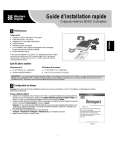
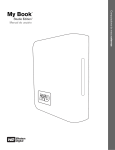
WD DUAL-OPTION EXTERNAL USB HARD DRIVE USER MANUAL 1 Getting Started Thank you for purchasing the WD Dual-option External USB Hard Drive. Hi-speed storage, conveniently placed buttons, and easy-to-use backup features make this external drive an ideal solution for that much-needed additional storage and a perfect place to back up your valuable data, music, photos, and movies. This user manual provides step-by-step installation instructions and other important information regarding your WD product. For the latest WD product information and news, visit our Web site at www.westerndigital.com. Kit Contents WD Dual-option™ External USB 2.0* Hard Drive 6 ft. (1.8m) USB 2.0 certified cable Installation CD containing Dantz® Retrospect® Express backup software and detailed user manuals in portable document format (PDF) AC adapter and power cord Quick Install Guide Two stands for vertical placement Four feet for horizontal placement *USB 2.0 host required for Hi-Speed USB 2.0 performance. USB 2.0 is highly recommended because of the significant reduction in file transfer time compared to USB 1.1. To determine whether or not your system supports USB 2.0, refer to your USB card documentation or contact your USB card manufacturer. POWER CORD AC ADAPTER AC ADAPTER CORD USB 2.0 CABLE FEET STANDS System Requirements Windows ® Available USB port Windows 98SE/Me/2000/XP Macintosh ® Available USB port Mac® OS v9.2.2 or Mac OS X v10.2.8+ Note: For highest performance and reliability, WD recommends that you install the latest service pack (SP) and updates. GETTING STARTED – 1