1
Series Fans
Motor Ass'y with
Ceiling Fan Accessory
Weight 22 lbs
Motor Assembly
#FPH210
Weight 19 lbs
Motor Ass'y with
Pedestal Accessory
Weight 29 lbs
Motor Ass'y with
Wall Accessory
Weight 27 lbs
Motor Ass'y
with Floor/Desk
Accessory
Weight 25 lbs
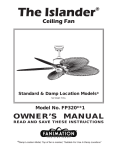
OWNER’S MANUAL
READ AND SAVE THESE INSTRUCTIONS
Important Safety Instructions
WARNING: To avoid fire, shock and serious personal injury, follow these instructions.
1. Read your owner’s manual and safety information before installing your new fan. Review the accompanying assembly diagrams.
2. Before servicing or cleaning unit, switch power off at service panel and lock service panel disconnecting means to prevent power
from being switched on accidentally. When the service disconnecting means cannot be locked, securely fasten a warning device, such
as a tag, to the service panel.
3. Be careful of the fan and blades when cleaning, painting, or working near the fan. Always turn off the power to the ceiling fan before
servicing.
4. Do not insert anything into the fan blades while the fan is operating.
5. Do not operate reversing switch until fan blades have come to a complete stop.
Additional Safety Instructions
1. To avoid possible shock, be sure electricity is turned off at the fuse box before wiring, and do not operate fan without
blades.
2. All wiring and installation procedures must satisfy National Electrical Codes (ANSI/ NFPA 70-1999). Use the National
Electrical Code if Local Codes do not exist. The ceiling fan must be grounded as a precaution against possible electrical
shock. Electrical installation should be made or approved by a licensed electrician.
3. The fan base must be securely mounted and capable of reliably supporting at least 100 lbs. (fan and accessories not
to exceed 35 lbs. or 16 kgs.). Outlet boxes are not acceptable for fan support. See page 5 of owner’s manual for support
requirements. Consult a qualified electrician if in doubt.
4. CAUTION: To reduce the risk of personal injury, mount the fan base to a ceiling joist or structural member using the
hardware provided with your fan.
WARNING: Support Directly from Building Structure.
5. The fan must be mounted with the fan blades at least 7 feet from the floor to prevent accidental contact with the fan
blades.
6. Follow the recommended instructions for the proper method of wiring your ceiling fan. If you do not have adequate
. fan installed by licensed electrician.
electrical knowledge or experience, have your
7. Suitable for use with solid-state speed controls.
WARNING: To reduce the risk of fire or electric shock, this fan should only be used with Fan Speed Control Part No.
UC7051R, manufactured by Rhine Electronic Co., Ltd.
WARNING: TO REDUCE THE RISK OF SHOCK, THIS FAN MUST BE INSTALLED WITH AN ISOLATING WALL
CONTROL/SWITCH.
WARNING: This product is designed to use only those parts supplied with this product and/or accessories designated
specifically for use with this product. Using parts and/or accessories not designated for use with this product could result
in personal injury or property damage.
WARNING: To reduce the risk of personal injury, do not bend the blade bracket (flange or blade holder) when installing
the brackets, balancing the blades, or cleaning the fan. Do not insert foreign objects in between rotating fan blades.
LIMITED LIFETIME WARRANTY
Extends to the original purchaser of a Fanimation Fan
1. LIMITED LIFETIME MOTOR WARRANTY - If any part of your fan motor fails, due to a defect in materials or
workmanship during the lifetime of the original purchaser, Fanimation will provide the replacement part free of charge,
when the defective fan is returned to our national service center. Proof of purchase is required. Customer shall be
responsible for all costs incurred in the removal or reinstallation and shipping of the product for repairs or replacement.
2. ONE YEAR MOTOR LABOR WARRANTY - If your fan motor fails at any time within one year from the original
purchase, due to defects in materials or workmanship, labor to repair the motor will be provided free of charge at our
national service center. Purchaser will be responsible for labor charges after this one-year period. Customer shall be
responsible for all costs incurred in the removal or reinstallation and shipping of the product for repairs or replacement.
3. If any other part of your fan fails at any time within one year after original purchase, due to a defect in materials or
workmanship, we will repair, or replace, at our option, the defective part free of charge for parts and labor performed at
our national service center.
4. Because of varying climate conditions, this warranty does not cover changes in the finish, including rusting, pitting,
corroding, tarnishing, or peeling.
5. This warranty is void and does not apply to damage from improper installation, neglect, accident, misuse, exposure
to extremes of heat or humidity, or as a result of any modification to the original product.
6. All costs of removal and reinstallation of the fan are the sole responsibility of the owner of the fan and not the store
that sold the fan or Fanimation.
7. Fanimation reserves the right to modify or discontinue any product at any time and may substitute any part under
this warranty.
8. Under no circumstances may a fan be returned without prior authorization from Fanimation. The receipt of purchase
must accompany authorized returns and must be sent freight prepaid to Fanimation. The fan to be returned must be
properly packed to avoid damage in transit; Fanimation will not be responsible for any damage resulting from improper
packaging.
9. It is understood that any repair or replacement is the exclusive remedy available from Fanimation. There is no other
expressed or implied warranty. Fanimation hereby disclaims any and all implied warranties, including, but not limited to
those of merchantability and fitness for a particular purpose to the extent permitted by law. Some states do not allow
limitations on implied warranties. Fanimation will not be liable for incidental, consequential, or special damages arising
out of or in conjunction with product use or performance, except as may otherwise be accorded by law. This warranty
gives you special legal rights and you may also have other rights that vary from state to state.
10. A certain amount of wobble is normal and should not be considered a problem or a defect.
This Manual is Designed to Make it as Easy as Possible for You
to Assemble, Install, Operate, and Maintain Your Fan
Unpacking Instructions for the Motor Assembly
The Motor Assembly you purchased is shipped in a separate carton. Follow the unpacking instructions
below. After completely unpacking the Motor Assembly proceed to the proper section of the manual to
assemble the Ceiling Fan Model, Wall Model, Pedestal Model or Floor / Desk Model.
Owner’s
Manual
▲WARNING
Do not install or use fan if any part is damaged or
missing. This product is designed to use only
those parts supplied with this product and/or any
accessories designated specifically for use with
this product by Fanimation. Substitution of parts
or accessories not designated for use with this
product by Fanimation could result in personal injury
or property damage. Contact your retail store for
missing or damaged parts.
Upper Inner
Packaging
1. Check to see that you have received the following
parts:
• Motor Assembly
• Owner’s Manual
Motor
Assembly
Lower Inner
Packaging
Carton
Fig. 1
1
How to Assemble Your Ceiling Fan Accessory
Materials
Tools Needed for Assembly
•
•
•
•
•
•
Wiring outlet box and box connectors must be of
type required by local code. The minimum wire
would be a 3-conductor (2-wire with ground) of the
following size:
One Phillips head screwdriver
One stepladder
One 1/4˝ blade screwdriver
One wire stripper
Three wire connectors (supplied)
Allen Wrench (supplied)
Installed Wire Length
Up to 50 ft.
50-100 ft.
▲WARNING
Before assembling your ceiling fan, refer to section
on proper method of wiring your fan (page 6). If
you feel you do not have enough wiring knowledge
or experience, have your fan installed by a licensed
electrician.
Wire Size AWG
14
16
Unpacking Instructions for the Ceiling Fan Accessory
Upper Inner
Packaging
▲WARNING
Do not install or use fan if any part is damaged or
missing. This product is designed to use only
those parts supplied with this product and/or any
accessories designated specifically for use with
this product by Fanimation. Substitution of parts
or accessories not designated for use with this
product by Fanimation could result in personal injury
or property damage. Contact your retail store for
missing or damaged parts.
Motor
Coupling
Cover
Downrod /
Hanger Ball
1. Check to see that you have received the following
parts:
NOTE: If you are uncertain of part description, refer to
exploded view illustration. (Page 17)
•
•
•
•
Ceiling
Canopy
Downrod / Hanger Ball Assembly
Ceiling Canopy / Hanger Bracket
Motor Coupling Cover
Ceiling Fan Hardware Bag
1. Threaded Rods (2)
2. Knurled Knobs (2)
3. External Lock Washers (2)
4. Mounting Flange
5. Wire leads: Black, White, Green
6. ¼-20 x 1½˝ allen head bolts (3)
7. Internal 3" dia. x ¼˝ disc
8. Wire connectors (6)
9. ½˝ wire grommet
10. ¼-20 x 3˝ Installation Rod
11. 3/16˝ allen wrench
Ceiling Fan
Hardware bag
Hanger
Bracket
Lower Inner
Packaging
Carton
Fig. 2
2
How to Assemble the
Ceiling Accessory
Green
(Ground)
Black
White
NOTE: Proceed to page 8 for Assembly Instructions if
you have purchased a Floor/Desk Model, page 10 for
Pedestal Model Assembly Instructions and page 12 for
Wall Mount Model Assembly Instructions.
¼˝ Threaded
Rod
Internal
Disc
Green
Prior to assembly, set aside and save the hardware bag
packed in the upper foam packing.
If you feel that you do not have enough electrical wiring
knowledge or experience, have your fan installed by a
licensed electrician.
1. Cut the black power cord approx. 24˝ from the fans
motor cover (located on back of motor assembly).
Black
▲WARNING
White
Motor
Assembly
To avoid possible electrical shock, be sure electricity
is turned off at the main fuse box before wiring.
NOTE: If you are not sure if the outlet box is grounded,
contact a licensed electrician for advice, as it must be
grounded for safe operation.
Grommet
Power
Cord
2. Insert the provided wire grommet into the ½˝ hole in
the Motor Assembly. Feed the power cord through the
grommet and out the large end of the Motor Assembly.
Tie a knot in the black power cord approx. 18˝ from the
fans motor cover.
Fig. 3
¼”-20 x 1½˝
Bolts (3)
3. Remove approx. 2˝ of the black outer sheathing on the
power cord to expose the 3 colored wires inside. Strip the
insulation 3/8˝ from the ends of these three wires.
Mounting
Flange
4. Using 3 wire connectors, connect the power cord to
the provided wire. Black-Black, White-White and GreenGreen.
5. Thread the ¼˝ installation rod into one of the 3 threaded
holes in the 3˝ dia. x ¼˝ internal disc provided (Fig. 3).
6. Pull the black power cord down through the Motor
Assembly until the wire connectors are inside the Motor
Assembly housing (Fig.4).
7. Insert the 3 wires through the center of this disc. Then,
holding the rod, at an angle feed the disc through the 2
slots in the large opening in the Motor Assembly. Once
through the slots pull the disc so that it sits flat against
the underside of the lip (Fig. 4).
8. Insert the 3 wires through the center of the mounting
flange. Now slide the flange over the ¼˝ rod through one
of the three bolt holes.
9. In the other 2 bolt holes loosely thread two ¼-20 x 1½˝
allen head bolts into the disc (Fig. 4)
Fig. 4
3
How to Assemble the Ceiling Accessory (cont'd)
10. Remove the ¼˝ rod and thread the third ¼-20 x 1½˝
allen head bolt into this hole.
Green
(Ground)
Ceiling
Canopy
White
11. Tighten the 3 allen head bolts.
Downrod
/Hanger Ball
Assembly
Green
12. Pass the Downrod / Hanger Ball Assembly through
the top of the ceiling canopy and push the bell shaped
motor coupling cover onto the downrod as shown.
Black
NOTE: You will be using either the 6˝ downrod supplied with your fan or an optional downrod purchased
separately.
13. Separate and untwist the three motor leads. Route
the motor leads through the Downrod/Hanger Ball Assembly.
Motor Coupling
Cover
Clevis Pin
▲WARNING
Hairpin Clip
It is critical that the clevis pin in the downrod support
is properly installed and the setscrews are securely
tightened. Failure to verify that the pin and setscrews
are properly installed could result in the fan falling.
Motor
Assembly
Setscrew (2)
14. Loosen the two setscrews in the downrod support.
Align the clevis pin holes in the downrod with the holes in
the downrod support. Install the clevis pin and secure with
the hairpin clip (Fig. 5). The clevis pin must go through
the holes in the downrod support and the holes in the
downrod. Be sure to push the straight leg of the hairpin
clip through the hole near the end of the clevis pin until the
curved portion of the hairpin clip snaps around the clevis
pin. The hairpin clip must be properly installed to prevent
the clevis pin from working loose. Pull on the hanger ball
to make sure the clevis pin is properly installed.
16. The fan comes with green, black, and white leads.
Before installing fan, measure up approximately 6-9
inches above top of Downrod/Hanger Ball Assembly.
Cut off excess wire and strip back insulation ½" from
end of wire.
15. While pulling up on the hanger ball, securely tighten
the two 3/16-24 x 3/8˝ setscrews in the downrod support (Fig. 5).
17. You have now completed the assembly of your ceiling
fan. You can now proceed with the hanging and the
electrical wiring of your fan.
Fig. 5
▲WARNING
NOTE: The setscrews must be properly installed as
described above, or fan-wobble will result.
To reduce the risk of personal injury, do not insert
foreign objects in between the rotating blades.
4
Electrical and Structural Requirements
Your new ceiling fan will require a grounded electrical
supply line of 120 volts AC, 60 Hz, 15 amp circuit. The
outlet box must be securely anchored and capable of
withstanding a load of at least 50 lbs. Figure 6 depicts
different structural configurations that may be used for
mounting the outlet box.
Ceiling
▲WARNING
To reduce the risk of fire, electrical shock, or personal
injury, mount fan to outlet box marked acceptable for
fan support, and use screws supplied with outlet box.
Most outlet boxes commonly used for support of light
fixtures are not acceptable for fan support and may
need to be replaced. Consult a qualified electrician
if in doubt.
Ceiling
Joists
2˝ x 4˝
If your fan is to replace an existing light fixture, turn
electricity off at the main fuse box at this time and
remove the existing light fixture.
Outlet
Box
Fig. 6
▲WARNING
▲WARNING
Turning off wall switch is not sufficent. To avoid
possible electrical shock, be sure electricity is turned
off at the main fuse box before wiring. All wiring
must be in accordance with National and Local codes
and the ceiling fan must be properly grounded as a
precaution against possible electrical shock.
To avoid fire or shock, follow all wiring instructions
carefully. Any electrical work not described in these
instructions should be done or approved by a licensed
electrician.
How to Hang Your Ceiling Fan
Outlet
Box
1. Securely attach the hanger bracket to the outlet box
using the outlet box screws and washers supplied with
your fan or outlet box (Fig. 7).
Hanger
Bracket
2. Pull the electric wires in the outlet box down through
the opening in the hanger bracket and bend wires up
and out of the way so that the hanger ball will easily fit
into the hanger bracket.
▲WARNING
The outlet box must be securely anchored and
capable of withstanding a load of at least 50 lbs.
Hanger bracket must seat firmly against outlet box.
If the outlet box is recessed, remove wallboard until
bracket contacts box. If bracket and/or outlet box are
not securely attached, the fan could wobble or fall.
Tab
2 Screws and
Washers (supplied
with outlet box)
Fig. 7
5
How to Hang Your Ceiling Fan (cont'd)
3. Carefully lift the fan and seat the downrod/hanger ball
assembly on the hanger bracket that was just attached
to the outlet box (Fig. 8). Be sure the groove in the ball
is lined up with tab on the hanger bracket (Fig. 8).
Outlet
Box
4. The Motor Assembly may be oriented to the desired
position by loosening the 3 ¼-20 x 1½˝ bolts located at
the top of the mounting flange (Fig. 4) and rotating the
Motor Assembly. Be sure to retighten all 3 bolts.
▲WARNING
Failure to seat tab in groove could could cause
damage to electrical wires and possible shock or fire
hazard.
Hanger
Bracket
NOTE: Ceiling cover, supply wires, and fan wires omitted
for clarity.
Downrod/Hanger
Ball Assembly
▲WARNING
Fig. 8
To avoid possible fire shock, do not pinch wires
between the downrod/hanger ball assembly and the
hanger bracket.
How to Wire Your Ceiling Fan
If you feel that you do not have enough electrical
wiring knowledge or experience, have your fan
installed by a licensed electrician.
▲WARNING
To avoid possible electrical shock, be sure electricity
is turned off at the main fuse box before wiring.
NOTE: If you are not sure if the outlet box is grounded,
contact a licensed electrician for advice, as it must be
grounded for safe operation.
1. Connect the green grounding lead from the hanger
ball, the green grounding lead from the hanger bracket
to the supply grounding conductor (this may be a bare
wire or wire with green colored insulation). Securely
connect wires with wire connector supplied.
Green Wire
(Ground) from
Hanger Bracket
Ground
Wire
Black Fan
Wire
Household
Supply
Listed Wire
Connector (4)
White
Green Wire
(Ground) from
Hanger Ball
2. Securely connect the white fan motor wire to the white
supply (neutral) wire using wire connector supplied
(Fig. 9). Securely connect the black fan motor wire to the
black supply wire using wire connector supplied (Fig. 9).
After connections have been made, turn leads upward
and carefully push leads into the outlet box, with the white
and green leads on one side of the outlet box and the
black leads on the other side of the outlet box.
Black Wire
from Fan
Motor
Fig. 9
NOTE: Diagram shows wiring for single control of
fan
6
How to Wire Your Ceiling Fan (cont'd)
▲WARNING
Check to see that all connections are tight, including
ground, and that no bare wire is visible at the wire
connectors, except for the ground wire. Do not
operate fan until all parts are assembled. Noise and
fan damage could result.
3. Screw in two threaded rods into the Hanger Bracket
(Fig. 10a).
NOTE: The threaded rods in the hanger bracket serves
as guides for easier installation.
Fig. 10a
Fig. 10b
4. Securely attach the Canopy Housing to the Hanger
Bracket using the external lockwashers and knurled
knobs supplied with your fan (Fig. 10b).
▲WARNING
To avoid possible fire or shock, make sure that the
electrical wires are completely inside the canopy
housing and not pinched between the housing and
the ceiling.
5. Push the Motor Coupling cover down until it touches
the top of the Yoke Assembly (Fig. 10c).
6. Your Ceiling Fan is now ready for use.
Fig. 10c
Operating the Ceiling Fan
Speed Control
1. Restore electrical power to the outlet box by turning
the electricity on at the main fuse box.
2. Check the operation of the fan by turning the speed
control to “high”.
3. Your fan model is equipped with a 4-position, 3-speed
control. The operating sequence is as follows:
1st position 2nd position 3rd position 4th position -
OFF
HIGH
MEDIUM
LOW
Fig. 11
NOTE: If using the Wall Control (CH1) or the
Remote Control (CH4), the 4-position fan speed
control MUST be set on HIGH.
4. Wall Control (CH1) and Remote Control (CH4) are
available as an accessory — contact your local dealer
for ordering information.
7
How to Assemble Your Floor / Desk Accessory Fan
Tool Needed for Assembly
• ½˝ Adjustable Wrench
Unpacking Instructions for the Floor / Desk Accessory
Hardware bag
▲WARNING
Upper Inner
Packaging
Do not install or use fan if any part is damaged or
missing. This product is designed to use only
those parts supplied with this product and/or any
accessories designated specifically for use with
this product by Fanimation. Substitution of parts
or accessories not designated for use with this
product by Fanimation could result in personal injury
or property damage. Contact your retail store for
missing or damaged parts.
1. Remove Floor / Desk base from carton.
Floor /
Desk Base
2. Check to see that you have received the following
parts:
• Floor / Desk Base
• Standard Hardware Bag
1. 5/16˝-18 x 2½˝ Bolt
2. 5/16˝ Flat Washers (3)
3. Special Hex Bolt
4. 5/16˝-18 x 1½˝ Bolt (for use with Pedestal Acc.)
Lower Inner
Packaging
NOTE: If you are uncertain of part description, refer to
exploded view illustration. (page 18)
NOTE: Place the parts from the Hardware Bag in a
small container to keep them from getting lost. If any
parts are missing, contact your local retailer.
Carton
Fig. 12
8
How to Assemble Your Floor / Desk Fan
1. After removing the Floor/Desk base from the carton,
place it on the floor with the flat surface resting on the
floor.
Floor /
Desk Base
5/16˝ x 2½˝
Bolt & Washer
Fig. 13
Hex Bolt
& Washer
Motor
Assembly
2. Install Hex Bolt and washer in Floor / Desk base.
Floor / Desk
Base
3. Position the Motor Assembly onto the Floor / Desk
base. (Fig.14)
4. Secure Motor Assembly and Floor / Desk base with a
5/16-18 x 2½˝ bolt and washer.
5. Tighten with adjustable wrench. Do not over tighten.
Fig. 14
Using the Floor / Desk Fan
Operating the Floor / Desk
Fan
1. Your fan is now ready to operate.
1. Check the operation of the fan by turning the speed
control to “high”.
2. Plug the fan into a U.L. approved 120 volt outlet.
2. Your fan model is equipped with a 4-position,
3-speed control. The operating sequence is as
follows:
1st position - OFF
2nd position - HIGH
3rd position - MEDIUM
4th position - LOW
Speed Control
Fig. 16
Fig. 15
9
How to Assemble Your Pedestal Accessory Fan
Tool Needed for Assembly
• ½˝ Adjustable Wrench
Unpacking Instructions for the Pedestal Accessory
Hardware bag
▲WARNING
Upper Inner
Packaging
Do not install or use fan if any part is damaged or
missing. This product is designed to use only
those parts supplied with this product and/or any
accessories designated specifically for use with
this product by Fanimation. Substitution of parts
or accessories not designated for use with this
product by Fanimation could result in personal injury
or property damage. Contact your retail store for
missing or damaged parts.
Floor
Base
NOTE: Column is not included and is sold seperately.
1. Remove base from carton.
2. Check to see that you have received the following
parts:
• Floor Base
• Standard Hardware Bag
1. 5/16˝-18 x 2½˝ Bolt
2. 5/16" Flat Washers (3)
3. Special Hex Bolt
4. 5/16˝-18 x 1½˝ Bolt
NOTE: If you are uncertain of part description, refer to
exploded view illustration. (page 19)
Lower Inner
Packaging
NOTE: Place the parts from the Hardware Bag in a
small container to keep them from getting lost. If any
parts are missing, contact your local retailer.
Carton
Fig. 17
10
How to Assemble Your Pedestal Fan
1. Assemble Column to floor base using 15/16˝-18 x 1½˝
bolt and washer (Fig. 18). Do not overtighten.
4. Position the Motor Assembly onto the Column.
5. Secure the Motor Assembly with a 5/16-18 x 2½˝ bolt
and washer. Tighten with an adjustable wrench. Do not
overtighten.
2. After you assembly the column to the floor base, you
will proceed to mounting your Motor Assembly to the
column.
3. Secure the Hex Bolt and washer into the top of the
column.
Column
5/16˝ x 2½˝
Bolt & Washer
Motor
Assembly
Floor Base
Hex Bolt
& Washer
Floor Base
5/16˝-18 x 1½˝
Bolt & Washer
Fig. 18
Fig. 19
Using the Pedestal Fan
1. Your fan is now ready to operate.
Operating the Pedestal Fan
1. Check the operation of the fan by turning the speed
control to “high”.
2. Plug the fan into a U.L. approved 120 volt outlet.
2. Your fan model is equipped with a 4-position, 3-speed
control. The operating sequence is as follows:
1st position 2nd position 3rd position 4th position -
OFF
HIGH
MEDIUM
LOW
Speed
Control
Fig. 20
Fig. 21
11
How to Assemble Your Wall Accessory
Tool Needed for Assembly
• ½˝ Adjustable Wrench
Unpacking Instructions for the Wall Accessory
Hardware bags
▲WARNING
Do not install or use fan if any part is damaged or
missing. This product is designed to use only
those parts supplied with this product and/or any
accessories designated specifically for use with
this product by Fanimation. Substitution of parts
or accessories not designated for use with this
product by Fanimation could result in personal injury
or property damage. Contact your retail store for
missing or damaged parts.
Upper Inner
Packaging
Wall
Bracket
1. Check to see that you have received the following
parts:
• Wall Bracket
• Standard Hardware Bag
1. 5/16˝-18 x 2½˝ Bolt
2. 5/16˝ Flat Washers (3)
3. Special Hex Bolt
4. 5/16˝-18 x 1½˝ Bolt (for use with Pedestal Acc.)
• Wall Unit Hardware Bag
1. Two #12 x 3˝ wood screws.
2. Two 5/16” plastic hole caps.
3. Two ½˝ plastic hole caps.
Lower Inner
Packaging
Carton
NOTE: If you are uncertain of part description, refer to
exploded view illustration. (page 20)
NOTE: Place the parts from the Hardware Bag in a
small container to keep them from getting lost. If any
parts are missing, contact your local retailer.
Fig. 22
12
Mounting Wall Bracket to Wall
1. Determine approximate position of fan.
2. Locate stud in your wall.
3. For stud installation the top and bottom holes on
wall bracket will be used. These holes are on 11”
centers.
#12-3”
Screws (2)
4. Position wall bracket on dry wall and mark hole
locations.
Plastic
Cap
Stud
Wall
Bracket
5. Drill two 5/32˝ pilot holes through drywall into
wooden stud.
6. Position wall bracket over pilot holes and mount with
two #12 x 3˝ wood screws provided.
Concrete Wall Installation Note
Plastic
Cap
It is recommended that all four mounting holes are
used in concrete wall installations. Concrete wall
anchors are not provided.
Fig. 23
Mounting Motor Assembly to Mounted Wall Bracket
1. After you have successfully assembled the Wall
Bracket to the wall, you are ready to mount the Motor
Assembly to the Wall Bracket.
2. Secure Hex Bolt and washer to the Wall Bracket
(Fig 24).
3. Position the Motor Assembly onto the Wall Bracket.
4. Using a 5/16˝ x 2½˝ bolt and washer, fasten the
Motor Assembly to the wall bracket.
5/16˝ x 2½˝
Bolt & Washer
5. Tighten with an adjustable wrench. Do not overtighten.
Wall
Bracket
Motor
Assembly
6. Insert plastic screw caps into the four holes on the
wall bracket, this will hide any screw heads.
Hex Bolt
& Washer
Fig. 24
13
Using Your Wall Fan
Operating Your Wall Fan
1. Your fan is now ready to operate.
1. Check the operation of the fan by turning the
speed control to “high”.
2. Plug the fan into a U.L. approved 120 volt outlet.
2. Your fan model is equipped with a 4-position,
3-speed control. The operating sequence is as follows:
1st position 2nd position 3rd position 4th position -
OFF
HIGH
MEDIUM
LOW
Speed
Control
Fig. 26
Fig. 25
14
Maintenance
Periodic cleaning of your fan is the only maintenance
that is needed.
CAUTION
Do not use water when cleaning your ceiling fan. It
could damage the motor or the finish and create the
possibility of electrical shock.
When cleaning, use only a soft brush or lint free cloth
to avoid scratching the finish.
Abrasive cleaning agents are not required and should
be avoided to prevent damage to finish.
▲WARNING
For your own safety turn off power at fuse box or circuit breaker before trouble shooting your fan.
Trouble Shooting
TROUBLE
1. FAN WILL NOT
START.
PROBABLE CAUSE
SUGGESTED REMEDY
1. Fuse or circuit breaker blown.
1. Check main and branch circuit fuses or circuit breakers.
2. Loose power line connections to the
fan, or loose switch wire connections
to the motor assembly.
2. Check line wire connections
to fan and switch wire connections in the motor assembly.
CAUTION: Make sure main
power is turned off.
2. FAN SOUNDS NOISY.
1. Loose screws in motor assembly.
1. Check to make sure all
screws in motor housing are
snug (not over-tight).
2. Wire connectors inside housing rattling.
2. Check to make sure wire
connectors in switch housing
are not rattling against each
other or against the interior wall
of the switch housing.
CAUTION: Make sure main
power is turned off.
3. FAN WOBBLES
EXCESSIVELY.
3. Motor noise caused by solid state
variable speed control.
3. Some fan motors are sensitive to signals from solid-state
variable speed controls. If
solid-state control is used and
motor noise results, choose an
alternative control method.
1. Set screw in downrod support is
loose.
1. Tighten both set screws securely in the downrod support.
2. Set screw in downrod/hanger ball
assembly is loose.
2. Tighten the set screw in the
downrod/hanger ball assembly.
3. Hanger bracket and/or ceiling outlet
box is not securely fastened.
3. Tighten the hanger bracket
screws to the outlet box, and/or
secure outlet box.
15
Item #
1
MOTOR ASSEMBLY MODEL # FPH210_* _*
Description
Part #
Motor Assembly
FPH210_* _*
*
CEILING FAN ACCESSORY MODEL # FPH81_* _
Item # Description
Part #
Ceiling Canopy / Hanger Bracket Assembly
2
Hanger Bracket
APG510BL
3
Ceiling Canopy
PG150_* *_
4
Knurled Knobs (2)
5
5/32˝ Threaded Rods (2)
6
5/32˝ External Lockwasher (2)
7
Motor Coupling Cover
MCC_* *_
8
6˝ Down Rod
9
Clevis Pin
DR6_* *_
10
Hairpin Clip
Ceiling Fan Hardware Bag
11
Mounting Flange
12
80˝ Wire leads: Black, White, Green
PHCFHB
13
¼-20 x 1½˝ allen head bolts (3)
14
Internal 3˝ dia. x ¼˝ disc
15
Wire connectors (6)
16
½” wire grommet
17
¼-20 x 3˝ Installation Rod
18
3/16˝ allen wrench
** Insert Finish Codes
Before discarding packaging material, be certain ALL parts have been removed.
How To Order Parts
When ordering repair parts, always
give the following information:
• Part Number
• Part Description
• Fan Model Number
Contact your retail store for repair parts.
16
2
3
12
6
8
13
10
5
4
7
9
17
14
15
11
16
18
1
Ceiling Fan Unit
17
Item #
1
MOTOR ASSEMBLY MODEL # FPH210_ _
Description
Part #
Motor Assembly
FPH210_ _
FLOOR / DESK ACCESSORY MODEL # FPH41_ _
Item # Description
Part #
21
Floor / Desk Base
PHDB
Standard Hardware Bag
22
5/16˝-18 x 2½˝ Bolt
23
5/16˝ Flat Washers (3)
PHSHB
24
Special Hex Bolt
25
5/16˝-18 x 1½˝ Bolt (for use with
Pedestal Accessory only)
1
22
24
23
21
Floor/Desk Unit
18
Item #
1
MOTOR ASSEMBLY MODEL # FPH210_ _
Description
Part #
Motor Assembly
FPH210_ _
PEDESTAL ACCESSORY MODEL # FPH21_ _
Item # Description
Part #
26
Floor Base
PHFB
27
Pedestal Column (optional)
PHPC
Standard Hardware Bag
22
5/16˝-18 x 2½˝ Bolt
23
5/16˝ Flat Washers (3)
PHSHB
24
Special Hex Bolt
25
5/16˝-18 x 1½˝ Bolt
1
22
23
24
27
26
23
25
Pedestal Unit
19
MOTOR ASSEMBLY MODEL # FPH210_ _
Item #
1
Description
Part #
Motor Assembly
FPH210_ _
WALL MOUNT ACCESSORY MODEL # FPH61_ _
Item #
28
22
23
24
25
29
30
31
Description
Part #
Wall Bracket
Standard Hardware Bag
5/16˝-18 x 2 ½˝ Bolt
5/16˝ Flat Washers (3)
Special Hex Bolt
5/16˝-18 x 1½˝ Bolt (for use with
Pedestal Accessory only)
Wall Unit Hardware Bag
#12 x 3˝ Wood Screw (2)
5/16˝ Plastic Cap (2)
1/2˝ Plastic Cap (2)
PHWB
PHSHB
PHWUHB
1
22
24
23
28
30
31
29
Wall Unit
20
Changing the Motor Assembly Position
These instructions apply to all four fan models.
1. Loosen 5/16-18 x 2½˝ bolt (Item #22) on Motor Assembly. Position Motor Assembly to
desired position and retighten bolt (Fig. 27)
22
23
Fig. 27
2. The fans will not oscillate. To swivel the direction of the Motor Assembly follow the
instructions below.
3. Position fan grill to desired position by hand. Fan position is limited to 30° forward tilt and
90° backward tilt (Fig. 28). Loosen side bolts on Motor Assembly. Position Motor Assembly to
desired position and retighten bolts.
30° Forward Tilt
Fig. 28
21
90° Backward Tilt
Copyright 2007 Fanimation
10983 Bennett Parkway
Zionsville, IN 46077
(888) 567-2055
FAX (866) 482-5215
Outside U.S. call (317) 733-4113
Visit Our Website @ www.fanimation.com
2007/01