1
LX400 (110907)_0515.qxp
5/15/08
5:56 PM
Page 20
Making and Answering Calls
You can also place calls from your phone by using
speed dialing numbers from your Contacts (page 27),
and using your Call History listings (page 79).
Making Calls
Dialing Options
Placing a call from your wireless phone is as easy as
making a call from any landline phone. Enter the
number, press
, and you’re on your way to clear calls.
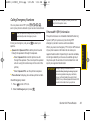
When you enter numbers in standby mode, press
Options (right softkey) and choose from a variety of
dialing options.
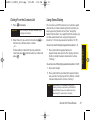
1. Make sure your phone is on.
To initiate an option, select it and press
2. Enter a phone number from standby mode. (If you
make a mistake while dialing, press
the numbers.)
Tip
to erase
3. Press
. (To make a call when you are roaming
and Call Guard is enabled, select Roam Call and
press
. See “Call Guard” on page 76.)
4. Press
or close the phone when you are
finished.
Tip
To redial your last outgoing call, press TALK twice.
When making calls off the Sprint National Network,
always dial using 11digits (1+ area code + phone
number).
20
Section 2A. Phone Basics
v
v
.
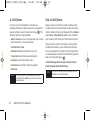
To speed dial a phone number from standby
mode, press and hold the speed dial number. If
the speed dial number is two digits, enter the first
digit, and then press and hold the second digit.
(For information on setting up speed dial
numbers, see “Assigning Speed Dial Numbers” on
page 85.) (This feature will not work when you are
roaming off the Sprint National Network; when
roaming you must dial using eleven digits [1 + the
area code + the seven-digit phone number.])
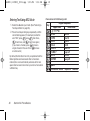
Call dials the displayed phone number.
Contacts Details allows you to check details for
contacts entries that are saved in phone.






























































![hank yo_fo buyil_gaSamsung (}a_Te_a ]hs](http://vs1.manualzilla.com/store/data/005691502_1-2e8e29ffb67d0c8f7d0d701e3cb644b7-150x150.png)