1
troubleshooting
If you are having trouble with your mobile phone, try these troubleshooting procedures before contacting a service
professional.
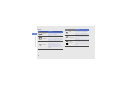
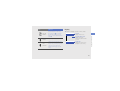
When you turn on your phone or while you are
using the phone, it prompts you to enter one of
the following codes:
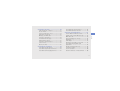
Code
Password
PIN
Try this to solve the problem:
When the phone lock feature is enabled,
you must enter the password you set for
the phone.
When using the phone for the first time or
when the PIN requirement is enabled, you
must enter the PIN supplied with the SIM
card. You can disable this feature by using
the PIN lock menu.
Code
PUK
PIN2
Try this to solve the problem:
Your SIM card is blocked, usually as a
result of entering your PIN incorrectly
several times. You must enter the PUK
supplied by your service provider.
When you access a menu requiring the
PIN2, you must enter the PIN2 supplied
with the SIM card. For details, contact
your service provider.
a