1
User Manual
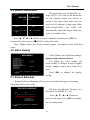
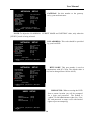
[●]: the red pot next to the channel name indicates that the channel is being
recorded.
[A-REC]: indicates the current record schedule is set to NORMAL-RECORD mode.
[S-REC]: indicates the current record schedule is set to SENSOR-RECORD mode.
[N-REC]: indicates the current record schedule is set to NO-RECORD mode.
[39%]: indicates the percentage of hard disk space used.
[M]: HDD info ([M] Master Hard Disk)
6.2 Audio Recording
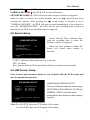
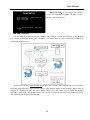
[ ]: indicates this video channel is bundled with an audio port, and the audio
output is on.
[ ]: indicates the audio output is off.
[ ]: indicates the audio is being recorded and the audio output is on.
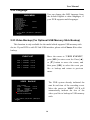
For 9-channel, you could press [MUTE] button on front panel to be mute mode
for audio output. The audio input can be still recorded while the output is mute.
For 4-channel, you could press [DOWN] button on front panel to be mute mode
for audio output. The audio input can be still recorded while the output is mute.And
You could press [UP] button to switch one of the two audio inputs to live output
6.3 Stop Recording
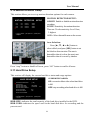
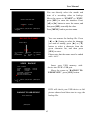
Press [■] stop button will stop recording. If password protection function is
enabled, system will prompt you to input password. Only correct password can stop
recording process.
6.4 Estimated Recording Length
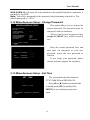
Estimated record time based on 160GB HDD
Standard
NTSC
Standard
PAL
Quality
Highest
High
Normal
Lower
60fps
62
88
107
120
48fps
78
110
134
150
32fps
116
165
201
225
16fps
232
330
401
450
1fps
3720
5280
6420
7200
Quality
Highest
High
Normal
Lower
50fps
64
90
110
123
36fps
89
125
153
171
24fps
133
188
229
256
12fps
267
375
458
513
1fps
3200
4500
5500
6150
Unit: Hour
19