1
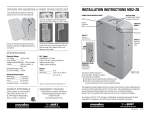
Front and Back Panel Descriptions
IR Detector
IR Detector, for
sampling IR remote
control signals.
Power Switch
Press to turn the
MB1500 ON or OFF.
BANKS
1
2
3
Menu Navigation Knob
Rotate clockwise to navigate to the
next screen, counter-clockwise to
return to the previous screen, push
to select menu item.
Status Display
LCD displays status and
menu navigation items.
Removable Battery
Access Panel
Easy to remove for
battery access and
replacement.
WIRING
FAULT
4
MB1500
POWER
MENU
Outlet Banks 1, 2, 3, and 4 Indicators
Illuminated blue when outlet bank is switched on.
Outlet Bank 2 - Critical-Load Outlets
Two battery powered, AVM protected
outlets for critical-load equipment ensures temporary uninterrupted operation
of connected equipment during a power
failure.
Line Fault Indicator
This LED will illuminate in red to warn the user that a wiring problem such as a bad/missing
ground or reversed wiring exists within the AC receptacle. If illuminated, disconnect all equipment and contact an electrician to insure outlet is properly wired.
Outlet Bank 1 - Critical-Load Outlets
Two battery powered, AVM protected
outlets for critical-load equipment ensures temporary uninterrupted operation
of connected equipment during a power
failure.
External Battery
Connectors
Allows for optional
external battery addition.
AC Power Cord
Captive, heavyduty shielded
power cord.
USB to Computer
USB port allows
communication
between MB1500
and computer.
Unit Circuit
Breaker
Ground Lug
PUSH TO RESET, 15A
BANK 4
NON
CRITICAL
LOAD
BANK 3
NON
CRITICAL
LOAD
BANK 2
CRITICAL
LOAD
PUSH TO RESET, 15A
BANK 1
CRITICAL
LOAD
15A PUSH
TO RESET
EXTERNAL BATTERY
CRITICAL LOAD
COMMUNICATION CARD
IR1
IR OUT
IR STATUS
MAIN POWER
125 / 12A
IR2
USB
NON-CRITICAL LOAD
Outlet Bank 4 Non-Critical-Load Outlets
Two battery powered, AVM
protected outlets for connected
equipment ensures temporary
uninterrupted operation of
connected equipment during
a power failure. These outlets
will shut off when the batteries
drain to a designated level
to reserve remaining battery
charge for the critical load
outlets.
Outlet Bank 3 Non-Critical-Load Outlets
Two battery powered, AVM
protected outlets for connected
equipment ensures temporary
uninterrupted operation of
connected equipment during
a power failure. These outlets
will shut off when the batteries
drain to a designated level
to reserve remaining battery
charge for the critical load
outlets.
Circuit Breakers for
Overload Protection
Resettable circuit
breakers provide
optimal overload
protection.
RS-232 Serial Communication Port
The serial port allows connection and communication between the MB1500 and an automation, media
server, or computer system. This allows the installer to
program a number of variables including the Critical
Load Battery Threshold. See the software documentation for more information.
BlueBOLT-CV1 Card (sold separately) allows for additional functions, such as remote diagnostics, control
of individual outlet banks, and configuration of email
alerts. Contact Panamax for price and availability.
4
IR Control Section
Indicator LED’s – Indicates
status IR Output Jacks
– Standard 1/8” (3.5mm)
mono jack for connection to
an IR flasher (IR flashers not
included)