1
Perfect Effects Free 50
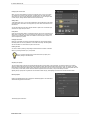
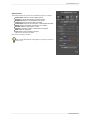
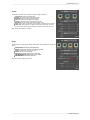
Preset
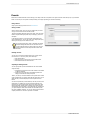
Save Preset: Saves the current Effect Stack as a new preset.
Import Preset: Opens the import preset dialog to help you import presets you
have downloaded.
Show Presets Folder: Opens a Finder or Explorer window showing the
presets folder.
Delete Preset: Deletes the current preset.
Edit Preset Info: Opens the preset dialog so you can edit the name, author or
description information.
Manage Extras: Opens the Extras Manager where you can import and
manage extras like Borders, Backgrounds, Textures and Presets.
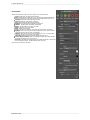
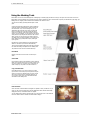
View
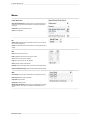
Zoom In: Zooms the preview window in one increment. This will make the
preview image larger.
Zoom Out: Zooms the preview window out one increment. This will make the
preview image smaller.
Fit to Screen: This sets the preview image so that the entire image is on
screen at once. Think of this as an overview of the entire image. This is the
setting you will use most of the time.
Actual Pixels: This sets the preview image so that it zooms to actual pixels or
1:1 also called 100%. This setting allows you to see every pixel in the image.
This is useful when making precision adjustments.
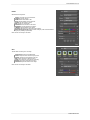
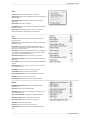
Show Browser Pop-up: Enables the browser pop-up window.
Select Filter Automatically: This will apply the first filter in each category
automatically.
Browser Mode: Allows the user to select how the Browser Library displays the
categories.
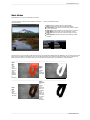
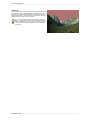
Show Clipping: Shows the clipping overlay view, which over-rides
the current mask view.
Show Preview: Toggle to enable or disable the preview.
Preview Mode: Allows the user to switch preview modes.
Preview Background Color: Toggles the background color options.
Show Mask: Allows the viewer to see the mask.
Mask View Mode: Allows the user to select the various mask modes.
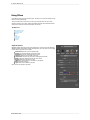
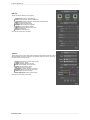
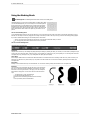
Window
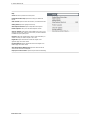
Navigator/Loupe/Histogram: Hides or shows the Navigator, Loupe/
Histogram pane.
Filter Stack: Hides or shows the Filters Stack pane.
Filter Options: Hides or shows the Filter Options pane. Filter Options is only
available in Advanced mode.
Open Quick View Browser: This toggles open your quick view browser.
Show Browser Panel: Hides or shows the Browser Panel.
Show Control Panel: Hides or shows the Control Panel.
Hide Panels: Hides or shows all Panels.
Full Screen: Toggles to and from full screen mode.
Document Name: Shows the name, zoom level and bit depth of the open
image.
Perfect Effects Free