1
BenQ DC 5530 User’s Manual
English
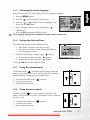
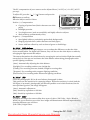
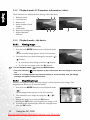
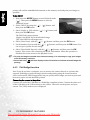
The EV compensation of your camera can be adjusted from [-2.0 EV] to [+2.0 EV] (0.5 EV
per step).
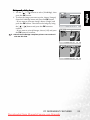
To adjust EV, press the [ ] / [ ] button and press the
OK button to confirm.
Effective Subjects and Set Values
Positive (+) Compensation
•
Copying of printed text (black characters on white
W:Exit
paper)
Enter
• Backlight portraits
• Very bright scenes (such as snowfields) and highly reflective subjects
• Shots made up predominantly of sky
Negative (-) Compensation
•
•
•
Spot lighted subjects, particularly against dark backgrounds
Imaging of printed text (white characters on black paper)
Scenes with low reflectivity, such as shots of green or dark foliage
3.1.10.1.5 White Balance
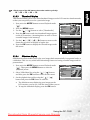
When the brightness of the light changes, our eyes adapt the difference so that the white
object remains white. For digital still cameras, they can also see the white object as white by
averaging the light around the subject.
The camera determines the white balance by averaging the various kinds of light that actually
enters the lens. You may set in advance the white balance when taking photographs under
specific lighting conditions.
[Auto]: Automatically adjusting the white balance.
[Daylight]: For recording outdoors on a bright day.
[Cloudy]: For recording overcast, shaded, twilight or evening skies.
[Tungsten]: For recording under tungsten lighting condition.
[Fluorescent]: For recording under fluorescent lighting condition.
3.1.10.1.6
ISO
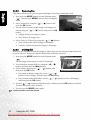
Select the photographic ISO to be used when a photograph is taken.
This option sets the sensitivity for capturing images. When the sensitivity is raised (and the
ISO figure is increased), photography will become possible even in dark locations, but the
more pixilated (grainer) the image will appear.
[Auto]: Automatic adjustment
[100]: Sensitivity equivalent to ISO100
[200]: Sensitivity equivalent to ISO200
3.1.10.1.7 Color
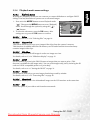
To capture an image, the camera offers three types of colors (Full Color / Sepia / Black &
White) for you to match as you wish. Your images will demonstrate different impressions by
choosing different types of colors.
[Full Color]: Bright colors
Using the DC C500
Downloaded from ManualsCamera.com Manuals
11