1
Chapter 1 Preparation - Precautions for use
Cautions on use
rTo
r get a good picture quality
ff Draw curtains or blinds over windows and turn off any lights near the screen to prevent outside light or light from indoor
lamps from shining onto the screen.
ff Depending on where the projector is used, heated air from an exhaust port or warm or cold air from an air conditioner can
cause a shimmering effect on screen.
Avoid using in locations where exhaust or streams of air from projector, other devices and air conditioners flow between the
projector and the screen.
ff The lens of projector is affected by the heat from the luminous source. Because of this, the focusing may not be stable right
after the power is turned on. Focusing is stabled after projecting image for 30 minutes and longer.
rDo
r not touch the surface of the projector lens with your bare hand.
If the surface of the lens becomes dirty from fingerprints or anything else, this will be magnified and projected onto the screen.
rLCD
r
Panel
The display unit of this projector comprises three LCD panels. Although an LCD panel is a product of high-precision
technology, some of the pixels on the projected image may be missing or constantly lit. Please note that this is not a
malfunction.
Displaying a still image for a longer time may result in an after-image on the LCD panels. If this happens, display the all white
screen in the Test pattern for an hour or more.
rOptical
r
components
Operating the projector in an environment with high temperature or heavy exposure to dust or tobacco smoke will reduce the
service life of the optical components, such as the LCD panel and polarizing plate, and may necessitate their replacement
within less than one year of use. For details, consult your dealer.
rLamp
r
The luminous source of the projector is a mercury lamp with high internal pressure.
A high pressure mercury lamp has following characteristics.
ff The brightness of the lamp will decrease by duration of usage.
ff The lamp may burst with sound or shorten life by shock or chipping.
ff The life of the lamp varies greatly depending on individual specificities and usage conditions. In particular, continuous use
over 6 hours and frequent on/off switching of the power greatly deteriorate the lamp and affect the lamp life.
ff In rare cases, the lamp burst shortly after the projection.
ff The risk of bursting increases when the lamp is used beyond its replacement cycle. Make sure to replace the lamp unit
consistently. (“When to replace the lamp unit” (x page 88), "Replacing the lamp unit" (x page 89))
ff If the lamp bursts, gas contained inside of the lamp is released in a form of smoke.
ff It is recommended to store replacement lamps for contingency.
rComputer
r
and external device connections
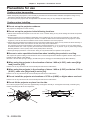
ff When connecting a computer or an external device, read this manual carefully regarding the use of power cords and
shielded cables as well.
16 - ENGLISH