1
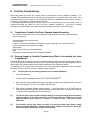
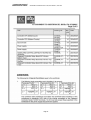
GASGUARD IS CONTROLLER Issue: R2, Date: 26/09/2011, CRN: 7502 4.2.3 Set Gas Name The controller has 6 pre-set gas types: CH4, CO, O2, H2S, AV and DP. If another gas type is required the operator can select the User Function to input the desired gas type. 1. To modify ‘Gas Name’ press key to enter 2. Use the key to scroll through the Gas names 3. To save, use the key or 4. To input another Gas name, scroll to ‘User’ by pressing the key 5. Use the key to enter into ‘User’ 6. Enter the desired name by pressing key to scroll through the alpha-numerals 7. Press the key to move the cursor across to the next segment 8. Once the desired Gas name has been entered, use the key to save 9. To escape, use the key 4.2.4 Set Decimal Point Required to set correct gas reading 1. To modify ‘Dec Pt’ press key to enter 2. Use the key to move the decimal point to the required position 3. To save, use the key 4. To escape, use the key 4.2.5 Set Full Scale Required to set correct gas reading 1. To modify ‘FS’ press to enter 2. Use the key to scroll through the numbers 3. Use the key to move the cursor across to the required alpha-numeral setting 4. To save, use the key 5. To escape, use the key 4.2.6 Set Units of Measure Required to set correct gas reading 1. To modify ‘Units’ press to enter 2. Use the key to scroll through the Units 3. To save, use the key 4. To escape, use the key 4.2.7 Set Tag Name Enables customer to assign a name to the controller for identification purposes 1. To modify ‘Tag’ press to enter 2. Use the key to scroll through the alpha-numerals 3. Use the key to move the cursor across to the next digit 4. To save, use the key 5. To escape, use the key Page 24