1
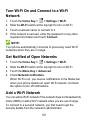
Turn Wi-Fi On and Connect to a Wi-Fi
Network
1.
2.
3.
4.
Touch the Home Key >
> Settings > Wi-Fi.
Slide the Wi-Fi switch at the top-right to turn on Wi-Fi.
Touch a network name to connect to it.
If the network is secured, enter the password or any other
required information and touch Connect.
NOTE:
Your phone automatically connects to previously used Wi-Fi
networks when they are in range.
Get Notified of Open Networks
1.
2.
3.
4.
Touch the Home Key >
> Settings > Wi-Fi.
Slide the Wi-Fi switch at the top-right to turn on Wi-Fi.
Touch the Menu Key > Advanced.
Check Network notification.
When Wi-Fi is on, you receive notifications in the Status bar
when your phone detects an open Wi-Fi network. Uncheck
the option to turn off notifications.
Add a Wi-Fi Network
You can add a Wi-Fi network if the network does not broadcast its
name (SSID) or add a Wi-Fi network when you are out of range.
To connect to a secured network, you first need to get the
security details from the network's administrator.
50