1
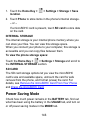
1. Touch the Home Key >
location.
> Settings > Storage > Save
2. Touch Phone to store items in the phone's internal storage.
– or –
If a microSDHC card is present, touch SD card to store data
on the card.
INTERNAL STORAGE
The internal storage is your internal phone memory where you
can store your files. You can view this storage space.
When you connect your phone to your computer, this storage is
accessible and you can copy files between them.
To view the phone storage space:
> Settings > Storage and scroll to
Touch the Home Key >
the INTERNAL STORAGE section.
SD CARD
The SD card storage options let you view the microSDHC
card’s size and available space, unmount the card for safe
removal from the phone, and format (erase) the card. For
details, see Remove the microSDHC Card From Your Phone
and Erase the microSDHC Card.
Power Saving Mode
Check how much power remains in the BATTERY tab, find out
what has been using the battery in the USAGE tab, and turn on
or off power saving modes in the MODE tab.
146