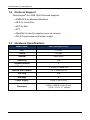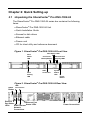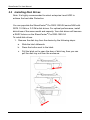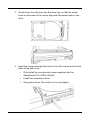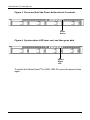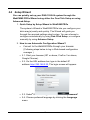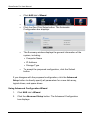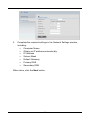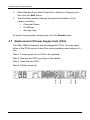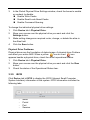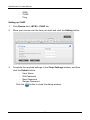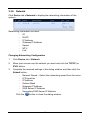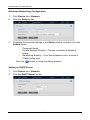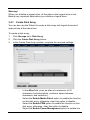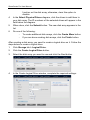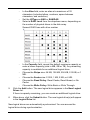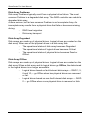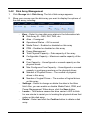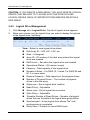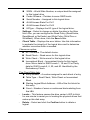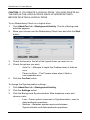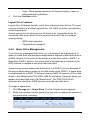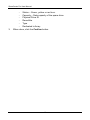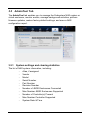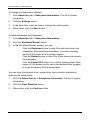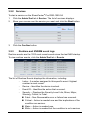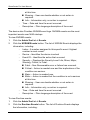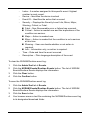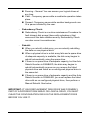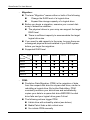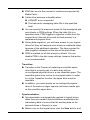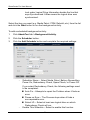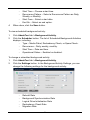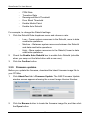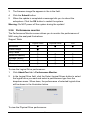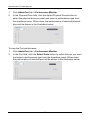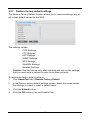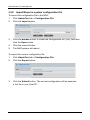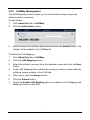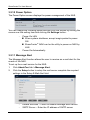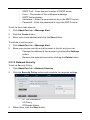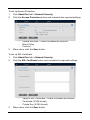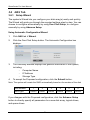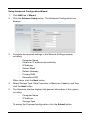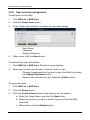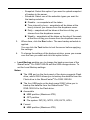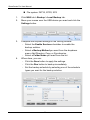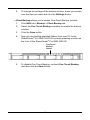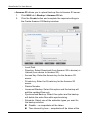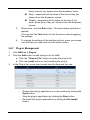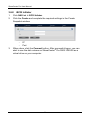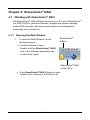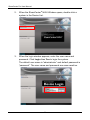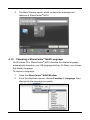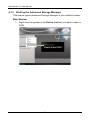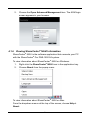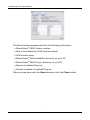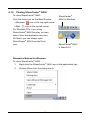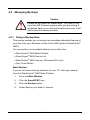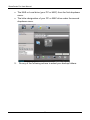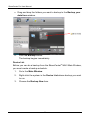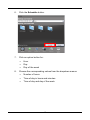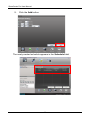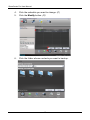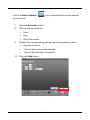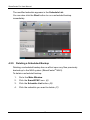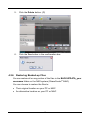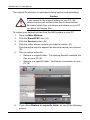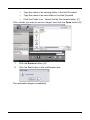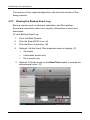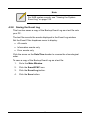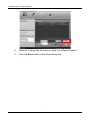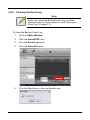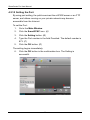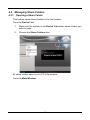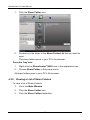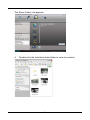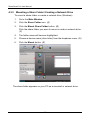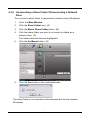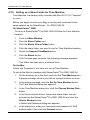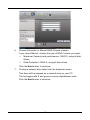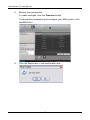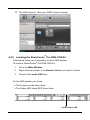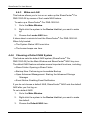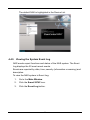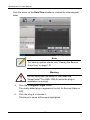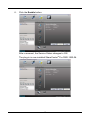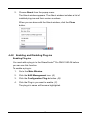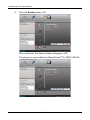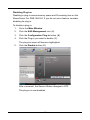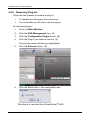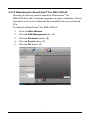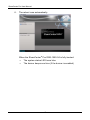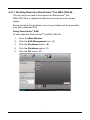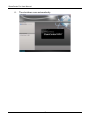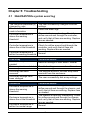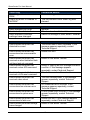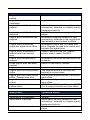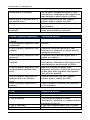
1
1 ShareCenter Pro DNS-1550-04 User Manual Contents Chapter 1: Introduction ................................................................................ 5 1.1 About This Manual ........................................................................ 5 1.2 Protocol Support ........................................................................... 6 1.3 Hardware Specifications ............................................................... 6 1.4 Client Utility OS Support ............................................................... 7 1.5 Browser Support ........................................................................... 7 Chapter 2: Quick Setting-up ........................................................................ 9 ® 2.1 Unpacking the ShareCenter Pro DNS-1550-04 .......................... 9 2.2 Installing Disk Drives................................................................... 10 2.3 Connecting the Ethernet cable ................................................... 13 2.4 Connecting the Power ................................................................ 13 2.5 Shutting Down the ShareCenter Pro DNS-1550-04 ................... 13 2.6 Setup Wizard .............................................................................. 15 2.7 Replacement of Power Supply Units (PSU) ............................... 18 2.8 Replacement of Control Module ................................................. 19 Chapter 3: WebPAM PROe ......................................................................... 20 3.1 Quick Start .................................................................................. 20 3.2 Dashboard Tab ............................................................................ 22 3.2.1 System Status ................................................................ 22 3.2.2 Event Information ........................................................... 23 3.2.3 Storage Overview........................................................... 23 3.3 Device Tab .................................................................................. 25 3.3.1 Front View ...................................................................... 25 3.3.2 Back View ...................................................................... 26 3.3.3 Component List .............................................................. 27 3.3.4 Physical Drive ................................................................ 30 3.3.5 iSCSI .............................................................................. 31 3.3.6 Network .......................................................................... 33 3.3.7 UPS ................................................................................ 36 3.3.8 External Drive................................................................. 36 3.4 Storage Tab ................................................................................. 38 2 3.5 3.6 3.4.1 Create Disk Array ........................................................... 39 3.4.2 Disk Array Management ................................................. 43 3.4.3 Logical Drive Management ............................................ 44 3.4.4 Spare Drive Management .............................................. 47 AdminTool Tab ............................................................................ 49 3.5.1 System settings and clearing statistics .......................... 49 3.5.2 Services ......................................................................... 51 3.5.3 Runtime and NVRAM event logs ................................... 51 3.5.4 Background activity, settings and schedules ................. 54 3.5.5 Firmware updates .......................................................... 60 3.5.6 Performance monitor ..................................................... 61 3.5.7 Restore factory default settings ..................................... 63 3.5.8 Import/Export a system configuration file ....................... 64 3.5.9 LUNMap Management ................................................... 65 3.5.10 Power Option ................................................................. 66 3.5.11 Message Alert ................................................................ 66 3.5.12 Network Security ............................................................ 67 NAS Tab ...................................................................................... 70 3.6.1 Setup Wizard.................................................................. 70 3.6.2 User account management ............................................ 72 3.6.3 Protocol Control and Setting .......................................... 74 3.6.4 File System Management .............................................. 74 3.6.5 File Sharing Setting ........................................................ 75 3.6.6 Backup ........................................................................... 78 3.6.7 Plug-in Management ...................................................... 85 3.6.8 iSCSI Initiator ................................................................. 86 ® Chapter 4: ShareCenter NAVI................................................................... 87 ® 4.1 Working with ShareCenter NAVI ............................................... 87 4.1.1 Opening the Main Window ............................................. 87 ® 4.1.2 Choosing a ShareCenter NAVI Language ................... 89 4.1.3 Starting the Advanced Storage Manager ....................... 90 ® 4.1.4 Viewing ShareCenter NAVI Information ....................... 91 ® 4.1.5 Closing ShareCenter NAVI ........................................... 93 4.2 Managing Backups ..................................................................... 95 4.2.1 Doing a Backup Now ..................................................... 95 4.2.2 Scheduling a Backup ................................................... 100 4.2.3 Viewing Backup Schedules .......................................... 105 4.2.4 Changing a Scheduled Backup.................................... 105 4.2.5 Deleting a Scheduled Backup ...................................... 108 3 ShareCenter Pro DNS-1550-04 User Manual 4.3 4.4 4.2.6 Restoring Backed-up Files ........................................... 109 4.2.7 Viewing the Backup Event Log .................................... 112 4.2.8 Saving the Event Log ................................................... 113 4.2.9 Clearing the Event Log ................................................ 115 4.2.10 Setting the Port ............................................................ 116 Managing Share Folders .......................................................... 117 4.3.1 Opening a Share Folder ............................................... 117 4.3.2 Viewing a List of Share Folders ................................... 118 4.3.3 Mounting a Share Folder /Creating a Network Drive ... 120 4.3.4 Un-mounting a Share Folder /Disconnecting a Network Drive ............................................................................. 121 4.3.5 Setting up a Share Folder for Time Machine ............... 122 Making Management Settings .................................................. 124 4.4.1 Configuring a NAS System .......................................... 124 ® 4.4.2 Locating the ShareCenter Pro DNS-1550-04 ............ 129 4.4.3 Wake-on-LAN ............................................................... 130 4.4.4 Choosing a Default NAS System ................................. 130 4.4.5 Viewing the System Event Log .................................... 131 4.4.6 Viewing a List of Plug-ins ............................................. 134 4.4.7 Viewing Plug-in Version Numbers................................ 134 4.4.8 Enabling and Disabling Plug-ins .................................. 135 4.4.9 Removing Plug-ins ....................................................... 138 ® 4.4.10 Rebooting the ShareCenter Pro DNS-1550-04 .......... 139 ® 4.4.11 Shutting Down the ShareCenter Pro DNS-1550-04 ... 141 Chapter 5: Troubleshooting ..................................................................... 143 5.1 WebPAM PROe system event log ............................................ 143 5.2 How to use USB Retrieval to export system information .......... 154 Chapter 6: Warranty .................................................................................. 155 Chapter 7: Tech Support .......................................................................... 162 Chapter 8: Registration ............................................................................ 163 4 Chapter 1: Introduction 1.1 About This Manual This Product Manual describes how to setup, use, and maintain the ® ShareCenter Pro DNS-1550-04. It also describes how to use: • ShareCenter NAVI software that you install and run on your Windows or Mac • Advanced Storage Manager WEBPAM PROe software that runs ® on the ShareCenter Pro DNS-1550-04 by browser. ® This manual includes a full table of contents, chapter task lists, and numerous cross-references to help you find the specific information you are looking for. Also included are four levels of notices: Note A Note Provides helpful information such as hints or alternative ways of doing a task. Important An Important calls attention to an essential step or point required to complete a task. Important items include things often missed. Caution A Caution informs you of possible equipment damage or loss of data and how to avoid them. Warning A Warning notifies you of Probable equipment damage or loss of data, or the possibility of physical injury, and how to avoid them. 5 ShareCenter Pro User Manual 1.2 Protocol Support ® ShareCenter Pro DNS-1550-04 series supports: • SMB/CIFS for Microsoft Windows • NFS for Linux/Unix • AFP for Mac • FTP • WebDAV for the file transform over the Internet • iSCSI Target model and Initiator model 1.3 Hardware Specifications Model Name DNS-1550-04(Dual PSU) CPU 1.8 GHz FLASH 256 MB SDRAM 2GB DDRII Smart Fan Yes Gigabit Ethernet 2 USB 2.0 Host port 5 (Front x 1/ Back x 4) Internal HDD Support 3.5" 3 Gb/s SATAII Hot Plug Yes # of Bays 4 Power Supply 226W*2 (80 PLUS) Dimension 429(L) x 442(W) x 44(H) mm ( 16.9 x 17.4 x 1.7 inches) 6 1.4 Client Utility OS Support ® The following operating systems support ShareCenter NAVI: • Windows XP 32/64 Bit ® • Windows Vista 32/64 Bit ® • Windows Server 2003 32/64 Bit ® • Windows Server 2008 32/64 Bit ® • Windows Server 2008 R2 ® • Windows 7 32/64 Bit ® • Mac OS 10.5 and above • Mac OS 10.6 XServer 1.5 Browser Support Choose one of the following browsers to use with WEBPAM PROe: • Internet Explorer 7 and above • Firefox 3 and above • Safari 5 and above • Google Chrome 8 and above Warning ® The electronic components within the ShareCenter Pro DNS-1550-04 are sensitive to damage from Electro-Static Discharge (ESD). Observe appropriate precautions at all ® times when handling the ShareCenter Pro DNS-1550-04 or its subassemblies. 7 ShareCenter Pro User Manual Important ® To configure the ShareCenter Pro DNS-1550-04, you ® are advised to install ShareCenter NAVI. Please refer to the User Manual. Warning The fan contains hazardous moving parts. Keep fingers away. Caution RISK OF EXPLOSION IF BATTERY IS REPLACED BY AN INCORRECT TYPE. CE: WARNING This is a class A Product. In a domestic environment this Product may case radio interference in which case the user may be required to take adequate measures. VCCI BSMI 警告使用者: 這是甲類的資訊產品,在居住的環境中使用時,可能會造成射頻干擾,在這種 情況下,使用者會被要求採取某些適當的對策。 8 Chapter 2: Quick Setting-up 2.1 Unpacking the ShareCenter® Pro DNS-1550-04 ® The ShareCenter Pro DNS-1550-04 series box contains the following items: • ShareCenter Pro DNS-1550-04 Unit ® • Quick Installation Guide • Screws for disk drives • Ethernet cable • Power cord • CD for client utility and reference document ® Figure 1. ShareCenter Pro DNS-1550-04 Front View PSU Status LEDs Drive Status LED One-Touch Backup Button USB Connection Drive Activity LED Ethernet Port Activity LEDs System Status LED Power Button ® Figure 2. ShareCenter Pro DNS-1550-04 Rear View USB Reset Connections Button Ethernet Ethernet Port Port Status Status LEDs LEDs RJ45 Ethernet Network Connections Power Connections 9 ShareCenter Pro User Manual 2.2 Installing Disk Drives Note: It is highly recommended to select enterprise Level HDD to achieve the best data Protection. ® You can populate the ShareCenter Pro DNS-1550-04 series NAS with SATA 1.5 Gb/s or 3.0 Gb/s disk drives. For optimal performance, install disk drives of the same model and capacity. Your disk drives will become ® a RAID Volume on the ShareCenter Pro DNS-1550-04. To install disk drives: 1. Remove the disk tray from the device by the following steps: a. Slide the latch leftwards. b. Press the button next to the latch. c. Pull the latch out to open the door of disk tray, then you can pull the disk tray out from the enclosure. 10 2. Carefully lay the disk drive into the drive tray, so that the screw holes on the sides of the carrier align with the screw holes in the drive. 3. Insert the screws through the holes in the drive carrier and into the sides of the disk drive. ․ Only install the countersunk screws supplied with the ® ShareCenter Pro DNS-1550-04. ․ Install four screws per drive. ․ Snug each screw. Be careful not to over-tighten. 11 ShareCenter Pro User Manual ® 4. Reinstall the drive tray into the ShareCenter Pro DNS-1550-04 enclosure. Tip: Repeat steps 1 through 4 until all of your disk drives are installed. 12 2.3 Connecting the Ethernet cable ® To connect the ShareCenter Pro DNS-1550-04 to your network: 1. Attach one end of the network cable to the RJ45 network connection. See Figure 2. 2. Attach the other end of the network cable to your Ethernet hub or switch. 2.4 Connecting the Power ® To power the ShareCenter Pro DNS-1550-04: 1. Attach the two power cords to the dual power supplies of the ® ShareCenter Pro DNS-1550-04 enclosure and plug the other ends into the power source. See Figure 2. ® 2. On the front of the ShareCenter Pro DNS-1550-04, press the power button. See Figure 1. It takes about a minute to boot the ® ShareCenter Pro DNS-1550-04. When fully booted: ․ The System Status LED turns blue. See Figure 1. ․ The buzzer beeps one time. 2.5 Shutting Down the ShareCenter Pro DNS-1550-04 ® To shut down the ShareCenter Pro DNS-1550-04, press and hold the power button until the power LED indicator turns red. See Figures 3 and 4. 13 ShareCenter Pro User Manual Figure 3. Press and hold the Power button about 5 seconds Power Button Figure 4. System status LED turns red, and then goes dark System Status LED ® To restart the ShareCenter Pro DNS-1550-04, press the power button again. 14 2.6 Setup Wizard You can quickly set up your DNS-1550-04 system through the WebPAMS PROe Wizard using either the One-Click Setup or using Advanced-Setup. 1. Quick Setup by Setup Wizard in WebPAM PROe The system’s Wizard in WebPAM PROe lets you configure your disk array(s) easily and quickly. The Wizard will guide you through the required settings step by step. You can choose to configure automatically by using One-Click Setup, or configure manually by using Advance Setup. 2. How to use Automatic Configuration Wizard? ․ Connect to the WebPAM PROe through your browser. (Following steps below to log in Web-based configuration manager ) ․ 2.1. Start your browser (IE7 or above, FireFox 3 or above, Google Chrome). ․ 2.2. On the URL address bar, type in the default IP address http://192.168.0.32, The login screen will appear: ․ ․ 2.3. Select “Admin” and type default password “password” ․ 2.4. Choose preferred language by clicking the Language menu. 15 ShareCenter Pro User Manual ․ ․ ․ ․ Click NAS tab > Wizard. Click the One-Click Setup button. The Automatic Configuration box displays: The Summary window displays the general information of the system, including: ․ Computer Name ․ IP Address ․ Storage Type ․ To accept the proposed configuration, click the Submit button. If you disagree with the proposed configuration, click the Advanced Setup button to directly specify all parameters for a new disk array, logical drives, and spare drives. Using Advanced Configuration Wizard 1. Click NAS tab > Wizard. 2. Click the Advanced Setup button. The Advanced Configuration box displays: 16 3. Complete the required settings in the Network Settings window, including: ․ Computer Name ․ Obtain an IP address automatically ․ IP Address ․ Subnet Mask ․ Default Gateway ․ Primary DNS ․ Secondary DNS When done, click the Next button. 17 ShareCenter Pro User Manual 4. Select Storage Type: Data Protection or Maximum Capacity, and then click the Next button. 5. The Summary window displays the general information of the system, including: ․ Computer Name ․ IP Address ․ Storage Type To accept the proposed configuration, click the Submit button. 2.7 Replacement of Power Supply Units (PSU) The DNS-1550-04 supports two hot-swappable PSUs. You may swap either of the PSUs one at a time if an uninterruptable power supply is in use. Step 1. Loosen screw (A) on PSU to be replaced. Step 2. Remove the PSU by pulling on the handle. Step 3. Insert the new PSU. Step 4. Tighten screw (A). 18 2.8 Replacement of Control Module When the system controller malfunctions, you may replace the control module as per following steps: Step 1. Please turn off the system power. Step 2. Loosen screw (A) on the control module. Step 3. Remove the controller by pulling on the handle. Step 4. Insert the new controller. Step 5. Tighten screw (A). Step 6. Reboot the system. 19 ShareCenter Pro User Manual Chapter 3: WebPAM PROe 3.1 Quick Start ® The WebPAM PROe is factory-installed on the ShareCenter Pro DNS-1550-04 system. WebPAM PROe runs in the browser on your PC/Mac. You can access WebPAM PROe by using your browser. Browser Support Choose one of the following browsers to use with WebPAM PROe: • Internet Explorer 7 or above • Firefox 3 and above • Safari 5 and above • Google Chrome Connecting to WebPAM PROe To log into WebPAM PROe from your browser: 1. Start your browser. 2. In the URL address bar, type in the IP address of the ShareCenter Pro DNS-1550-04. (Default IP Address: 192.168.0.32) ® The WebPAM PROe login screen displays. 20 3. The default user name is “administrator” and default password is “password” (The user name and password are case sensitive). 4. Choose the language you prefer by clicking the Language menu on the login screen. 5. To log out of WebPAM PROe, you can do either of the following: • Close your browser window. • Click Logout in the WebPAM PROe Header. Clicking Logout brings you back to the Login Screen. After logging out, you must enter your user name and password in order to log in again. Navigating in WebPAM PROe The five tabs displayed on the screen are the primary navigation tools found in WebPAM PROe. Categories of functions are listed below the icon found on each tab. Icons for specific functions are listed on each tab. Click the icon/tab to show the functions offered. Click the function's icon to display its information on the screen. 21 ShareCenter Pro User Manual 3.2 Dashboard Tab The Dashboard tab is the default screen of WebPAM PROe. The System Status icon indicates the top-level status of the NAS by displaying: system is OK system has errors 3.2.1 System Status The System Status field displays the status of the NAS components by means of the following icons: the component is OK the component needs attention the component has failed 22 To view the status of each component, click the following tab and topic sequence. A status screen will then be displayed: • Controller (RAID controllers) Device tab > Component List. • Voltage Device tab > Component List. • Temperature (RAID and JBOD enclosures only) Device tab > Component List. • PSU (Power supply unit. RAID and JBOD enclosures only.) Device tab > Component List. • Cooling Unit (RAID and JBOD enclosures only.) Device tab > Component List. • Disk Array Storage tab > Disk Array. • Logical Drive Storage tab > Logical Drive. • Physical Drive Device tab > Physical Drive List. • Spare Drive Storage tab > Spare Drive. • File System NAS tab > File System. • Firmware AdminTool tab > Firmware Update. 3.2.2 Event Information The Event Information field displays six of the most recent Runtime events. Click More to display the AdminTool tab > Runtime Events screen, allowing you to view all Runtime and NVRAM events. 3.2.3 Storage Overview The Storage Overview field displays the general information of the current storage status, including: 23 ShareCenter Pro User Manual • Total Physical Capacity. Display the total storage space of the system. − Unconfigured – not assigned to a logical drive. − Configured – assigned to a logical drive. • Device Number. Display the current number of devices in the system. 24 3.3 Device Tab The Device tab displays the status of all devices in the NAS including physical drives, disk arrays, logical drives, power supply units, fans and backplanes. In the Device tab, you can change settings for the enclosure and physical drives. 3.3.1 Front View Click Device tab > Front View to view all of the enclosures found in your NAS network. Move your mouse over the drive carrier to display the information of the installed physical drive (as show below), including the device ID, physical capacity, operational status, etc. Click on the drive to bring up the Physical Drive Information, displaying the detailed information of the device. 25 ShareCenter Pro User Manual Identifying Unconfigured Physical Drives Click the Show unconfigured PD(s) box to identify the unconfigured physical drives in the NAS. Identifying Physical Drives Assigned to a Disk Array Click the Highlight Arrays button to identify the physical drives assigned to a disk array. Click on of the following items in the dropdown menu: • All DA – all disk arrays • DA0 (DA1, DA2, etc.) – a specific disk array • Close – click to close the menu and return to normal view. The carriers containing drives that do not belong to the chosen disk array will be highlighted. 3.3.2 Back View Click Device tab > Back View to display the back view of all enclosures in the NAS. Move your mouse over the power supply and I/O units to view the PSU status and the operational status of the devices through the I/O units. Click Show Internal Components to display the virtual view of the internal components (as shown below). Move your mouse over the component and the related information will be displayed: • CPU – CPU usage • Controller thermometer – temperature of the controller board • Temperature of the system • RAM – memory usage • Enclosure information 26 3.3.3 Component List Click Device tab > Component List to display the device ID, operational status, enclosure type, and status description of all enclosures. • Enclosure − − − View: Move your mouse over the enclosure you want and click the View button to display the enclosure information list. Setting: Set the system critical warming/critical temperature. Locate: The system will make a buzzing sound. • Controller − − View: Move your mouse over the controller you want and click the View button to display the controller information list. Setting: 1. Move your mouse over the controller you want and click the Settings button. 2. Make setting changes as required: − − − − Enter, change or delete the alias in the Alias field Enable SMART Log – Check the box to enable or uncheck to disable SMART Polling Interval – Enter a value into the field, 1 to 1440 minutes HDD Power Levels Level 0: Disabled 27 ShareCenter Pro User Manual Level 1: Park R/W heads Level 2: Slow down (need to be supported by hard drive) Level 3: Spin down − − − − − Spin Down Type Power Saving Idle Time Power Saving Standby Time Power Saving Stopped Time Enable Coercion: This feature is designed for fault-tolerant logical drives (RAID 0, 1, 5, 6, and 10). It is generally recommended to use physical drives of the same size in your disk arrays. When this is not possible, physical drives of different sizes will work but the system must adjust for the size differences by reducing or coercing the capacity of the larger drives to match the smaller ones. You can choose to enable Capacity Coercion and any one of four methods. − Capacity Coercion also affects a replacement drive used in a disk array. Normally, when a physical drive fails, the replacement drive must be the same capacity or larger. However, the Capacity Coercion feature permits the installation of a replacement drive that is slightly smaller (within 1 gigabyte) than the remaining working drive. For example, the remaining working drives can be 80.5GB and the replacement drive can be 80.3, since all are rounded down to 80GB. This permits the smaller drive to be used. Without Capacity Coercion, the controller will not permit the use of a replacement physical drive that is slightly smaller than the remaining working drives. Coercion Method – Choose a method from the dropdown menu: GB Truncate – (Default) Reduce the useful 28 capacity to the nearest 1,000,000,000 byte boundary. 10GB Truncate – Reduces the useful capacity to the nearest 10,000,000,000 byte boundary. Group Rounding – Uses an algorithm to determine how much to truncate. Results in the maximum amount of usable drive capacity. Table Rounding – Applies a predefined table to determine how much to truncate. − − − − Write Back Cache Flush Interval – Enter a value into the field, 1 to 12 seconds Phydrv Driver Temperature Threshold Enclosure Polling Interval Adaptive Writeback Cache: UPS power good: write back UPS power fail: write through No UPS: write through − − Host Cache Flushing Forced Read Ahead (cache) – Check the box to enable or uncheck to disable 3. Click the Save button. • Buzzer − − Click the Sound button to unmute the buzzer; or click the Mute button to mute the buzzer. Click the Settings button to enable or disable the buzzer. To enable the buzzer for the system, select the Enable Buzzer option and click the Save button. To mute the buzzer for all events, you must clear the Enable Buzzer option. • LED. Move your mouse over the LED and click the Settings button, which allows you to set the LED by selecting: − Always ON − Always OFF − Daily • Fan. Move your mouse over the Fan and click the Settings button, which allows you to set the LED by selecting: 29 ShareCenter Pro User Manual − Manual − Automatic When done, click the Save button. 3.3.4 Physical Drive Click Device tab > Physical Drive to display the list of physical drives in the NAS. Physical drive information includes: − − − − − − − ID – ID number of the physical drive Status – Green, yellow, and red icons Model – Make and model of the drive Type – SATA HDD Location – Enclosure number and slot number Configuration – Array number and sequence number, spare number, unconfigured, or stale configuration Capacity – The capacity of drive Viewing Physical Drive Information 1. 2. Click Device tab > Physical Drive. Move you mouse over the physical drive you want and click the View button. Display all Physical drive information. To locate the physical drive: 1. Click Device tab > Physical Drive. 2. Move your mouse over the physical drive you want and click the Locate button. 3. The drive carrier LEDs blink for one minute. To change the global physical drive settings: 1. Click Device tab > Physical Drive. 2. Click the Global Physical Drive Settings button. 30 3. In the Global Physical Drive Settings window, check the boxes to enable or uncheck to disable. Enable Write Cache Enable Read Look Ahead Cache Enable Command Queuing To change the individual physical drive settings: 1. Click Device tab > Physical Drive. 2. Move your mouse over the physical drive you want and click the Settings button. 3. Make setting changes as required: enter, change, or delete the alias in the Alias field. 4. Click the Save button. Physical Drive Problems: Physical drives are the foundation of data storage. A physical drive Problem can affect your entire NAS. When a yellow icon or a red icon appears beside a physical drive, check the drive's operational status: 1. Click Device tab > Physical Drive. 2. Move your mouse over the physical drive you want and click the View button. 3. Check the status of the Operational Status item. 3.3.5 iSCSI Click Device tab > iSCSI to display the iSCSI (Internet Small Computer System Interface) information in the system. iSCSI information includes the following tabs: − − − − Node Portal Port Session 31 ShareCenter Pro User Manual − − − iSNS CHAP Ping Setting up CHAP 1. Click Device tab > iSCSI > CHAP tab. 2. Move your mouse over the item you want and click the Setting button. 3. Complete the required settings in the Chap Settings window, and then click the Submit button. − User Name − Old Password − New Password − Retype Password Click the button to close the dialog window. 32 3.3.6 Network Click Device tab > Network to display the networking information of the system. Networking information includes: − − − − − − − ID DHCP IP Address Gateway IP Address Speed MTU Link Changing Networking Configuration 1. Click Device tab > Network. 2. Move your mouse over the network you want and click the TCP/IP (or IPV6) button. 3. Complete the required settings in the dialog window, and then click the Submit button. − Network Speed – Select the networking speed from the menu. − IP Properties − IP Address − Subnet Mask − Gateway IP Address − DNS Server IP Address − Secondary DNS Server IP Address Click the button to close the dialog window. 33 ShareCenter Pro User Manual Advanced Networking Configuration 1. Click Device tab > Network. 2. Click the Setup button. 3. Complete the required settings in the Setup window, and then click the Submit button. − − Computer Name Enable Network Binding – Choose to enable or disable a biding. − Networking Binding – From the dropdown menu, choose a Proper biding type. Click the button to close the dialog window. Setting up DHCP Server 1. Click Device tab > Network. 2. Click the DHCP Server button. 34 3. Complete the required settings in the DHCP Server Settings window, and then click the Submit button. − Enable DHCP Server – Choose to enable or disable the function. − IP range – Assign the IP range in the text boxes. − Lease Time Click the button to close the dialog window. Setting up DDNS 1. Click Device tab > Network. 2. Click the DDNS button. 3. Complete the required settings in the DDNS Settings window, and then click the Submit button. − Enable DDNS – Choose to enable or disable the function. − DDNS Server – Enter the address of the DDNS server. − Host Name – Enter the host name of the DDNS server. − User Name – Enter the user name to login the DDNS server. − Password – Enter the password to login the DDNS server. Click the button to close the dialog window. 35 ShareCenter Pro User Manual 3.3.7 UPS Click Device tab > UPS to display the information of the connected UPS in the system. Setting up UPS 1. 2. 3. Click Device tab > UPS. Click the Setup button to bring up the Setup window. Select the option you want and complete the required settings, and then click the Submit button. Click the button to close the dialog window. 3.3.8 External Drive Click Device tab > External Drive to display the information of the connected external drive in the system. External drive information includes: − − − − − − ID Status Model Type Location Total Capacity 36 − Cache ShareCenter Pro DNS-1550-04 can support external file system as below: EXT3, XFS,FAT32, NTFS,HFS+ Warning! To remove the connected USB drive safely, you MUST click the Remove button before disconnecting the USB drive. Managing the External Drive 1. Click Device tab > External Drive. 2. Move your mouse over the external drive you want, and then you can do one of the following: − Click the Settings button and select the Write Policy (Write Through or Write Back), and then click the Save button to configure the external drive. − Click the Format button and select the format type (FAT32, ntfs, or xfs), and then click the Format button to format the external drive. − Click the Remove button and click the Confirm button to remove the external drive. Click the button to close the dialog window. 37 ShareCenter Pro User Manual 3.4 Storage Tab The Storage tab enables you to create, manage, and delete disk arrays, logical drives, and spare drives. The list of Disk Array Provides the information of the disk array, including: − ID – DA0, DA1, DA2, etc. − Alias – If assigned. − Status – Green, yellow or red icon. − Capacity – Data capacity of the disk array. − Free Capacity – Unconfigured or unused capacity on the physical drives. − Media Patrol – Enabled or disabled on this disk array. − No. Of Logical Drives – The number of logical drives on this disk array. To initialize the Dsk Array: Initialization is normally done to logical drives after they are created from a disk array. Initialization sets all data bits in the logical drive to zero. The action is useful because there may be residual data on the logical drives left behind from earlier configurations. For this reason, Initialization is recommended whenever you create a logical drive. Step 1. Create Disk Array. Refer to the instructions in section 3.4.1. Step 2. Create Logical Drive. Refer to the instructions in section 3.4.4. Step 3. Create File System. 38 Warning! When you initialize a logical drive, all the data on the logical drive is lost. Backup any important data before you initialize a logical drive. 3.4.1 Create Disk Array You can also use the Wizard to create a disk array with logical drives and spare drives at the same time. To create a disk array: 1. Click Storage tab > Disk Array. 2. Click the Create Disk Array button. 3. In the Create Disk Array window, complete the required settings: − − − − In the Alias field, enter an alias at a maximum of 32 characters (includes letters, numbers, space between characters, and underline). Select the Enable Media Patrol option to enable the function on this disk array; otherwise, clear this option to disable. Select the Enable PDM option to enable the function on this disk array; otherwise, clear this option to disable. Select the Enable Power Management option to enable the 39 ShareCenter Pro User Manual 4. function on this disk array; otherwise, clear this option to disable. In the Select Physical Drives diagram, click the drives to add them to your disk array. The ID numbers of the selected drives will appear in the field below the diagram. 5. When done, click the Submit button. The new disk array appears in the list. 6. Do one of the following: − To create additional disk arrays, click the Create More button. − If you are done creating disk arrays, click the Finish button. After creating a disk array, you need to create a logical drive on it. Follow the steps below to create a logical drive: 1. Click Storage tab > Logical Drive. 2. Click the Create Logical Drive button. 3. Select the disk array you want to use and click the Next button. 4. In the Create Logical Drive window, complete the required settings: 40 − − − In the Alias field, enter an alias at a maximum of 32 characters (includes letters, numbers, space between characters, and underline). Set the LDType as NAS or SAN/DAS. Select a RAID Level from the dropdown menu, depending on the number of physical drives in the disk array. Support RAID type with drive number − 5. In the Capacity field, accept the default maximum capacity or enter a lesser capacity (size in MB, GB or TB). Any remaining capacity is available for an additional logical drive. − Choose the Stripe size: 64 KB, 128 KB, 256 KB, 512 KB, or 1 MB. − Choose the Sector size: 512 B, 1 KB, 2 KB, or 4 KB. − Choose the Read Policy: Read Cache, Read Ahead, or No Cache − Choose the Write Policy: Write Back or Write Through. Click the Add button. The new logical drive appears in the New Logical Drives list. If there is capacity remaining, you can create an additional logical drive. 6. When done, click the Submit button. The new logical drive(s) will appear in the Logical Drive list. New logical drives are automatically synchronized. You can access the logical drive during synchronization. 41 ShareCenter Pro User Manual Disk Array Problems: Disk array Problems typically result from a physical drive failure. The most common Problem is a degraded disk array. The RAID controller can rebuild a degraded disk array. A more serious, but far less common Problem is an Incomplete Array. An incomplete array results from a physical drive that fails or becomes missing during: − RAID level migration − Disk array transport Disk Array Degraded: Disk arrays are made up of physical drives. Logical drives are created on the disk array. When one of the physical drives in a disk array fails: − − − The operational status of disk array becomes Degraded. The operational status of logical drives becomes Critical. The operational status of physical drive becomes Dead or Offline. Disk Array Offline: Disk arrays are made up of physical drives. Logical drives are created on the disk array. When a disk array and its logical drives go Offline, the data stored in the logical drives is no longer accessible. − − Logical drives based on fault-tolerant disk arrays — RAID 1, 5, 6 and 10,— go Offline when two physical drives are removed or fail. Logical drives based on non-fault tolerant disk arrays — RAID 0 — go Offline when a one physical drive is removed or fails. 42 3.4.2 Disk Array Management 1. Click Storage tab > Disk Array. The list of disk arrays appears. 2. Move your mouse over the disk array you want to display the options of the disk array, including: − − − − View – Select to view disk array status in the Information tab: Disk Array ID – DA0, DA1, DA2, etc. Alias – If assigned Operational Status – OK is normal Media Patrol – Enabled or disabled on this array PDM – Enabled or disabled on this array Power Management Total Physical Capacity – Data capacity of the array Configurable Capacity – Maximum usable capacity of the array Free Capacity – Unconfigured or unused capacity on the physical drives Max Contiguous Free Capacity – Unconfigured or unused capacity in contiguous sectors on the physical drives Number of Physical Drives – The number of physical drives in this array Number of Logical Drives – The number of logical drives on this array Settings – Select to change or delete the alias in the Alias field. Also, you can enable or disable Media Patrol, PDM, and Power Management. When done, click the Save button. Locate – This feature causes the drive carrier’s LED to blink for one minute to assist you in locating the physical drives that make up this disk array. Delete – Select and click the Confirm button to delete a disk array. 43 ShareCenter Pro User Manual CAUTION: IF YOU DELETE A DISK ARRAY, YOU ALSO DELETE LOGICAL DRIVES THAT BELONG TO IT, ALONG WITH THE DATA IN THOSE LOGICAL DRIVES. BACK UP IMPORTANT DATA BEFORE DELETING A DISK ARRAY. 3.4.3 Logical Drive Management 1. Click Storage tab > Logical Drive. The list of logical drives appears. 2. Move your mouse over the logical drive you want to display the options of the logical drive, including: − View – Select to view logical drive status: Disk Array ID – LD0, LD1, LD2, etc. Alias – If assigned Array ID – ID number of the disk array where this logical drive was created RAID Level – Set when the logical drive was created Operational Status – OK means normal Capacity – Data capacity of the logical drive Number of Axles – For RAID 10, 2 axles. For RAID 50 and 60, 2 or more axles Physical Capacity – Data capacity of the physical drives Number of Physical Drives – The number of physical drives in the disk array Stripe size – Set at logical drive creation Read Policy – Adjustable Sector size – Set at logical drive creation Write Policy – Adjustable Tolerable Number of Dead Drives – Number of physical drives that can fail without the logical drive going offline Synchronized – A new logical drive shows "No" until synchronizing is completed Parity Pace – Pertains to some RAID levels 44 WWN – World Wide Number, a unique identifier assigned to this logical drive Codec Scheme – Pertains to some RAID levels Serial Number – Assigned to this logical drive ALUA Access State For Ctrl1 ALUA Access State For Ctrl2 LDType – Displays the LD type of the logical drive. − Settings – Select to change or delete the alias in the Alias field. Also, you can configure the Read Policy (ReadCache, ReadAhead, or NoCache) and Write Policy (WriteThru or WriteBack). When done, click the Save button. − Check Table – Displays the error tables. Use this information to evaluate the integrity of the logical drive and to determine whether corrective action is needed. Choose an option: All – All errors. The default choice. Read Check – Read errors for this logical drive. Write Check – Write errors for this logical drive. Inconsistent Block – Inconsistent blocks for this logical drive. Mirror data for RAID Levels 1, 1E and 10 or Parity data for RAID Levels 5, 6, 50, and 60. Identified by the Redundancy Check. The Check Table lists: Entry Number – A number assigned to each block of entry. Table Type – Read Check, Write Check or Inconsistent Block. Starting Logical Block Address – LBA of the first block for this entry. Count – Number of errors or continuous blocks starting from this LBA. − Locate – This feature causes the drive carrier’s LED to blink for one minute to assist you in locating the physical drives that make up this disk array. − Delete – Select and click the Confirm button to delete a logical. 45 ShareCenter Pro User Manual CAUTION: IF YOU DELETE A LOGICAL DRIVE, YOU ALSO DELETE ALL THE DATA IN THE LOGICAL DRIVE. BACK UP IMPORTANT DATA BEFORE DELETING A LOGICAL DRIVE. To run Redundancy Check on a logical drive: 1. Click AdminTool tab > Background Activity. The list of background activities appears. 2. Move your mouse over the Redundancy Check item and click the Start button. 3. Check the boxes to the left of the logical drives you want to run. 4. Check the options you want: − 5. Auto Fix – Attempts to repair the Problem when it finds an error − Pause on Error – The Process stops when it finds a non-repairable error Click the Confirm button. To change the Synchronization settings: 1. Click AdminTool tab > Background Activity. 2. Click the Settings button. 3. Click the Background Synchronization Rate dropdown menu and choose a rate: − Low – Fewer system resources to Synchronization, more to data read/write operations. − Medium – Balances system resources between Synchronization and data read/write operations. 46 − 4. High – More system resources to Synchronization, fewer to data read/write operations. Click the Confirm button. Logical Drive Problems: Logical drive Problems typically result from a physical drive failure. The most common Problem is a critical logical drive. The RAID controller can rebuild a critical logical drive. A more serious but far less common Problem is an Incomplete Array. An incomplete disk array results from a physical drive that fails or becomes missing during: − − RAID level migration Physical drive transport 3.4.4 Spare Drive Management If you have an unassigned disk drive, you can assign it as a spare drive. A spare is a disk drive that has been designated to replace a failed disk drive in a RAID Volume. In the event of the failure of a disk drive within a RAID 1 or three drive RAID 5 Volume, the spare drive is activated as a member of the RAID Volume to replace a disk drive that has failed. A spare drive cannot replace the failed drive in a RAID 0 Volume because of the way in which data is written to the disk drives under RAID 0. A spare drive is not available for a RAID 10 Volume because RAID 10 requires all four disk ® drives in the ShareCenter Pro DNS-1550-04 enclosure. However, when you ® replace the failed disk drive, the ShareCenter Pro DNS-1550-04 will automatically rebuild the RAID Volume using the new disk drive. To assign a spare drive: 1. Click Storage tab > Spare Drive. The list of spare drives appears. 2. Move your mouse over the spare drive you want to display the options of the spare drive, including: − ID 47 ShareCenter Pro User Manual 3. − Status – Green, yellow or red icon. − Capacity – Data capacity of the spare drive. − Physical Drive ID − Revertible − Type − Dedicated to Array When done, click the Confirm button. 48 3.5 AdminTool Tab The AdminTool tab enables you to manage the Subsystem NAS system or virtual enclosure, monitor events, manage background activities, perform firmware updates, restore factory default settings, and save a NAS configuration report. 3.5.1 System settings and clearing statistics The list of NAS system information, including: − − − − − − − − − − − Alias, if assigned Vendor Model Serial Number Part Number Revision Number Number of JBOD Enclosures Connected Max Number JBOD Enclosures Supported Number of Controller(s) Present Max Number Controller Supported System Date & Time 49 ShareCenter Pro User Manual To change the Subsystem settings; 1. Click AdminTool tab > Subsystem Information. The list of system information 2. Click the Settings button. 3. In the Alias field, enter an alias or change the existing alias. 4. When done, click the Save button. To restart/shutdown the Subsystem: 1. Click AdminTool tab > Subsystem Information. 2. Click the Shutdown/Restart button. 3. In the Shutdown/Restart window, you can: − − − Click the Shutdown button to stop I/Os and shuts down the subsystem. After subsystem shutdown, you must manually switch off the power at both power supplies. Click the Restart button to stop I/Os, shuts down and restarts the subsystem. Click the Power Off button to turn off the system power. After power off, the power cord(s) has to be removed then plugged in to get Redundant PSU working again. You can clear the physical drive, logical drive, and controller statistics by following the steps below: 1. Click the AdminTool tab > Subsystem Information. The list of system information. 2. Click the Clear Statistics button. 3. When done, click the Confirm button. 50 3.5.2 Services ® To start a service on the ShareCenter Pro DNS-1550-04: 1. Click the AdminTool tab > Service. The list of services displays. 2. Move your mouse over the service you want and click the Start button. 3. Click the Confirm button. 3.5.3 Runtime and NVRAM event logs Runtime events are the 1023 most recent events since the last NAS startup. To view runtime events, click the AdminTool tab > Events. The list of Runtime Events displays the information, including: − Index – A number assigned to this specific event. Highest number is most recent. − Device – Identifies the device involved. − Event ID – Identifies the action that occurred. − Severity – Displays the Severity Level: Info, Minor, Major, Warning, Critical, or Fatal. Fatal – Non-Recoverable error or failure has occurred. Critical – Action is needed now and the implications of the condition are serious. Major – Action is needed now. Minor – Action is needed but the condition is not a serious 51 ShareCenter Pro User Manual − − at this time. Warning – User can decide whether or not action is required. Info – Information only, no action is required. Time – Date and time the event occurred. Description – Plain language description of the event. The device also Provides NVRAM event logs. NVRAM events are the most important events over NAS startups. To view NVRAM events: 1. 2. Click the AdminTool tab > Events. Click the NVRAM Events button. The list of NVRAM Events displays the information, including: − Index – A number assigned to this specific event. Highest number is most recent. − Device – Identifies the device involved − Event ID – Identifies the action that occurred − Severity – Displays the Severity Level: Info, Minor, Major, Warning, Critical, or Fatal. Fatal – Non-Recoverable error or failure has occurred. Critical – Action is needed now and the implications of the condition are serious. Major – Action is needed now. Minor – Action is needed but the condition is not a serious at this time. Warning – User can decide whether or not action is required. Info – Information only, no action is required. − Time – Date and time the event occurred − Description – Plain language description of the event To view Runtime events: 1. 2. Click the AdminTool tab > Events. Click the Runtime Events button. The list of Runtime Events displays the information, including: 52 − − − − − − Index – A number assigned to this specific event. Highest number is most recent. Device – Identifies the device involved Event ID – Identifies the action that occurred Severity – Displays the Severity Level: Info, Minor, Major, Warning, Critical, or Fatal. Fatal – Non-Recoverable error or failure has occurred. Critical – Action is needed now and the implications of the condition are serious. Major – Action is needed now. Minor – Action is needed but the condition is not a serious at this time. Warning – User can decide whether or not action is required. Info – Information only, no action is required. Time – Date and time the event occurred Description – Plain language description of the event To clear the NVRAM/Runtime event log: 1. 2. 3. 4. Click the AdminTool tab > Events. Click the NVRAM Events/Runtime Events button. The list of NVRAM Events/Runtime Events displays the information. Click the Clear button. Click the Confirm button. To save the NVRAM/Runtime event log: 1. 2. 3. 4. Click the AdminTool tab > Events. Click the NVRAM Events/Runtime Events button. The list of NVRAM Events/Runtime Events displays the information. Click the Save button. Your browser saves a text file containing the NVRAM/Runtime event log to its designated download folder. 53 ShareCenter Pro User Manual 3.5.4 Background activity, settings and schedules Each background activity has its own set of parameters. The most important parameters are: Status and Progress. The Status displays: − − Running – Now in Progress. Paused – Waiting for a higher priority activity to finish or waiting for you to click the Resume button. To view current background activity, click AdminTool tab > Background Activity. The list of Background Activities displays information, including: − Media Patrol: Media Patrol is a routine maintenance Procedure that checks the magnetic media on each disk drive. Media Patrol checks all physical drives assigned to disk arrays and spare drives. Media Patrol does not check un-configured drives. Media Patrol checks are enabled by default on all disk arrays and spare drives. You can disable Media Patrol in the disk array and spare drive settings, however that action is not recommended. Unlike Synchronization and Redundancy Check, Media Patrol is concerned with the condition of the media itself, not the data recorded on the media. If Media Patrol encounters a critical error, it triggers PDM if PDM is enabled on the disk array. Media Patrol has three status conditions: 54 Running – Normal. You can access your logical drives at any time. Yield – Temporary pause while a read/write operation takes place. Paused– Temporary pause while another background runs. Or a pause initiated by the user. − Redundancy Check: Redundancy Check is a routine maintenance Procedure for fault-tolerant disk arrays (those with redundancy) that ensures all the data matches exactly. Redundancy Check can also correct inconsistencies. − Rebuild: When you rebuild a disk array, you are actually rebuilding the data on one physical drive. When a physical drive in a disk array fails and a spare drive of adequate capacity is available, the disk array begins to rebuild automatically using the spare drive. If there is no spare drive of adequate capacity, but the Auto Rebuild function is ENABLED, the disk array begins to rebuild automatically as soon as you remove the failed physical drive and install an un-configured physical drive in the same slot. If there is no spare drive of adequate capacity and the Auto Rebuild function is DISABLED, you must replace the failed drive with an un-configured physical drive, then perform a Manual Rebuild. See below. IMPORTANT: IF YOUR REPLACEMENT DISK DRIVE WAS FORMERLY PART OF A DIFFERENT DISK ARRAY OR LOGICAL DRIVE, YOU MUST CLEAR THE CONFIGURATION DATA ON THE REPLACEMENT DRIVE BEFORE YOU USE IT. 55 ShareCenter Pro User Manual − Migration: The term "Migration" means either or both of the following Change the RAID level of a logical drive Expand the storage capacity of a logical drive Before you begin a migration, examine your current disk array to determine whether: The physical drives in your array can support the target RAID level There is sufficient capacity to accommodate the target logical drive size If you need to add capacity to the array, be sure there are unassigned physical drives installed in you RAID system before you begin the migration. Supported RAID level Target RAID0 RAID1 RAID5 RAID6 RAID10 RAID0 ● ● ● ● ● RAID1 ● ● RAID5 ● ● Source ● ● ● RAID6 RAID10 − ● ● ● ● ● PDM: Predictive Data Migration (PDM) is the migration of data from the suspect disk drive to a spare disk drive, similar to rebuilding a logical drive. But unlike Rebuilding, PDM constantly monitors your disk drives and automatically copies your data to a spare disk drive BEFORE the disk drive fails and your logical drive goes Critical. The following actions trigger PDM: A disk drive with unhealthy status (see below) Media Patrol finds a disk critical error You initiate PDM manually 56 PDM also counts the number of media errors reported by Media Patrol. A disk drive becomes unhealthy when: A SMART error is reported The bad sector remapping table fills to the specified level. You can specify the maximum levels for the reassigned and error blocks in PDM settings. When the table fills to a specified value, PDM triggers a migration of data from the suspect drive (the disk drive with the bad sectors) to a replacement physical drive. During data migration, you will have access to your logical drives but they will respond more slowly to read/write tasks because of the additional operation. The time required for data migration depends on the size of the disk drives. PDM is enabled on all disk arrays by default. You can disable PDM in the disk array settings, however that action is not recommended. − Transition: Transition is the Process of replacing a revertible spare drive that is currently part of a disk array with an un-configured physical drive or a non-revertible spare. The revertible spare drive returns to its original status. In order to run the Transition function, the spare drive must be revertible. In addition, you must specify an un-configured physical drive of the same or larger capacity and same media type as the revertible spare drive. − Synchronization: Synchronization is automatically applied to logical drives when they are created. Synchronization recalculates the redundancy data to ensure that the working data on the physical drives is Properly in sync. Mouse-over on the logical drive, click the View button, and 57 ShareCenter Pro User Manual look under Logical Drive Information beside the line that says Synchronized. A Yes means the logical drive was synchronized. Select the item you want (e.g. Media Patrol, PDM, Rebuild, etc.) from the list and click the Start button to run the background activity. To add a scheduled background activity: 1. Click AdminTool tab > Background Activity. 2. Click the Scheduler button. 3. Click the Add Schedule button and complete the required settings: − − Scheduler Name – Select Media Patrol, Battery Recondition, Power On, Redundancy Check, Spare Check, or Power Off. If you select Redundancy Check, the following settings need to be completed: Auto Fix – Attempts to repair the Problem when it finds an error. Pause on Error – The Process stops when it finds a non-repairable error. Select LD – Select at least one logical drive on which Redundancy Check will run. Enable This Schedule – Select to enable this function. 58 − − 4. Start Time – Choose a start time. Recurrence Pattern – Select a Recurrence Pattern as Daily, Weekly, or Monthly. − Start From – Select a start date. − End On – Select an end option. When done, click the Save button. To view scheduled background activity: 1. 2. Click AdminTool tab > Background Activity. Click the Scheduler button. The list of Scheduled Background Activities displays, including: − Type – Media Patrol, Redundancy Check, or Spare Check. − Recurrence – Daily, weekly, monthly. − Start Time – Date and time. − Operational Status – Enabled or disabled. To change a scheduled background activity: 1. Click AdminTool tab > Background Activity. 2. Click the Settings button. In the Background Activity Settings, you can change the following settings for the background activity: − − − − − Rebuild Rate Background Synchronization Rate Logical Drive Initialization Rate Redundancy Check Rate Migration Rate 59 ShareCenter Pro User Manual − − − − − − PDM Rate Transition Rate Reassigned Block Threshold Error Block Threshold Enable Media Patrol Enable Auto Rebuild For example, to change the Rebuild settings: 1. Click the Rebuild Rate dropdown menu and choose a rate: − 2. 3. Low – Fewer system resources to the Rebuild, more to data read/write operations. − Medium – Balances system resources between the Rebuild and data read/write operations. − High – More system resources to the Rebuild, fewer to data read/write operations. Check the Enable Auto Rebuild box to enable Auto Rebuild (rebuilds when you swap out the failed drive with a new one). Click the Confirm button. 3.5.5 Firmware updates Before you update the firmware, download the latest firmware image file to your PC/Mac 1. Click AdminTool tab > Firmware Update. The NAS Firmware Update window screen appears showing the current Image Version Number. 2. Click the Browse button to locate the firmware image file, and then click the Open button. 60 3. The firmware image file appears in the in the field. 4. Click the Submit button. 5. When the update is completed a message tells you to reboot the subsystem. Click the OK button to restart the system. Warning: Do NOT power off the system during the update! 3.5.6 Performance monitor The Performance Monitor screen allows you to monitor the performance of NAS using the analyzed illustrations. Support Table: Bandwidth Logical Drive ● Physical Drive ● Port ● Cache Usage ● Dirty Cache ● Maximum Latency ● ● ● Average Latency ● ● ● Minimum Latency ● ● ● IO request ● ● ● To view the Logical Drive performance: 1. Click AdminTool tab > Performance Monitor. 2. In the Logical Drive field, click the Select Logical Drives button to select the logical drive you want and select a performance type from the dropdown menu. When done, the performance of selected logical drive will be shown in the illustration below. To view the Physical Drive performance: 61 ShareCenter Pro User Manual 1. Click AdminTool tab > Performance Monitor. 2. In the Physical Drive field, click the Select Physical Drives button to select the physical drive you want and select a performance type from the dropdown menu. When done, the performance of selected physical drive will be shown in the illustration below. To view the Port performance: 1. Click AdminTool tab > Performance Monitor. 2. In the Port field, click the Select Ports button to select the port you want and select a performance type from the dropdown menu. When done, the performance of selected port will be shown in the illustration below. 62 3.5.7 Restore factory default settings The Restore Factory Default function allows you to restores settings (any or all) to their default values for the NAS. The settings include: − CIFS Settings − FTP Settings − AFP Settings − SNMP Settings − NFS Settings − WebDAV Settings − Network Settings Caution: Use this feature only when required and only on the settings that you must reset to default in order to set them correctly. To restore the factory default settings: 1. Click AdminTool tab > Restore Factory Default. 2. In the Restore factory default settings screen, check the boxes beside the settings you want to reset to default value. 3. Click the Submit button. 4. Click the OK button in the confirmation box. 63 ShareCenter Pro User Manual 3.5.8 Import/Export a system configuration file To import the configuration file to the NAS: 1. Click AdminTool tab > Configuration File. 2. Click the Import button. 3. Click the Browse button to locate the configuration file (.bcf), and then click the Open button. 4. Click the summit button 5. The NAS system will reboot To export the current configuration file: 1. Click AdminTool tab > Configuration File. 2. Click the Export button. 3. Click the Submit button. The current configuration will be saved as a .bcf file in your Host PC. 64 3.5.9 LUNMap Management The LUN Mapping function allows you to control what storage arrays are visible to which computers. To add initiator: 1. Click AdminTool tab > LUNMap. 2. Click the Add Initiator button. 3. Enter a name in the Initiator Name field and click the Submit button. The initiator will be added in the LUNMap list. To define the LUN Mapping 1. Click AdminTool tab > LUNMap. 2. Click the LUN Mapping button. 3. Select the initiator you want from the dropdown menu and click the Next button. 4. In the LUN Mapping field, indicate the arrays you wish to make visible by putting a unique number in the LUN field. 5. When done, click the Assign button. 6. Click the Submit button. 7. Check the Enable LUN Masking option to enable the LUN Mapping and Masking function of the NAS. 65 ShareCenter Pro User Manual 3.5.10 Power Option The Power Option screen displays the power management of the NAS. You can change the following power settings from the screen by moving the mouse over the setting item and clicking the Settings button: − Power On LAN When system shutdown, accept magic packet to power ON. ® ShareCenter NAVI can be the utility to power on NAS by LAN. − Power On Automatically 3.5.11 Message Alert The Message Alert function allows the user to receive an e-mail alert for the events of the NAS. To set up the e-mail service for the NAS: 1. Click AdminTool tab > Message Alert. 2. Click the Setup button to setup the mail server complete the required settings in the Setup E-Mail Alert field. − − Enable Services – Check to enable message alert service. SMTP Server – Enter the IP address of SMTP server. 66 − − − − − SMTP Port – Enter the port number of SMTP server From – The sender of the notification message. SMTP Authentication Username – Enter the username to log in the SMTP server. Password – Enter the password to log in the SMTP server. To set up the e-mail account: 1. Click AdminTool tab > Message Alert. 2. Click the Create button. 3. Enter your e-mail address and click the Save button. To edit the e-mail account: 1. Click AdminTool tab > Message Alert. 2. Move your mouse over the e-mail account in the list, and you can: − − Change the address of the account by clicking the Settings button. Remove the selected account by clicking the Delete button. 3.5.12 Network Security To set up Security Policy: 1. Click AdminTool tab > Network Securiey. 2. Click the Security Policy button and complete the required settings. 3. − HTTPs Redirection − I/O Policy − IP/Domain Name When done, click the Save button. 67 ShareCenter Pro User Manual 68 To set up Access Protection: 1. Click AdminTool tab > Network Security. 2. Click the Access Protection button and complete the required settings. 3. − Enable Services – Check to enable the function. − Block Policy − Protocol When done, click the Save button. To set up SSL Certificate: 1. Click AdminTool tab > Network Security. 2. Click the SSL Certificate button and complete the required settings. 3. − Specific SSL Certificate – Check to enable the function. − Certificate (X.509 format) − Private Key (X.509 format) When done, click the Save button. 69 ShareCenter Pro User Manual 3.6 NAS Tab 3.6.1 Setup Wizard The system’s Wizard lets you configure your disk array(s) easily and quickly. The Wizard will guide you through the required settings step by step. You can choose to configure automatically by using One-Click Setup, or configure manually by using Advance Setup. Using Automatic Configuration Wizard 1. Click NAS tab > Wizard. 2. Click the One-Click Setup button. The Automatic Configuration box displays: 3. The Summary window displays the general information of the system, including: 4. − Computer Name − IP Address − Storage Type To accept the Proposed configuration, click the Submit button. Note: The system will create the RAID automatically based on the number of the disk Disk number RAID type 1 2 3 4 5 6 RAID0 RAID1 RAID5 RAID5 RAID5 RAID6 If you disagree with the Proposed configuration, click the Advance Setup button to directly specify all parameters for a new disk array, logical drives, and spare drives. 70 Using Advanced Configuration Wizard 1. Click NAS tab > Wizard. 2. Click the Advance Setup button. The Advanced Configuration box displays: 3. Complete the required settings in the Network Settings window, including: − Computer Name − Obtain an IP address automatically − IP Address − Subnet Mask − Default Gateway − Primary DNS − Secondary DNS When done, click the Next button. 4. Select Storage Type: Data Protection or Maximum Capacity, and then click the Next button. 5. The Summary window displays the general information of the system, including: − Computer Name − IP Address − Storage Type To accept the Proposed configuration, click the Submit button. 71 ShareCenter Pro User Manual 3.6.2 User account management To add users for the NAS: 1. Click NAS tab > NAS User. 2. Click the Create User button. 3. In the Create User window, complete the required settings. 4. − User Name − Password − Retype Password When done, click the Save button. To view/edit the user information: 1. Click NAS tab > NAS User. The list of users displays. 2. Move your mouse over the user in the list, and you can: − − Change the password for the user to log in the NAS by clicking the Change Password button. Remove the selected user by clicking the Delete button. To group the users: 1. Click NAS tab > NAS User. 2. Click the Group button. 3. Click the Create Group button to add a group for the system: a. Enter the Group Name, and click the Next button. b. Select the user(s) you want to add to the group from the NAS User field. c. When done, click the Submit button. 72 4. In the NAS Group list, move your mouse over the group item and then you can: − − Add/remove the users for the group by clicking the Group Settings button. Remove the selected group by clicking the Delete button. When the new user/group is added, you have to complete the permission settings for each user/group to access the system. Follow the steps below to complete the settings: 1. Click NAS tab > File Sharing. 2. From the File Sharing list, move your mouse over the folder you want and click the Share Settings button. 3. Select the user/group you want and set one of the access options: Deny-Access, Read-Only, or Read-Write 4. When done, click the Save button. 73 ShareCenter Pro User Manual 3.6.3 Protocol Control and Setting 1. Click NAS tab > Protocol Control. 2. In the Protocol Control list, move your mouse over the Protocol option you want and click the Enable/Disable button to turn the feature ON/OFF. The Protocols include: − − − − − − 3. Windows (CIFS) FTP Sharing UNIX/Linux Mac AFP Printer Server WebDAV To change the Protocol settings, move your mouse over the Protocol option and click the Settings button to configure the advanced settings. 3.6.4 File System Management 1. Click NAS tab > File System. 2. In the File System list, move your mouse over the item you want and you can: − − − View the volume information by clicking the View button. Change the quota setting of the file system by clicking the Quota button. Remove the selected item by clicking the Delete button. 74 3.6.5 File Sharing Setting Creating ISO Folder 1. Click NAS tab > File Sharing. 2. Click the Create ISO Folder button to add a folder for ISO file sharing: 3. a. Enter the Source Folder, ISO Image File and Folder Name, and then click the Next button. b. Select the Protocol as Windows/FTP or UNIX/LINUX, and then click the Next button. c. In the Permission Setting field, set the privilege for the users to access the folder by selecting: Deny-Access, Read-Only, or Read-Write. Click the Next button. d. When done, click the Submit button. In the File Sharing list, move your mouse over the item and clicking the Share Setting button to change the sharing settings. − Windows/Mac/FTP/WebDAV: Select the Protocol for your networking configuration, and set up the Permission Setting for each user/group. − UNIX/LINUX: Assign the IP address in the New IP Address box then click the Add button for sharing. Enter *.*.*.* if all IP addresses are allowed for sharing. When done, click the Save button. 75 ShareCenter Pro User Manual Creating Folder 1. Click NAS tab > File Sharing. 2. Click the Create Folder button to add a folder for sharing: a. Enter the Volume and Folder Name, and then click the Next button. b. Select the Protocol as Windows/FTP or UNIX/LINUX, and then click the Next button. c. In the Permission Setting field, set the privilege for the users to access the folder by selecting: Deny-Access, Read-Only, or Read-Write. Click the Next button. d. When done, click the Submit button. 3. In the File Sharing list, move your mouse over the item and clicking the Share Setting button to change the sharing settings. − Windows/Mac/FTP/WebDAV: Select the Protocol for your networking configuration, and set up the Permission Setting for each user/group. • Windows (CIFS) Group Member Result Deny-Access Deny-Access Read-Only Deny-Access Read-Write Deny-Access Deny-Access Deny-Access Read-Only Read-Only Read-Write Read-Write Deny-Access Deny-Access Read-Only Read-Write Read-Write Read-Write Deny-Access Read-Only Read-Write 76 • Mac AFP Group Member Result Deny-Access Deny-Access Read-Only Deny-Access Read-Write Deny-Access Deny-Access Deny-Access Read-Only Read-Only Read-Write Read-Only Deny-Access Deny-Access Read-Only Read-Only Read-Write Read-Write Member Result Deny-Access Deny-Access Read-Only Deny-Access Read-Write Deny-Access Deny-Access Deny-Access Read-Only Read-Only Read-Write Read-Write Deny-Access Deny-Access Read-Only Read-Write Read-Write Read-Write Deny-Access Read-Only Read-Write • FTP Group Deny-Access Read-Only Read-Write 77 ShareCenter Pro User Manual • WebDAV Group Member Result Deny-Access Deny-Access Read-Only Deny-Access Read-Write Deny-Access Deny-Access Deny-Access Read-Only Read-Only Read-Write Read-Only Deny-Access Deny-Access Read-Only Read-Only Read-Write Read-Write Deny-Access Read-Only Read-Write − UNIX/LINUX: Assign the IP address in the New IP Address box then click the Add button for sharing. Enter *.*.*.* if all IP addresses are allowed for sharing. When done, click the Save button. 3.6.6 Backup 1. Click NAS tab > Backup. 2. Select the Backup solution you want by clicking the tab: Snapshot Backup, Remote Backup, Local Backup, Client Backup, and Amazon S3. 78 • Snapshot Backup 1. Click NAS tab > Backup > Snapshot Backup tab. 2. Click the Create button and complete the required settings in the Create Snapshot window. − − − − Volume: Select the desired setting from the dropdown menu. Reserve Capacity for Snapshot: From the dropdown menu, assign the reserved capacity for the backup solution. Auto Extend: Click to checkbox to enable or disable the function. Schedule: Select one of the schedule types you want for the backup solution. Disable – no snapshots will be taken. Time interval by hour – snapshots will be taken at the hourly interval you choose from the dropdown menu. Daily – snapshots will be taken at the time of day you choose from the dropdown menus. 3. 4. Weekly – snapshots will be taken on the day of the week, at the time of day you choose from the dropdown menus. When done, click the Run button. The new backup schedule is applied. To change the settings of the backup solution, move you mouse over the item you want and click the option button. 79 ShareCenter Pro User Manual − − − − Recovery: Click to restore the data volume using the Snapshot. Export: Click to export the Snapshot to the share folder. Settings: Click to change the settings of the backup solution. Delete: Click to delete the backup solution. • Remote Backup 1. Click NAS tab > Backup > Remote Backup tab. 2. Click the Create button and complete the required settings in the Create Remote Backup window. − Source Path − Backup Server: Enter the IP address of the remote backup server. − Port: Enter the port number for the remote backup server. − User Name: Enter the user name to login the remote backup server. − Password: Enter the password to login the remote backup server. − Enable SSL: Select this option if the server requires SSL. 80 − Snapshot: Select this option if you want to upload snapshot of backup to the server. − Schedule: Select one of the schedule types you want for the backup solution. Disable – no snapshots will be taken. Time interval by hour – snapshots will be taken at the hourly interval you choose from the dropdown menu. Daily – snapshots will be taken at the time of day you choose from the dropdown menus. Weekly – snapshots will be taken on the day of the week, at the time of day you choose from the dropdown menus. When done, click the Run button. The new backup schedule is applied. 3. You can click the Test button to test the server before applying the settings. 4. To change the settings of the backup solution, move you mouse over the item you want and click the option button. • Local Backup enables you to change the backup services of the ® ShareCenter Pro DNS-1550-04 and the USB storage device. To set the Local Backup settings: Notes: The USB port on the front panel of the device supports Flash drive, which ONLY allows you to backup the data/file from the ® Flash drive to the ShareCenter Pro DNS-1550-04. The four USB ports on the back panel ONLY allow you to ® backup the data/file from the ShareCenter Pro DNS-1550-04 to the Flash drive. Accessible MBR partition (Maximum 2TB) GPT partition File system: FAT(32), NTFS, XFS, EXT3, HFS+ Format MBR partition (Maximum 2TB) 81 ShareCenter Pro User Manual File system: FAT32, NTFS, XFS 1. Click NAS tab > Backup > Local Backup tab. 2. Move your mouse over the USB device you want and click the Settings button. 3. Complete the required settings in the Setting window. 4. − Select the Enable Services checkbox to enable the backup solution. − Select a Backup Method you want from the dropdown menu: Add Directory, Copy, or Synchronize. − Select a Folder Name you want from the list. When done, you can: − Click the Save button to apply the settings. − Click the Run button to backup immediately. − Set the backup schedule by selecting one of the schedule types you want for the backup solution. 82 5. To change the settings of the backup solution, move you mouse over the item you want and click the Settings button. • Client Backup allows you to enable One-Touch Backup function. 1. Click NAS tab > Backup > Client Backup tab. 2. Select the One Touch Backup checkbox to enable the backup solution. 3. Click the Save button. 4. Now you can backup specified folders from your PC to the ® ShareCenter Pro DNS-1550-04 by simply pressing a button on ® the front of the ShareCenter Pro DNS-1550-04. One-Touch Backup Button 5. To disable One Touch Backup, uncheck One Touch Backup and then click the Save button. 83 ShareCenter Pro User Manual • Amazon S3 allows you to upload backup files to Amazon S3 server. 1. Click NAS tab > Backup > Amazon S3 tab. 2. Click the Create button and complete the required settings in the Create Amazon S3 Backup window. − Local Path − Direction: Select Download (from Amazon S3 to device) or Upload (from device to Amazon S3). − Access Key: Enter the Access key for the Amazon S3 server. − Private key: Enter the Private key for the Amazon S3 server. − Retries Number − Increment Backup: Select this option and the backup will add the updated files only. − Synchronized Backup: Select this option and the backup will delete the extra files while synchronizing. − Schedule: Select one of the schedule types you want for the backup solution. Disable – no snapshots will be taken. Time interval by hour – snapshots will be taken at the 84 hourly interval you choose from the dropdown menu. Daily – snapshots will be taken at the time of day you choose from the dropdown menus. Weekly – snapshots will be taken on the day of the week, at the time of day you choose from the dropdown menus. When done, click the Run button. The new backup schedule is applied. 3. You can click the Test button to test the server before applying the settings. 4. To change the settings of the backup solution, move you mouse over the item you want and click the option button. 3.6.7 Plug-in Management 1. Click NAS tab > Plug-in. 2. Click the Add button to add a plug-in for the NAS: 3. a. Click the “Choose File” button to locate the plug-in file. b. Click the Install button to start installing the plug-in. In the Plug-in list, move your mouse over the item and you can: − − − Display the plug-in application in a new window by clicking the Open button. Stop the plug-in application by clicking the Stop button. Re-install the plug-in application by clicking the Re-Install button. 85 ShareCenter Pro User Manual 3.6.8 iSCSI Initiator 1. Click NAS tab > iSCSI Initator. 2. Click the Create and complete the required settings in the Create Snapshot window. 3. − IP − Port When done, click the Connect button. After successful logon, you can ® start to use the disk volume on ShareCenter Pro DNS-1550-04 as a virtual drive on your computer. 86 Chapter 4: ShareCenter® NAVI 4.1 Working with ShareCenter® NAVI ® The ShareCenter NAVI software connects your PC to the ShareCenter Pro DNS-1550-04, performs backups, changes the network settings, create RAID volumes, add and mounts folders, and manages file downloads from the Internet. 4.1.1 Opening the Main Window 1. To open the Main Window, do the following actions: ShareCenter NAVI in ® • If neither Window is open ® Double-click the ShareCenter NAVI icon in the Windows application tray or Mac Dock (right). ® ShareCenter NAVI in Mac OS X • If the ShareCenter NAVI Window is open Double-click a system in the Device List. ® 87 ® ShareCenter Pro User Manual ® 2. When the ShareCenter NAVI Window opens, double-click a system in the Device List. 3. When the login window appears, enter the user name and password. Click Login then Yes to login the system. The default user name is “administrator” and default password is “password”. The user name and password are case sensitive. 88 4. The Main Window opens, which contains the management ® features of ShareCenter NAVI. 4.1.2 Choosing a ShareCenter® NAVI Language ® On Windows PCs, ShareCenter NAVI chooses the display language automatically based on your OS language setting. On Macs, you choose the display language. To choose a language: ® 1. Open the ShareCenter NAVI Window. 2. From the dropdown menus, choose Function > Language, then choose the the language you prefer. 89 ShareCenter Pro User Manual 4.1.3 Starting the Advanced Storage Manager This feature opens Advanced Storage Manager in your default browser. Main Window 1. Right-click the system in the Device List that you want to open in ASM. 90 2. Choose the Open Advanced Management item. The ASM login screen appears in your browser. 4.1.4 Viewing ShareCenter® NAVI Information ® ShareCenter NAVI is the software application that connects your PC ® with the ShareCenter Pro DNS-1550-04 system. ® To view information about ShareCenter NAVI on Windows: ® 1. Right-click the ShareCenter NAVI icon in the application tray. 2. Choose About from the popup menu. ® To view information about ShareCenter NAVI on Mac: From the dropdown menus at the top of the screen, choose Help > About. 91 ShareCenter Pro User Manual The About window appears and lists the following information: • ShareCenter NAVI Version number ® • Java Virtual Machine (JVM) Version number • JVM Vendor name • ShareCenter NAVI installation directory on your PC ® • ShareCenter NAVI Plug-in directory on your PC ® • Names of installed Plug-ins • Version numbers of installed Plug-ins When you are done with the About window, click the Close button. 92 4.1.5 Closing ShareCenter® NAVI ® To close ShareCenter NAVI: ® Click the close icon on the Main Window. • Windows • Mac ShareCenter NAVI in Windows icon in the top right corner icon in the top left corner For Windows PCs, if you close ® ShareCenter NAVI this way, you can open it from the application tray icon. On Macs, you can always open ® ShareCenter NAVI from the Dock icon. ® ShareCenter NAVI in Mac OS X Alternative Method for Windows ® To close ShareCenter NAVI: ® 1. Right-click the ShareCenter NAVI icon in the application tray. 2. Choose Close from the popup menu. 93 ShareCenter Pro User Manual ® If you close ShareCenter NAVI this way, you must open it from the Start menu. 94 4.2 Managing Backups Caution ® Please do not close the ShareCenter Pro NAVI or log out of the MS Windows system while you are setting a scheduled back up or running the backup process. It will discontinue the backup process. 4.2.1 Doing a Backup Now This feature enables you to perform an immediate scheduled backup of ® your files from your Windows or Mac to the NAS system (ShareCenter NAVI). You can perform an immediate backup of your files from: • ShareCenter NAVI Main Window ® • ShareCenter NAVI Device List ® • ShareCenter NAVI tray icon (Windows PCs only) ® • One Touch Button Main Window If you do not have a backup schedule for your PC, start your backup ® from the ShareCenter NAVI Main Window. 1. Go to the Main Window. 2. Click the SmartSYNC icon. 3. Click the Backup button. 4. Under Backup your data to, choose: 95 ShareCenter Pro User Manual • The NAS or Local drive (your PC or MAC) from the first dropdown menu. • The letter designation of your PC or MAC drive under the second dropdown menu. 5. Do any of the following actions to select your backup folders: 96 • Check the Backup My Data box – Selects the My Documents, Favorites, and Desktop folders with all their contents. • Click the Add to Backup icon – Opens the My Documents folder. Click a folder you want to backup, and then click the Choose button. Repeat for additional folders. 97 ShareCenter Pro User Manual • Drag and drop the folders you want to backup to the Backup your data from window. 6. Click the Backup button. The backup begins immediately. Device List ® Before you can do a backup from the ShareCenter NAVI Main Window, you must create a backup schedule. 1. Go to the Main Window. 2. Right-click the system in the Device List whose backup you want to run. 3. Choose the Backup Now item. 98 The backup begins immediately. Tray Icon ® Before you can do a backup from the ShareCenter NAVI tray icon, you must create a backup schedule and setup default NAS first. This feature applies to Windows PCs only. ® 1. Right-click the ShareCenter NAVI icon in the application tray. 2. Choose Backup Now in the popup menu. The backup begins immediately. The amount of time required depends on the size and number of files being backed up. ® The backed up files will appear on the NAS system (ShareCenter NAVI) in a folder named BACKUPDATA_your username. You can restore the backup files to your PC at any time. See “Restoring Backed-up Files” on page 107. 99 ShareCenter Pro User Manual 4.2.2 Scheduling a Backup You can schedule backups by the hour, day, or week. To set a schedule for backing up files from your PC to the NAS system ® (ShareCenter NAVI): 1. Go to the Main Window. 2. Click the SmartSYNC icon. 3. Click the Backup button. 4. Under Backup your data to, choose: • The NAS or Local drive (your PC or MAC) from the first dropdown menu. • The letter designation of your PC or MAC drive under the second dropdown menu. 5. Do any of the following actions to select your backup folders: 100 • Check the Backup My Data box – Selects the My Documents, Favorites, and Desktop folders with all their contents. • Click the Add to Backup icon – Opens the My Documents folder. Click a folder you want to backup, and then click the Choose button. Repeat for additional folders. 101 ShareCenter Pro User Manual • Drag and drop the folders you want to backup to the Backup your data from window. 102 6. Click the Schedule button. 7. Click an option button for: 8. ․ Hour ․ Day ․ Day of the week Choose the corresponding values from the dropdown menus: ․ Number of hours ․ Time of day in hours and minutes ․ Time of day and day of the week 103 ShareCenter Pro User Manual 9. Click the Add button. The newly created schedule appears in the Schedule List. 104 The backed up files will appear on the NAS in a folder named BACKUPDATA_your username. You can also click the Start button to run a scheduled backup immediately. 4.2.3 Viewing Backup Schedules To view the list of current schedules: 1. Go to the Main Window. 2. Click the SmartSYNC icon. 3. Click the Schedule List button. The list of all backup schedules appears. 4.2.4 Changing a Scheduled Backup You can schedule backups by the hour, day, or week. To change the scheduled backup of files from your PC to the NAS ® system (ShareCenter NAVI): 1. Go to the Main Window. 2. Click the SmartSYNC icon. (A) 3. Click the Schedule List button. (B) 105 ShareCenter Pro User Manual 4. Click the schedule you want to change. (C) 5. Click the Modify button. (D) A C D B 6. Click the folder whose contents you want to backup. 106 Click the Add to Backup your choices. icon to expand the tree and narrow 7. Click the Schedule button. 8. Click an option button for: 9. ․ Hour ․ Day ․ Day of the week Choose the corresponding values from the dropdown menus: ․ Number of hours ․ Time of day in hours and minutes ․ Time of day and day of the week 10. Click the Add button. 107 ShareCenter Pro User Manual The modified schedule appears in the Schedule List. You can also click the Start button to run a scheduled backup immediately. 4.2.5 Deleting a Scheduled Backup Deleting a scheduled backup has no effect upon any files previously ® backed-up to the NAS system (ShareCenter NAVI). To delete a scheduled backup: 1. Go to the Main Window. 2. Click the SmartSYNC icon. (A) 3. Click the Schedule List button. (B) 4. Click the schedule you want to delete. (C) 108 5. Click the Delete button. (D) A C D B 6. Click the Yes button in the confirmation box. 4.2.6 Restoring Backed-up Files You can restore all or any portion of the files in the BACKUPDATA_your ® username folder on the NAS system (ShareCenter NAVI). You can choose to restore the files to: • Their original location on your PC or MAC • An alternative location on your PC or MAC 109 ShareCenter Pro User Manual The original file structure is maintained during backup and restoration. Caution If you restore to the original folders on your PC, the restore function will overwrite the files in those folders. Be careful which files you restore and where on your PC you direct the backup files. To restore your backed-up files from the NAS system to your PC: 1. Go to the Main Window. 2. Click the SmartSYNC icon. (A) 3. Click the Restore button. (B) 4. Click the folder whose contents you want to restore. (C) Click the arrow icons to expand the tree and narrow your choices. (D) 5. Click an option button for: ․ Restore to original folder - The backup files will overwrite the files on your PC (E) ․ Restore to a specific folder - No files are overwritten on your PC (E) A C D E B 6. If you chose Restore to a specific folder, do one of the following actions: 110 ․ Type the name of an existing folder in the field Provided ․ Type the name of an new folder in the field Provided ․ Click the Folder icon - Opens the My Documents folder. (F) Click a folder you want to use for a target, then click the Open button (G) 7. Click the Restore button. (H) 8. Click the Yes button in the confirmation box. The restoration begins immediately. 111 ShareCenter Pro User Manual The amount of time required depends on the size and number of files being restored. 4.2.7 Viewing the Backup Event Log Backup events report on backups, schedules, and file transfers. Events are reported by date, time, severity (information or error) and description. To view Backup Event Log: 1. Go to the Main Window. 2. Click the SmartSYNC icon. (A) 3. Click the Event Log button. (B) 4. Optional. Set the Event Filter dropdown menu to display: (C) ․ All events ․ Information events only ․ Error events only 5. Optional. Click the arrow on the Date/Time header to reverse the chronological order. (D) A D C B 112 Note For NAS system events, see “Viewing the System Event Log” on page 129. 4.2.8 Saving the Event Log This function saves a copy of the Backup Event Log as a text file onto your PC. The text file records the events displayed in the Event Log window. Set the Event Filter dropdown menu to display: • All events • Information events only • Error events only Click the arrow on the Date/Time header to reverse the chronological order. To save a copy of the Backup Event Log as a text file: 1. Go to the Main Window. 2. Click the SmartSYNC icon. 3. Click the Event Log button. 4. Click the Save button. 113 ShareCenter Pro User Manual 5. Optional. Change the file name or save to a different location. 6. Click the Save button in the Save dialog box. 114 4.2.9 Clearing the Event Log Note Before you clear the Backup Event Log, consider saving a copy for future reference. See “Saving the Event Log” on page 111. To clear the Backup Event Log: 1. Go to the Main Window. 2. Click the SmartSYNC icon. 3. Click the Event Log button. 4. Click the Clear All button. 5. Click the Yes button in the confirmation box. 115 ShareCenter Pro User Manual 4.2.10 Setting the Port By using port setting, the public services like a WWW server or an FTP server, and others running on your private network may become accessible from the Internet. To set the Port: 1. Go to the Main Window. 2. Click the SmartSYNC icon. (A) 3. Click the Setting button. (B) 4. Type the Port number in the field Provided. The default number is 873. (C) 5. Click the OK button. (D) The setting begins immediately. 6. Click the OK button in the confirmation box. The Setting is successful. A C B 116 D 4.3 Managing Share Folders 4.3.1 Opening a Share Folder This feature opens share folders in the file browser. From the Device List: 1. Right-click the system in the Device List whose share folders you want to open. 2. Choose the Share Folders item. All share folders open in your PC’s file browser. From the Main Window: 117 ShareCenter Pro User Manual 1. Click the Share Folder icon. 2. Double-click the folder in the Share Folder List that you want to open. The share folder opens in your PC’s file browser. From the Tray Icon: ® 1. Right-click the ShareCenter NAVI icon in the application tray. 2. Choose Share Folder in the popup menu. All share folders open in your PC’s file browser. 4.3.2 Viewing a List of Share Folders To view a list of Share Folders: 1. Go to the Main Window. 2. Click the Share Folder icon. 3. Click the Share Folder List button. 118 The Share Folder List appears. 4. Double-click the individual share folder to view its contents. 119 ShareCenter Pro User Manual 4.3.3 Mounting a Share Folder /Creating a Network Drive To mount a share folder or create a network drive (Windows): 1. Go to the Main Window. 2. Click the Share Folder icon. (A) 3. Click the Mount Share Folder button. (B) Click the share folder you want to mount or make a network drive. (C) 4. The folder name will become highlighted. 5. Choose a device name (drive letter) from the dropdown menu. (D) 6. Click the Mount button. (E) A D C E B The share folder appears on your PC as a mounted or network drive. 120 4.3.4 Un-mounting a Share Folder /Disconnecting a Network Drive To un-mount a share folder or disconnect a network drive (Windows): 1. Go to the Main Window. 2. Click the Share Folder icon. (A) 3. Click the Mount Share Folder button. (B) 4. Click the share folder you want to un-mount or delete as a network drive. (C) The folder name will become highlighted. 5. Click the Un-Mount button. (D) A C D B 6. Click the Yes button in the confirmation box. The share folder is un-mounted or disconnected but the link remains (Windows). 121 ShareCenter Pro User Manual 4.3.5 Setting up a Share Folder for Time Machine Time Machine is a backup utility included with Mac OS X 10.5 “Leopard” or more. Before you begin, be sure your Mac is running and connected to the ® same network as the ShareCenter Pro DNS-1550-04. ® On ShareCenter NAVI ® To set up a ShareCenter Pro DNS-1550-04 folder for Time Machine backups: 1. Go to the Main Window. 2. Click the Share Folder icon. 3. Click the Mount Share Folder button. 4. Click the share folder you want to use for Time Machine backups. 5. Check the Support TimeMachine box. 6. Click the Mount button. If the Process goes correctly, the following message appears: This folder has been set to a network drive. On the Mac Follow this Procedure if you have not set up Time Machine. ® To set up the Mac for backups with ShareCenter Pro DNS-1550-04: 1. On the desktop, go to the Dock and click the Time Machine icon. A popup message informs you that no storage location is set up. 2. In the popup message, click the Set Up Time Machine button. The Time Machine dialog box appears. 3. In the Time Machine dialog box, click the Choose Backup Disk... button. 4. In the list of external drives, choose the share folder that you ® mounted on the ShareCenter Pro DNS-1550-04 and click the Use for Backup button. A Name and Password dialog box appears. 5. In the dialog box, enter your username and password of NAS authentication, then click the Connect button. 122 Pre-existing Time Machine Configuration on the Mac Follow this Procedure if you currently have a Time Machine configuration. ® To set up the Mac for backups with ShareCenter Pro DNS-1550-04: 1. On the desktop, go to the Dock and click the Time Machine icon. The Time Machine dialog box appears. 2. In the Time Machine dialog box, click the Change Disk... button. 3. In the list of external drives, choose the share folder that you ® mounted on the ShareCenter Pro DNS-1550-04 and click the Use for Backup button. A Name and Password dialog box appears. 4. In the dialog box, enter your username and password, then click the Connect button. 123 ShareCenter Pro User Manual 4.4 Making Management Settings 4.4.1 Configuring a NAS System The Setup Wizard has two modes: • One Click Setup - Loads a collection of default settings. Recommended for most users. • Advanced Setup - Enables you to make your own settings. Recommended for advanced users. Caution Do NOT run the Setup Wizard on a NAS system that is already configured! That action will delete your data and network drives! One Click Setup To configure your NAS system using One Click Setup: 1. Go to the Main Window. 2. Click the Setup Wizard icon. 3. Click the One Click Setup button. 4. Click the OK button to continue. 124 5. Click the Yes button in the confirmation box. The NAS reboots. Then your RAID volume is ready. Advanced Setup To configure your NAS system using Advanced Setup: 1. Go to the Main Window. 2. Click the Setup Wizard icon. (A) 3. Click the Advanced Setup button. (B) 4. Choose Automatic (DHCP) or Manual network settings. (C) If you chose Manual settings, type entries for each of the following parameters in the fields Provided: (D) ․ Computer (NAS system) Name ․ IP Address ․ Subnet Mask ․ Gateway ․ Primary and Secondary DNS – optional Click the Next button to continue. (E) 125 ShareCenter Pro User Manual A C D E B 5. Choose the following values from their respective dropdown menus: ․ Timezone ․ Year ․ Month ․ Day ․ Time in Hours, Minutes, and Seconds Click the Next button to continue. 126 6. Choose Automatic or Manual RAID Volume creation. If you chose Manual, choose the type of RAID Volume you want: ․ Maximum Capacity and performance - RAID 0, using all disk drives ․ Data Protection - RAID 5, using all disk drives Click the Next button to continue. 7. Choose a network drive letter from the dropdown menu. This drive will be mapped as a network drive on your PC. The list begins with S and goes in reverse alphabetical order. Click the Next button to continue. 127 ShareCenter Pro User Manual 8. Review your parameters. To make changes, click the Previous button. To accept the parameters and configure your NAS system, click the OK button. 9. Click the Yes button in the confirmation box. 128 10. The NAS reboots. Then your RAID volume is ready. 4.4.2 Locating the ShareCenter® Pro DNS-1550-04 This feature helps you to physically locate a NAS system. ® To locate a ShareCenter Pro DNS-1550-04: 1. Go to the Main Window. 2. Right-click the system in the Device List that you want to locate. 3. Choose the Locate NAS item. On the NAS system you chose: • The buzzer sounds three times • The Status LED blinks RED three times System Status LED 129 ShareCenter Pro User Manual 4.4.3 Wake-on-LAN ® This feature allows you to turn on or wake up the ShareCenter Pro DNS-1550-04 by means of the Locate NAS feature. ® To wake up a ShareCenter Pro DNS-1550-04: 1. Go to the Main Window. 2. Right-click the system in the Device List that you want to wake up. 3. Choose the Locate NAS item. ® It takes about a minute to boot the ShareCenter Pro DNS-1550-04. When fully booted: • The System Status LED turns blue. • The buzzer beeps one time. 4.4.4 Choosing a Default NAS System ® This feature sets the default NAS system (ShareCenter Pro ® DNS-1550-04) for the Main Window and ShareCenter NAVI tray icon. The default NAS feature activates several important functions, including: • Share Folder: Opening a Share Folder • Backup Now: Performing an Immediate Backup • Open Advanced Management: Starting the Advanced Storage Manager • Event Notice: Enabling Event Notification ® If you do not choose a default NAS, ShareCenter NAVI sets the default NAS after you first log on. To set a default NAS: 1. Go to the Main Window. 2. Right-click the system in the Device List that you want to make the default. 3. Choose the Default NAS item. 130 The default NAS is highlighted in the Device List. 4.4.5 Viewing the System Event Log NAS events report functions and status of the NAS system. The Event Log displays the 20 most recent events. Events are reported by date, time, severity (information or warning) and description. To view the NAS system is Event Log: 1. Go to the Main Window. 2. Click the Smart SYNC icon. 3. Click the Event Log button. 131 ShareCenter Pro User Manual Click the arrow on the Date/Time header to reverse the chronological order. Note For backup system events, see “Viewing the Backup Event Log” on page 110. Warning Do not disconnect the power or shut down the ® ShareCenter Pro DNS-1550-04 while the plug-in installation is running! 4. Click the Configure Plugin button. The newly added plug-in appears in the list. Its Service Status is OFF. 5. Click the plug-in to choose it. The plug-in’s name will become highlighted. 132 6. Click the Enable button. After a moment, the Service Status changes to ON. ® The plug-in is now installed ShareCenter Pro DNS-1550-04. 133 ShareCenter Pro User Manual 4.4.6 Viewing a List of Plug-ins To view a list of installed plug-ins: 1. Go to the Main Window. 2. Click the NAS Management icon. 3. Click the Configuration Plug-in button. Currently installed plug-ins appear in the Configuration Plug-in list. 4.4.7 Viewing Plug-in Version Numbers To view plug-in version numbers: 1. ® Right-click the ShareCenter NAVI icon in the application tray. 134 2. Choose About from the popup menu. The About window appears. The About window includes a list of installed plug-ins and their version numbers. When you are done with the About window, click the Close button. 4.4.8 Enabling and Disabling Plug-ins Enabling Plug-ins ® You must add a plug-in to the ShareCenter Pro DNS-1550-04 before you can use this function. To enable a plug-in: 1. Go to the Main Window. 2. Click the NAS Management icon. (A) 3. Click the Configuration Plug-in button. (B) 4. Click the Plug-in you want to enable. (C) The plug-in’s name will become highlighted. 135 ShareCenter Pro User Manual 5. Click the Enable button. (D) A C D B After a moment, the Service Status changes to ON. ® The plug-in is now enabled on ShareCenter Pro DNS-1550-04. 136 Disabling Plug-ins Disabling a plug-in saves memory space and Processing time on the ShareCenter Pro DNS-1550-04. If you do not use a feature, consider disabling its plug-in. To disable a plug-in: 1. Go to the Main Window. 2. Click the NAS Management icon (A). 3. Click the Configuration Plug-in button (B). 4. Click the Plug-in you want to disable (C). The plug-ins name will become highlighted. 5. Click the Disable button (D). A C D B After a moment, the Service Status changes to OFF. The plug-in is now disabled. 137 ShareCenter Pro User Manual 4.4.9 Removing Plug-ins There are two reasons to remove a plug-in: ․ To replace the old plug-in with a new one ․ You know that you will never use the plug-in To remove a plug-in: 1. Go to the Main Window. 2. Click the NAS Management icon. (A) 3. Click the Configuration Plugin button. (B) 4. Click the Plug-in you want to remove. (C) The plug-ins name will become highlighted. 5. Click the Remove button. (D) A C D B 6. Click the Yes button in the confirmation box. ® The plug-in is removed from ShareCenter NAVI. 138 4.4.10 Rebooting the ShareCenter® Pro DNS-1550-04 ® Normally you will only need to reboot the ShareCenter Pro DNS-1550-04 is after a firmware upgrade or a plug-in installation. During the reboot, none of your folders will be accessible from your networked PCs. ® To reboot the ShareCenter Pro DNS-1550-04: 1. Go to the Main Window. 2. Click the NAS Management icon. (A) 3. Click the Shutdown button. (B) 4. Click the Restart option (C) 5. Click the OK button. (D) A C D B 139 ShareCenter Pro User Manual 6. The reboot runs automatically. ® When the ShareCenter Pro DNS-1550-04 is fully booted: ․ The system status LED turns blue ․ The buzzer beeps one time (if the buzzer is enabled) 140 4.4.11 Shutting Down the ShareCenter® Pro DNS-1550-04 ® The only time you need to shut down the ShareCenter Pro DNS-1550-04 is to replace the disk drive cooling fan or the power supply. During and after the shutdown, none of your folders will be accessible from your networked PCs. ® Using ShareCenter NAVI ® To shut down the ShareCenter Pro DNS-1550-04: 1. Go to the Main Window. 2. Click the NAS Management icon. (A) 3. Click the Shutdown button. (B) 4. Click the Shutdown option. (C) 5. Click the OK button. (D) A C D B 141 ShareCenter Pro User Manual 6. The shutdown runs automatically. 142 Chapter 5: Troubleshooting 5.1 WebPAM PROe system event log Controller The controller parameter(s) changed by user The controller has new crash information Controller temperature is above the warning threshold Controller temperature is above the critical threshold Controller temperature is within the warning threshold Corrective Action The user successfully changed controller settings. Check the event logs. The controller is overheating. Check for airflow around and through the controller, and verify that all fans are working. Replace fans as needed. The controller is seriously overheating. Check for airflow around and through the controller, and verify that all fans are working. Replace fans as needed. Normal. Disk Array New disk array has been created Disk array has been deleted Disk array has been added Disk array has been removed Disk array settings have been changed Corrective Action Enclosure Corrective Action The chassis is overheating. Check for airflow around and through the chassis, and verify that all fans are working. Replace fans as needed. The chassis is seriously overheating. Check for airflow around and through the chassis, and verify that all fans are working. Replace fans as needed. Enclosure temperature is above the warning threshold Enclosure temperature is above the critical threshold Enclosure temperature is within the normal range Result of settings or user action. Normal. Result of settings or user action. Normal. Result of settings or user action. Normal. The physical drives of the disk array were removed from the enclosure. The user successfully disk array settings. Normal. 143 ShareCenter Pro User Manual Event Log Event log buffer is cleared in RAM Event log buffer is cleared in NVRAM Corrective Action The event log was cleared. Front End Driver Host interface link is up Host interface link is down Host interface controller settings have changed Corrective Action Normal. Check network cable/switch. Result of settings or user action. Normal. Host Interface Controller Host-interface controller has detected bus reset Corrective Action The initiator sent a reset command. If this message appears repeatedly, contact Technical Support. Restart the NAS. Host-interface controller has encountered an unrecoverable error Host-interface controller has received an abort task/abort task set/clear task set command. Host-interface controller has received a clear ACA command. Host-interface controller has received a LUN reset command. Host-interface controller has received a bus reboot Host-interface controller has encountered an unknown error Host-interface controller has encountered a system error Host-interface controller has encountered a fatal error Host-interface controller settings have changed The non-volatile RAM event log was cleared. Result of user action. Normal. Result of clearing an auto contingent alliance condition. If this message appears repeatedly, contact Technical Support. Result of user action. Normal. The NAS rebooted itself. If this message appears repeatedly, contact Technical Support. An unidentified error occurred. If this message appears repeatedly, contact Technical Support. A NAS system error occurred. If this message appears repeatedly, contact Technical Support. Restart the NAS. If this message appears repeatedly, contact Technical Support. Result of user action. Normal. 144 Logical Drive Logical drive initialization has started Logical drive initialization has completed Logical drive initialization has paused Logical drive initialization has resumed Logical drive initialization has stopped Logical drive initialization marks the logical drive offline Logical drive initialization is aborted due to an internal error. Logical drive initialization is queued A new logical drive has been created Logical drive has been deleted Logical drive has been placed online Logical drive has been placed offline. Possible data loss Logical drive has been set to critical. Logical drive axle has been placed online Media Patrol Media patrol is started Media patrol is completed Media patrol is paused Media patrol is resumed Corrective Action Result of user action. Normal. Logical drive is ready to use. Normal. Initialization paused because of user intervention, schedule or a higher priority background activity. Initialization has resumed again after a pause. Initialization stopped because of user intervention, schedule or the logical drive was deleted or went critical or offline. Initialization failure due to a failed disk drive. Replace the disk drive, delete and recreate the logical drive. System resources are low. Reduce system load or restart the NAS. Initialization has been set manually or by schedule. Result of user action. Normal. Result of user action. Normal. The physical drives of the array are restored to online status. One or more physical drives in the array went offline. One or more physical drives in the array went offline. RAID 50 and 60. One of the axles (RAID 5 or 6 arrays) returned on online status. Corrective Action Result of settings or user action. Normal. Normal. Media patrol paused because of user intervention, schedule or a higher priority background activity. Media patrol has resumed again after a pause. 145 ShareCenter Pro User Manual Media patrol is stopped Media patrol is aborted due to an internal error. Media patrol is queued Media patrol is stopped internally Online Capacity Expansion Online capacity expansion has started Online capacity expansion has completed Online capacity expansion has paused Online capacity expansion has resumed Online capacity expansion has stopped Online capacity expansion has encountered a physical disk error Online capacity expansion is aborted due to an internal error. Online capacity expansion is queued PDM PDM is started PDM is completed PDM is paused PDM is resumed PDM is stopped Media patrol stopped because of user intervention, schedule or the logical drive was deleted or went critical or offline. System resources are low. Reduce system load or restart the NAS. Media patrol has been set manually or by schedule. Media patrol stopped because the disk array was deleted or removed. Corrective Action Result of settings or user action. Normal. Normal. Expansion paused because of user intervention, schedule or higher priority background activity. Expansion has resumed again after a pause or a reboot. Expansion stopped because of user intervention, schedule or the logical drive was deleted or went critical or offline. Bad block found on a disk drive. Migration will finish. Check the disk drive check table after migration and replace disk drive as needed. System resources are low. Reduce system load or restart the NAS. Synchronization has been set manually or by schedule. Corrective Action Result of settings or user action. Normal. Normal. PDM paused because of user intervention, schedule or a higher priority background activity. PDM has resumed again after a pause. PDM stopped because of user 146 PDM is switched to rebuild. PDM is stopped internally Physical Disk Physical disk is marked online Physical disk is marked as dead. Physical disk is marked as dead after it was removed and reinserted by the user. Physical disk has been reset Physical disk assigned as global spare Physical disk is no longer assigned as global spare Physical disk assigned as dedicated spare Physical disk is no longer assigned as dedicated spare Physical disk has been inserted Physical disk has been removed Bad sector is found on physical disk Error is detected in remap sectors Command times out on physical drive Physical disk negotiation speed is decreased. Previously configured disk is intervention, schedule or the logical drive was deleted or went critical or offline. PDM changed to rebuild because the logical drive went critical The destination drive was removed or used for a rebuild. Corrective Action Disk drive restored to normal operation. Disk drive failure. Replace the disk drive. Try forcing the disk online. Disk drive reset after error and should function normally. Result of settings or user action. Normal. Result of settings or user action. Normal. Result of settings or user action. Normal. Result of settings or user action. Normal. A disk drive has been inserted into the NAS system. A disk drive has been removed from the NAS system. Disk drive has a bad sector. The drive should remap around the bad sector. If this message appears repeatedly, replace the disk drive. Disk drive has a bad remap sectors. If this message appears repeatedly, replace the disk drive. Disk drive not responding to commands. If this message appears repeatedly, replace the disk drive. Disk drive had to reduce its data rate. If this message appears repeatedly, replace the disk drive. Disk drive may have failed or was 147 ShareCenter Pro User Manual no longer found A physical disk has encountered an unknown (non-ECC) media error. A physical disk has encountered PFA condition A configured dead physical drive has been inserted A physical drive page 0/1 settings have been changed Physical disk is marked as dead due to removal/failure of reassign sectors/PFA condition/forced offline state RAID Level Migration RAID Level migration is started RAID Level migration is completed RAID Level migration is paused RAID Level migration is resumed RAID Level migration is stopped RAID Level migration has encountered a physical disk error RAID Level migration is aborted due to an internal error. RAID Level migration is queued Migration has detected/cleared stale NV Watermark removed from the enclosure. Replace or reinstall the disk drive as needed. Disk drive experienced an unknown error. If this message appears repeatedly, replace the disk drive. A potentially faulty address or bad sector was found. The disk drive inserted into the RAID was marked as dead and will not work on the RAID. Replace the disk drive. Result of settings or user action. Normal. Replace the disk drive. Corrective Action Result of settings or user action. Normal. Normal. Migration paused because of user intervention, schedule or a higher priority background activity. Migration has resumed again after a pause. Migration stopped because of user intervention, schedule or the logical drive was deleted or went critical or offline. Bad block found on a disk drive. Migration will finish. Check the disk drive check table after migration and replace disk drive as needed. System resources are low. Reduce system load or restart the NAS. Migration has been set manually or by schedule. Watermarks are Progress markers left as the result of interrupted RAID migrations. If the watermark was cleared, migration should finish. 148 Array was incomplete due to missing NV Watermark RAID migration was interrupted by a shutdown. If array is online, try migration again. If array is offline, delete and recreate array. Rebuild Rebuild is started Rebuild is completed Rebuild is paused Corrective Action Result of settings or user action. Normal. Normal. Rebuild paused because of user intervention, schedule or a higher priority background activity. Rebuild has resumed again after a pause. Rebuild stopped because of user intervention, schedule or the logical drive was deleted or the target disk drive encountered an error. If rebuild stopped by the user, restart the rebuild. The logical drive is offline. System resources are low. Reduce system load or restart the NAS. Rebuild has been set manually or by schedule. Result of successful rebuild. Normal. Rebuild is resumed Rebuild is stopped Rebuild stopped internally Rebuild is aborted due to an internal error. Rebuild is queued Rebuild marks logical drive synchronized upon rebuild completion Redundancy Check Redundancy Check is started Redundancy Check is completed Redundancy Check is paused Redundancy Check is resumed Redundancy Check is stopped Redundancy Check is aborted Corrective Action Redundancy Check has started manually or by schedule. Redundancy Check has finished. Redundancy Check paused because of user intervention, schedule or a higher priority background activity. Redundancy Check has resumed again after a pause. Redundancy Check stopped because of user intervention, schedule or the logical drive was deleted or went critical or offline. System resources are low. Reduce 149 ShareCenter Pro User Manual due to internal error Redundancy Check encountered inconsistent block(s) Redundancy Check task is queued Redundancy Check task is stopped internally system load or restart the NAS. Check the logical drive’s inconsistent block table. Rebuild the disk array if necessary. Redundancy Check has been set manually or by schedule. The logical drive is offline. Spare Check Spare check started on the given spare drive Spare check completed successfully on the given spare drive Corrective Action Result of settings or user action. Normal. Spare Drives Physical disk assigned as global spare Physical disk is no longer assigned as global spare Global Spare has been deleted Physical disk assigned as dedicated spare Physical disk is no longer assigned as dedicated spare Dedicated Spare has been deleted Corrective Action Result of settings or user action. Normal. SMART SMART error is received Corrective Action A disk drive reported a SMART error. If this message appears repeatedly, replace the disk drive. Synchronization Synchronization is started Synchronization is completed Synchronization is paused Corrective Action Result of settings or user action. Normal. Synchronization paused because of user intervention, schedule or higher priority background activity. Synchronization has resumed again Synchronization is resumed Normal. Result of settings or user action. Normal. Result of settings or user action. Normal. Result of settings or user action. Normal. Result of settings or user action. Normal. Result of settings or user action. Normal. 150 Synchronization is stopped Synchronization is aborted due to an internal error. Synchronization is queued Synchronization is stopped internally System (NAS) The system is started The system is stopped A nas user has been added A nas user has been deleted A nas user password has been changed A nas group has been added A nas group has been removed The members has been changed in a NAS group Windows/CIFS file service start FTP service start NFS for Linux start Fail to start CIFS Protocol Fail to start FTP Protocol Fail to start NFS Protocol Windows/CIFS file service has been stopped FTP Protocol has been stopped NFS Protocol has been stopped NAS settings for windows client has been changed FTP settings has been changed A NAS sharing folder has been created after a pause or a reboot. Synchronization stopped because of user intervention, schedule or the logical drive was deleted or went critical or offline. System resources are low. Reduce system load or restart the NAS. Synchronization is already running on another logical drive in the same array. Synchronization stopped because the disk array was deleted or removed. Corrective Action The NAS has been started. Normal. The NAS was shut down. Normal. Result of settings or user action. Normal. Result of settings or user action. Normal. Result of settings or user action. Normal. Result of settings or user action. Normal. Result of settings or user action. Normal. Result of settings or user action. Normal. Result of settings or user action. Normal. Result of settings or user action. Normal. Check the file system status. Check the file system status. Check the file system status. Result of settings or user action. Normal. Result of settings or user action. Normal. Result of settings or user action. Normal. Result of settings or user action. Normal. Result of settings or user action. Normal. Result of settings or user action. Normal. 151 ShareCenter Pro User Manual A NAS sharing folder has been removed A NAS sharing folder has been modified NFS setting has been changed CIFS setting has been changed FTP setting has been changed A NAS volume has been created A NAS volume has been deleted File system expansion Start File system expansion Failure File system expansion Done Remote synchronization start Remote synchronization complete Remote synchronization failure Remote synchronization configuration changed NAS mounting points conflict during array transportation Create a Snapshot Delete a Snapshot Create Snapshot Fail Recover from Snapshot success Recover from Snapshot Fail Transition Transition is started Transition is completed Transition is paused Transition is resumed Result of settings or user action. Normal. Result of settings or user action. Normal. Result of settings or user action. Normal. Result of settings or user action. Normal. Result of settings or user action. Normal. Result of settings or user action. Normal. Result of settings or user action. Normal. Result of settings or user action. Normal. Confirm free capacity. If capacity is enough, restart the NAS. If this message appears repeatedly, contact Technical Support. Normal. Normal. Normal. Close all opened file and try again. Result of settings or user action. Normal. Result of settings or user action. Normal. Result of settings or user action. Normal. Space is not enough to create snapshot. Reduce created snapshot size. Normal. The snapshot is over size. Corrective Action Result of settings or user action. Normal. Normal. Transition paused because of user intervention, schedule or a higher priority background activity Transition has resumed again after a 152 Transition was switched to rebuild pause. Transition stopped because of user intervention or the logical drive was deleted. Transition changed to rebuild because the logical drive went critical. Watermark Migration has detected stale NV Watermark Migration has cleared stale NV Watermark Corrective Action Watermarks are Progress markers left as the result of interrupted RAID migrations. If the watermark was cleared, migration should finish. Transition is stopped 153 ShareCenter Pro User Manual 5.2 How to use USB Retrieval to export system information With the USB Retrieval application, you can easily export the system information to the log file. ® 1. Download the ShareCenter Pro DNS-1550-04 USB Retrieval application from CD. 2. Copy “OPAS_general.zip” to your USB Pen Drive. 3. Insert the USB Pen Drive into the USB port on the front panel of NAS. 4. When done, you will be Prompted by a “beep” sound by the system. 5. Remove the USB Pen Drive. The log file that contains the detailed system information will be saved automatically in the “OPAS_OUTPUT” folder of USB Pen drive. 154 Chapter 6: Warranty Subject to the terms and conditions set forth herein, D-Link Systems, Inc. (“D-Link”) provides this Limited Warranty: • Only to the person or entity that originally purchased the product from D-Link or its authorized reseller or distributor, and • Only for products purchased and delivered within the fifty states of the United States, the District of Columbia, U.S. Possessions or Protectorates, U.S. Military Installations, or addresses with an APO or FPO. Limited Warranty: D-Link warrants that the hardware portion of the D-Link product described below (“Hardware”) will be free from material defects in workmanship and materials under normal use from the date of original retail purchase of the product, for the period set forth below (“Warranty Period”), except as otherwise stated herein. • Hardware (excluding power supplies and fans): Five (5) year • Power supplies and fans: One (1) year • Spare parts and spare kits: Ninety (90) days The customer’s sole and exclusive remedy and the entire liability of D-Link and its suppliers under this Limited Warranty will be, at D-Link’s option, to repair or replace the defective Hardware during the Warranty Period at no charge to the original owner or to refund the actual purchase price paid. Any repair or replacement will be rendered by D-Link at an Authorized D-Link Service Office. The replacement hardware need not be new or have an identical make, model or part. D-Link may, at its option, replace the defective Hardware or any part thereof with any reconditioned product that D-Link reasonably determines is substantially equivalent (or superior) in all material respects to the defective Hardware. Repaired or replacement hardware will be warranted for the remainder of the original Warranty Period or ninety (90) days, whichever is longer, and is subject to the same limitations and exclusions. If a material defect is incapable of correction, or if D-Link determines that it is not practical to repair or replace the defective Hardware, the actual price paid by the original purchaser for the defective Hardware will be refunded by D-Link upon return to D-Link of the defective Hardware. All Hardware or part thereof that is replaced by D-Link, or for which the purchase price is refunded, shall become the property of D-Link upon replacement or refund. Limited Software Warranty: 155 ShareCenter Pro User Manual D-Link warrants that the software portion of the product (“Software”) will substantially conform to D-Link’s then current functional specifications for the Software, as set forth in the applicable documentation, from the date of original retail purchase of the Software for a period of ninety (90) days (“Software Warranty Period”), provided that the Software is properly installed on approved hardware and operated as contemplated in its documentation. D-Link further warrants that, during the Software Warranty Period, the magnetic media on which D-Link delivers the Software will be free of physical defects. The customer’s sole and exclusive remedy and the entire liability of D-Link and its suppliers under this Limited Warranty will be, at D-Link’s option, to replace the non-conforming Software (or defective media) with software that substantially conforms to D-Link’s functional specifications for the Software or to refund the portion of the actual purchase price paid that is attributable to the Software. Except as otherwise agreed by D-Link in writing, the replacement Software is provided only to the original licensee, and is subject to the terms and conditions of the license granted by D-Link for the Software. Replacement Software will be warranted for the remainder of the original Warranty Period and is subject to the same limitations and exclusions. If a material non-conformance is incapable of correction, or if D-Link determines in its sole discretion that it is not practical to replace the non-conforming Software, the price paid by the original licensee for the non-conforming Software will be refunded by D-Link; provided that the non-conforming Software (and all copies thereof) is first returned to D-Link. The license granted respecting any Software for which a refund is given automatically terminates. Non-Applicability of Warranty: The Limited Warranty provided hereunder for Hardware and Software portions of D-Link’s products will not be applied to and does not cover any refurbished product and any product purchased through the inventory clearance or liquidation sale or other sales in which D-Link, the sellers, or the liquidators expressly disclaim their warranty obligation pertaining to the product and in that case, the product is being sold “As-Is” without any warranty whatsoever including, without limitation, the Limited Warranty as described herein, notwithstanding anything stated herein to the contrary. 156 Submitting A Claim: The customer shall return the product to the original purchase point based on its return policy. In case the return policy period has expired and the product is within warranty, the customer shall submit a claim to D-Link as outlined below: • The customer must submit with the product as part of the claim a written description of the Hardware defect or Software nonconformance in sufficient detail to allow D-Link to confirm the same, along with proof of purchase of the product (such as a copy of the dated purchase invoice for the product) if the product is not registered. • The customer must obtain a Case ID Number from D-Link Technical Support (USA 1-877-453-5465 or Canada 1-800-361-5265), who will attempt to assist the customer in resolving any suspected defects with the product. If the product is considered defective, the customer must obtain a Return Material Authorization (“RMA”) number by completing the RMA form. Enter the assigned Case ID Number at https://rma.dlink.com/ (USA only) or https://rma.dlink.ca (Canada only). • After an RMA number is issued, the defective product must be packaged securely in the original or other suitable shipping package to ensure that it will not be damaged in transit, and the RMA number must be prominently marked on the outside of the package. Do not include any manuals or accessories in the shipping package. D-Link will only replace the defective portion of the product and will not ship back any accessories. • The customer is responsible for all in-bound shipping charges to D-Link. No Cash on Delivery (“COD”) is allowed. Products sent COD will either be rejected by D-Link or become the property of D-Link. Products shall be fully insured by the customer and shipped to D-Link Systems, Inc. • USA residents send to 17595 Mt. Herrmann, Fountain Valley, CA 92708. D-Link will not be held responsible for any packages that are lost in transit to D-Link. The repaired or replaced packages will be shipped to the customer via UPS Ground or any common carrier selected by D-Link. Return shipping charges shall be prepaid by D-Link if you use an address in the United States, otherwise we will ship the product to you freight collect. Expedited shipping is available upon request and provided shipping charges are prepaid by the customer. D-Link may reject or return any product that is not 157 ShareCenter Pro User Manual packaged and shipped in strict compliance with the foregoing requirements, or for which an RMA number is not visible from the outside of the package. The product owner agrees to pay D-Link’s reasonable handling and return shipping charges for any product that is not packaged and shipped in accordance with the foregoing requirements, or that is determined by D-Link not to be defective or non-conforming. • Canadian residents send to D-Link Networks, Inc., 2525 Meadowvale Boulevard Mississauga, Ontario, L5N 5S2 Canada. D-Link will not be held responsible for any packages that are lost in transit to D-Link. The repaired or replaced packages will be shipped to the customer via Purolator Canada or any common carrier selected by D-Link. Return shipping charges shall be prepaid by D-Link if you use an address in Canada, otherwise we will ship the product to you freight collect. Expedited shipping is available upon request and provided shipping charges are prepaid by the customer. D-Link may reject or return any product that is not packaged and shipped in strict compliance with the foregoing requirements, or for which an RMA number is not visible from the outside of the package. The product owner agrees to pay D-Link’s reasonable handling and return shipping charges for any product that is not packaged and shipped in accordance with the foregoing requirements, or that is determined by D-Link not to be defective or non-conforming. RMA phone number: 1-800-361-5265 Hours of Operation: Monday-Friday, 9:00AM – 9:00PM EST What Is Not Covered: The Limited Warranty provided herein by D-Link does not cover: Products that, in D-Link’s judgment, have been subjected to abuse, accident, alteration, modification, tampering, negligence, misuse, faulty installation, lack of reasonable care, repair or service in any way that is not contemplated in the documentation for the product, or if the model or serial number has been altered, tampered with, defaced or removed; Initial installation, installation and removal of the product for repair, and shipping costs; Operational adjustments covered in the operating manual for the product, and normal maintenance; Damage that occurs in shipment, due to act of God, failures due to power surge, and cosmetic damage; Any hardware, software, firmware or other products or services provided by anyone other than D-Link; and Products that have been purchased from inventory clearance or liquidation sales or other sales in which D-Link, the sellers, or 158 the liquidators expressly disclaim their warranty obligation pertaining to the product. While necessary maintenance or repairs on your Product can be performed by any company, we recommend that you use only an Authorized D-Link Service Office. Improper or incorrectly performed maintenance or repair voids this Limited Warranty. Disclaimer of Other Warranties: EXCEPT FOR THE LIMITED WARRANTY SPECIFIED HEREIN, THE PRODUCT IS PROVIDED “AS-IS” WITHOUT ANY WARRANTY OF ANY KIND WHATSOEVER INCLUDING, WITHOUT LIMITATION, ANY WARRANTY OF MERCHANTABILITY, FITNESS FOR A PARTICULAR PURPOSE AND NONINFRINGEMENT. IF ANY IMPLIED WARRANTY CANNOT BE DISCLAIMED IN ANY TERRITORY WHERE A PRODUCT IS SOLD, THE DURATION OF SUCH IMPLIED WARRANTY SHALL BE LIMITED TO THE DURATION OF THE APPLICABLE WARRANTY PERIOD SET FORTH ABOVE. EXCEPT AS EXPRESSLY COVERED UNDER THE LIMITED WARRANTY PROVIDED HEREIN, THE ENTIRE RISK AS TO THE QUALITY, SELECTION AND PERFORMANCE OF THE PRODUCT IS WITH THE PURCHASER OF THE PRODUCT. Limitation of Liability: TO THE MAXIMUM EXTENT PERMITTED BY LAW, D-LINK IS NOT LIABLE UNDER ANY CONTRACT, NEGLIGENCE, STRICT LIABILITY OR OTHER LEGAL OR EQUITABLE THEORY FOR ANY LOSS OF USE OF THE PRODUCT, INCONVENIENCE OR DAMAGES OF ANY CHARACTER, WHETHER DIRECT, SPECIAL, INCIDENTAL OR CONSEQUENTIAL (INCLUDING, BUT NOT LIMITED TO, DAMAGES FOR LOSS OF GOODWILL, LOSS OF REVENUE OR PROFIT, WORK STOPPAGE, COMPUTER FAILURE OR MALFUNCTION, FAILURE OF OTHER EQUIPMENT OR COMPUTER PROGRAMS TO WHICH D-LINK’S PRODUCT IS CONNECTED WITH, LOSS OF INFORMATION OR DATA CONTAINED IN, STORED ON, OR INTEGRATED WITH ANY PRODUCT RETURNED TO D-LINK FOR WARRANTY SERVICE) RESULTING FROM THE USE OF THE PRODUCT, RELATING TO WARRANTY SERVICE, OR ARISING OUT OF ANY BREACH OF THIS LIMITED WARRANTY, EVEN IF D-LINK HAS BEEN ADVISED OF THE POSSIBILITY OF SUCH DAMAGES. THE SOLE REMEDY FOR A BREACH OF THE FOREGOING LIMITED WARRANTY IS REPAIR, REPLACEMENT OR REFUND OF THE DEFECTIVE OR NONCONFORMING PRODUCT. THE MAXIMUM 159 ShareCenter Pro User Manual LIABILITY OF D-LINK UNDER THIS WARRANTY IS LIMITED TO THE PURCHASE PRICE OF THE PRODUCT COVERED BY THE WARRANTY. THE FOREGOING EXPRESS WRITTEN WARRANTIES AND REMEDIES ARE EXCLUSIVE AND ARE IN LIEU OF ANY OTHER WARRANTIES OR REMEDIES, EXPRESS, IMPLIED OR STATUTORY. Governing Law: This Limited Warranty shall be governed by the laws of the State of California. Some states do not allow exclusion or limitation of incidental or consequential damages, or limitations on how long an implied warranty lasts, so the foregoing limitations and exclusions may not apply. This Limited Warranty provides specific legal rights and you may also have other rights which vary from state to state. Trademarks: D-Link is a registered trademark of D-Link Systems, Inc. Other trademarks or registered trademarks are the property of their respective owners. Copyright Statement: No part of this publication or documentation accompanying this product may be reproduced in any form or by any means or used to make any derivative such as translation, transformation, or adaptation without permission from D-Link Corporation/D-Link Systems, Inc., as stipulated by the United States Copyright Act of 1976 and any amendments thereto. Contents are subject to change without prior notice. Copyright 2011 by D-Link Corporation/D-Link Systems, Inc. All rights reserved. CE Mark Warning: This is a Class A product. In a domestic environment, this product may cause radio interference, in which case the user may be required to take adequate measures. FCC Statement: This equipment has been tested and found to comply with the limits for a Class A digital device, pursuant to part 15 of the FCC Rules. These limits are designed to provide reasonable protection against harmful interference in a residential installation. This equipment generates, uses, and can radiate radio frequency energy and, if not installed and used in accordance with the instructions, may cause harmful interference to radio communication. 160 However, there is no guarantee that interference will not occur in a particular installation. If this equipment does cause harmful interference to radio or television reception, which can be determined by turning the equipment off and on, the user is encouraged to try to correct the interference by one or more of the following measures: • Reorient or relocate the receiving antenna. • Increase the separation between the equipment and receiver. • Connect the equipment into an outlet on a circuit different from that to which the receiver is connected. • Consult the dealer or an experienced radio/TV technician for help. For detailed warranty information applicable to products purchased outside the United States, please contact the corresponding local D-Link office. 161 ShareCenter Pro User Manual Chapter 7: Tech Support D-Link’s website contains the latest user documentation and software updates for D-Link products. U.S. and Canadian customers can contact D-Link Technical Support through our website or by phone. Before you contact technical support, please have the following ready: • Model number of the product (e.g. DNS-1550-04) • Hardware Revision (located on the label on the bottom of the access point (e.g. rev A1)) • Serial Number (s/n number located on the label on the bottom of the access point). United States: Phone Support: (877) 354-6555 Internet Support: http://support.dlink.com Canada Phone Support: (877) 354-6560 Internet Support: http://support.dlink.ca 162 Chapter 8: Registration Product registration is entirely voluntary and failure to complete or return this form will not diminish your warranty rights. Version 1.0 June 29, 2011 163