1
System Optimization
o Open the Network Connections Dialog as follows: From the Windows desktop select start, then
select Control Panel, then double click on the Network Connections icon. Double click the
relevant network card listed or right-click the relevant network card and select Properties.
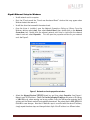
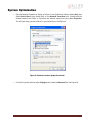
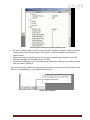
This will open the properties window for your network card. See Figure 9.
Figure 9. Network card main properties window.
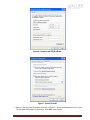
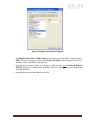
o From the Properties window select Configure then select the Advanced tab. See Figure 10.
GE4900 Technical Manual
Page 22