1
KEYBOARD FEATURES
Page 39
4. Keyboard features
4.1. Programming the keyboard
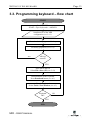
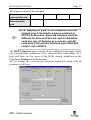
The Download function saves settings of all
modules and all keys into the MID’s internal
non-volatile memory.
With the additional Verify function you can
check if the data have been successfully
stored.
4.2. Testing the keyboard
The accuracy of the programming can be
tested in the test windows. The keyboard can
be tested either in the AT/PS2 or in RS232
mode.
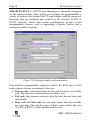
To test the AT/PS2 keyboard output choose the menu command
Tools->Text window (Alt, T, T) and the normal text input window is
displayed.
First verify the layer switching keys. When such key is pressed (its
content being a switch to a certain layer), an appropriate LED diode
should light up on the keyboard. The active LED diode represents an
active layer for the whole keyboard (all the matrix modules). The display
in the test window must fit the content of the currently active layer.
4.2.1. Testing the RS232 keyboard
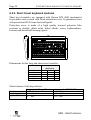
With the menu command Tools->TTY terminal (Alt, T, Y) you can test
the codes coming from the keyboard through the RS232 interface.
First the program asks for the connected serial port and the baud rate,
which can be changed later also.
MID - USER'S MANUAL