1
DMM 220
User Guide V1.1
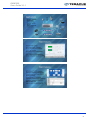
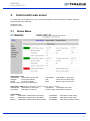
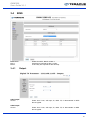
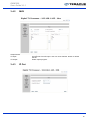
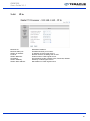
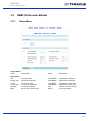
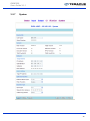
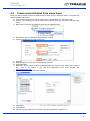
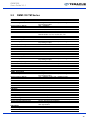
Decoder Status
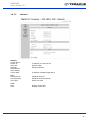
AV Status
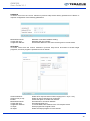
Video: Status of Decoder output
Audio: Status of Decoder output
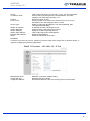
Service CVBS or HDMI
Service Type: Service Name from BAT
Provider Name: Provider Name from SDT
PMT PID: PMT PID
Service Name: Service Name from SDT
Service ID: Service ID from SDT
PCR PID: PCR PID
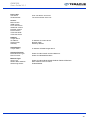
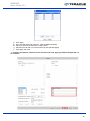
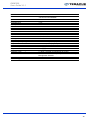
Video Information CVBS or HDMI
Video PID: Video PID from PMT
Video Standard: Resolution
Stream Type: Stream Type MPEG or H264
Aspect Ratio: Aspect Ratio 16:9 or 4:3
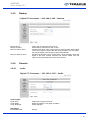
Audio Information
Audio PID: Audio PID from PMT
Audio Sample Rate: Audio Sample Rate
3.2
Audio Format: Audio Format MPEG or AAC
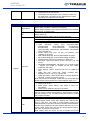
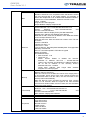
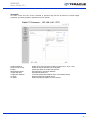
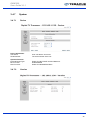
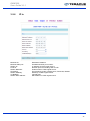
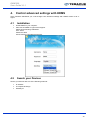
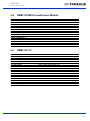
Tuner
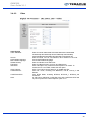
QPSK Setting
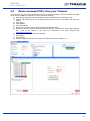
LNB Freq. (MHz):
SatFreq. (MHz):
Symbol rate (kBaud):
LNB Voltage:
LNB 22kHz:
DiSEqC:
LNB Local Oscillator Frequency
Satellite down link frequency
Set Symbol rate
Select from OFF/13V/18V
Select from OFF/22K
Select from DiSEqC Off, Port A, Port B, Port C, Port D
Configure the satellite settings according to your transponder. Here some helpful hints:
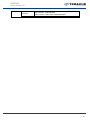
- When receiving high band signals (11,8 – 12, 75 GHz) switch LNB 22 kHz on and LNB Freq 10600
- When receiving low band signals (10, 7 – 11, 75 GHz) switch LNB 22 kHz off and LNB Freq 9750
- When receiving vertical signals the LNB Voltage level is 13 Volt
- When receiving horizontal signals the LNB Voltage level is 18 Volt
12