1
123 Live Help User Manual
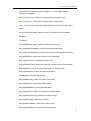
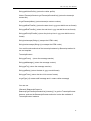
export FCSERVER_HOME
Step 2:
Modify /etc/rc.local file, add one row:
/usr/local/123lhserver/lhserver.sh
Just replace "/usr/local/123lhserver/ " with your FCSERVER_HOME value.
3.3 Other UNIX Operating System
3.3.1 Install JRE 1.4.2 or above (we recommend JRE 1.5)
For other unix os server, you have to install a JRE 1.4.2 or above first, we recommend JRE
1.5, you may download it here:
http://java.sun.com/j2se/1.5.0/download.jsp
3.3.2 Get the free other OS package.
http://www.123livehelp.com/download.html
Download the other OS version: 123livehelp_s.tar.gz
3.3.3 Decompress downloaded file.
You may use the following command to uncompress the downloaded file.
$ gzip -d 123livehelp_s.tar.gz
$ tar xvf 123livehelp_s.tar
3.3.4 Set JRE Environment variable
Run the java application, please set JAVA_HOME env variable and PATH env variable.
For example, JRE installed in: /usr/local/java/jre , you should set:
JAVA_HOME=/usr/local/java/jre;export JAVA_HOME
PATH=$PATH:/usr/local/java/jre/bin;export PATH
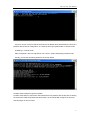
3.3.5 Start the chat server
After setting the JAVA_HOME you may start the server with the command: (Remember to
put all code below in one single line.)
$ java –classpath CLASSPATH:lib/lhserver.jar:
jar:lib/log4j.jar:lib/jdom.jar:lib/xerces.jar com.topcmm.jchat.LHServer &
8