1
SETTING UP
Warning - Disconnect the line cord from the wall socket before inserting or changing
the batteries.
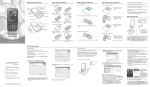
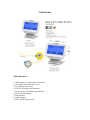
Open the battery cover located under the unit and insert three AAA batteries.
Please note the correct positioning (+ and -), or connect AC adapter on the above of
the call blocker. Then connect your phone line to the “TO Line” port coming from
wall or form your phone service provider and then use small cord to connect “To
Phone” port or socket directly to actual phone set. After installing call blocker unit
properly you must see call blocker with number or digits. For instance Date, Time,
Day ect.
Note: Please make sure you hear a dial tone through your phone before proceeding
to program call blocker. Please use your phone’s dial pad to program the call blocker
for the following steps below.
1. Set the Day and Time
If your phone service provider is FSK compatible, Day and Time will be
automatically updated on call Blocker Device. If not, please go though the following
steps:
1. Pressing [ Set ] key, LCD screen will display “set 123456”
2. Lift of the handset, make sure you hear the dial tone press”1”
Using the dial pad of your phone, LCD displays “2012”, and the last two digits
will start to blinking indicating that it can be changed.
3. Press [ DWN ] keys to modify to the present year, then pressing [ Set ] key;
4. Then enter the month setting, modifying the settings in the same way as, press
[ set ] key followed by the date, hour and minute.