Transcript
Technovision Interactive Inc.
MP3SA-CA
Communications Adapter for MP3SA
Operation
Status Inquiry Command
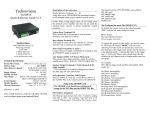
The Technovision MP3SA-CA is an option available for the
MP3sa that allows for RS232 control of the Technovision
MP3SA. RS232 data is sent to the MP3SA-CA at
9600,8,N,1 baud (full duplex) through the DB9F connector
on the back of the MP3SA-CA.
You can also monitor the status of the MP3SA by
transmitting a “?” to the MP3SA. The player will respond
with:
Available RS232 Commands
User’s Manual
These lowercase commands must be terminated with a
carriage return (0DH).
pause
stop
play
next (track)*
prev (song)
disc+
discsongXX
discXX
replay (song)
track1
last (song)
ff
rew
vol+
volmax (vol)
min (vol)
mute
mute2 (toggle)
brup
brdn
brsel
brtoggle
repeat (cycle)
reset
*text within brackets are for descriptive purpose only.
In addition to the commands listed above, all variables
that are entered in the CONFIG.TXT file of the MP3SA
can be entered via RS232. These configurations, if
changed through RS232, are not retained when the
MP3SA is RESET or powered up.
Technovision Inc.
1845 Sandstone Manor, Unit 2
Pickering, Ontario, L1W 3X9
Phone: (905) 420-5153
Fax: (905) 420-0753
www.technovision.com
Examples of some of the commands are:
volume = 30
initial volume value (%)
minvol = 0
minimum system volume (%)
maxvol = 100
maximum system volume (%)
fadetime = 500
fade up from mute (ms)
audio is muted on each search
repeat = 2
0=off, 1=all once, 2=all, 3=track,
4=disc ,5=track once & pause.
lineX = “ “
defines LCD lines (see MP3SA
manual)
Update: November 4, 2002
1
“Status: num= A file=B disc=C track=D
G<CR><LF>” where…
A = file number being played
B = file name being played (xxx.mp3)
C = disc number
D = track number
E = status of the player (PLAY, STOP, PAUSE)
F = time of the current file MM:SS
G = volume level (%)
E
F
Example output:
“Status: num=6 file=0201.MP3 disc=2 track=1
PLAY 00:19 50%<CR><LF>”
There must be a 2 second delay between inquiry
commands.
RS232 Connector
The RS232 connector on the MP3SA is a DB9 female.
Pin#
Description
2
RS232 OUTPUT to computer
3
RS232 INPUT to the adapter
5
DATA GROUND
MP3SA-CA Installation
The MP3SA-CA comes with a replacement cover and cable
interconnect that attaches to a 10-pin header (P1) within
the MP3SA.
o Remove the 4 screws for MP3SA cover.
o Attach
the
cable
interconnect so that pin
1 (red stripe) is attached
to pin 1 on connector P1
within the MP3SA.
o Attach the new lid using
the screws that were
removed.
2