1
Gigabit Ethernet Media Converter
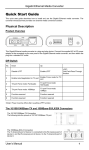
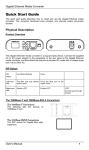
The WDM 1000Base-BX Connections
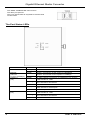
The fiber port pinouts
Only one optical fiber is required to transmit and
receive data.
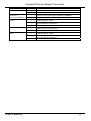
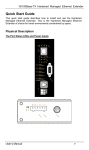
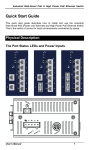
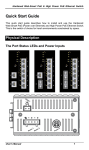
The Port Status LEDs
LEDs
POWER
State
Steady
Off
Steady
SPEED
(TX Port
10/100/1000Mbps) Off
LNK/ACT
Steady
(TX)
Flashing
FDX
LNK/ACT
(FX)
Off
Steady
Off
Steady
Flashing
Off
2
Indication
Power on
Power off
Green: Connection at the speed of 1000Mbps
Amber: Connection at the speed of 100Mbps
Connection at the speed of 10Mbps
A valid network connection is established on TX port
LNK stands for LINK
Transmitting or receiving Data
ACT stands for ACTIVITY
No network connection is established
TX port at Full-duplex mode
FDX stands for Full-duplex
At Half-duplex mode
A valid network connection is established on Fiber port
LNK stands for LINK
Transmitting or receiving Data
ACT stands for ACTIVITY
No network connection is established
User’s Manual