1
DOC-UM-20035-1.4
User Manual eS-WiFi Module
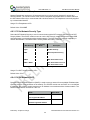
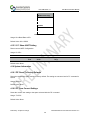
4.6.12 ‘CC’ Network Auto Connect
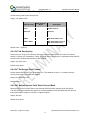
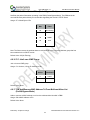
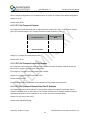
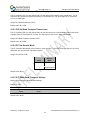
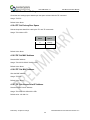
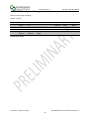
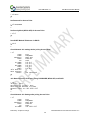
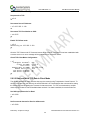
Network Auto Connect allows the user to define weather or not the eS-WiFi module will attempt a Join a
wireless network after the system is powered up and operational, or after a reset. The Network Auto
Connect modes are listed in Table 4.5.
Auto Connect
Mode
Auto Connect
Disable
Network Auto-Join
0
Enable
Network Auto-Join
1
Table 4.5: Network Auto Connect Modes
Usage: CC=<Auto Connect Modes><CR>
Default Value: 0
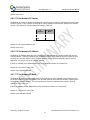
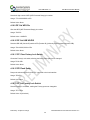
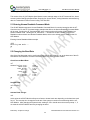
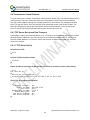
4.6.13 ‘CD’ Disconnect from Network
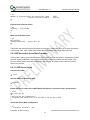
To disconnect the eS-WiFi module from a wireless network, the AT Command ‘CD’ is used. ‘CD’ will shut
down the network communications and clear the network IP Address, Net Mask, and Gateway Address
assigned to the eS-WiFi Module.
Usage: CD<CR>
Default Value: None
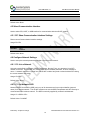
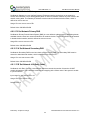
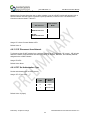
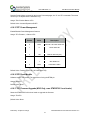
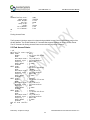
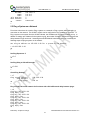
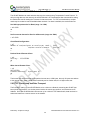
4.6.14 'CE' Set Authorization Type
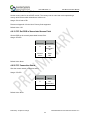
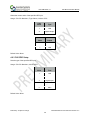
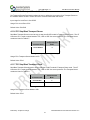
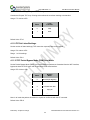
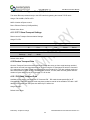
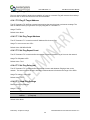
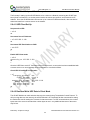
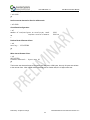
Set the authorization type for WEP security.
Usage: CE=<Type><CR>
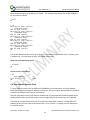
Type
IP Version
Mode
0
Open
1
Shared Key
Default Value: 0 (Open)
Preliminary - Subject to change
eS-WiFi Module AT Command Set Version v1.4
23