1
3. FORMATTING THE HARD DRIVE
FORMATTING THE HARD DRIVE
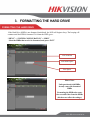
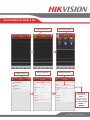
If the Hard Drive (HDD) is not formatted (initialized), the NVR will begin to beep. The beeping will
continue until the HDD is formatted. To format the HDD, go to:
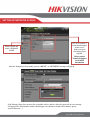
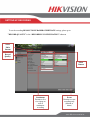
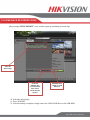
“MENU” > “SYSTEM CONFIGURATION” > “HDD”
Select the HDDs that need to be formatted, and press “INIT”
List of HDDs
Total HDD Space
Free Space
Please Note:
Units purchased with HDDs,
already come with formatted
HDDs
Formatting the HDDs also erases
the recorded video from the HDDs
(this does not affect the settings).
www.hikvision.com/en/us