1
NETWORK COMPASS USER MANUAL
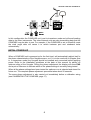
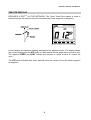
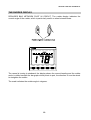
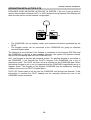
ENABLING THE OFF COURSE ALARM
Ensure that the instrument is not in Timer mode.
1. Press SETUP until the OFFCOURSE legend flashes to indicate the alarm set up
display. This value is preset to 0° which is shown as OFF.
2. Press ENTER then OFF will flash.
3. Press the or keys to set the desired value (between 0° and 30°).
4.
Press ENTER to accept value and return to setup mode.
5.
Press MODE to return to desired mode.
Network COMPASS
OFFCOURSE
MODE
TIMER
LOCK
SETUP
LIGHTS
ENTER
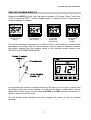
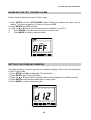
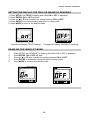
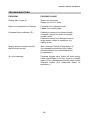
SETTING THE COMPASS DAMPING
Compass damping is used to smooth out compass readings. Ensure that the instrument
is not in Timer mode.
1. Press SETUP until dxx is displayed. The d will flash.
2. Press ENTER, the numbers will flash.
3. Press the or keys until the desired value is shown (between 1 and 99 seconds).
4. Press ENTER to accept value and return to setup mode.
5. Press MODE to return to desired mode.
Network COMPASS
MODE
TIMER
LOCK
SETUP
LIGHTS
ENTER
14