1
CHAPTER 2: OVERVIEW
OF
SOI-120
Description
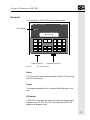
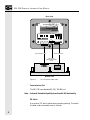
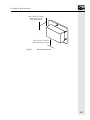
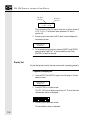
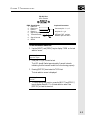
The front panel of the SOI-120 terminal is shown below.
SOI 1SERIES
00
LED Indicator
RUN
Display Window
MENU
F1
F2
F3
F4
F5
F6
PREV
F7
F8
NEXT
Power Connector
Figure 2.1
MODE
1
2
3
4
5
6
CE
7
8
9
+/-
.
0
Communications Port
SOI-120 (front view)
Display
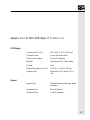
The 2 line by 20 character display uses high contrast LCD technology
with LED backlighting.
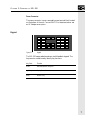
Keypad
The keypad is separated by color into easily identified groups or functions.
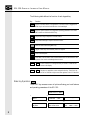
LED Indicator
A RUN LED in the upper left corner of the terminal indicates proper
operation of the SOI-120. This LED illuminates after the SOI-120
passes the self diagnostic tests.
5