1
User’s Manual
5.4.8
Circular Recording
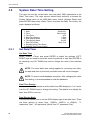
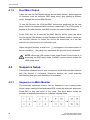
The user can choose to record video in circular mode or in linear mode. If you
choose to record in circular mode, then the unit begins to overwrite the oldest
recorded video and stores new video over the HDD spaces. If you choose to
record in linear mode instead, the unit stops recording when the HDD is full.
From the Record Setup menu, move the cursor to <Circular Recording> and
press ENTER, then select <ON> / <OFF> using UP / DOWN keys.
5.4.9
Audio Recording
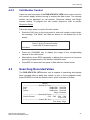
This item allows the user to enable / disable the Audio recording function of
the unit. When set to <ON>, audio input is recorded and saved with the video.
When set to <OFF>, audio is ignored. The default setting is <ON>.
5.4.10
Purge Data
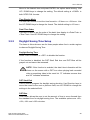
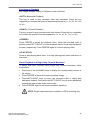
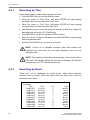
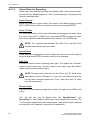
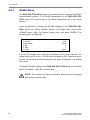
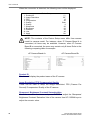
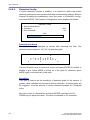
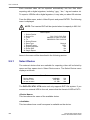
This item is used to delete the Normal or Event recording video. In Record
Setup menu, move the cursor to <Purge Data> and press ENTER; the Purge
Data menu is displayed.
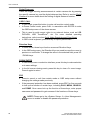
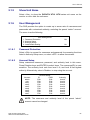
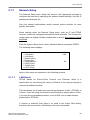
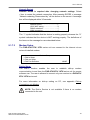
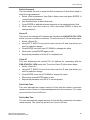
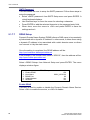
Purge Data
1. Purge All Data
2. Purge All Event Data
3. Purge Event Before
4. Start To Purge
5.4.10.1
No
No
2000/01/01
No
Purge All Data
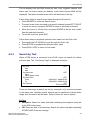
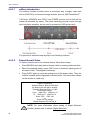
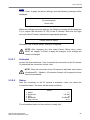
This item is used to delete all video from database(s). Using UP / DOWN
buttons to select <Yes> and start the deleting by setting the <Start to Purge>
to <Yes>.
5.4.10.2
Purge All Event Data
This item is used to delete all event video from database(s). Using UP /
DOWN keys to select <Yes> and start the deleting by setting the <Start to
Purge> to <Yes>.
104
DVR-4TH/8TH/16TH Series
SPECO TECHNOLOGIES 01/09