1
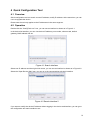
In the configuration tool search interface (Figure 4-1), please select a device IP address and then
double click it to open the login interface. Or you can select an IP address and then click the Login
button to go to the login interface. See Figure 4-3.
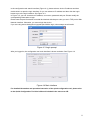
In Figure 4-3, you can view device IP address, user name, password and port. Please modify the
corresponding information to login.
Please note the port information here shall be identical with the port value you set in TCP port in Web
Network interface. Otherwise, you cannot login the device.
If you are using device background upgrade port 3800 to login, other setups are all invalid.
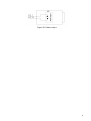
Figure 4-3 Login prompt
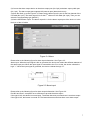
After you logged in, the configuration tool main interface is shown as below. See Figure 4-4.
Figure 4-4 Main interface
For detailed information and operation instruction of the quick configuration tool, please refer
to the Quick Configuration Tool User’s Manual included in the resources CD.
11