1
Manuals ••••••••••••••••••••••••••••••••••••••••••••••••••••••••••••••••••••••••••••••••••• 2
Symbols Used in this Manual ••••••••••••••••••••••••••••••••••••••••••••••••••••••••• 2
Safety Precautions •••••••••••••••••••••••••••••••••••••••••••••••••••••••••••••••••••••• 3
General Precautions •••••••••••••••••••••••••••••••••••••••••••••••••••••••••••••••••••• 6
1 Before using the printer ••••••••••••••••••••••••••••••••••••••• 9
STEP
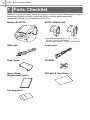
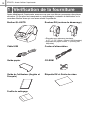
Parts Checklist ••••••••••••••••••••••••••••••••••••••••••••••••••••••••••••••••• 10
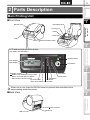
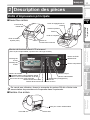
Parts Description••••••••••••••••••••••••••••••••••••••••••••••••••••••••••••••• 11
Main Printing Unit•••••••••••••••••••••••••••••••••••••••••••••••••••••••••••••••••••••••• 11
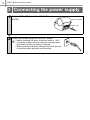
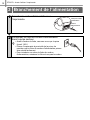
Connecting the power supply ••••••••••••••••••••••••••••••••••••••••••••••• 12
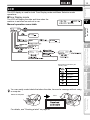
LCD •••••••••••••••••••••••••••••••••••••••••••••••••••••••••••••••••••••••••••••••••••••••• 13
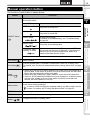
Manual operation button ••••••••••••••••••••••••••••••••••••••••••••••••••••••••••••••• 15
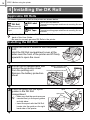
Installing the DK Roll •••••••••••••••••••••••••••••••••••••••••••••••••••••••••• 16
Applicable DK Rolls ••••••••••••••••••••••••••••••••••••••••••••••••••••••••••••••••••••• 16
Installing the DK Roll•••••••••••••••••••••••••••••••••••••••••••••••••••••••••••••••••••• 16
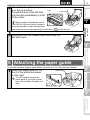
Attaching the paper guide•••••••••••••••••••••••••••••••••••••••••••••••••••• 17
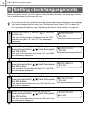
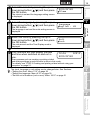
Setting clock/language/units••••••••••••••••••••••••••••••••••••••••••••••••• 18
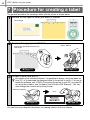
Procedure for creating a label ••••••••••••••••••••••••••••••••••••••••••••••• 20
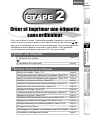
2 Creating and printing a label without using your
computer ••••••••••••••••••••••••••••••••••••••••••••••••••••••• 21
1
STEP
2
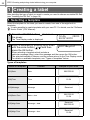
Creating a label •••••••••••••••••••••••••••••••••••••••••••••••••••••••••••••••• 22
For Windows
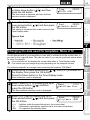
Editing a template: Menu 1/12 •••••••••••••••••••••••••••••••••••••••••••••••••••••••• 24
Changing the date used for templates: Menu 2/12 ••••••••••••••••••••••••••••••• 25
Preview the label content before printing: Menu 3/12 •••••••••••••••••••••••••••• 26
Specifying the number of copies: Menu 4/12 •••••••••••••••••••••••••••••••••••••• 27
Printing labels with label numbers: Menu 5/12 •••••••••••••••••••••••••••••••••••• 27
Printing a list of templates: Menu 6/12 •••••••••••••••••••••••••••••••••••••••••••••• 29
Setting the clock: Menu 7/12 •••••••••••••••••••••••••••••••••••••••••••••••••••••••••• 29
Cut the roll automatically when printing: Menu 8/12 •••••••••••••••••••••••••••••• 30
Setting the language: Menu 9/12 ••••••••••••••••••••••••••••••••••••••••••••••••••••• 30
Set the unit of measure (inch or mm): Menu 10/12 ••••••••••••••••••••••••••••••• 31
Adjusting the contrast of LCD: Menu 11/12 •••••••••••••••••••••••••••••••••••••••• 31
Hiding/showing the preset templates: Menu 12/12 ••••••••••••••••••••••••••••••• 32
Locking the Menu button ••••••••••••••••••••••••••••••••••••••••••••••••••••••••••••••• 32
Uploading templates/messages from your computer••••••••••••••••••••••••••••• 32
Concerning the download of message •••••••••••••••••••••••••••••••••••••••••••••• 32
3
For Mac
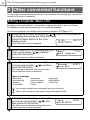
Other convenient functions •••••••••••••••••••••••••••••••••••••••••••••••••• 24
STEP
Connecting the printer to your PC
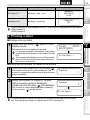
1. Selecting a template ••••••••••••••••••••••••••••••••••••••••••••••••••••••••••••••••• 22
2. Printing a label •••••••••••••••••••••••••••••••••••••••••••••••••••••••••••••••••••••••• 23
STEP
4
Maintenance and
Troubleshooting
STEP
STEP
Before using
the printer
Introduction ••••••••••••••••••••••••••••••••••••••••••••••••••••••••••••••••••••• 1
Creating and printing a label
without using your computer
Table of Contents
Introduction
FRANÇAIS