1
Table of Contents
Getting started
61
62
64
65
6 Device layout
7Buttons
8 Package contents
9 Installing the SIM card and battery
12 Charging the battery
14 Inserting a memory card
16 Turning the device on and off
16 Adjusting the volume
16 Switching to silent mode
Media
66Gallery
69 Paper Artist
70 Photo Wizard
72 Video Player
73 Video Editor
75 Music Player
76YouTube
77Instagram
Camera
17
26
36
44
46
Setting up accounts
Transferring files
Securing the device
Upgrading the device
Basic functions
Advanced functions
Shooting options
Configuring settings for Camera
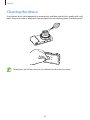
Cleaning the device
Communication
78Contacts
81Email
83 Google Mail
84Talk
85ChatON
86Google+
86Messenger
Basics
47 Indicator icons
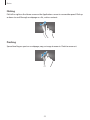
48 Using the touch screen
51 Control motions
54Notifications
55 Home screen
57 Using applications
57 Applications screen
59 Entering text
60 Connecting to a Wi-Fi network
4