1
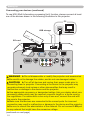
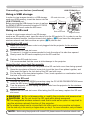
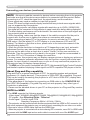
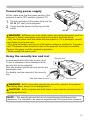
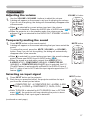
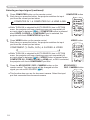
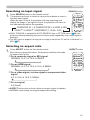
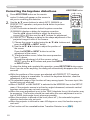
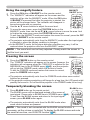
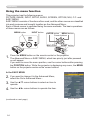
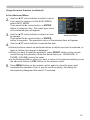
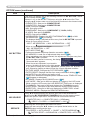
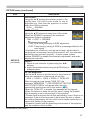
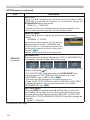
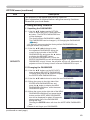
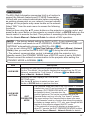
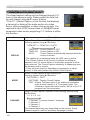
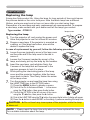
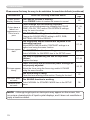
Operating Operating Adjusting the volume VOLUME +/- button the VOLUME +/VOLUME - buttons to adjust the volume. 1. Use A dialog will appear on the screen to aid you in adjusting the volume. VIDEO If you do not do anything, the dialog will automatically disappear after a few seconds. ● When is selected for current picture input port, the volume adjustment is disabled. Please see AUDIO item of AUDIO menu (39). ●W hen the projector is in the standby mode, the volume can be adjusted if is not selected for the AUDIO OUT STANDBY of AUDIO (39). ASPECT MAGNIFY ON 1. Press INPUT button on the projector. Each time you press the button, the projector switches its input port from the current port as below. SEARCH BLANK PAGE UP VOLUME 㧗 DOWN KEYSTONE MY BUTTON 1 2 MUTE MENU POSITION ENTER RESET ESC MUTE button sound. To restore the sound, press the MUTE, VOLUME + or VOLUME button. Even if you do not do anything, the dialog will automatically disappear after a few seconds. ● When is selected for current picture input port, the sound is always muted. Please see AUDIO item of AUDIO menu (39). ● When the sound is muted while a signal from VIDEO(NTSC), S-VIDEO(NTSC), COMPONENT(480i@60), COMPUTER IN1 (480i@60) or COMPUTER IN2(480i@60) port is selected, the C.C. (Closed Caption) is automatically activated if the DISPLAY item of the C.C. menu is set to AUTO and the input signal supports the C.C. feature (66). Selecting an input signal AUTO FREEZE OFF Temporarily muting the sound MUTE button on the remote control. 1. Press A dialog will appear on the screen indicating that you have muted the MY SOURCE/ COMPUTER DOC.CAMERA VIDEO ASPECT MAGNIFY ON MY SOURCE/ COMPUTER DOC.CAMERA AUTO FREEZE SEARCH BLANK PAGE UP VOLUME 㧗 DOWN OFF KEYSTONE MY BUTTON 1 2 MUTE MENU POSITION ENTER ESC RESET INPUT button COMPUTER IN 1 COMPUTER IN 2 HDMI MIU VIDEO S-VIDEO COMPONENT (Y, Cb/Pb, Cr/Pr) ● While TURN ON is selected for AUTO SEARCH item in OPTION menu (44), the projector will keep checking the ports in above order repeatedly till an input signal is detected. (continued on next page) 17