1
Projector features / Preparations
Projector features
The projector provides you with the broad use by the following features.
ü T
his projector has a variety of I/O ports that supposedly cover for any
business scene.
ü This projector realizes the large projection image, even if in a small space.
ü The new double layer filter system is expected to function longer and offers
you less maintenance frequency.
ü It is possible to project the images from an SD memory card or USB
memory by the PC-LESS Presentation function of this projector.
ü This projector can be controlled and monitored via LAN connection.
ü U
sing the designated wireless network card (optional) realizes wireless
LAN connection.
ü The HDMI port can support various image equipment which have digital
interface to get clearer pictures on a screen.
Preparations
Contents of package
Please see the “Contents of package” section in the User’s Manual (concise)
which is a book. Your projector should come with the items shown there. Contact
immediately your dealer if anything is missing.
NOTE • Keep the original packing materials, for future reshipment. Be sure
to use the original packing materials when moving the projector. Use special
caution for the lens.
• To use the wireless network function, the designated wireless network card
that is sold as an optional is required (&79).
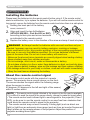
Fastening the lens cover
To avoid losing the lens cover, please fasten the lens
cover to the projector using the enclosed strap.
the strap to the strap hole of the lens cover.
1. Fix
Thread one end of the strap through the strap hole
of the lens cover and make the loop at the end,
and let the other end of the strap through the loop.
Not have a knot in the strap at either end.
the strap to the strap hole of the projector.
2. Fix
Thread the other end of the strap through the strap hole of the projector and
make the loop there. Let the lens cover with the one end of strap though the
loop.
3