1
M3455AT2-CPE User’s Manual
5. Troubleshooting
5. Troubleshooting
This chapter describes how to troubleshoot when this product does not work properly.
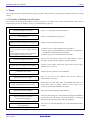
5.1 Flowchart to Remedy the Troubles
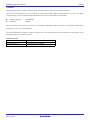
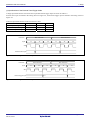
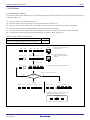
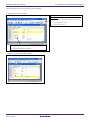
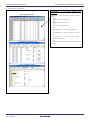
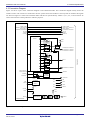
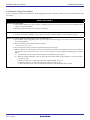
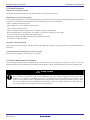
Figure 5.1 shows the flowchart to remedy the troubles from when power to the emulator is activated until the emulator
debugger starts up. Check this while the user system is disconnected. For the latest FAQs visit the Renesas Tools Homepage.
http://www.renesas.com/tools
Turning on emulator
Upper panel LED
of emulator
Normal
Init dialog box of emulator
debugger displayed (first)
Normal
Not normal
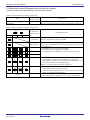
See “5.2.(1)When the LEDs of the M3455AT2-CPE Do Not
Display Normally” (page 70)
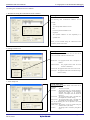
Not normal/Error displayed
1. Check the operating environment etc. of the emulator
debugger.
See the user’s manual of the emulator debugger.
2. Reinstall the emulator debugger.
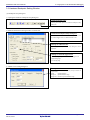
Init dialog box of emulator
debugger displayed (second)
Normal
Not normal/Error displayed
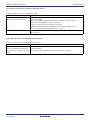
See “5.2.(2) Init Dialog Box Does Not Appear at Debugger
Startup” (page 71).
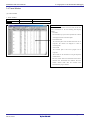
Program window of
emulator debugger diplayed
Normal
Emulator debugger startup completed
Figure 5.1 Flowchart to remedy the troubles
R20UT0215EJ0200 Rev.2.00
Nov 01, 2010
Page 69 of 78