1
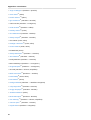
11.1. Office Suites Overview ..............................................................................................
11.2. Word Processing ......................................................................................................
11.2.1. OpenOffice.org Writer .....................................................................................
11.2.2. KWord ...........................................................................................................
11.2.3. Abiword .........................................................................................................
11.3. Spreadsheets ...........................................................................................................
11.3.1. OpenOffice.org Calc .......................................................................................
11.3.2. KSpread ........................................................................................................
11.3.3. Gnumeric .......................................................................................................
11.4. Presentations ............................................................................................................
11.4.1. OpenOffice.org Impress ..................................................................................
11.4.2. KPresenter .....................................................................................................
11.5. gLabels ....................................................................................................................
57
57
58
58
58
59
59
59
60
60
60
60
61
12. Financial software
12.1. GnuCash ..................................................................................................................
12.1.1. Configuring GnuCash .....................................................................................
12.1.2. Using GnuCash .............................................................................................
12.1.3. Setting up online banking ...............................................................................
12.2. KMyMoney ...............................................................................................................
12.2.1. Configuring KMyMoney ..................................................................................
12.2.2. Setting up online banking ...............................................................................
63
63
63
64
64
65
65
66
13. Playing multimedia
13.1. The Fedora Project's approach to multimedia support .................................................
13.2. Cheese Webcam Booth ............................................................................................
13.2.1. Using Cheese Webcam Booth ........................................................................
13.3. Rhythmbox Music Player ..........................................................................................
13.3.1. Using Rhythmbox Music Player ......................................................................
13.4. Audio CD Extractor (Sound Juicer) ............................................................................
13.4.1. Using Sound Juicer ........................................................................................
13.5. Sound Recorder .......................................................................................................
13.5.1. Using Sound Recorder ...................................................................................
13.6. Totem Movie Player ..................................................................................................
13.6.1. Using Totem Movie Player ..............................................................................
13.7. GNOME multimedia applications ...............................................................................
13.7.1. CD/DVD Creator ............................................................................................
13.7.2. Brasero .........................................................................................................
13.8. GNOME multimedia applications in the repository .......................................................
13.8.1. GNOMEBaker ................................................................................................
13.9. KDE multimedia applications .....................................................................................
13.9.1. Amarok .........................................................................................................
13.9.2. Dragon Player ...............................................................................................
13.9.3. JuK ...............................................................................................................
13.9.4. Kaffeine .........................................................................................................
13.9.5. KMix .............................................................................................................
13.9.6. KsCD ............................................................................................................
13.10. Multimedia applications in the repository ..................................................................
13.10.1. K3b .............................................................................................................
13.11. MP3 players ...........................................................................................................
13.11.1. Grip .............................................................................................................
13.11.2. iPod connectivity ..........................................................................................
13.12. Further information .................................................................................................
67
67
68
68
68
68
69
69
69
69
70
70
71
71
71
72
72
72
72
72
73
74
74
75
76
76
76
76
76
77
14. Playing games
79
v