1
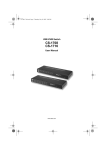
CS1708i / CS1716i User Manual
About this Manual
This user manual is provided to help you get the most from your CS1708i /
CS1716i system. It covers all aspects of installation, configuration and
operation. An overview of the information found in the manual is provided
below.
Overview
Chapter 1, Introduction, introduces you to the CS1708i / CS1716i system.
Its purpose, features and benefits are presented, and its front and back panel
components are described.
Chapter 2, Hardware Setup, describes how to set up your installation. The
necessary steps – from a basic single stage hookup to a complete 32-switch
daisy chained operation are provided.
Chapter 3, Basic Operation, explains the fundamental concepts involved
in operating the CS1708i / CS1716i.
Chapter 4, Local Console Operation, describes the concepts and
procedures used to operate the CS1708i / CS1716i from a locally connected
KVM console.
Chapter 5, Browser Login, explains how to log into the CS1708i /
CS1716i with your browser, and explains the functions of the icons and buttons
on the CS1708i / CS1716i web page.
Chapter 6, Administration, describes how to administer the CS1708i /
CS1716i after logging in from a browser.
Chapter 7, The Windows Client Viewer, explains how to connect to the
CS1708i / CS1716i with the Windows Client Viewer, and describes how to use
the GUI to access and control the computers connected to the switch.
Chapter 8, The Java Client Viewer, describes how to connect to the
CS1708i / CS1716i with the Java Client Viewer, and explains how to use the
GUI to access and control the computers connected to the switch.
Chapter 9, The Log File, shows how to use the log file utility to view all the
events that take place on the CS1708i / CS1716i.
Chapter 10, The Log Server, explains how to install and configure the
Log Server.
Chapter 11, AP Operation, describes how to operate the CS1708i /
CS1716i using Windows and Java Client application programs, rather than
with the browser method.
x