1
Appendix
Additional Mouse Synchronization Procedures
If the mouse synchronization procedures mentioned in the manual fail to
resolve mouse pointer problems for particular computers, try the following:
Note: 1. These procedures are to be performed on the computers attached to
the CS1708i / CS1716i's ports - not on the computer you are using to
access the CS1708i / CS1716i.
2. In order for the local and remote mice to synchronize, you must use
the generic mouse driver supplied with the Windows operating
system. If you have a third party driver installed - such as one
supplied by the mouse manufacturer - you must remove it.
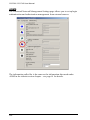
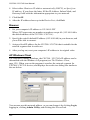
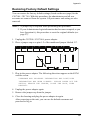
1. Windows 2000:
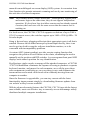
Set the mouse speed to the middle position; set the mouse acceleration to
None (Control Panel → Mouse → Mouse Properties → Motion):
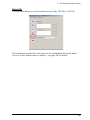
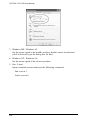
2. Windows XP / Windows Server 2003:
Set the mouse speed to the middle position; disable Enhance Pointer
Precision (Control Panel → Printers and Other Hardware → Mouse →
Pointer Options):
147