1
Experiencing Multimedia 133
Note
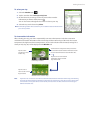
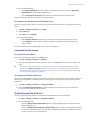
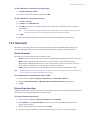
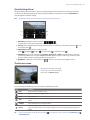
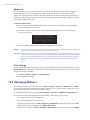
To undo an edit, tap Menu > Undo. To cancel all unsaved edits you made to the picture, tap Revert to Saved.
11.4 Windows Media® Player Mobile
You can use Windows Media® Player Mobile to play digital audio and video files that are stored on your device
or on a network, such as on a Web site.
Video File Formats Supported
File Extensions
Windows Media Video
MPEG4 Simple Profile
H.263
H.264
Motion JPEG
.wmv, .asf
.mp4
.3gp, .3g2
.mp4, .3gp, .3g2, .m4v
.avi
Audio File Formats Supported
File Extensions
Windows Media Audio
WAVE
MP3
MIDI and SP MIDI
AMR Narrow Band
AMR Wide Band
AAC, AAC+ and eAAC+
MPEG4 audio
QCELP
EVRC
.wma
.wav
.mp3
.mid, .midi, .rmi
.amr, .3gp
.awb, .3gp
.aac, .mp4, .m4a, .3gp
.m4a
.qcp, .3g2
.qcp
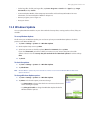
To open Windows Media® Player Mobile
Tap Start > Programs > Windows Media.
About the controls
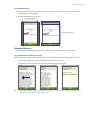
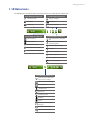
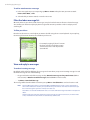
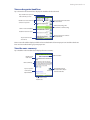
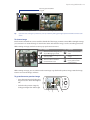
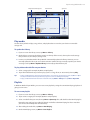
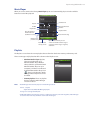
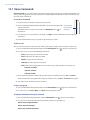
The following are available controls on the Windows Media® Player Mobile.
Tap and drag to jump
to any part of the video
or audio
Mute/Unmute
Full screen
Increase Volume
Decrease Volume
Visit WindowsMedia.com
Skip to the beginning of
the current file or to the
previous file
Skip to the next file
Play/Pause
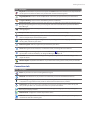
About the screens and menus
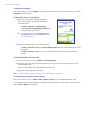
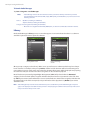
Windows Media® Player Mobile has three primary screens: