1
EDX Ref Guide.fm Page 2 Friday, June 30, 2006 10:48 AM
For complete details on connecting and operating the projector, refer to this
User’s Guide. Electronic versions of this User’s Guide in multiple languages
are available on our website.
The website also has technical specifications (an interactive image size calculator, laptop activation commands, connector pin outs, a glossary, the
product data sheet), a web store to buy accessories, and a page for online
registration. See the inside of the back cover for a list of all relevant web
addresses.
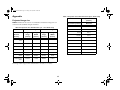
Table of Contents
Introduction
Included Items
Positioning the projector
4
4
6
Connecting a computer
Required computer connections
Displaying a computer image
Adjusting the image
Connecting a video device
Displaying a video image
7
7
9
10
11
12
Shutting down the projector
Troubleshooting your setup
14
14
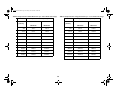
Using the keypad buttons
Using the remote control
Using the audio
21
21
22
Optimizing computer images
Presentation features
Optimizing video images
Customizing the projector
23
23
24
24
Using the menus
Picture menu
Settings menu
25
26
29
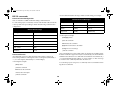
Maintenance
Cleaning the lens
Replacing the clock batteries
Replacing the projection lamp
Cleaning the dust filter
Using the security lock
33
33
33
34
36
36
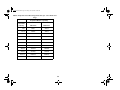
Projected image size
RS-232 commands
37
37
40
Appendix
2