1
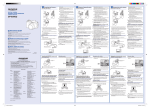
・・・Camera setting for capturing quality image.
* Please refer to camera’s user’s manual for initial setting and basic operation.
(*Please refer to camera’s user manual for blue page numbers)
1.Basic Setting for SP600UZ
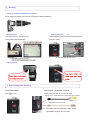
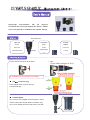
○ Turn on the camera and set language, date and time・・P12
Press[ON/OFF]button to turn on the camera.
* The data and time setting screen is displayed. Set the date and time using wheel controller, and press OK.
<Wheel Controller>
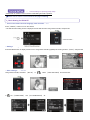
○ Setting shooting mode・・・P4, 20
Press the MENU button to display function menu. Using wheel controller (right/left) set shooting mode to[iAUTO]and press OK
○ Other settings.・・・P40, P45
Using wheel controller, and select [SET UP]. In
In
, select [SAVE SETTINGS]and choose YES.
, set [POWER SAVE] and [PIC ORIENTATION] off.